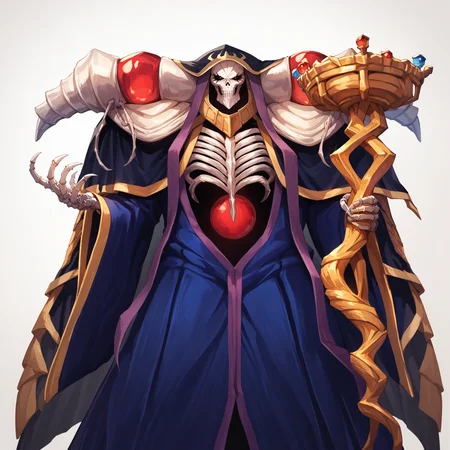

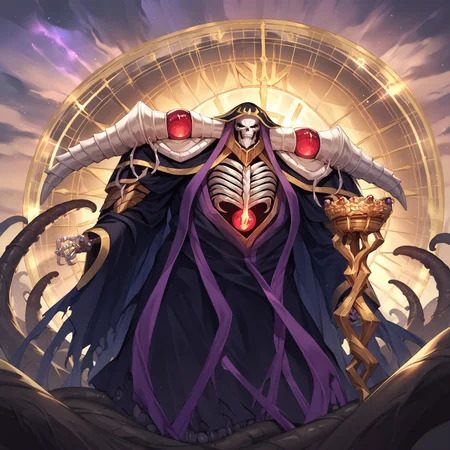
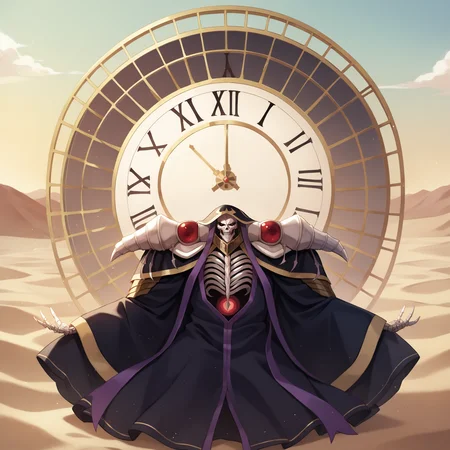
A LoRA trained to generate Ainz Ooal Gown from the Overlord series
General Recommended Prompt:
score_9, score_8_up, score_7_up, score_6_up, source_anime, <lora:Ainz_Ooal_Gown:1> solo, ainz ooal gown, skeleton, lich, dark robe, red eyes, skull
I tried my best to train the model to recognize some additional keywords such as:guild staff(the LoRA can also sometimes generate it unprompted, so you can go ahead and put it in the negatives if you don't want it)the goal of all life is death (consider also adding something like clock behind back androman numerals on clock)
Since he is a skeleton tools like ADetailer can sometimes fail to recognize his face so he can come out looking goofy in pictures where his face isn't in the focus (but should still look recognizable)
And on a side note, I did try to put a few pics of "naked' Ainz in the dataset but it seems like Pony in general doesn't like making bare skeletons, or maybe I'm just not prompting it correctly. So no NSFW Ainz unless you try hard :(
For the LN artwork style, you can try adding:
overlord, so-bin style
Description
FAQ
Comments (6)
I love this lora! I was wondering, would you be willing to attempt a 2.0? I have a curated dataset with every outfit ainz ever worn. I used this dataset for sd 1.5 then changed it for pony. Its on my profile. I can send it if you like.
I mean I could but if you already went through the trouble of making the dataset why not train it yourself? You don't need a good GPU, just do this:
1. Go to your Google Drive (you should have one if you have a Google account).
2. In the main "MyDrive" page make a folder called Loras and in it make a folder called (for example) Ainz.
3. Go to this website: https://colab.research.google.com/github/hollowstrawberry/kohya-colab/blob/main/Dataset_Maker.ipynb, follow all the listed steps (skip downloading the dataset, just upload what you have to the dataset folder, and then tag it)
4. Go to this website https://colab.research.google.com/github/hollowstrawberry/kohya-colab/blob/main/Lora_Trainer_XL.ipynb#scrollTo=OglZzI_ujZq- and follow all the listed steps (I like setting the Epoch number to 12).
5. Wait till the Collab GPU trains your LoRA, and then download it from your Google Drive.
6. Enjoy your LoRA :)
This is all based on this guide right here on civit: https://civitai.com/models/22530/guide-make-your-own-loras-easy-and-free you can refer to it if anything is unclear.
@Bereft oh wow, thanks! Ive been using my GPU but its been havingnissues with pony since its based off xl. Ill try this
I have to use skeleton to make him a skeleton, but strangely when I do that, I get frequent generations of random partial skeletons all over the scene with almost-Ainz face. If I use the "solo" tag, and try to weigh it more, it seems to make even more skeletons generate.
Stop it Albedo! we know is you, who the hell wants Momonga P*rn so bad!
Momongyatt
Details
Available On (1 platform)
Same model published on other platforms. May have additional downloads or version variants.