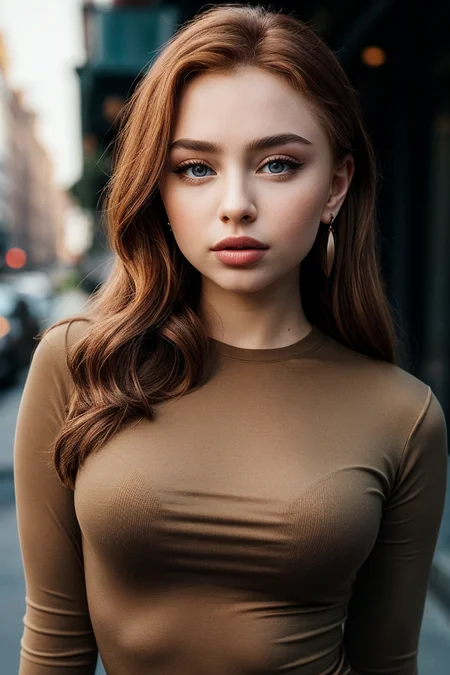
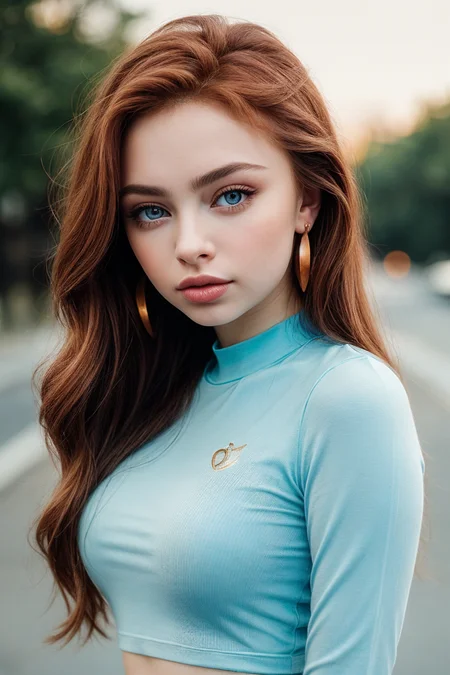
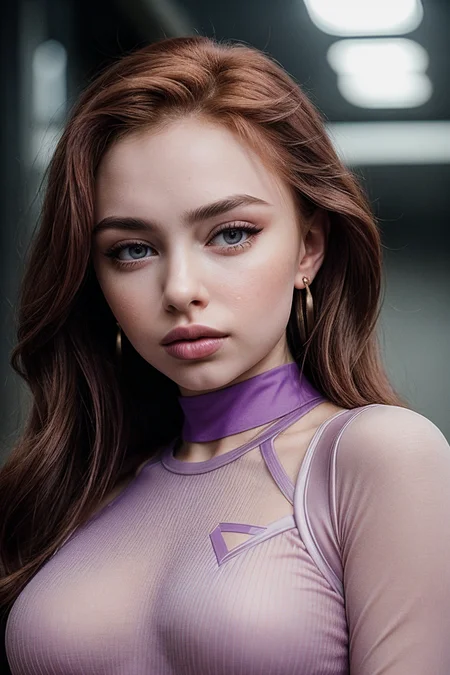
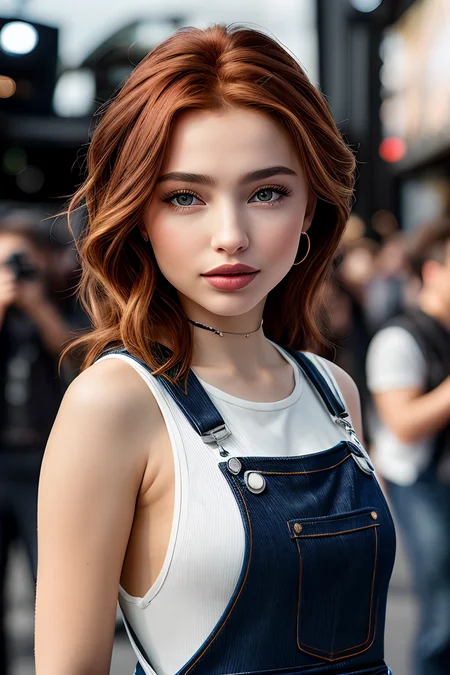
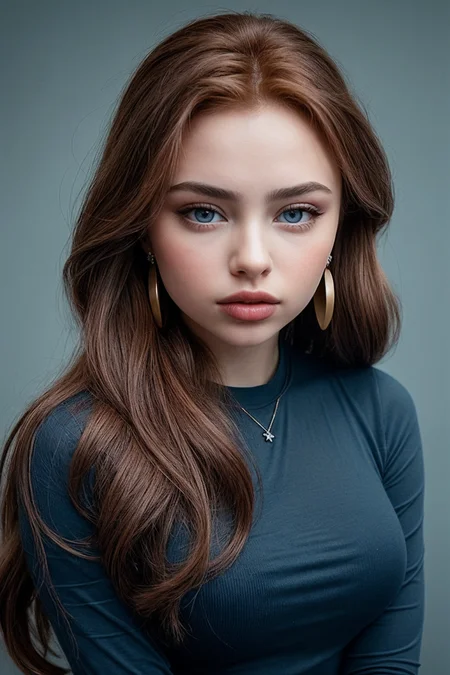
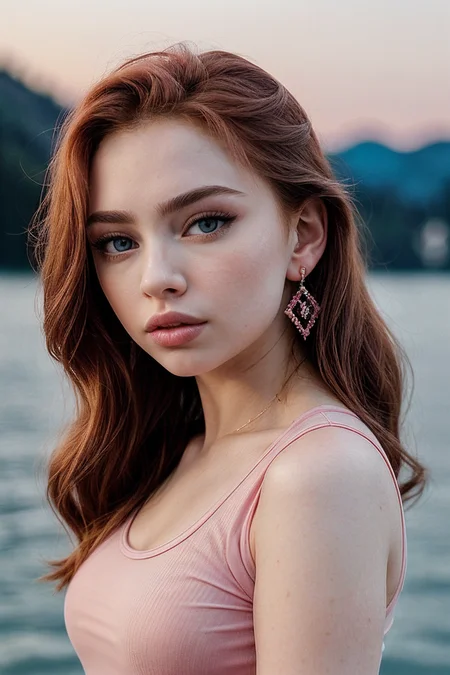
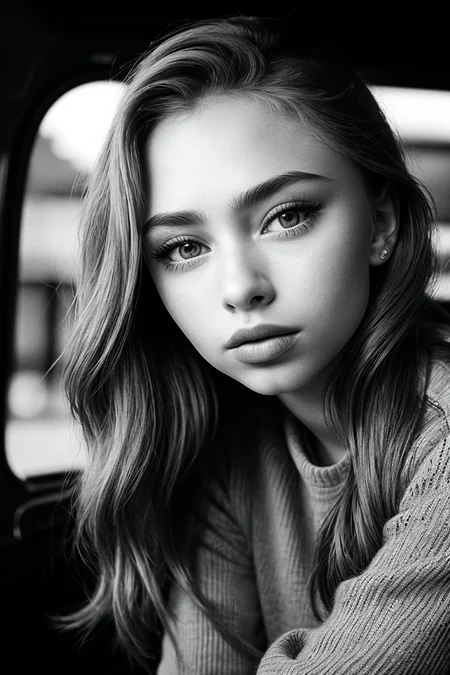
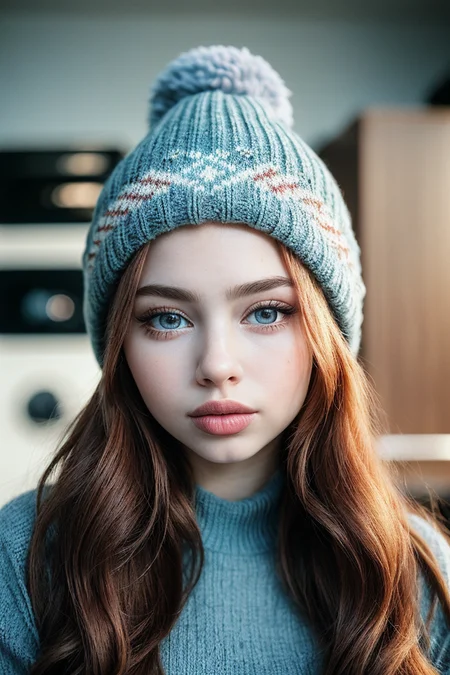
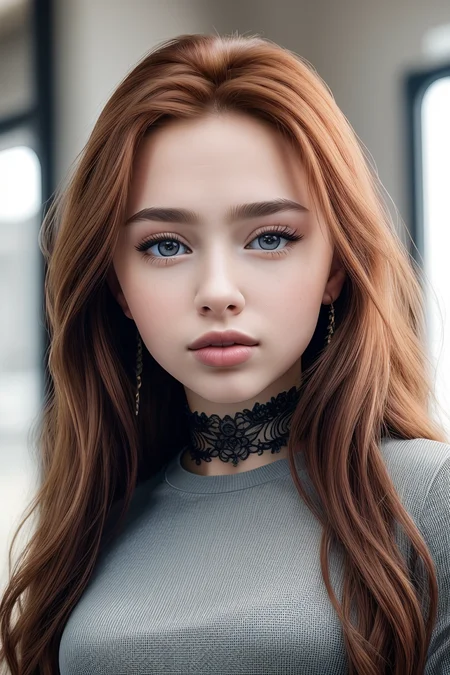
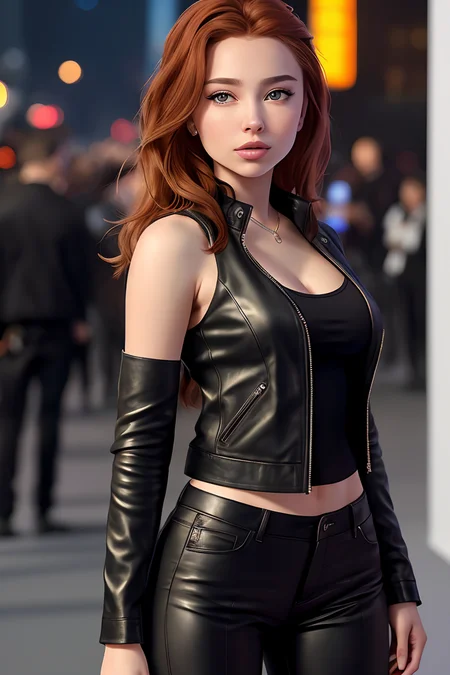
A request of @TheEliteChief01.
Renata Valliulina is a Russian model and social media personality with around 14M followers on Tiktok.
1000-step TI trained on a dataset of 18 images with my usual settings.
Appreciate my work? My TIs are free, but you can always buy me a coffee. :)
Curious about my work process? I have summarized it here.
How to create a good prompt using my TIs
You're obviously free to experiment, but bear in mind that my TIs are trained with a more or less fixed phrasing, that normally starts with:
"photo of EMBEDDING_NAME, a woman"
So I recommend always starting your prompt like that and then building the rest of the prompt from there. For instance, "photo of (r3natavall:0.99), a woman, RAW, close portrait photo, sexy camo bra, long camo pants, pale skin, slim body, (high detailed skin:1.2), 8k uhd, dslr, soft lighting, high quality, film grain, Fujifilm XT3 sharp focus, f 5.6, red lips, (eye shadow), (eyeliner), (rimmel), (heavy makeup), (long eyelashes), belt".
Description
1000-step TI trained on a dataset of 18 images with my usual settings.
FAQ
Comments (83)
Summary of my work process (update)
1- Pick some good quality pictures of the subject. Around 30, where the face is clearly visible, as high quality as possible. Avoid pictures with too many things in the background or that can be hard to describe precisely. Also avoid oversaturated pictures or images with "artifacts" (for instance, spots or marks that may be misinterpreted by the AI).
2- Crop the pics so that they have a 512x512 format. I use Photoshop for this, but many people prefer faster options, like Birme.
3- Make a final selection of the already cropped pictures. I always go for 15 because it's a multiple of 3. This is related to my usual batch size (3) and gradient (also 15), and the idea is that I run 3 full epochs every step. Why? Because by now I know that the "sweet zone" for TIs trained with these settings lies within the range of 360 to 420 epochs (i.e., between steps 120 and 140, training with said settings).
4- Create the embedding. I now go normally for 8 tokens and leave the initialization text field blank.
5- Preprocess the images. I always select "Use BLIP for caption".
6- Once the images are preprocessed, I'll carefully edit their respective text files. I try to describe everything that DOES NOT belong to the subject (what they're wearing, where they are, what the background is, any items around the subject, etc.) I use commas to separate by segments. For instance: "a woman in a white dress, with earrings and a necklace, wearing a black hat, posing for a picture in her bedroom, with a white wall in the background". The commas are important if you choose the "Shuffle tags by ',' when creating prompts" option for training, as do I.
7- Once I have the text files edited, the training begins. Remember to always select the base SD model for training (usually v1-5-pruned-emaonly.ckpt). I've uploaded a screenshot of my usual settings here: https://imgur.com/a/d348H3k. What I usually do now is train until step 120 with intervals of 10 steps (both for generating pics and for saving said steps). Once that part is done, I set the intervals down to 5 steps and train until step 140, allowing me to test 5 different steps of my "sweet zone" (120, 125, 130 135 and 140), which I think is a pretty good number of options. I always end up finding at least a decent version among those steps.
Awesome summary of your process! When choosing images do you avoid images with the subject smiling showing teeth or does that matter?
@TheEliteChief01 Thanks! I don't think that matters much, to be honest. Unless of course you want to avoid the AI learning the subject's teeth for whatever reason. ;P
Stupid question : After step 7, do you need to make something to choose witch images are good or not ? So do I need to check files saved from the training ? Or I need to train until I feel it's ok and that's all ? I m asking that because even after 2000 steps with all the same settings as you have, the results are bad, far far away from the photos I have chosen. And it looks like the training is running in the same direction without improving the results.
@Benkei244 Don't look at the images the training generates as an example of what it will look like when you use a custom model with a prompt. Take one of the generated embeddings (.pt files) and run that with a normal txt2img prompt that you like. This is how JG is checking the embeddings at different stages. Those are located typically in a filepath like stable-diffusion-webui\textual_inversion\2023-05-09\EMBEDDING_NAME\embeddings
@Benkei244 As @asdfreasy was saying, the training images will mostly look pretty bad. They're just an indication, at best, of how the training progresses, and you'll need to test different steps in order to ascertain how good the TI is and what step is the best among them.
What I usually do is training until step 1000, then check that step to get an idea. Usually it needs more training, but at times it'll look like it's a bit overtrained (I judge this based on different signs, particularly the eyes, but here experience is what eventually will help you most). If it needs more training, I'll give it 500 more steps and check again. If it looks overtrained, I'll test previous steps. Every now and then, step 1000 looks amazing and I will settle for it. 😉
@JernauGurgeh @asdfreasy Thnak you for all the details you give me! It's better but I see know what do youman when you talk about overtrained and not overtrained. I think I need to improve the text files to get a better result and chose beter images of the model with not too much variation of the contrast/colors on theses photos selected. Last thing : I tried with another config about the tokens : 12 tokens and I get better results, I don't really know why.
@Benkei244 Yes, the token count's effects on the TI's quality has been the subject of quite a lot of discussion. Apparently, the official documentation and some of the earliest tutorials on how to train embeddings recommended not going over 4 or 5, and preferably sticking to a maximum of 2 tokens (which is the number I'm now using, and I'm quite happy with the results). But then again there are countless examples of excellent TIs that use a higher count.
In principle, a very high count of tokens should make the TI less flexible. Partly, at least, because it leaves less space for other instructions in the prompt. But, apart from that, I'm not sure just how much of an effect it has on the quality of the embedding.
You should try this
https://github.com/Zyin055/Inspect-Embedding-Training
helps you know when your models are over trained. I was training way too much before, with this I been able to take the guess work out of it.
@summer4love263 Unfortunately that application is not a magic recipe either. It might be a good indicator in case you're working with standard settings (batch size and gradient = 1), but as soon as your batch size is greater than 1, vector strength isn't as good an indicator anymore. For instance, many of my TIs look better (more accurate and more consistent) around vector strength 1.1-1.3, and training them further usually leads to worse results. But I've had TIs that peaked around vector strength 0.07 and even lower.
@JernauGurgehHave you already make the comparison of texting vs lora vs dreamboth ?
@Benkei244 Sorry, what comparison? :D I've never trained neither LoRAs nor with Dreambooth.
May be asking a bit much but care to provide for any model you've trained on, the source images and their counter part captions? I tend to end up with cartoonish faces when following your parameters and I believe its because of my descriptions. If I could see captions that are known to work I can extrapolate from there.
Hey @0226! I've uploaded Madison Ivy's dataset to MediaFire. Hope you find it useful! Without seeing your results maybe it's too much inferring on my side, but I often get "cartoonish" results when I've overtrained a model. So maybe checking previous steps would help too. You probably do that already, but just in case. :)
@JernauGurgeh That's perfect thank you, I see what im doing wrong. I am noting the makeup, as I figured that would remove the make up, my source model has differing eye shadow shades. It seems that's probably my issue.
your results are always looking incredible, so i wanted to try it for myself. The only thing i can't find in your docs is the base model you're training on, do you use straight SD1.5 or something else?
@jr3 Yes, always train on the base SD model, whether it's 1.4 or 1.5 I personally prefer 1.5, but some other creators (like @Bozack3000) like 1.4 better.
@JernauGurgeh what custom filewords are you using?
@frandagostino not OP, but "a photo of [name], [filewords]" seems to be the standard for custom persons. Copy/Paste that line 3 or 4 times in the same file with nothing else, it prevents an issue where SD skips reading the prompt while training on an immage
I have downloaded and used many of your works, and they are really great!
Awesome!
I am now trying to train TI according to the parameters and workflow you suggested.
I've got a few quick questions for you. Would really appreciate it if you could help me out!
1. In your parameter settings, the Batch size is set to 3. However, my 3080 10G can only handle 1 or 2 without running into 'CUDA out of memory' errors. I was wondering if different Batch sizes would affect the results, or if they only affect the speed?
2. Currently, I am using the v1-5-pruned-emaonly.safetensors model for training. If I want to train TI for East Asian faces, do I need to switch to another model, such as ChilloutMix?
Thanks again, I really appreciate it!
@solo_lee Hey, thanks for your comment! Regarding your questions:
1) Batch size definitely affects the results, but that doesn't mean training with batch size 1 or 2 will lead to bad results. For instance, @Bozack3000 trains with batch size 1, I think, and he's one of the best TI creators I know. It's about finding the settings that work best for you and, of course, that your GPU can handle. What I'm now doing is I keep batch size at 3 but increase the gradient up to the number of pics included in the dataset (generally between 12 and 18). I'm pretty sure you could do something similar with batch size 1. For instance, batch size 1 and gradient 15. Your GPU will probably be able to handle it, even if training seems a bit slow. You'll probably start getting decent results between 500 and 1000 steps with those settings, but you'd need to experiment by yourself, as I have 0 experience with those exact parameters. :)
2) Training should always be done with either v1.5 or v1.4. Custom models are usually not a good idea for training, be it Asian, European or any other ethnicity/nationality/race. That said, maybe Chillout does work for training Asian models. I've never tested it, so I can't say. But, in principle, always use one of the base SD models for training.
Cheers,
Jernau
@JernauGurgeh Thank you so much! I didn't expect to receive such a good response so quickly. I'll try it out as soon as I have time. Thanks again!
I'll be back :)
When captioning, do you describe anything about the subject's expression or gaze direction? Or do you mostly select neutral or smiling photos looking directly at the viewer and build it into the TI?
Also I was curious what your custom_subject_filewords.txt might look like if you are willing to share.
@grink89 With regards to the subject's expression, I tend to avoid any that distort the subject's face in a way that's basically unrecognisable or that would pose an issue for the AI to learn (I try to be as consistent as possible in the pics I choose). If they're smiling, sad or overly serious, for instance, I may state that in the captions, though. With regards to the gaze direction, as you mentioned, I try to get most pictures with the subject directly looking at the camera. Otherwise, I usually don't mention it anyway. I think it's not necessary (at least if most of the pics in your dataset present the subject looking straight at the camera).
And the contents of my custom subject filewords are as follows:
a photo of [name], [filewords]
a photo of [name], [filewords]
a photo of [name], [filewords]
a photo of [name], [filewords]
Yep, the same line 4 times. Apparently there is or there used to be an issue while training where the line could be dropped/disappear all of a sudden, and if you didn't have anything else in the file you kept training with a blank phrase. Repeating the line is supposed to solve the issue.
@JernauGurgeh Wow thanks for the quick, detailed, and incredibly helpful response! I'm going to retrain right now with those suggestions :)
@grink89 Good luck, mate!
Hi. Do you turn off xformers while training? Is it affect somehow quality or precision of outcome results?
@Kinkau Yep. I never use xformers (training or otherwise). It is indeed said they affect results for the worse.
@JernauGurgeh Well, can't have it all. When you run 20 images with hires, they are really good help - basically twice as faster. Thanks for answering.
@JernauGurgeh Hi, it's me again.
Since I got your tips last time, I've been experimenting and testing a lot.
I've tried various combinations, such as increasing the number of steps from 150 to 2000, adjusting the learning rate from 0.005 to 0.002, and experimenting with different combinations like 0.05:10, 0.02:20, 0.01:60, 0.005:200, 0.002:500, 0.001:3000, 0.0005. I also varied the batch size from 1 to 6 and gradient accumulation steps from 1 to 20. However, the results were mixed and none of them were satisfactory to me.
I also discovered a major issue where the performance of my mediocre experiments, as well as the excellent work of you or other experts, is not consistent when used in different models.Some models have inherent facial features that are difficult to change even with TI, such as DreamShaper v7, majicMIX realistic v6, Lyriel v1.6, Realisian v4, and so on.From my limited experience, it seems that Realistic Vision v3.0 is currently the most compatible with TI among my experimental products, with Reliberate v1.0 coming in second in terms of compatibility.
So I have two more questions:
1. Is the lack of stability and universality in TI an inherent problem that cannot be solved?
2. Do you have any recommendations for large models that have good compatibility with TI?
Thank you very much.
@solo_lee TIs perform differently under different models, yes. Sometimes, the changes are minimal, but often they're quite noticeable and you'll probably prefer one model's results over the rest.
I've tried numerous models these past few months. My current favorites for realistic images are ICBINP, ConsistentFactor, Avalon TruVision, Zovya's model and Cyberrealistic. I also like RealisticVision and Reliberate and use them every now and then. But if I had to choose just one, I'd go for ICBINP.
@JernauGurgeh Thank you for your prompt and patient response.
ICBINP, I'll go and try it now.
Also, I noticed that your new release has some differences in its related data compared to previous ones:
1. It only used around 100 steps.
2. The batch size was 3, with 15 gradient accumulation steps.
Do you have any new insights or tips to share?
Thank you again!
@solo_lee Steps are not very important. Epochs are a bit more so, as they relate to the number of times the whole dataset is processed every step. In my case, most of my TIs seem to reach their 'peak' at between 300-500 epochs (with exceptions, but as a general rule). With my current settings, that usually entails around 150 steps or so. Why? Because, as you said, I'm keeping my batch size at 3, but my gradient now equals the number of images in my dataset (usually around 15). Which means that, for every step, I run 3 full epochs. Previously, my datasets often consisted of 18 images. And I trained with batch size 3 and gradient 2, which meant that I ran 1 epoch every 3 steps. Basically the opposite of my current numbers.
The reason for the change is, simply put, that results seem better. I also feel like I have more control on when to expect good results (always between steps 130 and 200, often between 140 and 160). Since I'm saving every 10 steps, I can quickly determine which is the best version. So far I haven't trained a single TI with this method that I felt wasn't at least decent, so I'm really happy with it.
Thanks for sharing this! Definitely one of the best guides out there, and I appreciate that you've stuck to making TIs. They seem way more flexible than loras, at least for me, so it is nice to see your new ones pop up
Off topic: is there a way to support you through paypal? I have a very specific request.
@tanengast Hey there! You can support me through Paypal (http://paypal.me/jernaugurgeh) or through my website (https://www.buymeacoffee.com/jernaugurgeh). If you got a specific request for a TI, please let me know! :)
What is the definition of overtrained?
@formertwitteremployee I wouldn't say there's a strict definition of "overtrained". At least in my case, I say a model is overtrained depending on a variety of factors. For instance, when the images of a subject have been processed so many times by the AI that the embedding progressively starts to ressemble said subject less and less, I think it's safe to say the model is "overtrained". But also when some artifacts appear they may be a sign of overtraining. Sometimes it's really difficult to judge when an embedding has peaked, but if you can pinpoint the exact step, obviously everything that comes after is overtraining.
In case you train an embedding with default settings (batch size = 1, gradient = 1), it is usually said that vector strength 0.2 signals the doorstep of overtraining, so to speak. You can install this little script to check the vector strength of your embedding.
Thanks @JernauGurgeh , this is very helpful. Do you ever train TIs with models other than the base v1.5 model? I'm getting good results with the base model, but whenever I try training a TI embedding with my favourite checkpoint, I get garbage.
@hourglassfcupslimwaist For the first embedding I ever tried to train I used a custom model (I think it was Protogen, back in around January this year). It looked horrible and I learned the lesson. Training can only be done with a standard SD model (1.4, 1.5, etc.). Using a custom model will usually lead to disastrous results (even though I think my friend @Scottymac has had some degree of success using certain custom models, but I can't tell for sure which or how replicable the method is).
@JernauGurgeh I just learned about the vector strength tip. I examined a few of yours and they don't have a vector strength near that. How does the batch size of 3 affect the sweet spot for vector strength in your experience?
@taterdots Both batch size and gradient affect how the TI is trained. For instance, my usual numbers (batch size 3 and gradient 15) mean that the AI processes a total of 45 images every step. Since my datasets consist of 15 images, that means 3 epochs per step (an epoch is a cycle of the AI examining/processing all the images in the dataset). This is a considerably high amount of training, compared to normal settings.
I discovered through practice that my TIs always peak at around 400 epochs when I train with batch size 3 (even when my gradient was as low as 2--back then, I used to need around 1200 steps to get the best of my embeddings, wich equaled 400 epochs too because my datasets consisted of 18 images). Since then I've basically disregarded vector strength, which I think is only useful as a measure of how well trained the embedding is if you're working with the standard parameters (including batch size 1 and gradient 1).
@JernauGurgeh Thanks! This aligns with my experience. Do you know why training with custom checkpoints fail? The reason I'm asking is that there are some checkpoints that I really like, but my TI doesn't work well with them.
@hourglassfcupslimwaist I really can't say why they don't work. My 'theory' is that custom models basically just modify what the base model does, by means of applying a certain style. So perhaps they're so much leaning towards that certain style that whatever you try to train will never look realistic. I'm pretty sure there's a better explanation out there somewhere, but I never cared enough to look for it, to be honest. Since, with a little luck and skill, you can achieve very good results with the standard models, I was always happy to stick to them.
I'm not sure whether you're asking about training an embedding with a given model or about testing an embedding with it, though. If it's the latter, as long as the TI has been well trained (which of course includes training it with a standard model), it should work pretty well with most models. There are some, however, that exert a greater influence on the composition, and thus may alter your TI in a way that makes it look less accurate. I've had that experiennce with several well-regarded models, some of which I do enjoy a lot, but which definitely do not treat embeddings (at least subject embeddings) as good as I'd like.
"4- Create the embedding. I now go normally for 2 tokens and leave the initialization text field blank." Does this mean you don't use a trigger term? Sorry I am using Invoke AI instead of A111 so our workflow may be different.
"6- Once the images are preprocessed, I'll carefully edit their respective text files." Are you referring to the filenames of your training images?
@formertwitteremployee
4. No, the trigger text is mandatory, you cannot train an embedding without one. In Automatic1111 you have an "Initialization text" field. You can see a screenshot here. And here is the explanation of what said initialization text is for. It's a text that will be used for training the embedding (preceding the text of the image captions if there's any). The explanatory text warns you not to use an excessively long initialization text--the number of words should never be greater than the number of tokens you've selected. I leave it empty for several reasons: first, because I prefer to start with totally empty vectors, so that my TI does not 'inherit' any of the vectors atttached to the words in the initialization text. (The vectors are the instructions the AI follows when trying to generate an image of a specific word you typed in a prompt.) And second because I always use captions, and these include all the text I need to train the TI.
6. Not the filenames, no. My dataset folders include a text file for every image, named exactly the same as the corresponding image. These textfiles are a more or less precise description of what the corresponding image shows. Here's an example of one of my latest TIs.
By the way, I've edited the opening post with my current settings. It was a bit outdated.
@JernauGurgeh thank you for your response, I appreciate it. Also I appreciate you posting your workflow in order to help the rest of us, I feel like a lot of creators wouldn't
@JernauGurgeh I think your update didn't change step 7. Your old settings used more steps and step 7 still references 500 to 1000 steps. Thanks for updating the main post!
@taterdots Fixed that. Thanks for the heads-up! :)
@JernauGurgeh Really appreciate how transparent and helpful you are as a coach. I am here with another goofy/silly question. :) In step 4 you say "leave the initialization text field blank". By default it has a "*" in it. Do you leave that in there, or do you delete THAT as well so it is COMPLETELY empty and blank? And does that even matter?
What does the "*" even do I wonder? :)
@TheUnpossibleDream Thanks for the comment, mate! :)
So, as far as I know, the initialization text represents the vectors that will be used when you start training your embedding. For example, if you use the words "tom cruise", your embedding will start its training using the vectors of Tom Cruise already present in SD 1.5 (or whichever model you use to train it). That means your embedding will resemble Tom Cruise at the beginning of the training process. Then it will start processing the images in your dataset. If your images are of Tom Cruise himself, then maybe it was not a bad idea (although, if you want to create a completely new version of Tom Cruise, you shouldn't do it either). But if your dataset contains pictures of, let's say, Brad Pitt, it's obviously not a good idea unless you're aiming to get a fictional character based on the looks of both Cruise and Pitt. Hope that makes sense. :D
I do remove the star (*). Why? Because even the star has some vectors associated to it. If you want a clean slate, if you want your embedding to resemble the pics in your dataset and those pics only, then it's better to leave the initialization text completely empty. It does little difference to leave the star anyway, but details matter. :)
Hey man. I have 2 questions to ask.
1. I know you use the 1.5 model already to train on but do you have the VAE turned on or do you turn it off for training?
2. Do you have Use cross attention optimizations while training checkboxed or un-checkboxed for training?
I run SD on my PC as i got an RTX 3060.
Hey @masfam! I always have the VAE (vae-ft-mse-840000-ema-pruned.ckpt) and the cross optimizations turned on while training indeed.
@JernauGurgeh Appreciate the info.
Great Work. I can't find a good trainer, I tried a colab script and a A1111 extension but they didn't work, they are maybe oudated. What can I use ?
Hi @saintmaresgerard760! A1111 works perfectly for me (my Python version is 3.10.6, in case that helps). About other options, some people use Comfy UI, but I've never tried it. Perhaps someone who's used it could offer you some advice on this regard. Good luck, mate!
@JernauGurgeh thanks master, yes it helps :)
I failed to reproduce your settings several times, don't know why. Maybe because you use only close-up faces in your dataset ? I managed to move forward by proceeding through several phases, resuming training from satisfactory steps optims and lowering the LR each time. Also I've tried at the end of this process, for a dts of 15, v/t 2 : LR 0,0001 ; batch 45 ; grad acc 30; it returns better quality pics.
@saintmaresgerard760 The important part is that you find a method that works for you. I don't use only closeups, though. My datasets are usually composed of upper body/from the chest up shots (like 60/70%), the occasional full body shot and some closeups. This also varies depending on the subject. For instance, for a recent TI (Raica Oliveira) I used like 50% full body shots. I gotta say my method works for me 99% of the times. And when it fails I know for a fact that the dataset is at fault. With better pics, it would work. The only problem, when you're beginning, is determining which is the best step, but with some experience and patience you'll learn to locate it. For me it's always between steps 120 to 145, and normally between 135 and 140.
But, as I was saying, your mileage may vary depending on so many factors, and the only thing that matters is that you find a consistent method that you can rely on.
@JernauGurgeh yes I think too. but your method is still better and faster that's why I want to reproduce it. thanks for the infos about your dts. I understand this zone that you aim for between 120 and 140. But why, on this pt for example, there is a tag that say 1000 steps ?
@saintmaresgerard760 Because that was like 7 months ago, mate, and my method has changed a bit since then, when I used to train with batch 3, gradient 2 and a dataset of 18 images. Which meant that I was running 1 epoch every 3 steps... Therefore, step 1000 was like 333 epochs, which is quite close to where my current "sweet zone" begins. Usually I would find the best step around step 1200, which is exactly 400 epochs. Today, my best step is often 135 or 140 (405 and 420 epochs, respectively). So ultimately not much has actually changed since then.
@JernauGurgeh Lets say a 15 image dataset. Would you say a good starting point for that data set is 5 face shots, 5 portrait shots (waist above) and 5 full body or would you prioritise more portrait over lets say full body.
@masfam Why not. I mean, the most important part is that they're quality pictures. The full body shots are generally less useful for my embeddings, who are all celebrities (usually actresses or singers). Getting their faces right is the most important part. I don't follow strict numbers, but I do give priority to closeups and medium shots compared to full body shots. Most of the times the AI gets the general body type quite well with just the medium shots.
@JernauGurgeh Hi, I have a question about the average time that one of this kind of training takes. I'm starting with this and follow your instructions with madison images you provide. Of course, your hardware should be a lot more powerful that mine, (a notebook with intel 13700 and a RTX 4050), but I want to have an idea of what time is expected or if I have some configuration problem. I get a expected 69 hours to do 160 iterations. Do you use Xformers or TensorRT extension?
Thanks
@mangaba12000275 Hey mate! No, I don't use neither xformers nor the TensorRT extension. For 140 iterations, my usual training times are around 8-10 minutes. 160 iterations would just add 1 or 2 minutes tops. I guess the hardware does make a lot of difference in this case. If it proves too much for yours, I'd reduce the gradient number to 5 (provided you're reproducing exactly all of the other steps in my original post). By doing so, with a dataset of 15 images, you'd be running 1 full epoch every step. Thus, I would probably train until about step 450 and pay special attention to steps 400 until 420, cause that's probably where you'll often find the best version of your TI.
@JernauGurgeh I think I find the problema. I had added the flag no-half in the initialization of webUI, from a suggestion of another tutorial.After I removed it, the process works a lot faster. In 1 hour I get 1200 iterations in a 10 images set that I prepare. And the result was good for a first attempt. Thank for your recommendations.
how these settings should be used inside kohya_ss?
@dilectiogames I've never used kohya, so unfortunately I can't offer any advice on the subject.
i don't know if this will be to useful for anyone, but. I your having trouble with quality and you think captioning might be the issue then try something like 60 images with a 50/50 split on body and face shots with a 1/1/1 split on front angle and side angles. But it could also just be happenstance that i have more luck that way.
damn bro this is excellent!!!! I have been trying to find you pictures for Taylor Alesia. I am struggling to get crisp images of her face though. Can you add her to the list. If I can find some I'll gather them up for you. I know she would be a huge one to have a TI of
Here is what I came up with so far but I had to use remini app to even get them that clear. https://drive.google.com/drive/folders/1yCQ4zoVn9nnuDD0JTBIQ2wAf3GOY2VPl?usp=share_link
@TheEliteChief01 Thanks for the comment! I'll add her to the list. But yes, she seems like a tough subject, judging by the quality of the pics. I'll have a look at the ones you've uploaded tomorrow. Thanks for those too!
@JernauGurgeh https://fapello.com/taylor-alesia/
She has a patreon so surely there are HQ pics someone out there
What a beautiful russian redhead :) thank you Jernau
Indeed. One that looks suspiciously like Sicily Rose :P
Great photos! One question, how can i get the model consistentFactor_v40Vivid?
Here!
Hello, which directory should the downloaded file go in?
Hey there! It should be placed in \stable-diffusion-webui\embeddings
Der Link zu KoFi führt nur zur Startseite...bitte ändern
You can still find it here:
https://buymeacoffee.com/jernaugurgeh/my-ti-creation-process
@JernauGurgeh Thanks :-)
Details
Available On (1 platform)
Same model published on other platforms. May have additional downloads or version variants.