



Read the version details and recommendations in the "About this Version" section first.
Preferably use the updated and stable version 2.0 if you use the Pony version
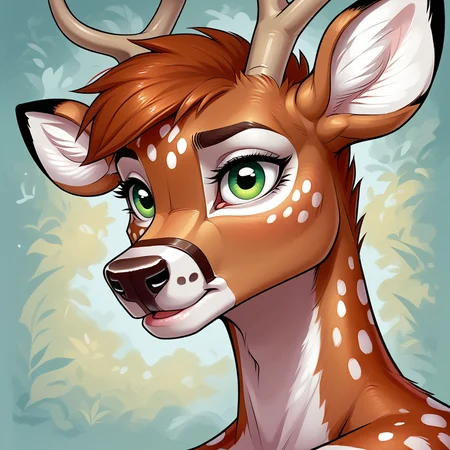
LoRA, trained at Civitai based on furry artist Kihu
Support the artist using these links:
1) Always use the tag by kihu
2) This LoRA was based on the Pony V6 version / Illustrious
3) Even though the Pony V6 base model is used, some other models may have some inconsistencies in the images, especially in the eyes and hands, if used in Civitai, use some Embedding to get better results. For those who use Comfyui, the best results will be with some Hirefix / DDetailer to improve the image of the character's face.
4) Don't forget to use tags related to the Pony model
score_9, score_8_up, score_7_up, score_6_up, score_5_up, score_4_up,5) LoRA weight change in Civitai is at your discretion
6) Check first for a model compatible with your chosen image, some models affect Lora in the final result of the image generation for some types such as: furry, human, realistic images, etc. Therefore, the same model may not always be suitable for different types of images.
7) If you want to force the image generator to use the Lora weight you chose, use the following tag in the positive prompt:
Pony (v1.0)
<lora:Kihu_Style_Lora-000027:0.5>Pony (v2.0)
<lora:Kihu_Style_Lora_v2:0.8>Illustrious
<lora:Kihu_Style_Lora_Illustrious:0.8>Note: the number at the end of the Lora name (0.5) refers to the Lora weight. In image generators, we have a weight slider, but if you want to "force" it, use the same number as the image generator slider in the positive prompt, for example:
Pony (v1.0)
Civitai slider = 0.5

positive prompt: <lora:Kihu_Style_Lora-000027:0.5>
Pony (v2.0)
Civitai slider = 0.8

positive prompt: <lora:Kihu_Style_Lora_v2:0.8>
Illustrious
Civitai slider = 0.8

positive prompt: <lora:Kihu_Style_Lora_Illustrious:0.8>
For best results in version 2.0 (Pony), due to the artist's unique style and the AI's difficult face detection at the time of image training, I recommend using ADetailer (TensorArt) / Face Fix (Civitai). If you are using a local image generator (ConfyUI / A1111 / Forge), I also recommend these settings:
Face Fix (Civitai)
- Workflow: Image-to-Image Face Fix
- Denoise: 0.4
- VAE: SDXL VAE
Upscaler (ConfyUI / A1111 / Forge)
- Upscaler: 4x_foolhardy_Remacri / R-ESRGAN 4x+
- Hires Steps: 20
- Denoising Strength: 0.5
ADetailer (TensorArt)
- Detection model confidence threshold: 0.4
- Inpaint mask blur: 8
- Denoising Strength: 0.4
- Inpaint Only Masked: check the box (true)
Below is an initial configuration, but any other type of configuration is up to you:
ILLUSTRIOUS
Model
Nova Furry XL - Illustrious - v3.0
Lora
Kihu Style Lora v1.0 (illustrious) - 0.5 ~ 1.0 (Preferably 0.8)
Advanced
CFG Scale - 3.0 ~ 9.0 (Preferably 7)
Sampler - DDIM / Euler a / Euler / Heun / DPM2 / DPM++ 2M Karras / Uni PC (Preferably Euler a)
Steps - 20 ~ 60 (Preferably 30)
Clip Skip - 1/2
VAE - SDXL VAE
Prompt (Positive)
masterpiece, best quality, amazing quality, very aesthetic, high resolution, ultra-detailed, absurdres, newest, scenery, depth of field, scenery, volumetric lighting, by kihu, kangaroo, macropod, marsupial, cum, male focus, bara, muscular male, pectorals, solo, muscular, 1boy, cum on pectorals, thick thighs, cum on body, penis, nipples, thighs, cum on boy, furry, stomach, large pectorals, on back, short hair, completely nude, blush, lying, erection, nude, facial, testicles, furry male, animal ears, abs, high-angle view, bed, bedroom, cum on bed, excessive cum on bedding, sunset, window shadowPrompt (Negative)
bad quality, worst quality, worst detail, sketch, censor, human, multiple tails, modern, recent, old, oldest, graphic, cartoon, text, painting, crayon, graphite, abstract, glitch, deformed, mutated, ugly, disfigured, long body, lowres, bad anatomy, bad hands, missing fingers, extra digit, fewer digits, cropped, very displeasing, (worst quality, bad quality:1.2), bad anatomy, sketch, jpeg artifacts, signature, watermark, username, simple background, conjoined, ai-generated, dog penis, canine penis, knotPONY (v1.0)
Model
Pony Diffusion V6 XL - V6 (Start with this one)
Lora
Kihu Style Lora v1.0 (Pony) - 0.4 ~ 0.8 (Preferably 0.5)
Advanced
CFG Scale - 5.0 ~ 9.0 (Preferably 7.5)
Sampler - DDIM / Euler a / Euler / Heun / DPM2 / DPM++ 2M Karras / Uni PC (Preferably DDIM)
Steps - 20 ~ 50 (Preferably 30)
Clip Skip - 1/2
VAE - none
Prompt (Positive)
score_9, score_8_up, score_7_up, by kihu, male focus, 1boy, solo, male underwear, furry, bara, muscular, furry male, muscular male, ass, blush, thighs, thick thighs, tail, underwear, animal ears, jockstrap, underwear only, full body, dog ears, white male underwear, briefs, back, topless male, dog boy, collar, short hair, from behind, motion lines, dog tailPrompt (Negative)
zPDXL-neg, 3D, 2D, score_6, score_5_up, score_4_up, humanPONY (v2.0)
Model
Luminaverse [Pony XL] - v1.0
Lora
Kihu Style Lora v2.0 (Pony) - 0.4 ~ 0.8 (Preferably 0.8)
Advanced
CFG Scale - 5.0 ~ 9.0 (Preferably 6)
Sampler - DDIM / Euler a / Euler / Heun / DPM2 / DPM++ 2M Karras / Uni PC (Preferably Euler a)
Steps - 20 ~ 50 (Preferably 30)
Clip Skip - 1/2
VAE - SDXL VAE
Prompt (Positive)
score_9, score_8_up, by kihu, domestic dog, canine, canid, canis, furry, male focus, 1boy, solo, pectorals, furry male, bara, muscular male, nipples, muscular, abs, animal ears, stomach, testicles, large pectorals, nude, black fur, completely nude, navel, tail, full body, dog boy, squatting, thick thighs, fully sheathed, sheathPrompt (Negative)
zPDXL3, 3D, 2D, monochrome, greyscale
As this model is based on Pony Diffusion there's not much need to specify anything in the negative prompt, because the Pony model is very flexible, but I always leave the zPDXL-neg tag (https://civarchive.com/models/332646/pony-pdxl-negative-embeddings).
General Observations:
If possible, give credit to the author Kihu while using this LoRA.
Do not sell or commercialize this LoRA
Do not remove metadata from images generated by LoRA.
Description
About this version
More distant images may show some artifacts, distortions or disproportions in the face when generating images in Civitai, which is why the recommendation of this LoRA is to use characters closer to the image or use some Embedding / Face Fix to reduce errors in the face.
Image examples (https://civitai.com/posts/4269922)
FAQ
Comments (6)
This is a blessing <3
So then, are "score_9, score_8_up, score_7_up, score_6_up, score_5_up, score_4_up," useful in every pony model, and do you know what each does? I've seen a lot of people use score tags, used em once or twice myself, but have a very basic understanding of what they do. I mean, I know they improve image quality if set correctly, but then what constitutes 'correctly'?
In short, these scores define the type of "image quality" that the Pony model will generate. If you want, you can include the quality score you give in the negative prompt to refine the image generation.
It's as if you gave a score (from 10 to 0) for the model to choose an image for you, being [10] for score_9, [9] for score_8, [8] for score_7...
Overall, my experience is quite satisfactory when I use the following score: "score_9, score_8_up, score_7_up, score_6_up," it's as if I defined that only the quality between 10 and 7 of images that were trained in the Pony model can be generated for me. This includes greater flexibility in relation to the prompt VS generated image
@homer_26 "It's as if you gave a score (from 10 to 0)"
Technically from 10-1 given your example. But since 0 counts as a number, each following number is minus 1 from the number it's actually representing. iirc, I think that's to do with how C++ handles integers.
and what about the 'up's added? I take it that's just defining to use from 6[7] up to the maximum number, and without the 'up' it may confuse the model and randomly only use images of the lower quality defined in that call? Do you experience better image results with that combination as opposed to just stating 'score_9', which would theoretically only use the best quality images?
@Lazman For example, "score_9_up" was the model creator's way of creating a unique tag that gathered the best art within this group. You can even leave these tags out, but it will probably mess up the image generation by leaving the best image to be chosen randomly. Other creators who came after Pony do not include the need for tags in their models, such as:
https://civitai.com/models/376450/duchaiten-pony-xl-no-score
So to know how well an image looks with a certain amount of scores, you just have to train and check which ones best fit your style, taste or theme. It's more about trial and error, which is why I rarely use the standard Pony model consistently. I prefer to use other models that make better use of scores.
Awesome style!