


See GitHub page for more details.
 Overview
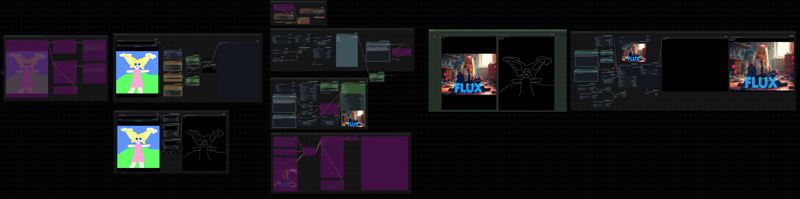
I've created an All-in-One FluxDev workflow in ComfyUI that combines various techniques for generating images with the FluxDev model, including img-to-img and text-to-img. This workflow can use LoRAs, ControlNets, enabling negative prompting with Ksampler, dynamic thresholding, inpainting, and more. Please note that this is not the "correct" way of using these techniques, but rather my personal interpretation based on the available information.
Main Features
Switch between image-to-image and text-to-image generation
For text-to-image generation, choose from predefined SDXL resolution or use the Pixel Resolution Calculator node to create a resolution based on aspect ratio and megapixel via the switch
Load ControlNet models and LoRAs
Sampling with model sampling Flux and Sampler Custom Advance node, based on the original official demo workflow
sampling with dynamic thresholding and Ksampler Advance node, enabling positive and negative conditioning with FluxGuidance
Simple inpainting
High-res fix like iterative upscaling with Tiled Diffusion
Description
fix wrong notes connecting to florence2 node
FAQ
Comments (4)
Is there swtch button or manually bypass it?
You can use rgthree's Fast Groups Bypass to quickly bypass and unbypass a group, or alternatively you can open Show Fast Toggle in Group Header in rgthree's preference to enable a small icon at the top right of your group to quickly bypass and unbypass it. I'll add it to the next version.
@LING_APE Its so complicated I manually bypassed them except txt2img but it didnt work
I would have liked an explanation of the choices in the different modules because a few things leave me perplexed.
Among them: the negative prompt: until now, either it was useless or degraded the image, or it increased the rendering time x2/x3, so you might as well solve the problem by inpainting.
There is also this very strange text in the middle of your prompt
I understand that this is your vision but if you don't explain your vision, we can't understand it wanting to follow you.