




Please consider buying my two albums Sisters of the Wicked and Danger Ahead, my book Dracula and also please check out my YouTube channel. Civitai won't support creators, so any purchase is a real help. Thanks.
DRACULA https://www.amazon.com/dp/B0FM4DXYPL
Sisters of the Wicked https://amazon.com/music/player/albums/B0DSJY3ZHY?marketplaceId=ATVPDKIKX0DER&musicTerritory=US&ref=dm_sh_CdyeuxIBNBDOjZ1hpB1PPJxT0
Danger Ahead https://www.amazon.com/music/player/albums/B0DB2DV354
Music In The Machine https://www.youtube.com/@musicinthemachine/videos
Lora Creation: https://www.upwork.com/services/product/design-flux-lora-for-creation-of-ai-art-1909718528813429477?ref=project_share
For the De-Distilled Model, Distilled CFG Scale should be set to 0. Then use actual CFG. For me 3.5 to 8 seem good.
If you like the models, please follow. The page is getting crowded as I keep releasing my model in as many formats and options as I can.
V1.1 Hyper 8-Step is now available and works in ForgeUI as well as Comfy. Schnell V1 Much faster, getting good results with 1-4 steps. Quality is not quite on the level of the Dev model, but much faster. So far it seems text is more consistently good though. New GGUF version of the Schnell model up now. Thanks to pkmngotrnr for converting them for me. Much appreciated. So far works in Comfy only at least for me. DEVfp8V1.1GGUF is now up as well. V1 version has European Flux mixed in at what seemed like a pretty low percentage, but it seems like it is a bit too strong. If you like this look, feel free to use this one.
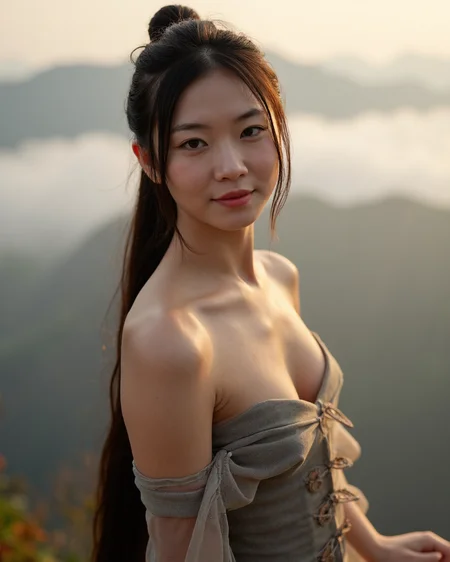
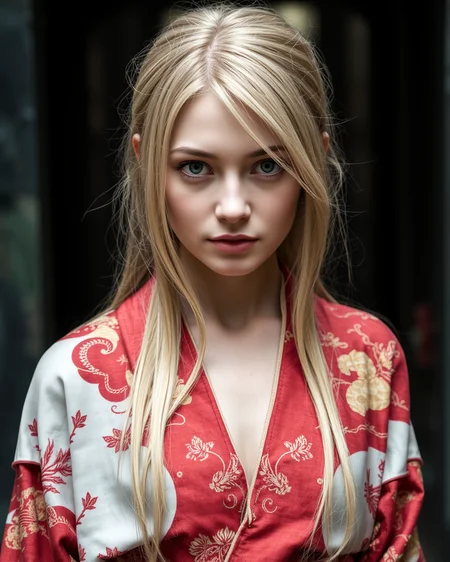
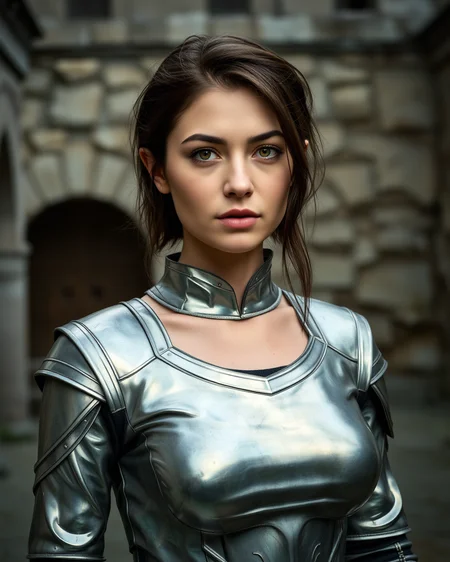
This is my initial FLUX model. It is base on the flux1-dev-fp8 model. This is a merge only in the sense that I merged in some Loras that I like to make it more realistic. As with all of my models, the goal is the best photo realism that I can achieve. If it will do other things well, that is a bonus. Until I can learn a lot more about FLUX, and see if at some point true merges are possible, this is a pretty good start. I don't know about compatibility with all software. I use ForgeUI and I am able to run it fine. Most gens take about a minute and a half for me at 1024 X 1328. I use Euler with the Beta scheduler or the Simple. I haven't experimented much yet with other samplers. I typically use 24 to 28 steps.
Description
This is the Schnell version. Gets good results with 4 steps if you want speed. I believe more steps still yields better results, but not hugely better. Seems Euler sampler with Simple, Beta and SGM Uniform schedulers work the best. I tend to run at 1024X1280 or 1024X1328 resolutions but I think lower resolution likely work fine as well if you have a lower end PC.
FAQ
Comments (117)
Tried in Comfy, received the following error:
!!! Exception during processing !!! cannot access local variable 'dtype_t5' where it is not associated with a value
Traceback (most recent call last):
File "D:\ComfyUI\execution.py", line 316, in execute
output_data, output_ui, has_subgraph = get_output_data(obj, input_data_all, execution_block_cb=execution_block_cb, pre_execute_cb=pre_execute_cb)
^^^^^^^^^^^^^^^^^^^^^^^^^^^^^^^^^^^^^^^^^^^^^^^^^^^^^^^^^^^^^^^^^^^^^^^^^^^^^^^^^^^^^^^^^^^^^^^^^^^^^^^^^^
File "D:\ComfyUI\execution.py", line 191, in get_output_data
return_values = mapnode_over_list(obj, input_data_all, obj.FUNCTION, allow_interrupt=True, execution_block_cb=execution_block_cb, pre_execute_cb=pre_execute_cb)
^^^^^^^^^^^^^^^^^^^^^^^^^^^^^^^^^^^^^^^^^^^^^^^^^^^^^^^^^^^^^^^^^^^^^^^^^^^^^^^^^^^^^^^^^^^^^^^^^^^^^^^^^^^^^^^^^^^^^^^^^^^^^^^^^^^^^^^^^^^^^^^^^^
File "D:\ComfyUI\execution.py", line 168, in mapnode_over_list
process_inputs(input_dict, i)
File "D:\ComfyUI\execution.py", line 157, in process_inputs
results.append(getattr(obj, func)(**inputs))
^^^^^^^^^^^^^^^^^^^^^^^^^^^^
File "D:\ComfyUI\custom_nodes\mikey_nodes\mikey_nodes.py", line 4039, in load_checkpoint
out = comfy.sd.load_checkpoint_guess_config(ckpt_path, output_vae=True, output_clip=True, embedding_directory=folder_paths.get_folder_paths("embeddings"))
^^^^^^^^^^^^^^^^^^^^^^^^^^^^^^^^^^^^^^^^^^^^^^^^^^^^^^^^^^^^^^^^^^^^^^^^^^^^^^^^^^^^^^^^^^^^^^^^^^^^^^^^^^^^^^^^^^^^^^^^^^^^^^^^^^^^^^^^^^^^^^^^^^^^
File "D:\ComfyUI\comfy\sd.py", line 525, in load_checkpoint_guess_config
out = load_state_dict_guess_config(sd, output_vae, output_clip, output_clipvision, embedding_directory, output_model, model_options, te_model_options=te_model_options)
^^^^^^^^^^^^^^^^^^^^^^^^^^^^^^^^^^^^^^^^^^^^^^^^^^^^^^^^^^^^^^^^^^^^^^^^^^^^^^^^^^^^^^^^^^^^^^^^^^^^^^^^^^^^^^^^^^^^^^^^^^^^^^^^^^^^^^^^^^^^^^^^^^^^^^^^^^^^^^^^^
File "D:\ComfyUI\comfy\sd.py", line 575, in load_state_dict_guess_config
clip_target = model_config.clip_target(state_dict=sd)
^^^^^^^^^^^^^^^^^^^^^^^^^^^^^^^^^^^^^^^
File "D:\ComfyUI\comfy\supported_models.py", line 659, in clip_target
return supported_models_base.ClipTarget(comfy.text_encoders.flux.FluxTokenizer, comfy.text_encoders.flux.flux_clip(dtype_t5=dtype_t5))
^^^^^^^^
UnboundLocalError: cannot access local variable 'dtype_t5' where it is not associated with a value
I am afraid I can't help you with any technical questions about Comfy. I almost never use Comfy. I have only used the model in ForgeUI.
Doesn't work with SwarmUI
works with comfyui - just use a regular FLUX text2img workflow
@slartibart353 Interesting. I tried it with the default comfy txt2img flux workflow and still get the error. I ran the error through Claude and Claude said likely an issue with Comfy codebase. I reported it to Comfy discord.
@Seeker70 which version do you use? I saw that there is a negativ prompt in your images (blurry, bokeh) but my just updated Forge (Version: f2.0.1v1.10.1-previous-399-g852e8856
Commit hash: 852e88564c871ef640c12ac053e52234958653d8) does not allow negative prompting :-/
@EnragedAntelope This might be a stupid question but are you using the DualCLIPLoader node with 'type' set to 'flux'?
that will occure with latest version of comfyui and when you load a custom lora (not the blackforest one). so just deasable lora for now or commit to the previous change (that's what i've done)
@EnragedAntelope Also, it looks like you're using the CheckpointLoaderSimpleMikey loader. I'm not sure that supports loading this model which is just UNET. You might want to try loading it with the "Load Diffusion Model" node.
@Grumblebutt Thank you! The "Load Diffusion Model" was the solution, the standard Checkpoint loader did not work for this one. Wish there was a way to tell which models go with which loaders. I appreciate your help (and Comfy discord just directed me to try the same).
@EnragedAntelope Yay, glad that worked for you. I agree it can be hard to tell which models go where and how to use them. In general, you can kind of tell by the file size. 20+ GB are UNET files that have not been converted down. 15-16 GB have been converted and include VAE and CLIP so you can use the regular checkpoint loader with those. 11GB are usually just the UNET without VAE and CLIP so you need to use the "Load Diffusion Model" for those. Less than 10GB and you're probably looking at GGUF files which should have a .gguf extension and require the "Unet Loader (GGUF)" loader.
@Grumblebutt Thank you again! Here's hoping for a unified auto-sensing checkpoint loader :)
@slartibart353 I use ForgeUI. If you up the CFG from 1 to anything over 1, it opens up the negative prompt box.
AssertionError: You do not have CLIP state dict!
on forge
You need to downlowad clip. Check this link for more info: [GGUF and Flux full fp16 Model] loading T5, CLIP + new VAE UI · lllyasviel/stable-diffusion-webui-forge · Discussion #1050 · GitHub
@sewhoe25154 I have the same issue, do I need the base model also? I dl the clip but still isn't working - Edit: It's working now thanks - I had to add ae.safetensors VAE also
@jonog247634 I had similar issues at first when Forge had it's latest update. They had some big changes. Now there is a drop down at the top where you have to select the clip, the vae and the text encoder all in that same box. It took me a bit of researching to get it right.
Thank you! I tried generating in Forge, the quality is good but on my rtx 3060 12 gb, generates the image for a long time, 1 pics 1024x1328 Time taken: 4 min. 27.3 sec.
One strategy you can try doing is to generate a smaller image with Flux and then upscale it with a photorealistic SD 1.5 model like LazyMixRealAmateur. On my RTX 4060ti 16GB I generate a 512x768 image with Flux at 1 it/sec and then upscale at 2-2.5x and ~0.30 denoise to get really high quality images in only 40 seconds. On a RTX 3060 that might take about a minute I would imagine.
If you get any weird anatomical stuff happening then you can try adding the "PatchModelAddDownscale (Kohya Deep Shrink)" node into the model pipeline.
@Grumblebutt Thanks for the great recommendations, I'm going to try your advice.
@alexoterin Nevermind the comment about the PatchModelAddDownscale node since that's a Comfy thing but the low res strategy should still work on Forge.
@Grumblebutt Ok, I'll test the.
@alexoterin I believe my laptop has a 3080 with 16GB VRAM so that's probably why mine is faster. Mine take about 1.5 minutes at 1024 X 1328 with aDetailer on. Obviously speeds will vary depending on both hardware and software.
@Seeker70 Oh, my generation is slow. Maybe it's because I'm using Forge.
@alexoterin I would say it's more likely hardware related as Forge is typically faster than the other software options. Hard to say for sure though.
YAY!!!
thank you, thank you, thank you... i can finally get some nice looking 'girl parts' that don't look like someone drew on a barbie with lipstick and crayons. base image takes about 2mins on rtx3060. working on fine tuning adetailer... will post when i get a keeper. thx again.
added bonus of nice hands and fingernails.
did you merged a face (someone) lora with the model, all linked picture have the same face (woman)?
yeah, i'm trying to change the face also...
even adetailer has trouble changing the face ... :(
None of the Loras were character ones. I do see a lot of similarity in faces though as well. I will have to look into it.
@Seeker70 interesting, i noticed i can change eyes and nose shapes/sizes by changing prompt ethnicity, but mouth, lips and chin seem to stay very similar. even adetailer won't override it? even naming actresses has no affect on face...
@Seeker70 thx, just saw your update
@tedbiv I did a new mix just leaving out the European lora and will be uploading it very soon.
This is a FLUX problem, all faces look the same.
Once again, you prove to be the premiere name in forging out the best these checkpoints have to offer. Can't wait for "is boning" to really start Fluxing.
Need GGuF version please.
I will look into it. I am not very familiar with that yet. Just getting going with Flux.
@Seeker70 Thanks :)
@Seeker70 You can find the scripts and instructions for GGUF conversion here:
https://github.com/city96/ComfyUI-GGUF/tree/main/tools
You might have to make some small changes to convert.py to handle your model. I've converted it locally for my own personal use so I can help you if you have any questions about the process.
This or a lora! Also: best nsfw flux model so far that I've tested :)
ooooo you know how this goes. first you're spinning, then you're boning. i'm excited
Your models surely can generate gorgeous pictures but there are a lot of problems with deformed bodies even when creating standard size images (1.0 MP). Above that especially when trying to create Flux maximum sized images (2.0 MP), the models become nearly useless.
There is great potential for further improvement but atm it makes no sense to create 10 images every run to get one keeper when the process takes 20 to 30 minutes per 10 picture run.
Well, you are free to use any models you choose. I generate typically at 1024 X 1328 and sometimes at 1920 X 1080. I almost never get deformed bodies unless there is a Lora involved in some way. Hope you find something you like.
What software do you use? I was just looking at a bunch of my pics. I have many that range from 1.8 to 2.2 MB and they are just flawless with no deformed bodies. Perhaps it's an issue with either your hardware or software. I use ForgeUI almost exclusively to generate images. I use ComfyUI a little for doing some merging and stuff but rarely ever to generate images since I have always gotten better results with Forge.
I like the lighting and the detail of the faces, I would like the full NF4 version, I have a problem on Forge, after generation I get a black square instead of a picture
What sampler are you using? try euler, beta or simple. I was getting the same issue.
also make sure 'diffusion in low bits' is set to automatic
I have never got the black screen on my model. Before I created this model I had been using flux on fal.ai for a while and I would get the black screen on at least 1/3rd of all my images. Never did find out what was causing it, but I figured it was time to make my own.
Did you put VAE in VAE folder and chose it in Forge? Maybe you used some incompatible VAE version?
You can create your own nf4 version of the model by using the Checkpoint Merge tab in Forge. Just select nf4 under Low Bits and click Save Unet.
Did you find a solution because the same is happening to me? I use euler, simple and the diffusion is set on low bits, but no matter what I try, I get a black square as well.
I tried everything, nothing helped, but thanks anyway
@JbJaz I found a solution to download exactly this VAE on huggingface. It didn't work with the other three. The link probably cannot be placed here. But by name you can find ae.safetensors
@BulatRepka Yes, that is the VAE for Flux. I hadn't realized to start that you hadn't already downloaded the VAE. That would definitely be the problem. Glad you got it going now.
I've got a bunch of folders on my PC that organize my models and the most important of those folders is "E:\best". This model is now residing in that folder, which is the highest praise I can give it.
Thanks a lot. I'm glad you like it. It's definitely my new favorite. I don't know if I will ever generate another image with my Acorn Is Spinning XL V4. It was good, but suddenly now looks barbaric in comparison. :)
@Seeker70 Agree. I can barely look at my pre-Flux images now without throwing up in my mouth a little bit.
nice... v1.1 images 896x1152 in 1:36 min. instead of 2:15
Yeah, I am not sure all what may affect the time. Sometimes I will generate an image in 1.5 minutes and then run the same prompt with another random seed and that one will take a little over 2 minutes. Most of mine are in the 1.5 to 2 minutes. Mine are usually 1024 X 1328 though. Sometimes 1024 X 1280. On occasion I do 1920 X 1080 to create images for my music videos on YouTube. Those take a bit longer.
i'm wondering if flux developers put some kind of poison pill in the llm for faces? like ignoring peoples names and such... i went back to base flux dev nf4 and fp8 and get similar face behavior. i can change ethnicity to get eyes and nose changes but i find very little control on lower part of the face. i always end up with a very bland looking face. previously you could get the occasional 'beauty'. but the flux models give 'generic' middle of the road homely faces... maybe it's me?
Hard to say, I get really beautiful faces at least to my own tastes, but I generally don't generate celebrities. If I was the model creator though, I would probably try to build in some safeguards against people using their model to generate fake images of celebrities. It may be a potential liability issue. Just a guess, but if it were me and I had the ability to do so, I probably would.
@Seeker70 i was just trying prompts with celebrities to force physical facial changes...
People love poisoning their own models these days.
Those pesky corporations cannot make anything decent without enshitting it. Pathetic hypocrites.
check it out... !
an image of 20 yr old joan collins below.
i'm creating images of 20 yr old joan collins. when i get to ~50% rendering the images look like joan collins. by the time the render is complete i get 'that girl'... this happens for other actresses also. the model looks like it know what to create then changes it to 'generic girl' at the end... :(
Interesting. I wouldn't be surprised if this is intentional on the part of the Flux creators. I would assume they don't really want their model used to create fake images of celebrities if they can avoid it. I can't say for sure. I created an image with the same prompt with the raw model with no changes. It came out as a black and white photo so I added the word color and did it again. This was the result. https://civitai.com/images/25817029
It doesn't appear that any changes I made to the model resulted in the image not looking as much like the intended person. Seems whatever it is, is in the original model.
Forge UI Generation with this model gives me an error message:
TypeError: 'NoneType' object is not iterable
Other Flux models works perfectly and as expected. Someone else having same issue or any clue?
Sampler Euler
Schedule Simple
D CFG 3.5
CFG 1
etc..
Fresh forge version (pytorch version: 2.3.1+cu121)
GeForce RTX 4080
Seems like this is the same issue, https://github.com/lllyasviel/stable-diffusion-webui-forge/issues/982, so maybe start there.
I have had that error at times but right off I can't recall what I was doing when I got it. I have not had it on this model. One thing to make sure is that on the newest update of Forge, you have to select the vae, the clip and the text encoder all in a single drop down at the top. I had problems trying to use flux until I figured that out. I am not sure if that causes the 'NoneType' error or not.
After pulling up Forge to look at it, I guess the clip, vae or text encoder give an AssertionError if they are not selected, so I guess that would not be the issue.
I was getting the same error. But I think it was because my first test was to put an old generated image into the PNG Info and then "send text2img"... maybe that was adding something to the Text2Img settings that isn't compatible. If I just copy the prompt from the PNG Info and use the default settings, then it works.
(UPDATE): maybe I'm wrong, because the generation is exactly the same as the base model's generation. Maybe it reverted back to the base model. And now I get the Assertion Error when I try again. I'm going to try downloading the VAE and CLIP files.
Great to see you keep spinning on flux too!
I use ComfyUI and had to load the model as a pure Unet and manually load in text encoders.
You could put that somewhere in the version name or something to keep Comfy users from running into errors when trying to load it with the default checkpoint loader
I have added that to the "About this version" field. I rarely use Comfy so I have to take the word of Comfy users on such things. Thanks for the heads up.
@Seeker70 We all sit in some experimental boat or another, no worries 😅
Can it run on 24 GB VRAM?
I am sure it can. I have 16 GB VRAM and my images at 1024 X 1328 usually take 1.5 to 2 minutes.
Ya, I can even run it on 7900XTX with Zluda emulation (not as efficient with VRAM), runs great!
I'm running it on a RTX 3080 with 10gb of Vram on Forge - around a minute per image at 1024x1328, depending on the sampler
Wow thanks! I thought it's some fancy model that runs only in cloud.
So I'm curious... i guess its too early to see what the standard will be, now I know there is quite little difference for SD 1.5 or SDXL between the prunes and the full models so it's worth getting the prunes as they are way smaller...
but for flux we do see quality dropping sometimes very noticeably going down from fp16 (or even GGUF e.g. Q8) to fp8 models. As I recall... pruning 1.5 and XL involve dropping down from 32 bit precision (a silly huge amount of precision) to fp16 or bf16. It's a COMPLETELY sensible thing to do that.
But to go from fp16 or bf16 down to fp8 like many are doing with flux will lead to a comparatively huge quality loss, you can get a sense of this if you look at how the math works out for the binary representation. An 8-bit fp8 weight can only take on, like, 242 different values while a 16-bit fp16 weight could take on just under 65536 values. And these are for representing numbers all throughout the real number line.
I get good perf out of Q6_K GGUF (it just about fits into 12GB of VRAM) and it seems like the sweet spot for my 3080Ti, I would obviously prefer to run flux in full fp16 on my 3090s.
So yeah I hope we can make it a thing to get fp16 models published. I saw another flux.1 Dev checkpoint here and it was published as NF4. Like, you gotta be joking with that.
I get that... if flux really explodes like its getting set up to like 1.5 and XL did, I'm gonna never want to waste the storage for full fp16 files. That is the hope, and I'll look back at all these slightly different flux.1 dev base model files the same way as I do v1-5-pruned-emaonly.ckpt...
But the point is you're not getting anywhere close to the possible quality by downloading 4 bit or 8 bit weights. 16 is as low as anyone should go if quality matters.
I'm quite fine with nf4. I don't see any quality loss. Just other details & a different look According to Illyasviel nf4 is often better than fp8 as it uses up to 32 bit for some weights. GGUF K4_0 is still fine too, but it gets bad at K3 and lower. Nf4 is fastest with 12GB VRAM.
I would love to run the full model, but the reality is that many people, myself included don't have PCs that can run them yet. For mine, I chose to make mine with the largest of the models that I am actually able to use on my computer. I figured a lot of other people can't use the largest ones either, so I figured other's could use mine.
I use Q8 models on rtx 3060 12gb, generation time 1280x720 1:30 minutes, the main thing for me is not speed but quality, I noticed that clip t5xxl_fp16 and t5xxl_fp8 give different variants in quality and often even t5xxl_fp8 better quality.
Excellent model, as always.
Try playing around with the Flux Guidance Scale! Great from 16+
Amazing model, that can do NSFW in the artistic way.
Can you make a Q6_K GGUF quant please?
I am still looking into how to do that stuff. There have been some software updates to some of the programs that seem to have broken how a few things are done. Kinda waiting to see if update are done to fix them.
@Seeker70 I think you can just focus on improving the model itself for a while, after some time things with different formats will be established and will not require to spend too much time to figure out everything.
Great Model, but body types always the same and almost no effect from character lora.
Thanks. Flux is pretty new. So far there has not been a lot of new info introduced to it. So far I think the only way to add to it is with Loras. I merged several Loras into the base fp8 model to create this model. I am sure as time goes on we will find out more about how to train it and hopefully be able to do real merges.
This is lovely - Are you going to make a "boning" version ? Thanks !
I probably with, but I don't think there is enough material yet out for Flux to do it. So far the nsfw loras that are out don't look great.
Please make a Schnell version!!
New Schnell version is out now.
Would anyone know what the correct parameters would be to load this on Draw Things?
I am not familiar with that. From what I can tell doing a quick google search, it seems to be a service on apple devices but it seems it uses Stable Diffusion 1.4 and 1.5, so I doubt very much that any flux models will work with it. Again, I can't say for sure because that is not something I have ever used.
The new Schnell version uses the same merged Loras as the Dev version except for the European Flux. It gets good results with very few steps. The lowest I have tried myself is 2 steps and that was pretty good. I have done several others in the original sample gallery varying from 4 to 20. I do think a few more steps get better results but not by a huge amount. In a few of my tests it seems it may not play as nice with Loras as well, but I didn't try very many. In all of my test shots I didn't have even one instance where it produced wrong text. Admittedly it was not a huge sample size, but so far it seems better at text than the Dev version. You all can throw whatever you want at it and see how it does.
As someone who actually prefers the Schnell model to Dev, I look forward to each new "true" Schnell release (rather than the Dev-Schnell merges). This one seems excellent so far in my testing.
I actually like to use 2 steps with Schnell and sometimes even 1 because you can get some crazy creative results that still adhere to the prompt. Then I do an upscale and refine to clean up the pixelation and minor body horror and add better detail.
Some Schnell models don't do well with any attempt to make them more photorealistic but this one does very well, if you look at my first images with it. It'll take a little trial and error to figure out which settings it likes best but I barely had to change anything in my default workflow to achieve near-photorealism.
Well done @Seeker70 !
P.S. So far it seems to work best with a Euler/Beta combo.
Yeah, on both Dev and Schnell so far I have found Beta to be my go to. I haven't used Schnell a lot yet. Since my primary goal is phtotorealism, I have focused on Dev more, but Schnell isn't awful at least with the realism Lora and a couple others merged in. My first attempt adding in my own character Loras didn't come out too well, but I haven't messed with any strength setting on them or anything. Was just trying to get it all uploaded before my AD&D game started tonight.
@Seeker70 I don't use any Loras for realism. I just do a quick 1-3 step base generation with Schnell and then upscale and/or refine with a SD 1.5 model like LazyMix. I find it gives more control over the final result than with a realism Lora where all you can really do is set the strength.
Have to say, I'm very impressed by this Schnell variant. It's very flexible and has a wide diversity of facial features that it outputs. And you don't just get fish-lip model faces with gigantic boobs (unless that's what you want). You get real looking people that display emotion on their faces, even in subtle ways.
It seems to like Euler/Beta the best and results are good with steps as low as 2. If you want it to output text then you'll need at least 3 steps in my testing. Any less and it outputs misspellings or just plain gibberish.
I think a lot people who merge Loras into models do them at too high of weight. Like they leave everything at 1. I tend to set most of them closer to .3 or .4 depending on the type of Lora. For this one only the realism Lora was set at 1. Same for my Dev version.
As for the text, I didn't try much if any below 4 steps. What surprised me though it that I didn't get even one that had the wrong text in my tests. For that it was quite a bit better than my Dev version. Now so far, the only text I have done is the ones on the shirt for the sample pics, but on the Dev version I had to try 4 or 5 to get a really good text output.
I don't have much reason generally to go below 4 steps though. In the tests I did at 2 and 3 steps, they were noticeably lower quality and 4 steps only takes 15 to 20 seconds to generate, so for the most part I will stick to 4 or higher.
@Seeker70 I've never made a model or Lora but I would say, based on my testing, whatever you did to make this one was pretty much perfect.
As for steps, if I wasn't further refining the image then I found 6 steps was enough to give excellent results. When I am refining (which is almost always) then 2 steps worked best without text and 3 steps with text. With a refiner you want to work with the lower quality noisy image because the refiner can inject realistic details into the noise rather than change the anything about the base image, if that makes sense.
I'm pretty stunned by the quality of some of these images, especially this one - https://civitai.com/images/26987899. I barely had to refine that and it came out in only 2 steps. It's hard to get that kind of dynamic realistic emotion out of a Dev imo.
DPM_2/Beta also works well. It probably provides a bit more color saturation but loses a little realism. Everything has its tradeoff.
Can these models run on A1111?
Vlad has been adding support for flux gradually on his fork. Per the wiki entry, sounds like it should work with this particular finetune out of box by now (but I haven't tested, waiting for it to stabilise more), albeit without sampler / scheduler selection, controlnet etc. Vanilla a1111, I have yet to see signs going in that direction. High demand, low supply.
I use WebUI Forge. It is a fork of Automatic 1111. The same good old UI but much better performance to SDXL models and native Flux support. You should try it to, if you don't like ComfyUI.
https://github.com/lllyasviel/stable-diffusion-webui-forge/releases
This won't work on 8GB VRAM right?
I doubt it but I can't say for sure. I have 16GB and I can run it fine but I can't do batches of more than 1 or 2.
you can run the gguf Q8_0 version of this model on 8gb vram. if @Seeker70 is fine with it i will post the link to my converted gguf model here and if he/she wants to, you can then also provide the gguf model in your model post here in civitai ;)
Actually, it works. I use GPU with 8Gb and generate 1 image with resolution 1024x1328 in 2 minutes with WebUI Forge
@Akalabeth That's good to know. Thanks for answering that one.
with the schnell checkpoint i can do an image around 30-45 seconds in 4 steps. RTX 4060 8gb
How to use this in Forge. I get Clip error. Please advice
You are missing some files. Use this guide:
https://github.com/lllyasviel/stable-diffusion-webui-forge/discussions/1050