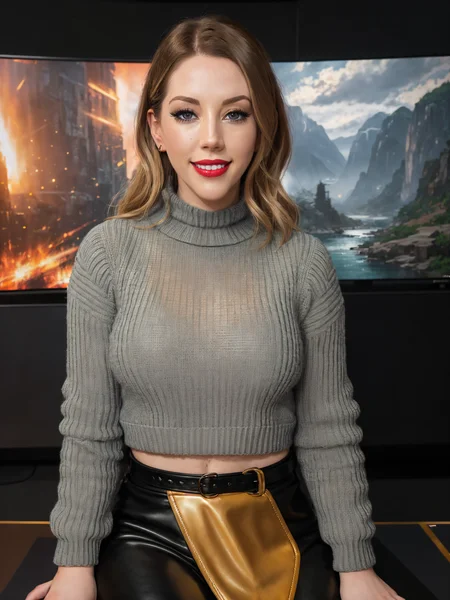
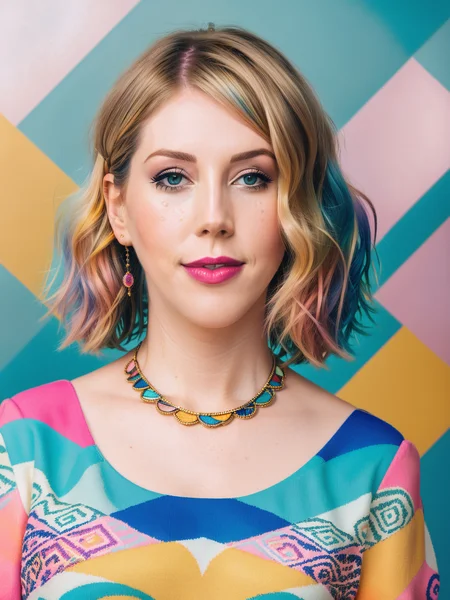
A Canadian comedian, writer, presenter, actress and singer based in the United Kingdom.
There weren't any models of her when I trained this LoRA, but someone else posted an embedding version of her while I was preparing images for my version.
Description
FAQ
Comments (5)
I knew she looked familiar :D Looking good!
Any tips on how to create Loras like this? These are great.
The greatest determining factor in the LoRA quality is probably the quality of the training images that you use. I use only the best quality images (high resolution, sharp focus) images that I can find. The total number of images used depends on how many high quality images I can find. Usually somewhere in the neighborhood of 80-100 total images to get as wide a variety of poses as I can get. I then use Gigapixel AI to upscale and sharpen the images x2 or x4 to a resolution around 2k-8k on the longest direction. If the image has any border around it or other people on the side, I crop that out. If it has any watermarks in the corners, I use the clone/heal brushes in Gimp to erase them and reconstruct whatever was under them as best as I can. A lot of videos and posts that I've seen on training talk about cropping and scaling the images down to 512x512, but I do not do that. kohya_ss will scale them down automatically during training allowing me to use the full quality of the higher resolution images. I generate captions and then painstakingly edit each one into a comma-separated list of relevant tags describing the clothing and background starting with the instance and class, such as "Katherine Ryan, woman, gray sweater, black latex pants, sitting, on a talk show set" When I train the LoRA, I set it to use the large 7 GB version of the SD 1.5 model for maximum compatibility across models. I use the bucketing option with random crop and max resolution of "768,768" which actually creates buckets up to around 1024 pixels on the long edge. So far I've stuck with 128 for both the network rank and alpha. Many people use lower numbers there to create smaller file sizes, but you also lose some quality. Train in bf16 but safe to fp16. 0.0001 LR / Unet LR, 5e-5 text encoder LR. AdamW8bit. I train multiple epochs with 20 repeats per epoch and push it as far as I can before the 1.0 weight version starts to get lightly toasted. A lot of these use the 5th epoch, though a few take a bit longer to bake and end up using the 7th, 9th or even 10th epoch. I'll do a few X/Y/Z graphs comparing the epochs at 0.5, 0.7, 0.8, 0.9, and 1.0 weights to see how they do at a couple different prompts to help select the best one to use. I have a directory full of saves sample images from a wide variety of models, which I can drag and drop into A1111 and tweak for my character.. Sometimes all I do is add the name of my person replacing any name it already had and adjusting descriptions such as eye color or ethnicity to match my person. Other times, I might get more adventuresome and change the clothing or background as well. I usually generate my sample images at a base size of 768x1024 or 1024x768 with a 2x HiRes fix to make the final image twice that size. If the sample prompt I'm basing my image off of uses a latent upscaler for Hires, then I will change it to 4x-Ultrasharp and also lower the denoise to around 0.3 because the latent upscalers and high denoise are more prone to destroy high resolution images. A few models that are not trained on higher resolution images will still mess up at this high a resolution requiring me to lower my base resolution to 512x768 or 768x512 to get good results.
Great job <3
A SDXL version would be great!