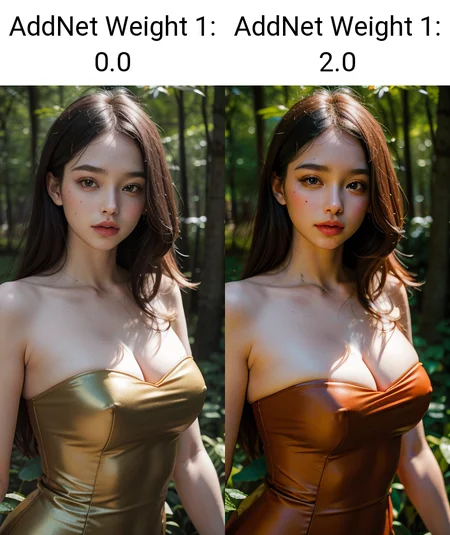
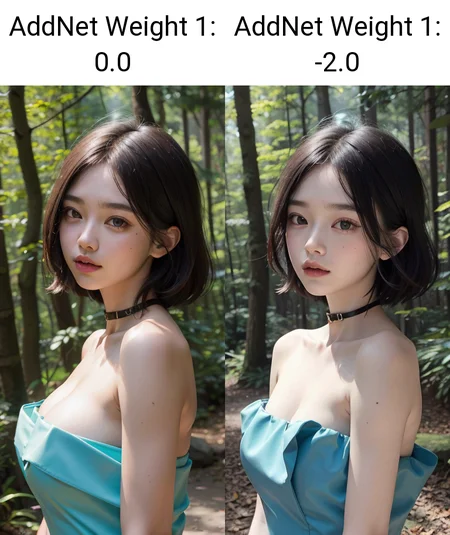
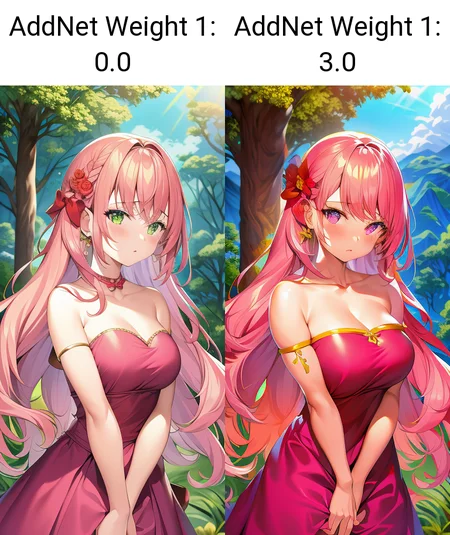
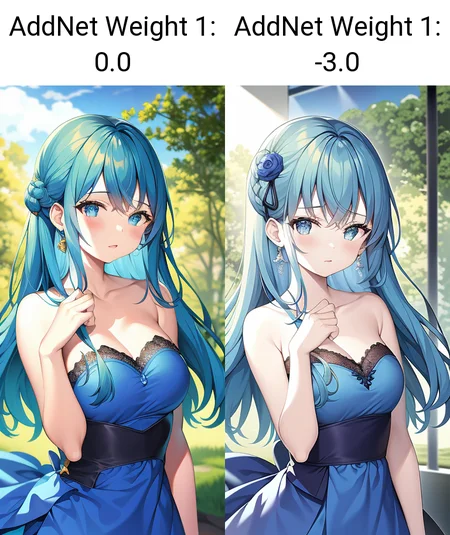
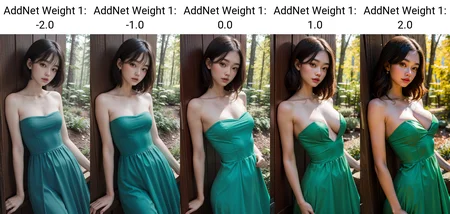
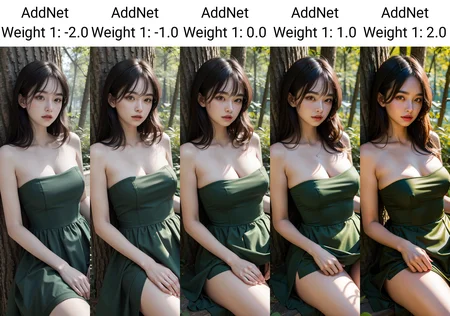
特殊用法:
1. 有些大模型可能会自带颜色过于鲜艳的问题,可以通过降低饱和度来平衡
2. 降低饱和度可能对写实模型有一定的美颜效果(变白了?)
【中文】
完全自由的饱和度调节工具!
几乎所有大模型都可以用
推荐权重:-3.0~3.0,权重越大,图片色彩就越鲜艳。负数就是减淡颜色
【English】
A powerful saturation adjustment tool!
This LoRA can be applied on almost all checkpoints.
The recommended weight is about -3.0~3.0. The higher the weight is, the more colorful the images will be. (while the negative weight can decrease the saturation)
Description
FAQ
Comments (5)
你这饱和度,怎么还改胸的大小哈哈哈
饱和度这种还是做嵌入式模型更有用,lora的细节调节太多了、杂了
I was going to give you a comparison chart, but the detail, lighting and AI are in good shape and generate a beautiful image with or without. (It may be because I have monochrome or something in Negative to improve color saturation.)
So, all I can say is, "It looks good when combined with another series by this author.
It is a good series. Please keep it up.
these saturation will offer same results if i tweak them in photoshop/post production?
or these saturations are tightly coupled with rendering time? any helpful guide of workflow please?
还是有些bug的,同样的提示词,感觉饱和度拉高以后,提示词权重也变高了
Details
Files
add_saturation.safetensors
Mirrors
add_saturation.safetensors
add_saturation.safetensors
add_saturation.safetensors
add_saturation.safetensors
add_saturation.safetensors
add_saturation.safetensors
add_saturation.safetensors
S_add_saturation.safetensors
add_saturation.safetensors
add_saturation.safetensors
add_saturation.safetensors
add_saturation.safetensors
Available On (1 platform)
Same model published on other platforms. May have additional downloads or version variants.