


Eleet model is a block-weighted merged stable diffusion model aiming at generating good quality 2D anime style images that satisfy my personal taste and, hopefully, your taste.
The model name ELEET commemorates the wide use of its numerical spelling (31337) to set the Eta Noise Seed Delta (ENSD) parameter when using stable diffusion models.
About samples
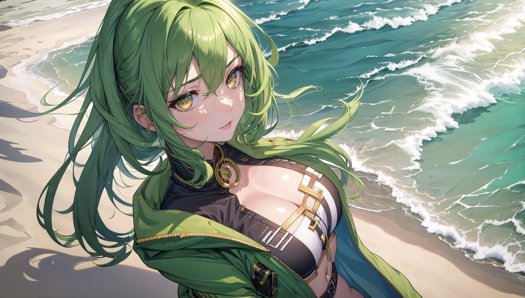
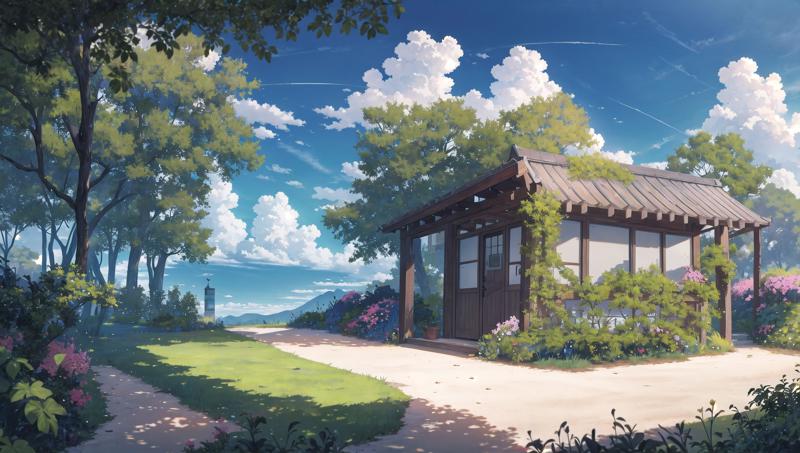
During my latest test, I found ClipSkip=1 can provide possibly better images quality than ClipSkip=2. Try it out! See my other posts for more samples of ClipSkip 1:
Anime girl samples: Eleet v2 - 16:9 samples with ClipSkip=1
Scenery samples: Eleet v2 - 16:9 scenery samples
Notes: I don't know why, but Civitai automatically appends these samples to the Eleet model showcases. These samples are generated with high resolution (roughly 1080p) and I also used LoRA. These samples are generated with ClipSkip=1.
The model is tested on anime girls and scenery outputs. Almost all samples are made of pure txt2img or txt2img+highres fix, while one or two samples may be generated with an style-transfer extension called Dynamic Thresholding. No controlnet are used for generating the samples. No any LoRA or embeddings. No any regional control extensions.
Due to my GPU limitation, I couldn't generate ultra-high resolution images. Therefore, none of my sample images of this model are of high resolution (at most ~1000 pixels on the long side). But these images are still able to show the model style and basic prompt use cases, so it's probably enough… I guess?
Suggested settings
For users who know little about stable diffusion settings, I recommend:
Prompt: Start with
masterpiece, best qualityand optionallyaesthetic. Personally I also like to append photography phrases to the end of prompt, such ascinematic lighting,professional shadow, etc.Negative prompt:
A basic example for negative prompt:
(worst quality, low quality:1.4), lowres, bad anatomy, (blurry), (text, logo, watermark, signature, username)Black bar/black frame: To avoid black bars at image boundary, add (letterboxed, pillarboxed) to the negative prompt. This is usually needed on low-end GPU under --lowvram WebUI mode for middle-large size landscape-style images (for example, 960x544).
Depth of field (DoF): If you prefer a style similar with large depth of field, which means "being sharp & clear everywhere from near to far", you may also add (depth of field, bokeh) to negative prompt. However, real-world portrait photos often have small DoF.
Most negative embeddings (for example, EasyNegative) will change the quality and the composition of the outputs. I don't use any embedding for either daily use or testing the model, so use them at your own risk.
Sampler: DPM++ 2M Karras for stable and fast generation. DPM++ 2S a Karras is slower, but in my opinion with a higher performance and creativity ceiling.
I feel SDE samplers (for example, DPM++ 2M SDE Karras) are sometimes overcooking images, so I personally still prefer DPM++ 2M/2S a Karras.
CFG Scale: 6~9
Steps: 16~30
Highres Fix (optional): Latent sampler; 0.55~0.7 denoise strength; 16~25 Highres steps. When use low denoise, increase the Highres steps accordingly.
Clip skip: 1 or 2. For ClipSkip=1 samples, see Eleet v2 - 16:9 samples with ClipSkip=1 and Eleet v2 - 16:9 scenery samples.
LoRA (optional): Suggest using Vibrance (v1) LoRA with weight 0.15~0.20.
No external VAE file required
Change logs
2023/07/12: Add ClipSkip=1 samples. Add negative prompt suggestions to avoid black bars.
2023/07/08 [v2.0 release]: Modify negative prompt suggestions. Add Highres Fix suggestions.
2023/05/29: (1) Update sample images using the latest WebUI version (v1.3) and its new DPM++ 2M SDE Karras sampler; (2) Replace the previous model cover image with a portrait one, as the site doesn't seem to be friendly for displaying landscape cover images.
Description
The start of everything of ELEET
FAQ
Comments (7)
Looking to troubleshoot if I can. I'm getting a few plain black images when I generate, when doing a batch of 20 I might get three or four of them randomly and not sure what's causing it, tested, and doesn't happen with any other models. Thoughts?
Thank you for telling me about this. Black image is a bug that is hard to tell the cause. AFAIK, It could be the model flaws (clip problem), the version of xformers (reported bugs in v0.018), the version of WebUI (reported bugs in v1.3), or even completely random (sometimes switching to another model and then switching back fixes it). I have seen all of the above reasons mentioned in the WebUI issues discussions webpage. You may take a look at these places and see if there is quick fix.
As the author of the model, I can only do my best on the model; I really don't know if the reason of your issue is the model itself or something else, as I have not encountered black images myself on 3 different devices that I used (WebUI 1.2/1.3, not using xformers). What I can do is that I will try another way of clipfix for the model on the next model version and hopefully the problem will improve.
@baizerd Well I am using xformers, so that could be it. Is there a client side fix for the clip problem if that was the cause? Or is it to do with the model itself?
I'm honestly happy with the model, getting great results, it's a minor inconvenience if nothing else, just one that I'm eager to rectify if I can!
@AllTheEpochs Unfortunately, clipfix is done when making the model and it cannot be applied at runtime.
You may upgrade/downgrade your installed xformers version or temporarily remove the --xformers arg to see if it helps. If still not, please stay tuned for the next model version.
@baizerd So, update. I started getting black images on OTHER models, that I wasn't getting black images on before. I uninstalled and reinstalled SD, used the model again. No black images on any models, including this one. I have no idea what the issue was, but it seems to be fixed. Consider my original comment void!
@AllTheEpochs Yeah it's like sometimes we reboot the computer and find that a hardware problem goes away. No one knows what magic happens. Anyway, a solution that solves the problem is a good solution. I am glad to hear that you get the problem fixed and can enjoy models again.
Good for 2D, this model saving my GPU, I like this thing