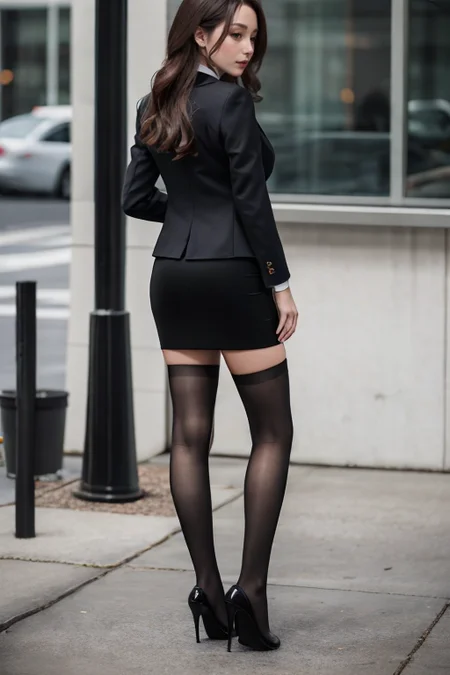
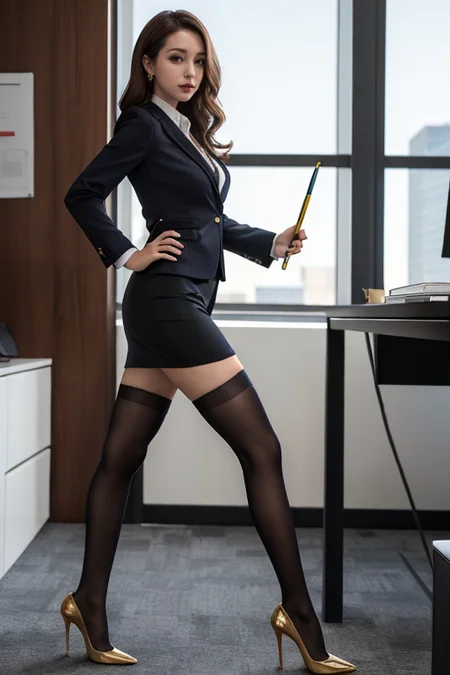
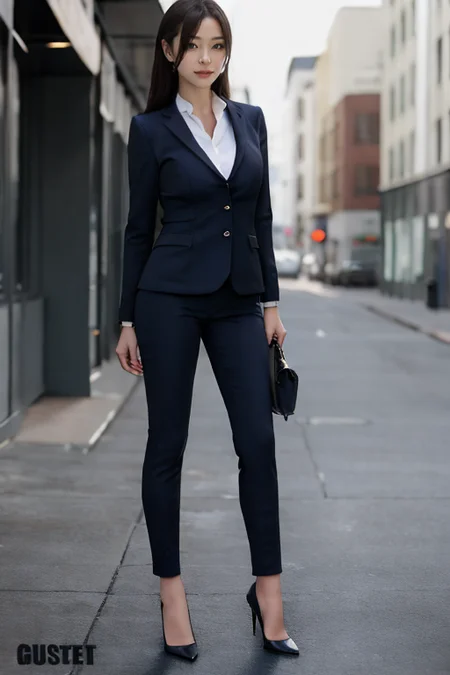
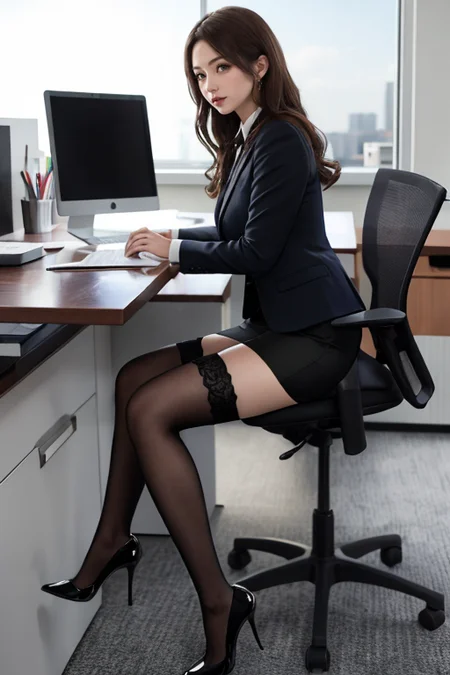
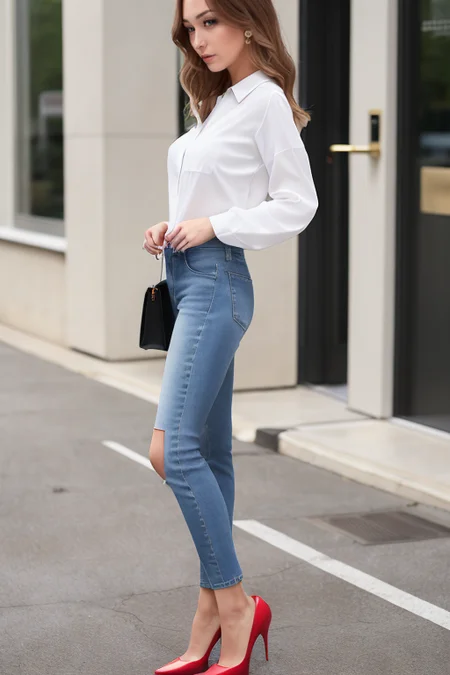
Trained as request. Not very necessary for SDXL, as it can already generate this type of footwear. However, it aims to provide a consistently sharper shape for pointed-toe heels.
SDXL V1.0
Based model: SDXL 1.0
Weight: 0.5-1.0, may require higher weight in anime checkpoint, up to 1.3.
SD 1.5
It seems like sd always generates some strappy or platform heels even though we put that in the negative prompt. This is a simple Lora that can potentially remove the ankle strap from the pointed-toe heels when the weight is above 0.4. From what I was testing, 0.4-0.8 seems to give an okay result with the realistic checkpoint models.
SD经常会生成带脚踝绑带的高跟鞋, 用反向提示词限制的效果也不太好, 这个lora就是用来去掉这根绑带的, 且对鞋的形状进行了微调. 使用时权重在0.4-0.8比较好, 更推荐从0.4开始逐步往上提, 0.8以上泛化就不是太好了, 颜色也会逐渐固定成黑色. 用真实系的checkpoint会还原的比较好, 二次元系的也行, 但会有点走样, 且权重得设得比较高才能把绑带去掉.
Tips for generating leg pose:
For simple leg poses, just use prompt and openpose, this Lora should be able to generate that pretty well.
For more complicated leg poses, it's too difficult for the current gen sd, usually you will get bunch of mutant legs and arms, and the heels will turn into a weird shape. For this problem, you may want to use edge detection in the controlnet, like canny, softedge and scribble, the main idea is to use the outline of the picture to keep the overall pose and heels' shape.
First, you need to have a reference picture of the desired leg pose with the heels on, then throw it into controlnet
Then select the softedge in controlnet then generate a controlnet preview for the picture, and see if the outline of the heels has been detected correctly, if not, you may want to use the canny instead. The outline using canny is more defined than softedge.
Then set the controlnet's weight to somewhere between 0.5-1.0 then write your prompt and generate your picture. the lower the weight, the easier to change the background and the clothes, the higher the weight, the better the shape of the pose and heels.
If your desired clothes are far different from the reference picture, you can use scribble instead, it leaves more space for the AI to draw the content, but the shape captured is worse comparing the other two.
If all three edge-detecting methods failed, you may want to modify the controlnet preview manually to make the outline more clear and remove the unnecessary content. it's pretty simple, just cover the unwanted content with black colour and draw the outline with white colour, even the paint software integrated in windows can do that.
绘制腿部姿势的小技巧:
简单的姿势只需用提示词或者controlnet里的openpose就可以了, 鞋子基本不会变形
复杂的姿势以目前的SD还达不到可用级别, 经常会生成有多条手臂和多条腿的图, 而且高跟鞋也会跟着变形, 所以我们得用controlnet里面的边缘检测去限制住大体的姿势不出错. 常用的有canny, softedgehe和scribble, normal和dept也能用, 但对高跟鞋的边缘检测没前三种好
首先把穿着高跟鞋的参考图片放到controlnet里
然后选择softedge作为控制类型, 生成一下预览看看高跟鞋的形状有没有被勾勒出来, 如果没有, 可以尝试用canny, 出来的线条会更清晰
然后设置controlnet的控制权重为0.5-1.0, 低点儿的话方便换衣服换背景, 高点儿的话形状检测更准确. 设置好了就可以写提示词跑图了
如果你要换的衣服跟参考图片的差距很大, 可以考虑使用scribble, 它能给AI留出更多的创作空间, 但相对的高跟鞋的形状控制就会比另外两种方法差些.
如果三种方法都不能生成你想要的姿势的话, 那大概率是参考图片的背景太复杂了, 你可以手动修改一下controlnet的预览图, 把无关背景都用黑色盖上, 然后用白色勾勒一下想要的边缘. 十分简单, windows 自带的画图都能搞定
测试下来, softedge对高跟鞋的检测是最好的, 换衣服之类的也很泛用, 所以首先选择softedge来做边缘检测
V2.1
Expand the regularization and training set
Network dim set to 128
slightly higher prior loss weight with regularization
继续扩张训练集以及正则集
网络难度提高到128
正则权重稍微提高了
V2.0
The training set was reworked and expanded, removing all unnecessary content including background and face, so this version should work better when the weight is high.
Add dreambooth regularization training set, the heels' size and the attach location should work better.
Recommended weight: 0.3-0.9, I used 0.5-0.6 in my test image.
Work with many clothing Lora when setting the weight low
Not working very well when the shoe sole facing up, I think the problem is with the base model, since it also not working well when disabling my model
扩张了训练集并且抠掉了背景和脸部这些无关元素, 所以这个版本在高权重下应该不会污染到脸部之类的部位了.
新增了正则化训练集, 现在鞋子的大小和比例以及附着位置应该比之前要好.
推荐权重: 0.3-0.9, 测试图是用0.5-0.6跑的, 推荐逐渐提升权重
在权重较低时能兼容大部分服装Lora
鞋底朝上的姿势大概率会崩, 所以部分躺着的姿势都不太行, 我觉得应该是基模的问题, 因为就算不用我的lora也一样崩. 应该是基模没有对这些姿势进行训练
Description
FAQ
Comments (15)
Thank you for you model.
But here are some facts you should know....
Perhaps you are writing the wrong words in your prompt for the correct show style. This shoe design is called a "Stilleto".
Your Ai can create it without any problem.
This shoe design was invented in the 1930s and became a worldwide fashion trend after the early 1950s when designer Christian Dior began using it often on his TopModel Fashion shows.
Thank you for your response, and yes, I know this type of shoe is called stiletto, but pointed-toe stiletto is a sub-category of the stiletto. And in fact if you generate the stiletto directly in sd, around half of the time, it will give you a stiletto with an ankle strap on it, especially in the Asian-face checkpoint model. If you want to remove that through the negative prompt, then the shape of the stiletto will become somewhat weird. So the purpose of this model is to remove the strap of the pointed-toe stiletto while maintaining the okay shape of it.
@Monobot I agree. Some models are needed depending on which "Checkpoints" you use,
because they lack the information in them for the Ai to make images.
I personally use Realistic-Vision 1.3 (mixed with a few other checkpoints) and I usually use
it for realistic-style photography images, so I usually see a "stilleto" If I need my models to wear them.
But some Checkpoints may need this.
It is always very useful ! Thank you for making it.
Here is a tip . . . before you waste your time creating a LORA or T.I. to train this AI, search around Civitai if a
model had been done before, because there is no need for many models of the same things.
Recently I have been seeing ALOT of models of the same celebrity faces models and some other things.
Thank you
and congratulations - I give you a special 5 STAR rating
@maxhitman Yup, actually I already searched the whole site, but never found one that remove the strap for me, so I can only do it myself. The main objective for my model is to remove the strap, and then aim to shape the heels. since there is a small group of people that really don't like the strap.
I have to agree with monobot here; I’ve used lots of models that recognize “stiletto heels” (haven’t had much call to use the pointed toe variant specifically, but I’d bet that lots recognize that too.) But every checkpoint that I’ve seen that recognizes “stiletto heels” will frequently generate them with an ankle strap, I haven’t found a reliable positive prompt to control that, and removing it with the negative prompt can make the shoe/foot lower quality. For the specific concept of pointed toe stiletto heels without an ankle strap, having a Lora like this is useful. (And, frankly, I’d rather use a Lora for that concept than switch base checkpoints just because there is one that recognizes it a little better.)
In my experience adding "anklet" to the negative prompt usually gets rid of any strap anyway, but maybe that doesn't work for everyone.
@Tinmake Actually it depends on the checkpoint model, some of them work pretty well, and some don't, especially when we have a bunch of negative prompts in an anime-style checkpoint. But what's more annoying is that when we use the controlnet to generate some complicated pose, the default heels have a relatively high chance turns into a weird shape, just don't want to roll the dice again and again
@Monobot the strap annoys me so much, no shoe play possible haha
@Tinmake tried this as well but brings negative effects
@pxx69 Try testing by writing "anklet" , or "Strap", to the negative prompt.
In many cases adding some words to your Negative prompts, removes or eliminates this problem.
Your A.I. will not create them if you place them into ((parenthesis)) brackets too.
This method is usually very good for when you want to create certain clothes, or even
body types on your models, without the use of any Lora or T.I.
@maxhitman @Monobot the "strap" negative prompt gives me a headache to date. I know the exact motive, why this LORA was created. If you have the strap in neg prompt, the toe strap of mules will be removed, thus you only have soles and insoles, on which the foot rests without any strap at all.
I tried so many versions with "ankle strap", "straps" .... whatever in the neg prompt, it still mostly removes all straps.
What model do you prefer today, which gives the best results? Shoes and toes still give me major headaches.
@StrugglingSorceror do you know any website that lists all shoes and generated images? I tried to create a list, it is tedious with a consumer GPU.