



模型介紹為中英雙語,中文使用者可以關閉翻譯。
--
PornMaster_SDXL_Illustrious_noob_Pony_t2i_工作流下載(Workflow Download)
PornMaster Simple 4X Magnification Workflow
--
--
Stable Diffusion WebUI Forge - Neo
--
Creating Photorealistic Images With AI: Using Stable Diffusion
SDXL 1.0 藝術研究。(SDXL 1.0 Artistic Studies)
--
v7之前的版本为sd1.5 "Amateur系列"检查站。
Versions prior to v7 were the sd1.5 "Amateur Series" checkpoints.
--
我的其他檢查站和Lora。
My other checkpoints and Lora.
--
我已將模型上傳至runninghub。
I have uploaded the model to runninghub.
PornMaster-Pro-SDXL-V7-VAE
https://www.runninghub.ai/model/public/1981749531459108865/?inviteCode=rh-v1304
PornMaster-Pro-SDXL-V7-VAE-inpainting
https://www.runninghub.ai/model/public/1981757608040243202/?inviteCode=rh-v1304
PornMaster-Pro-SDXL-V8-VAE
https://www.runninghub.ai/model/public/2008921333920436225/?inviteCode=rh-v1304
PornMaster-Pro-SDXL-V8-inpainting
https://www.runninghub.ai/model/public/2043676887620259841/?inviteCode=rh-v1304
--
AUTOMATIC1111:
Check "Clip skip SDXL" in the settings to enable the Clip function.
勾选设定中的"Clip skip SDXL",可使Clip功能生效。

 ENSD:31337
Eta 噪點種子偏移(ENSD)
(ENSD; does not improve anything, just produces different results for ancestral samplers - only useful for reproducing images)
--
如果你的WEBUI无法显示某些版本的LORA:请到"设定",然后勾选"Always show all networks on the Lora page(otherwise, those detected as for incompatible version of Stable Diffusion will be hidden)"
--
不要問我如何安裝的問題與comfyui如何使用。
客製化lora:我的Telegram ID:@iamddtla0620
我的微信ID:iamddtla
我的line ID:iamddtla
時間寶貴,請直接說明來意,例如:訂製lora.
Do not ask me questions about how to install it or how to use ComfyUI.
Customized lora: My Telegram ID: @iamddtla0620
My WeChat ID: iamddtla
My Line ID: iamddtla
Time is precious, please state your intention directly, for example: customized LORA.
--
面部局部重绘可使用adetailer.
高解析度放大可使用"ultimate SD upscale".
For partial facial redrawing,use adetailer.
High resolution upscaling can be done using "ultimate SD upscale".
--
Adhere to the Fair AI Public License, ensuring that any derivative works are also open source.
遵守Fair AI Public License,確保任何衍生作品也是開源的。
Description
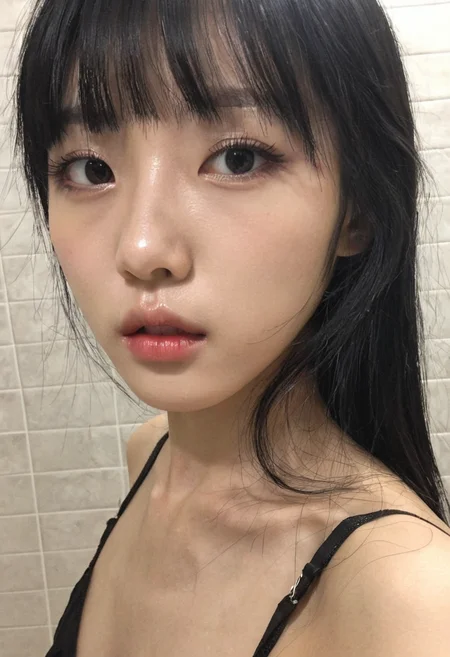
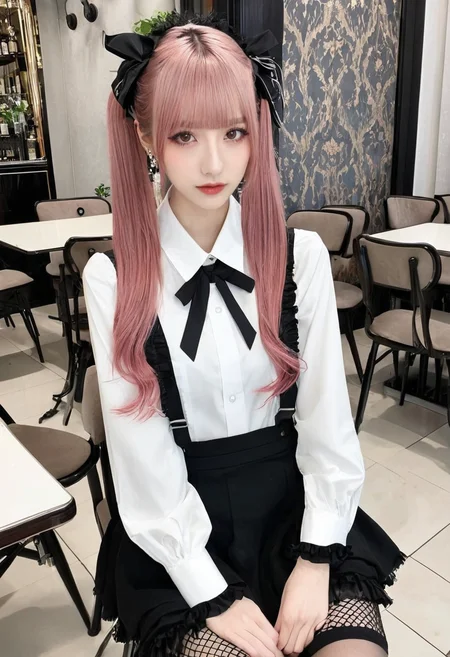
此版本美丽的亚洲女人面孔与色情取得平衡。
如果不要生成亚洲人的面孔,将"asian,chinese,korean,japanese"放入负面提示词中。
此模型包含VAE,无需使用VAE。
可搭配亚洲女性面孔美化器、胶片摄影、”更好的裸体”一起使用。
--
This version balances beautiful Asian women's faces with eroticism.
If you don't want to generate Asian faces, put "asian,chinese,korean,japanese" in the negative prompt words.
This model includes VAE and does not require the use of VAE.
Can be used with Asian female face beautifier, film photography, Better Nude.
--
对提示词的权重敏感,如果图片出现错误,需降低权重。
It is sensitive to the weight of the prompt word. If there is an error in the picture, the weight needs to be reduced.
--
Film,
相機鏡頭,
膠片,
FAQ
Comments (14)
Hi, friend! I love your work! Will you make a V4 of the Pro version?
If SDXL doesn't have someone else train better mergeable checkpoints, I probably won't make the next version.
Asian SDXL V1 VAE.
Thanks, this generates really impressive faces!
However with my prompts, 8 out of 10 generations would fail, e.g. extra limbs, distorted anatomy etc. Trying to fiddle around the parameters and weights to improve the results...
where is the unconscious/sleeping lora?
Civitai has removed this lora. Someone reported this lora.
@iamddtla Are you willing to upload it to another site?
@razor14250280 I asked in DMs and he wont do it
@sunburnt_toasty That's a shame. If it was as thorough as all of his models it must have been peak
@razor14250280
Use this as a template. Separate elements for more weight, change positions, open/close eyes etc. if you weight ‘drunk’ enough, drunk bubbles pop up and pending chkpoints can goofy the xpressions.
BREAK, (upper body shot:1.6), (focus on ass:1.6), (visible face:1.6),
(passed out/drunk/sleeping/body splayed out dynamically/mouth open, strands of drool/eyes half closed/extra large eyes/large detailed irises/ eyes slightly rolling up:2.6)
Hi, I'm trying to use this with comfy ui using an rtx 4060 16 gigs gpu, but seems like your instructions are for SD web ui, how can I use this with my comfyui? do you have any workflow for comfyui that I can start with? Please help. Thanks....
I don't know how to use comfyui, you have to learn it yourself.
I can't tell from your question if you're new to ComfyUI. I'm going to have to assume that you are. Apologies in advance if that's not the case.
Download the checkpoint into your ComfyUI\models\checkpoints directory. You can then use the standard SD workflow to run it. (Click the Workflow menu, click "Browse Templates," then under the "Basics" tab, click "Image Generation.") Select the checkpoint you downloaded in the "Load Checkpoint" node. Under "Empty Latent Image," make sure to set the width and height to any of the dimensions expected for SDXL models (for example, 1024 x 1024). Type in your positive and negative prompts in the appropriate "Clip Text Encode" nodes. Under the Ksampler node, set "sampler name" to "dpmpp_sde" and "scheduler" to "karras," then hit the "Run" button.
That's just for starters though. You'll want to add more nodes to your workflow later on to improve the quality of your images.
✌🏻😌
Hi. thanks for the model.
I wanted to ask, is this just for asian women?
Thanks.