


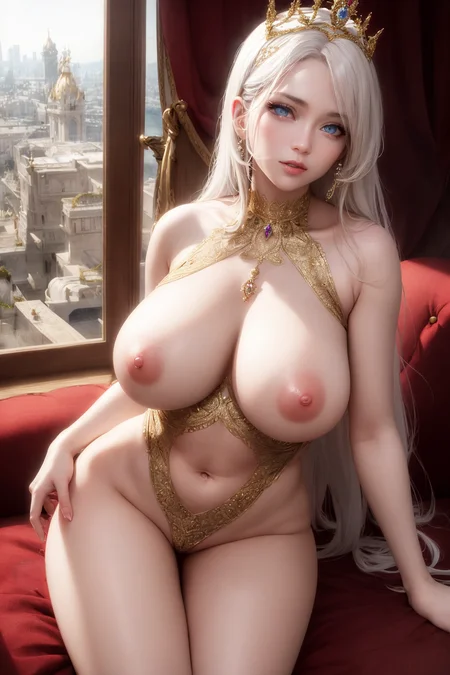


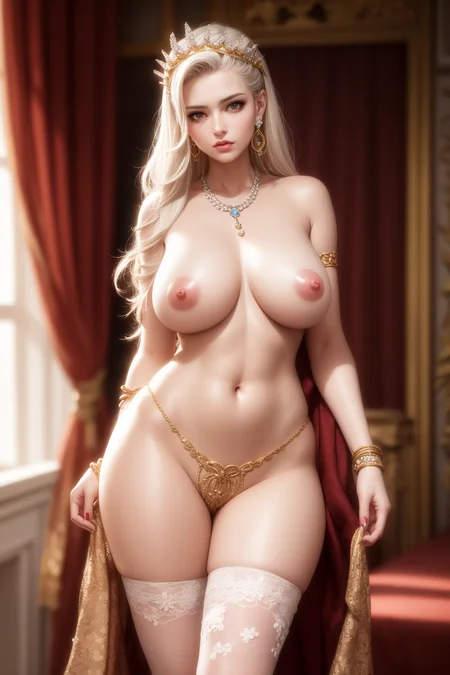
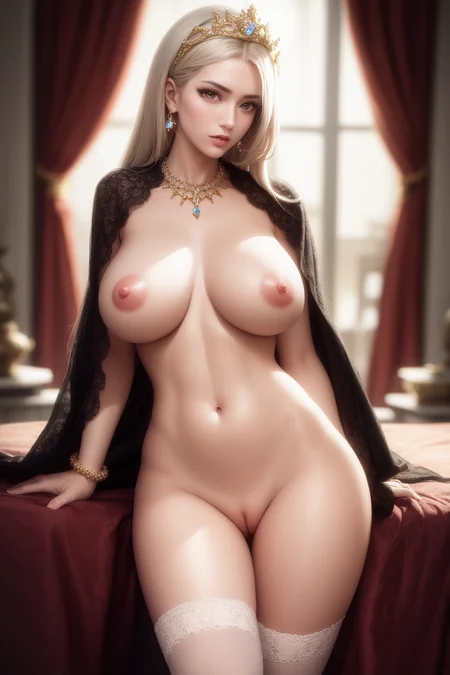
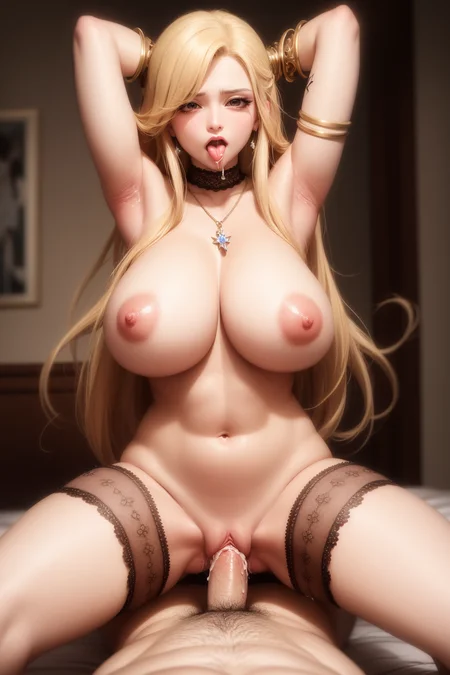


The pursuit of perfect balance between realism and anime, a semi-realistic model aimed to achieve beautiful realistic faces with sexy hentai bodies.
This model aims to be flexible with all kinds of NSFW/hentai concepts, so a large portion of the merge will be hentai models.
Description
New merge recipe, 20% GuoFeng2, 30% basil mix, 50% AOM3.
Sacrificed some realism for the ability to generate more beautiful faces thanks to GuoFeng2 model. This version will be more anime like, you may or may not prefer this.
I tried to make the sample images good without using anything but prompts. So what you're seeing can be made even better with TI or LoRA of your choosing.
FAQ
Comments (183)
v2畸形率好像更高了
其实如此
用V2的反义词,不要用通用
没有更高,用法不对。建议用Euler a,latent (bicubic antialiased) denoise strength 0.5 畸形太多都是latent大算法的denoise strength 太高了,得调节。
@Bloodsuga 大佬你早说呀,好多了,感谢
@Strawbeberry 不同模型有不同的用法,就连tag的用法也不一样,大家都得学会随机应变。想要好图有的时候不仅仅是抄就可以解决的🤗
For some reason pregnant keyword comes with multiple belly buttons 80% of the time.
不管是用V1或V2,Pregnant這詞80%時候都會造成多個肚臍
what is happened i cant generate normally

No idea I've never ran into a problem like this :(
所有的图片按照同样的seed和prompt,模型的hash也都一样,但都没有办法复刻,而且差距非常明显,还有哪些setting会影响到出图?大佬还调整了哪些参数吗?
我只能猜是clip skip,我的是2。
@Bloodsuga 我的clip skip也是2,网上有说法是xformer,和xformer的版本,您有用--xformer和其他的arg吗,我还有用--no--half和--no--half--vae
@anitman 我是--xformer有用,其他的就是--theme dark啦,没有别的了
@Bloodsuga 我测试了一下,还是一样,看来不是--xformer的问题,不同机器出不同的图的问题看来无解。
@Bloodsuga 再问一下大佬,您封面的图是原生就用1024x1536生成的吗?我尝试过无数次,即便不同的seed都是三头六臂甚至多人出现在一张图上。无法用超过768的分辨率生成正常的人物图,感谢大佬
@anitman 开始图是512 x 768,然后放大两倍,普通操作。。。
eta (noise multiplier) for ancestral samplers 也会对结果造成影响
@Accepted733 这个不是原因,因为如果eta (noise multiplier) for ancestral samplers改了,png info里面会有显示,包括eta seed delta改了也会显示。
@Accepted733 而且我也知道为啥封面图片无法复现了,这个图信息里面有mask blur,证明这是一张inpaint过的图
之前版本的网络我按作者的参数弄,基本上是一样的。后面的模型没弄Clip skip\Mask blur等参数就是畸形的。
机子的显卡型号不同,显存不同,都会影响。。。。就算参数一样,也会变一点,不过,没试过同样硬件的PC,跑同一样参数,会是什么结果,有条件的同人,可以测试一下。
@Bloodsuga 请问您是什么显卡?
@HQonline 说“你“就行了😌。我最近换成了RTX 4090台式。v1的预览图是之前RTX 3060笔记本做的。v2预览图是4090做的。
@Bloodsuga 我是台式机的3060ti,不知为何,全抄了prompt还是出不来你图的那种细腻和高清质感
@HQonline 你得用png info然后send to txt2img,而不是抄prompt。我用了latent的放大才那么好看的
這個留言真的學會了好多, 玩得很開心, 是時侯老一老了~
尺寸不一样也会影响渲染效果
我是用N卡跑的,完全一样的数据(利用PNG info再sent to t2i),结果还是和作者的图差别很大。不过我没有对图片放大,因为会爆显存。
@quinton_ho863 俺也一样
@ustakchan663 高清修复会很大程度影响这个模型的效果,用与不用几乎是两个风格了,可以试着放大比例调小,每次1张或张
@AIchemi3T 第五张预览图没有mask blur,但还是无法复刻orz
大佬什么时候做斗破苍穹的模型
为什么我发的评论图片没有显示
I copied all prompts and settings from your example picture but i always get something different. Are you using other extensions or a VAE that is not mentioned ??
You don’t copy prompts you do png info. Make sure you have the Loras and are triggering them correctly if I used any. I didn’t use anything special for version 2 samples.
这种模型什么用 什么一加载控制台就中断
你得用stable diffusion webui XD
@Bloodsuga 可以教教我吗
作者大大,我直接用图片信息套的v1的第一张,数据肯定是完全一样的,其他emb,vae都准备好了没有问题,但出的图就是完全不一样,已经很多方法测试过很多次了。
大概是没激活lora
lora这些,就是所需的数据和插件都是已经准备好的,我还专门试过有没有所需要的像6500lora这个tag的区别。
图片宽高比的问题,宽高比设置正确,太大也会乱出
说的数据直接用图片信息功能套的嘛,图片高宽比这些数据都是一样的。出的图差距实在很大。
我也是,模型参数,都一样,但是出来的效果,差别好大,,,,不懂是哪里出了问题
@Bloodsuga 我模仿的那张图,没使用lora
@2714425114241 可能是clip skip,我都是设置为2的。
@Bloodsuga 这些都是一样的,因为是直接用图片信息功能,机器给套过去的,自己也反复检查多遍。只要是图片文件里的参数都是一样的。额外的lora,vae等等都是准备好了的。
应该高清修复的问题,你看的分辨率是高清后的分辨率
@z973 图片信息功能套的分辨率,和高清修复后放大分辨率,跟原图里数据肯定一样的,反复检查过没问题。
@2714425114241 我用的B站别人的整合包,没有问题
webui的版本不一样图库的数据也会不一样,作者的可能是老版本的
硬件配置不一样的关系吧
Could you please send me the model files which I can use for further training in DreamBooth?
If you don't mind, please reach me out in Telegram @kopyl or email – [email protected]
我用的v2,复制的的第一张图的数据,为什么每次都会生成两个人?
宽高一样吗,如果参数都一样,出的图应该是差不多的。出两个人可能是图太宽了。
@2994731975131 是完全一样的,添加了一个人的tag后还是会生成两个人,又试了下把宽度调低还是两个人
@2994731975131 又试了下,你说的对,我把宽度调的更低一些后终于变成一个人了,谢谢
最确切的解释,你去看png info,里面有mask blur 4,这个信息意味着这张图经过了inpaint,因此seed会变,并不是原始的图的seed,而且inpaint的分辨率跟着img2img走,是txt2img的两倍。因此你复制进txt2img后png info会错把inpaint的分辨率放进去,所以分辨率是不对的。由于inpaint后seed会变,因此你是无法复刻作者的图的。
any ideas on prompts?
Bruh………….. 💀🥶
why many peopel use SD1.5 instead of 2.0?
SD2.0 is more powerful that's obvious, but it has been trained especially for safe content not for NSFW Images.
2.1 has a problem with way too skinny faces and other things
Please release a version with no VAE baked in.
The baked versions DO NOT play well with my Loras and this is a spectacular model. @Bloodsuga
Can you add, if possible, a smaller 2gb pruned fp16 no-baked-vae safetensor version ?
Ain’t nobody got time for that :(
I like your work, I would like to know in which AI program or website you were able to create it, midjourney and stabled difussion do not achieve such a level of realism, much less with parameters such as nudism
What? Bro what are you talking about man… 🤨 it’s just stable diffusion webui that’s what everyone is using here.
This is a model for stable diffusion. You combine it with Stable diffusion 1.5 and it can produce results like this.
@Bloodsuga thanks for the help, I'm still a bit lost and when I asked that question I still wasn't quite located in which program they were working
@tomberwick1984524 @tomberwick1984524 Thanks for the help, I will try to guide myself well to be able to make my own images and publish them
那个model Baked_GF2+BM+AOM3_20-30-50怎么设置的,我怎么没有看到
Anyone know how to mix this with anime style lora to get realistic looking anime characters.
does this work on version 1.5?
ok, I'm new to this, does it mean that this model doesn't need a VAE? And if it doesn't, where do I get it from?
在线等个大佬!求助!!!人物的头部比列太小了,不和谐呀,请问关键词如何调整人物头部的大小呢?
Any chance of just an unbaked (no VAE) version? Everything else such as pruning can be dealt with by the user but I’m not aware of a way to remove baked VAE and it wrecks LoRAs
im new for it, can u give some example prompts?
cause i generated pics with terrible face, i want figure out that
You can just save the image, use PNG Info tab to upload any image, then Send to txt2img, make sure you set your Clip Skip to 2 in settings, apply settings, then hit Generate :)
You can also click on an image, and the details are on the right side. That is the prompts and some of the specs. There is also a "Copy Generation" button in the bottom left of that screen. Copy and paste that into a text editor, and you can see a more complete list of specifications, which might include any settings that aren't at default, like Clip Skip setting and ENSD number. It will also show the model hash number for verifying you are using the exact same checkpoint. It may also indicate whether Contol Net was used, and the specs of Restore Face and Hi-res fix, if used. (In case you don't want to download the picture in question, & just want to try to get the same Lora's, embeddings, and hypernets, rather than duplicate the image.)
Perfect 😍
Great mixes, both v1 and v2.
Can you add, if possible, for both versions, the smaller pruned-fp16 no-baked-vae versions ?
best base model? thx for the help
不好意思,為什麼我用一樣的模型做出來的都沒有本樓的真實,更有種很廉價的感覺
你得发图看看👀
因为你的配置不够
因為要搭配LORA跟其他VAE,還有要多次做終極SD放大去增加畫質,不是單純用提詞而已
@Bloodsuga https://i.imgur.com/6WYpJva.png
@Bloodsuga 我不會發圖 不知為什麼要放URL 他總是限制了我
@yuduanji 跟配置没啥关系吧,应该是他vae或者lora
@pitterparkerri634 vae我不太明白是什麼,我已經下載了完美世界模型,Fashion Girl, Ulzzang-6500, 不知道還要下載什麼才可以做出那種質素的圖
@letterlong001660 你没有用大算法(upscale)。你得用upscale,2倍,新手可以先试试latent bicubic antialiased, denoise strength大概0.6左右。我是英文版的不知道中文版的名字叫什么。
@Bloodsuga 很感謝你的指教,我嘗試了你的設定,畫面確實有所提升,但對比你提供的白髮女子美艷程度還是差得遠,若要評級,你的是SSS級,我的只有B級,附上圖片https://upload.cc/i1/2023/03/29/2Eb8Tk.png
为啥加了lora后512X512会变的很糊,你们有碰到这个问题吗?
目前没遇到
It gives noise green grain image when i use baked v2
can anyone tell me why?
https://drive.google.com/file/d/10zzFSZ7u1FVq60VFgX16CRYkHWT42Fo0/view?usp=sharing
im unable to generate images with this model. It gives me this error:
NansException: A tensor with all NaNs was produced in Unet. This could be either because there's not enough precision to represent the picture, or because your video card does not support half type. Try setting the "Upcast cross attention layer to float32" option in Settings > Stable Diffusion or using the --no-half commandline argument to fix this. Use --disable-nan-check commandline argument to disable this check.
does anyone know how to fix this?
Hmmm.... don't know, maybe it's because you're AMD card, which you'll need a more special setup, or it's because your GPU is way too weak/old, what's your GPU?
running into the same issue with a 3070 ti
set COMMANDLINE_ARGS= --autolaunch --deepdanbooru --xformers --force-enable-xformers --disable-safe-unpickle --disable-nan-check --api --opt-channelslast
this works for me.
@Docuei With you set: " set COMMANDLINE_ARGS= --autolaunch --deepdanbooru --xformers --force-enable-xformers --disable-safe-unpickle --disable-nan-check --api --opt-channelslast "
i have black pictures ;(
i9 -12900F + NoctuaRTX3070
;(
So this was an error on Civit that caused all models downloaded in a certain timeframe being borked. Just download them again now the problem's fixed.
They're doing a great job letting everyone know about it. /sarcasm
I had the same problem with Illuminati and other 2.1 models. I checked some forum and found a couple of possible solutions: (1) download the same model from Huggin Face and for reasons sometimes it works (2) go to Settings - Stable Diffusion and enable "Upcast cross attention layer to float32" (this worked for me). Hope this helps
The version 1 was my favorite model for a while, but at v2 I get blur all over the place for some reason. What's the optimal image size for this model?
开了个tg的绘图交流群https://t.me/+9-widp3o3CE0MzY1
@Bloodsuga It works nicely man, except the eyes are sometimes exetremely blurry, how do you fix this ? are you using a certain dimension by dimension or are you enhancing your images with upscale ?
I found that hires.fix fixed my problems
please help the tongue and mouth look really strange. https://flic.kr/p/2orc6T8
@Bloodsuga , ITs really awesome but for me the mouth and tongue always look rly weird and ofputting. IS there any way I can fix it to get it to look like ur images. I tried copying the png info from urs but I still get weird tongues and mouths
Could someone give me a like for my newest post plz🥹
50% of my result got a kinda red eye. Wonder why
because the writer of the book 完美世界 likes girls with red eyes and white hair
Hm, I guess if you tag white hair, it's often associated with red eyes, because a lot of sample images used to train the model have girls with white hair red eyes. You can always tag them in the negative if you don't want certain hair color or eye color and put some emphasis on them if it's not working consistently.
各位想生成預覽圖效果的用戶,需要考慮 Lora 對畫風的影響。
我用同樣的模型、同樣的參數、同樣的种子畫圖,發現不同版本的<Fashion Girl>生成的圖片在色彩有差別。或冷艷白淨,或明亮有光澤,又或者灰濛黯淡。
下面是從2.0~5.0等11個版本<Fashion Girl>生成圖:https://civitai.com/images/439731?modelId=8281&postId=131748&id=8281&slug=perfect-world
本來,用同樣的模型、同樣的參數、同樣的提示詞,尤其是同樣的种子情況畫圖,應該會得到非常接近一樣的圖,但在不同版本的<Fashion Girl>影響下,色彩風格卻變得非常不一樣,甚至影響了整個構圖、人物姿勢。
面容是如何做到超仿真的?我做的都很卡通,就算用原图的提示词。
@callonger 要人脸修复:CodeFormer,及用“vae-ft-mse-840000”,如果用了動漫風格的Lora也會變得卡通化
what are the loras, hypernetwork, embeedings etc do you suggest to work this with?
It's literally in the model description, fashion girl and ulzzang.
I found that while using this model, the character's eyes always seem to be strange
就没有穿上衣服的吗?兄弟! hhhh
穿衣服容易,脱衣服难,这就是为什么我喜欢脱衣服!
大佬,这种checkpoint大模型是怎么训练出来的,普通人能搞吗?
我目前还没学如何训练模型,这都是在checkpoint merger混合不同模型的。
@Bloodsuga 原来如此,感谢解答
你说的“训练”实际上就是那个烧了八十万美金的Stable Diffusion初代模型,开源出来之后,后续对其进行fine-tune是一般民用级别的算力也能跑出来的
真的,身体扛不住了
naizida
what
@DG19 He meant big boobs ;)
大佬,你这不弄个群吗,义父义父义父!!!
Love this checkpoint, but it definitely needs some asses.
Never got a good pic out of it regarding backside or asses in general.
It gives noise green grain image when i use baked v2
can anyone tell me why?What should I do
我用v2 baked一直生成噪点图什么情况,怎么解决
试试merge在咱的模型
Anyone here uses any Colab for their work, Automatic1111 has been stopped for free users,does anyone know any alternatives.. 😥
I use Colab as well, and most of the free alternatives I tried were crap.
check out Yodayo
check out randomseed.co
I found a problem, I don't know if it is a bug of SD or of this model, I found that when I insert a Prompt too long and with too many priority indicators (:1.4), the images literally become something totally different from what the Prompt describes. They become colored blobs with no shape at all, these usually occupy the whole image. On the other hand, with a reduced Prompt with Loras and Textual Inversion it shows a correct functioning of the model, it generates correct and not deformed images. Sorry if you don't understand something, I'm using a translator. 🤙
This will happen if a prompt weight is greater than 2, like (arms up:2.1). Furthermore, there is a limit to the number of significant keywords that the model will consider, which I think is around 75. The more words, the less effect each word has past a certain point. There's a lot more technical explanation for this, but that's essentially what'shappening.
LOL, you're trying way too hard mate XD
I suggest you don't use any special emphasis unless you really want something, like absurdly long hair or multicolored hair. It's best to keep things somewhat random and not rig the prompts too much.
MAKE SURE TO USE CLIP SKIP 2 EVERYONE!
IDK why this isnt in the description
could you explain why?
What is clip skip?
How do I use that on EasyDiffusion?
i always see clip skip but in auto111 i dont see it as an option.. can you explain?
Because it's part of the metadata of all the images I post.
@iativic3 On auto1111, go to the Settings tab, then on the menu on the left select Stable Diffusion, go down the page, the last option is to change the Clip skip.
Make sure to APPLY SETTINGS on the top of the page!
What is the expected benefit? Thanks for info
thank you as a newbie i was scratching my head why i kept generating potato faces
Details
Files
perfectWorld_v2Baked.safetensors
Mirrors
perfectWorld_v2Baked.safetensors
perfectWorld_v2Baked.safetensors
perfectWorld_v2Baked.safetensors
perfectWorld_v2Baked.safetensors
8281_perfectWorld_v2Baked.safetensors
perfectWorld_v2Baked.safetensors
perfectWorld_v2Baked.safetensors
perfectWorld_v2Baked.safetensors
pcia_perfectWorld_v2Baked.safetensors
perfectWorld_v2Baked.safetensors
PFv2.safetensors
perfectWorld_v2Baked.safetensors
perfectWorld_v2Baked.safetensors
perfectWorld_v2Baked.safetensors
perfectWorld_v2Baked.safetensors
Perfect_World.safetensors
perfectWorld_v2Baked.safetensors
perfectWorld_v2Baked.safetensors
perfectWorld_v2Baked.safetensors
halfperfectWorld_v2Baked.safetensors
perfectWorld_v2Baked.safetensors
perfectWorld_v2Baked.safetensors
perfectWorld_v2Baked.safetensors
perfectWorld_v2Baked.safetensors
perfectWorld_v2Baked-007.safetensors
perfectWorld_v2Baked.safetensors
perfectWorld_v2Baked.safetensors
perfectWorld_v2Baked.safetensors
perfectWorld_v2Baked.safetensors
perfectWorld_v2Baked.safetensors
perfectWorld_v2Baked.safetensors
perfectWorld_v2Baked.safetensors
perfectWorld_v2Baked.safetensors
perfectWorld_v2Baked.safetensors
perfectWorld_v2Baked.safetensors
perfectWorld_v2Baked.safetensors
perfectWorld_v2Baked.safetensors
perfectWorld_v2Baked.safetensors
peWv2.safetensors
perfectWorld_v2Baked.safetensors
perfectWorld_v2Baked.safetensors
perfectWorld_v2Baked.safetensors
perfectWorld_v2Baked.safetensors
perfectWorld_v2Baked.safetensors
perfectWorld_v2Baked.safetensors
perfectWorld_v2Baked.safetensors
perfectWorld_v2Baked.safetensors
perfectWorld_v2Baked.safetensors
pwv2.safetensors