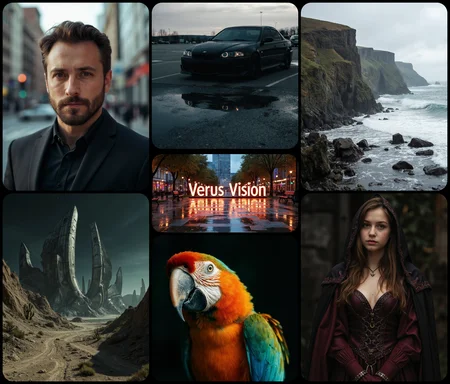
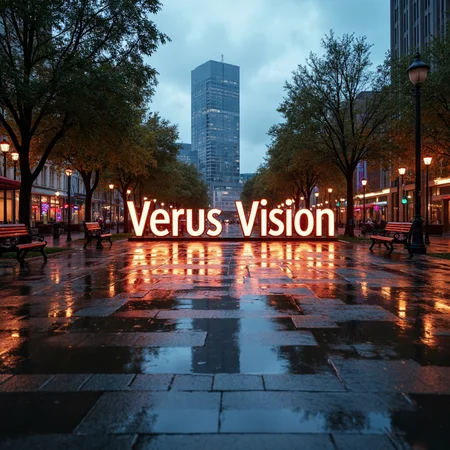




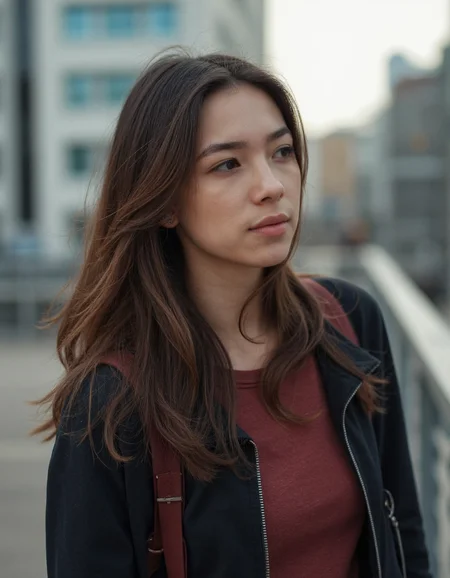







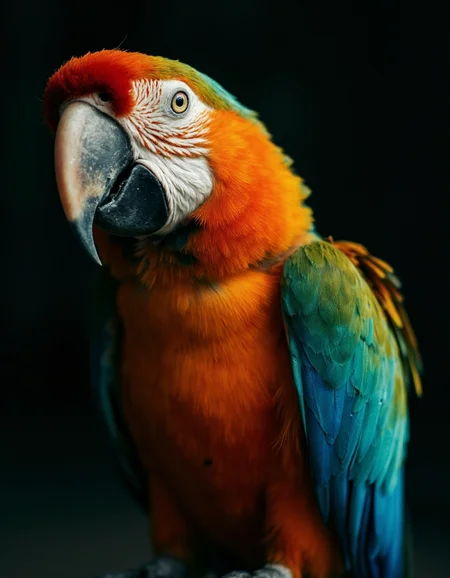




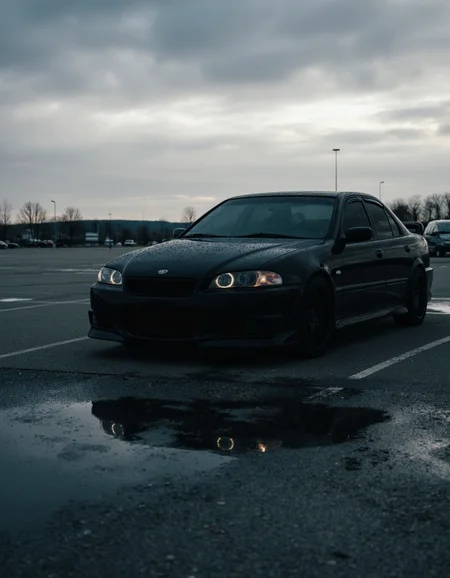
Verus Vision is a fine-tuned model designed for generating high-quality, realistic images. Built on the Flux Dev (de-distill) model with 12 billion parameters.
You can support me directly on my Boosty
Check my exclusive models on Mage: ParagonXL / NovaXL / NovaXL Lightning / NovaXL V2 / NovaXL Pony / NovaXL Pony Lightning / RealDreamXL / RealDreamXL Lightning
How to Use Transformer Version
For ComfyUI:
Place the AE in the following path: ComfyUI_windows_portable\ComfyUI\models\vae
Place Clip-L and T5XXL in the following path: ComfyUI_windows_portable\ComfyUI\models\clip
Place the Transformer in the following path: ComfyUI_windows_portable\ComfyUI\models\unet or ComfyUI_windows_portable\ComfyUI\models\diffusion_models
Optimal Generation Settings
For ComfyUI:
Sampling Method and Schedule Type: Euler Beta
Sampling Steps: 25+
CFG Scale: 3.5
Warning: Do not use a negative prompt as it can lead to the generation of images with artifacts and distortions.
Limitations
This version of the model does not have a variety of styles and is intended for realism and photorealism.
There may be issues with anatomy and text.
Description
FAQ
Comments (108)
Okaay here we go again 😆, btw will you upload this on tensor as well?, and thoughts on 3.5?
Hi! At the moment, I can't say anything about Tensor.
I think SD3.5 is a good base for my future models (RealVis Large will be my next model); the model has fewer parameters than Flux, which will allow me to train the model locally. OneTrainer has already received support for SD3.5, so I just need to test the training.
@SG_161222 sad for tensor but if skin looks already good in base 3.5, i'm pretty sure we can have an amazing version with your works, very excited about Realvis!
@P_Universe https://tensor.art/models/788233637045801939
@SG_161222 thanks!!
can you release flux inpaint model like realisticvisioninpaint model?
can you share the JSON file because I (I think like many) use online generators and do not have an interrogator
Hi! Do you mean the JSON file of the workflow?
@SG_161222 yes
@shevchenkoanastasia50338 https://huggingface.co/SG161222/Verus_Vision_1.0b/blob/main/ComfyUI_Workflow_Provided_by_cat3y3.json
I was really awaiting your checkpoint. You were very quick. Thanks a lot. May I ask how many samples did you use to finetune it ?
Hi! Thank you! I used 1000 images to train this model.
Ok so this is more an experiment than a full finetune :-) I get you didn't use the merging process but the finetune one then ? Will try your checkpoint soon
@valentinkognito365 I trained LoRA models, then combined them into one large LoRA, which I then integrated into the model.
@SG_161222 is there a reason why you do it through Lora and not direct fine-tuning?
@foggyghost0 I only had the opportunity to train LoRA models.
The model produces good realistic results but judging by CFG Scale tests, if 1 you will get artifacts, if 3.5 you will be fine. The model with CFG Scale 3.5 is good, but you need a 4090 graphics card for good image generation speed.
Yes, the model is quite slow. On my 4090, generating one image takes 46 seconds.
@SG_161222 It turned out to be a very realistic model but so far I've tried with Lora and am getting artifacts.
@alexoterin It's very unfortunate that using LoRA with this model causes artifacts. There could be many reasons for this, including the experimental training method of the model.
Hopefully the 5090 will be a big leap as 'speculative' articles are stating it will be.
Similarly the more accessible 5080 hopefully a noticeable jump in it/s compared to 4090 : )
Fantastic model! Thank you! In terms of photorealism, nothing comes close. I've tried the Shakker Labs Controlnet Union Pro controlnet for tiled upscaling and unfortunately I'm getting noisy and blurry results even at 40-50 steps. Does this mean that we'll need new controlnets that are made specifically for de-distilled versions of Flux?
Thats same for all de-distilled models. Simple solution is to increase steps a lot, if it doesnt work, then it doesnt work.
I think it might be possible to use some of acceleration LORAs, but Im not sure how well they play with FLUX control nets, if they work at all.
@Mescalamba Ok, I will try to double the steps and see if it works better. That would be excruciatingly slow, but hey.
The Shakker Labs Union Pro tile controlnet works fine with Alimama's FLUX.1-Turbo-Alpha 8-step LoRA with distilled Flux models. I have not tried it with de-distilled ones like Verus Vision yet. I will post my findings when I do.
@mmdd2543 Well, from my experience some Turbo/Hyper/Schnell loras work with individual de-distill models, but I havent try any control net yet. Mostly cause Im usually happy if those models work at all.
It looks great !
Can you add a GGUF version ?
???
What exactly is finetuned other than the original
https://civitai.com/models/843551?modelVersionId=943787
you can tell us anything ;)
Its nice, but insanely slow even with all types of acceleration I can throw at it. I mean, regular FLUX aint fast, but this is another level.
Another thing is, that Ive used quite a few de-distilled models and most of them work without any guidance and on almost any regular CFG (1-10 at least). Which makes me wonder how much "de-distilled" this actually is.
Can you please publish FP16 version so we can dreambooth / fine-tune it
Hi! I will try to upload the fp16 model as soon as possible, but due to an unstable internet connection, it might take some time.
@SG_161222 awesome ty so much now i can test
After numerous tests, my opinion is that this model is the most realistic.
Is it possible to use this with LoRa?
They don't really work well together at this moment according to my tests.
@AugmentedRealityCat maybe you know, is it working with flux controlnets?
@manpotent I get bad results with the Shakker-Labs ControlNet Union Pro controlnet in tile and depth modes. The images come out fuzzy and lacking detail. :(
Try to set Diffusion in Low Bits to Automatic (FP16 LoRA). It works for me for this and other models too.
@wregiszter632 I assume you are talking about ForgeUI? Do you know what would be the equivalent of this in ComfyUI?
@mmdd2543 Yes, I use Forge UI. I'm sorry, but I don't know how to do this in ComfyUI.
@wregiszter632 No worries!
Hey, how was this trained if you don't mind me asking?
I once thought I was special using my pandemic 3080TI FTW3.
i know, now you know you need 4090 :)
Its looks promising. But do you use this model with invokeAI?
The colors and lighting and textures are incredible. Really outstanding stuff. The only issue is that I still get a good chunk of images with bad anatomy especially hands. Often I get 4 fingers which seems a consistent issue. I hope you plan on making a V2 because when it works its amazing. Thank you.
Have someone been able to use this model in forge? I have been trying to use the fp8 version with the settings suggested in the description, but I just get a blurry mess, no matter what I prompt. Realflux works well, but this one doesn't, and I was wondering if it's not compatible with forge, or if I'm doing something wrong.
Ok, now I know what my problem was. I did't notice the part where it says this is based on the de-distilled version of flux. I was using the distilled CFG like on most flux models, but after I read the de-distilled thing, I used the normal CFG instead and it's working fine.
If someone else is having this problem, just put the 3.5 value in CFG, instead of distilled CFG.
@PepitoPalotes Hello, I too use Forge but had issues with another Flux on Forge as well.
Could you share the full settings you used please?, Sampler, Scheduler, Sampling steps, Hires.fix if any?
Thank you : )
@makaveli_313 just follow the instructions in the description and it should work fine. I have tried other options, and some work and some don't. For example, don't use karras scheduler, or SDE samplers. DPM++ 2M (the non SDE one) works fine though, and SGM uniform scheduler is giving me great results. The [forge] flux realistic samplers also generates good realistic images, but it's slower.
Ok ok ok wow a few pictures were posted here with the adaptive guider custom node and I stole that idea and added that into my existing workflow and it UNLOCKED this model I’m shocked how good they look I’ve been such a super fan of pixelwave but wow now this model is amazing
Workflow?
@zerocool22 just snag it from any of my pictures here or on the creators hugging face there is a workflow shared there, mine is a little complex but i share my workflows for all my pictures
can we take a look at workflow?
In my case it does look better than pixelwave for my prompt, OP did a great job
@offmybach you can copy and paste full workflows from imagese from this site (as long as the user did not disable metadata) by either 1. downloading any image here made with comfy (it will say workflow or it is tagged as comfy) and loading that image into your comfyui or 2. the nodes button on civit copies the full workflow to your clipboard and you just paste into a blank worklow in comfyui, best to look for that "nodes" button by any shared image here @zerocool22 i hope that helps
Hi everyone! I modified the code for merging FLUX LoRA, which will allow me to utilize the full potential of the trained LoRAs. For now, I need to test how the model will perform, and most likely, I will need to restart the training of all LoRAs using the new parameters.
So to us not so much technically inclined : P.. what would the benefit from this in the next version be : ) ?
@makaveli_313 This may positively affect the realism of the model. It has already helped to eliminate the standard FLUX female face and butt chins. I still need to conduct tests to definitively say what the benefits are, but I can say that I have overcome the dead end I mentioned earlier.
@SG_161222 excellent : )
Does this mean we can expect a new version soon? 🤔
Sounds like a lot of work, retraining the loras and all. Good luck and once again thank you for your work. The model is already one of the best I've seen if you manage to improve on it it will be huge.
@maedes Yes, there will be a new version.
@SG_161222Thank you For putting so much work into this, it may help to find someone who can reliably put this into Q8-GGUF as the format as matured now and the quality of Q8-GGUF is a good compromise between fp8 and fp16. but otherwise i love this model so damn much
How goes the progress SG :)
i am a huge fan of this models unique realism artistic style, nothing without loras produces images like this style in flux and i recommend others try it, but even trying different workflow techniques the last week and generating a good 100s images with this, something is off in the quality compared to a similar de-distilled model colossus 2.1, going to put verus down for now and look forward to your 3.5 attempt and v2 of this.
are you using the Adaptive Guider? Try setting the real CFG to 5.0. This model blows you away once you figure out the correct workflow!
@adfsgrv yeah I am my other post literally mentions about it. And I’ve tried the workflows here and others. You have to use adaptive guider also for colossus 2.1 also as its a similarly made model, setting it between 3.5-6 depending on the tokens and whatever luck but colossus comes out mostly noiseless whereas noise is very hard to get rid of with this one. I did some experiments you’ll see my images vary in quality I posted below some come out just fine others are “artistically noisy”, it could be the data it could be the training it could just my video card as the biggest problem with flux is just how much damn tuning is available and importantly different prompts react differently with flux settings.
@joehorse I'm getting shockingly consistent and robust results with it. Every single run.
Here are some finetunes from my workflow:
I use Euler Beta with 30 steps.
So far so usual.
I never use negative prompts.
For the positive clip I use the Triple Clip Loader:
Clip G
Clip L from Colossus
T5xxl FP16
For the (empty) negative prompt that does not work.
There I use Dual Clip Loader with
Clip L standard
T5xxl FP16
Don't ask me why but still when leaving the negative empty and applying the Triple, I get broken results.
I wish you best of luck with your workflow!
@adfsgrv ill give it a try with a fresh workflow no copy and paste, i was using the GGUF Q8 T5, as it loads a bit faster, but i can run the FP16
@joehorse also I never go above 896x1152 or 1024x1024 for the initial generation. the upscaling of the initial i do with this workflow:
Amazing Flux_SD3.5_8Mega_Pixel_image_upscale_process - Pixel Version | Flux Workflows | Civitai
@adfsgrv so thank you man, i created a fresh workflow doing things as you said even the clip thing and it worked. but yeah i suspect it was my pixel size actually, its just some models don't have that problem but other models probably dont have this much realistic training data with real backgrounds. pictures came out sharp, ill post in a bit but yeah even thought this is stuff i did already know, sometimes with comfy when really want one part of your workflow to work you get confirmation bias
@adfsgrv
before: https://civitai.com/images/39058684
after: https://civitai.com/images/39116236
before: https://civitai.com/images/38904925
after: https://civitai.com/posts/8926269
thanks for the positive post to try again, happy to admit when i made a mistake :)
@joehorse looks great! What I'm also really digging lately is to do img2img with a high denoise instead of text2img. Like a poor man's controlnet but works like a charm with VerusVision.
Load image -> Vae encode -> as latent into the sampler.
I'm just searching for great photos on the internet and use them as input.
Denoise ~0.75.
Definitely look for real high quality photos as input!
Have fun!
@adfsgrv I've been testing something similar with creating images with the dev version and then running them through img2img with the same promt but with Verus to get the more realistic look. You are right 0.75 is the magic number in my experience. But even going 0.85 can yield interesting results without breaking the image, though of course the image then changes quite a bit.
Hi! Any news on the next version? Thank you for your amazing work!!!
Verus Vision 1.0b : Can generated images be used commercially?
That looks like a great model. Could you please add a GGUF version for the non-fp8 ? :)
Trained on different genders and ages and types, or just pretty young women?
I am trying different prompts from people works, the same settings and the effects are horrible. Everything looks like early MJ. What could be wrong there?
try flipping "dedistilled model" switch in your workflow
Can you add GGUF versions ?
If you have python in your system, you can also use this GUI to convert.
https://github.com/city96/ComfyUI-GGUF/discussions/145
It seems to be easier to use, but I haven't tried, because I only have python in my portable ComfyUI install.
FP8 ver do not work. generates trash.
tested on last Forge with settings you point in overview.
does work I've produced very realistic images with it.
@LahotiLahore if you're talking that noisy shitpic produced by this model is realistic image... then nothing to talk here.
It's not working! And this is not only for me!
@aeronliru which noisy shitpic? let me show you some of my generations maybe then you'd agree, look at my posts if you want to take a look at what this model can produce.
@LahotiLahore dude, I've chewcked fp8 model severak times - it's quality is crap with settings author mentioned in overview.
Just waste of time
@aeronliru In forge set both Distilled CFG Scale to 3.5 and - this is important - CFG Scale to 3.5.
It'll be slow but much better results than with forge defaults for flux (Distilled CFG Scale 3.5, CFG Scale 1.0) - default setting results are really bad, so looks like this model was de-distilled during training.
I've just generated one example image with these settings: https://civitai.com/posts/11119566
@wo6163 i figured out the same indeed. when you run 3.5 distilled you get this : Distilled CFG Scale will be ignored for Schnell
so yea normal cfg scale is the way to go in forge
Getting absolute trash garbled results in Swarm; what are the parameters for this model?
You're not the one. author says it works but even with settings proviided in overview picture gets shitquality at all.
cfg to 3.5 not only guidance
hi. How can I download the flux UI. thx
Can you be a bit more specific? What do you mean by Flux UI? I've never heard of such a thing. Did you mean ComfyUI?
@mmdd2543 when I say: "I want to use stable diffusion" everyone says "automatic1111" or "fooocus" I guess these two are user interface but system is the same. so my question is "how can I use flux" should I download comfyuı? thx.
You've done exceptional stuff before with SDXL. This model left me disappointed. Perhaps in your quest for realism something went awry as the images lack clarity. You can clearly see in my last image of the cat looking in the mirror that its off, the detail is lost almost as if someone took an airbrush to the paint before it was dry. Looking forward to an improved model. On the other hand my last 2 images were with your new SD 3.5M model and as you can see they're clean with good clarity. This model performed as expected.
That's strange. All my images look great when using your prompts and seeds. So looks like your settings might be incorrect.
Are you using ComfyUI? I tried to import workflows from the images you posted, but it seems like you either didn't use ComfyUI, or you decided not to save the workflow in the images. If I have a look at your workflow, I might be able to tell you what's wrong.
In any case, if you use the settings as suggested by the author - CFG 3.5 (most Flux models use CFG 1), sampler: Euler, scheduler: Beta, steps: 25-50, empty negative prompt etc, you should get pretty good images. I use these settings and I don't have any issues.
@mmdd2543 Are we talking about the same model? My images were crappy looking. I don't use comfyui or any other out of the box tool, but my own. I have generated a lot of images and when they come out bad it isn't my workflow.
As others have said, use a higher CFG *SCALE* if using in Forge. I put it at 3.5 and results are good.
I am trying to use the Model with my character Lora developed under Flux-dev-1, but even with the stated settings, results not good and far of my flux character lora, any luck someone tried to use the model with Lora ( perferably character lora ) developed under Flux-dev, any suggested settings, I tried many settings even with more steps and more wights but no luck even getting closer!
Não eu também não estou conseguindo
hi, any idea on how can we use it in Ruined fooocus? the results are not good :(
Still my favourite model. Any updates on V2?
Image to Image not working ie. using denoise 0.9 yields unusable images...
Ainda não consigo usar a plataforma direito
Details
Files
Available On (1 platform)
Same model published on other platforms. May have additional downloads or version variants.