
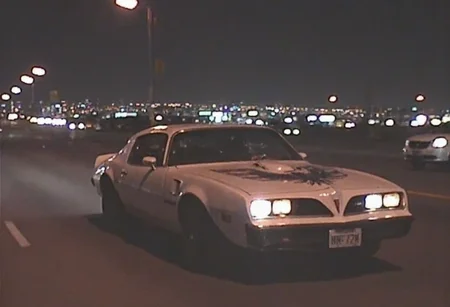
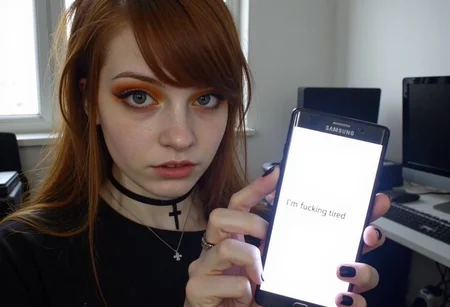
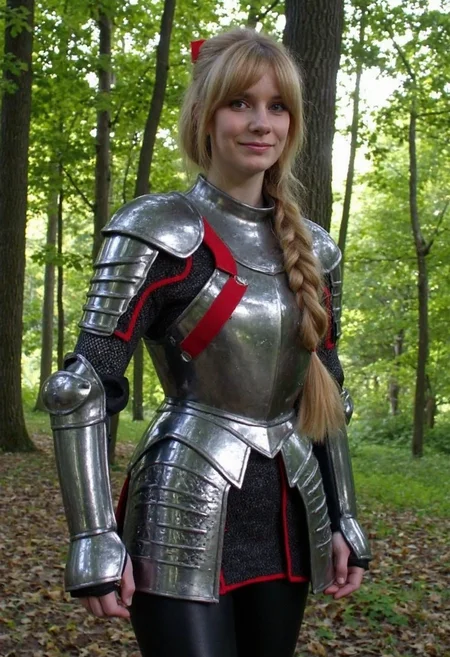
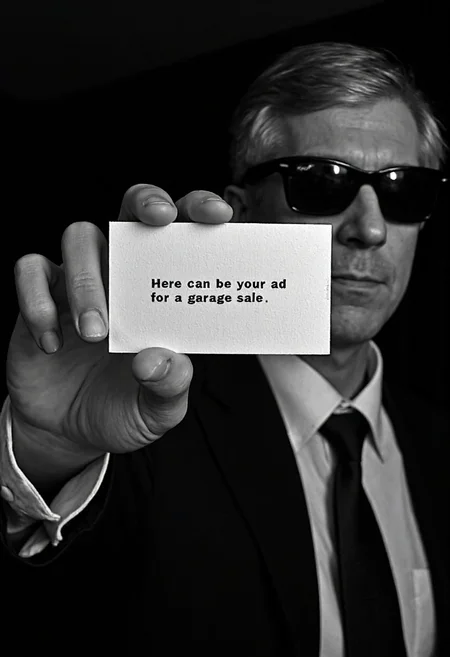

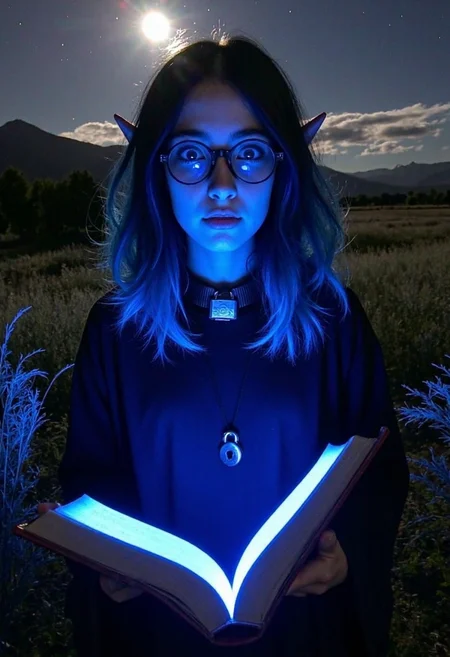
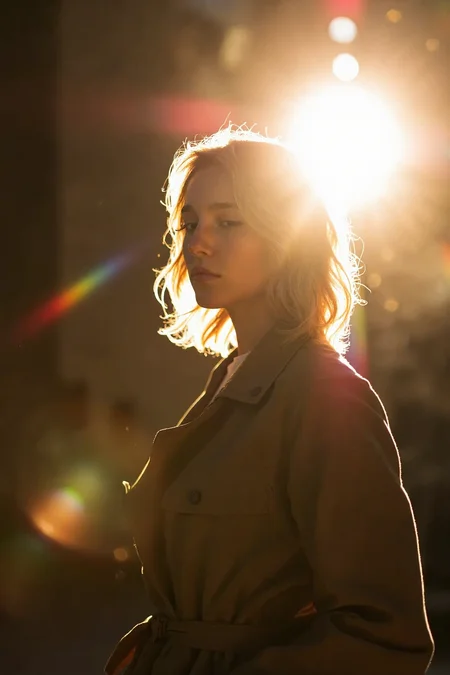
V4
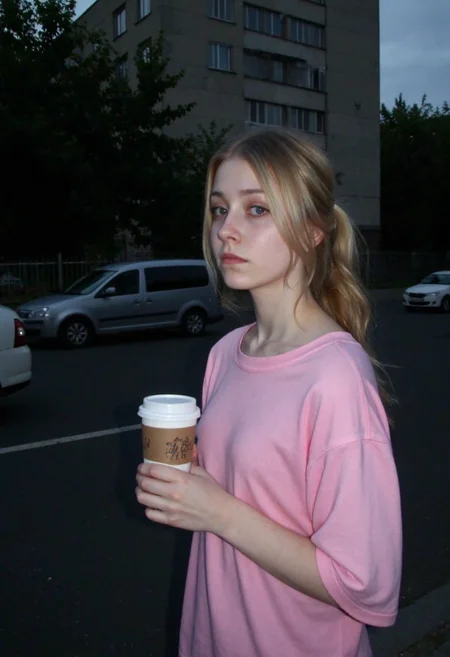
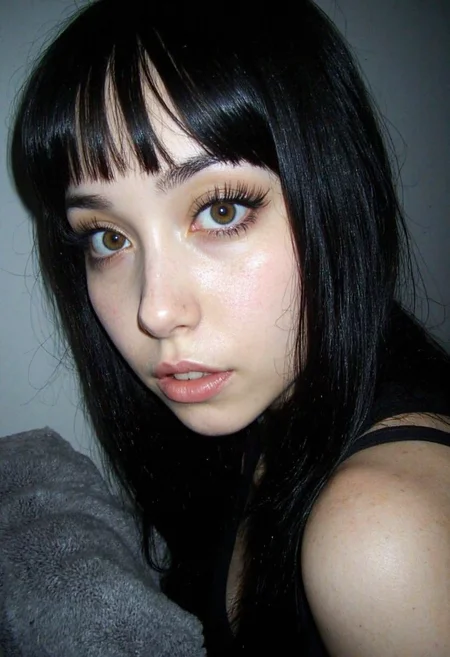
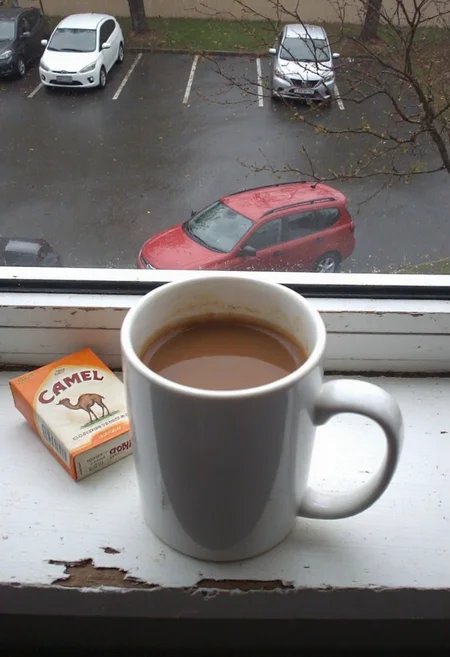
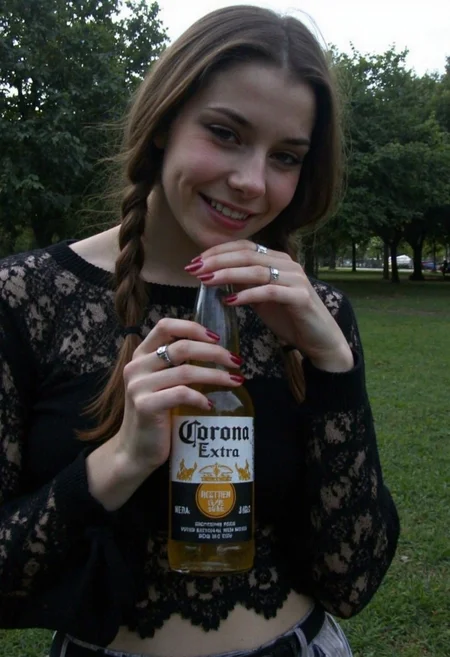
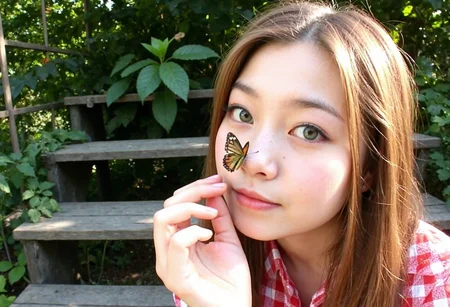
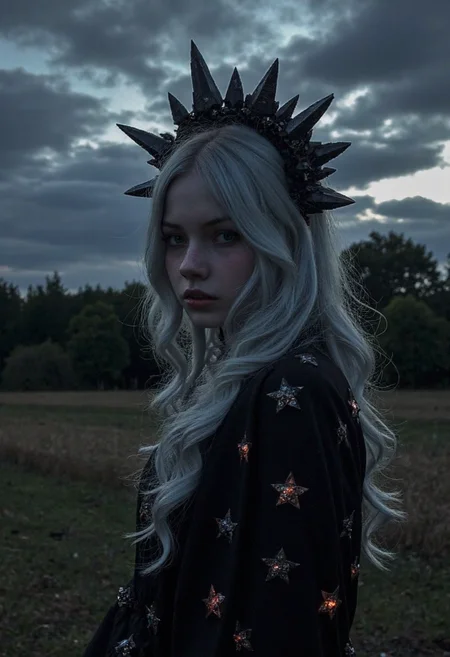
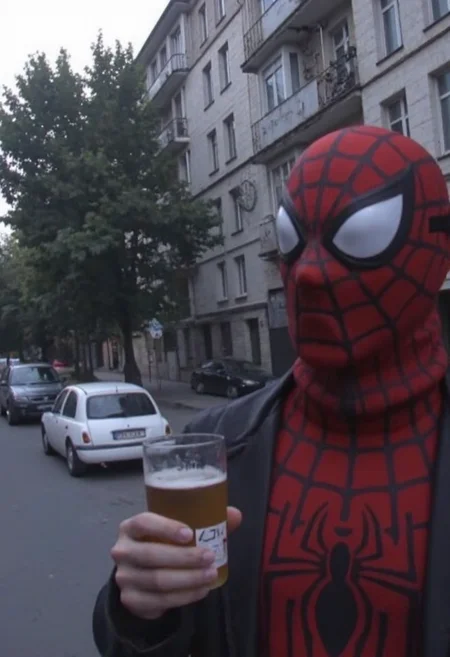
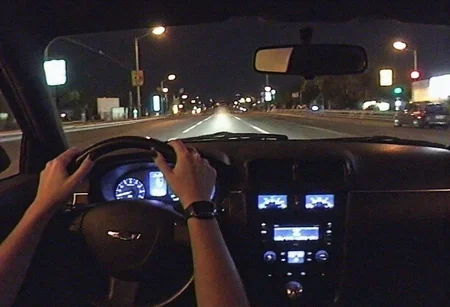
Alright, so what’s new in this version? I cranked up the aesthetic dial, added more diversity in ages, and improved how it handles Asian features. But - because there’s always a but - I did notice the hands got a little wonkier. Eh, can’t win ‘em all.
I highly recommend pairing this with my LoRAs, like the realism amplifier, 2000s analog core, and others, since this checkpoint works best as a base for stylized LoRAs. Might do one more version (because, let’s be real, I kinda scuffed v3 and v4 a bit), but first, I’m diving into fine-tuning Flex.Alpha.
This time available versions: bf16, fp8, q8_0 - pruned fp16 name and q4_k_m - pruned fp8 name
P.S: Don't use my UltraRealPhoto LoRA with this checkpoint - it has a huge impact on style, so image become overbaked. If you're using the UltraReal Fine-Tune, go with Realism Amplifier instead for the best results. UltraRealPhoto LoRa was created to fix crappy shadows, light and faces, but all that stuff already baked inside checkpoint, you can just add amplifier for better realism
V3 Update (Experimental)
This release marks a step forward, although it’s still very much a work in progress. I focused on improving several key aspects, such as nudes, feet, and lower body anatomy. While the results are better than before, they’re not yet at the level I’m aiming for. That said, this version brings noticeable quality and texture enhancements, offering more detailed and refined outputs compared to the previous versions.
Recommended Settings:
CFG Scale: 3 (instead of 2.5 used in earlier versions)
Steps: 50 (helps with stability, though some minor instability remains in hands and fingers)
CFG 0.9 vs. 1.0: Lower CFG on 0.1 or even 0.2 may sometimes improve some details (may not improve, so feel free to expriment with this too), though it might take longer to generate.
Regarding nudes: they are still not working as intended, but I’m actively working on this issue and expect to address it in the next version.
The good news is that I already have the datasets prepared for V3.5, which I aim to release much faster than the gap between V2 and V3. With more experience and feedback from this version, I’m confident the next update will deliver significant improvements.
As always, I truly appreciate your support and feedback - it’s invaluable as I continue refining this project ❤️
P.S.: I feel like the more I fine-tune Flux, the more it degrades in other areas. Also i thought about trying finetune Flex Alpha (project looks very promising)
What's New in v2.0?
Enhanced Anatomy: Hands, feet, and poses have seen major improvements, offering more natural and accurate results. Say goodbye to overly distorted limbs!
Improved Textures & Quality: Upgraded skin details, richer textures, and sharper results overall. Blurred images still happen occasionally, but much less frequently than in the previous version or when using LoRAs alone.
Improved Text Rendering: Efforts have been made to improve the generation of text in images, and it’s much better than before. However, artifacts can still occur, and strange symbols might sometimes appear instead of readable words. This remains a work in progress.
Expanded Dataset: A larger and more diverse dataset (1800 images) introduces better balance across styles, lighting, and compositions.
Added Checkpoint Variations
To ensure compatibility with different workflows, I’ve included multiple checkpoint variations:
BF16
FP8
Quant 8 (Q8)
Quant 4 (Q4)
NF4
From my testing, I’ve noticed Quant 8 (Q8) offers slightly better quality than FP8, providing finer details while maintaining manageable resource requirements, but other works nice too. Pick the version that works best for your setup
Known Limitations
NSFW Capabilities: Still a weak area in this version. However, a minor fine-tune focusing specifically on NSFW content is already in the works.
Text Rendering: While text generation is better, occasional artifacts like odd symbols or incomplete words may still occur. But noticied usage of t5xxl fp16 instead of fp8 helps a lot with text
Tips for Optimal Results
Sampler: Use DPM++ 2M samplers for smooth and consistent outputs.
Steps: Aim for 30–50 steps to capture finer details without over-processing.
Scheduler: Beta Scheduler remains the best choice for this checkpoint.
Prompting TipsThe best prompting style involves complex prompts with clear, comma-separated phrases. While you can get creative with storytelling prompts, unnecessary descriptions like “this crap added more vintage to her style” won’t improve the results. Keep it concise and descriptive, focusing on essential visual details for the best output.
Future Plans
I’m committed to further developing this fine-tune. The next update will likely focus on:
Expanding NSFW capabilities
Enhancing edge cases like dynamic poses and lighting scenarios
Improving text rendering for sharper, more accurate results
P.S: If you still don't have realistic effect, then try add my ultrareal lora, usually helps me a lot
Ultra-Realistic Flux Fine-Tune v1
This is my first experiment in fine-tuning a checkpoint, built upon the foundations of my UltraReal LoRA and expanded with an extended dataset. The aim? To push realism to the next level, finding that sweet spot between amateur aesthetics and professional, high-quality visuals.
While this is only the first version and I see room for further refinement - the results are good, but not ideal (hands and feet can be broken sometimes, but situation is not critical, still better then defaul flux). This fine-tune isn’t just about amateur-quality outputs; it shines with professional-grade images, offering exceptional detail, lifelike shadows, and lighting. It’s a versatile model designed to unlock a wider range of realistic image generation possibilities.
This is very much a work in progress, and I’m sharing it to gather feedback and see how others use it creatively. If you test it, I’d love to hear your thoughts or see your results!
Also i uploaded both versions: fp16 (in ComfyUI it's better to use with e5m2) and fp8 and Q4_0
🌟 What’s New in This Fine-Tune?
Expanded Dataset: Nearly double the dataset size of the original LoRA, covering a diverse range of styles, lighting, and compositions.
Improved Realism: Sharper details, richer textures, and more natural lighting, bridging the gap between AI-generated and real-world imagery.
Versatility: From casual amateur-style snapshots to cinematic, professional-quality renders, this fine-tune adapts to a variety of creative needs.
Enhanced Anatomy: Better hands, limbs, and more natural poses compared to the base Flux model.
💡 Tips for Best Results
Use DPM++ 2M samplers for smooth and consistent outputs.
Aim for 30–50 steps for finer details without overdoing it.
Select the Beta Scheduler for optimal rendering performance.
⚡ Why Fine-Tune?
This fine-tune was crafted to overcome some of the limitations of the default Flux model. It enhances its ability to handle complex scenes while maintaining consistent quality across a range of prompts. The goal is simple: make ultra-realistic image generation accessible, reliable, and visually stunning, without requiring endless adjustments.
P.S: i plan to train this model more to make ultimate checkpoint with best anatomy and realism. This version is not very good with nsfw (this will be fixed in next version)
P.S.S: so far you can randomly get a low resolution image (dunno what exactly trigger this one, but will search for fixes). But seems like using high-resolution in prompt helps
Description
increased aesthetic, slightly decreased anatomy
FAQ
Comments (296)
Yo can u upload full models
it's still loading on civit. will be in 40mins aprox
@Danrisi Alright thanks alot
@MonkeyForever done
@Danrisi Thanks imma use this right now i already used the v2 version a few times its really cool
@Danrisi Any chance of an fp8 safetensors?
@HighlyAcousticModeller yeah, I want on weekends start runpod again and to make fp8 here
@Danrisi epic!
Would love to see a version that has more of the sort of pure-reality that pixelwave accomplishes as that model can be a bit rigid compared to yours :)
Yeah, I want to create a more pure base checkpoint - planning to train Flux.dev from scratch using a reissued dataset. Everything else, like the amateurish effect, would be achieved with LoRAs. To be honest, my first name for the checkpoint was 'Gritty Realism,' but I decided to go with something more exciting instead
@Danrisi Would it be possible to see the pruned FP16 as exl2 in the future? My GPU can fit the FP16 versions fully but GGUF is a little slower since it's more optimized for CPU :)
Which quant types did you use for v4 so far? Q4 and Q8?
yeah, q4_k_m and q8_0
Your model is the most realistic one I have ever seen, it's amazing! I would like to ask about the compatibility of LoRA trained on the original FLux model. Thank you for your generous sharing.
Will the next update be soon?
Thanks a lot ❤️ The model works with other LoRAs without issues, but it really depends on how the LoRA was trained. If it was trained with blurry backgrounds or with plastic-like skin - it can degrade the final output by making it look more artificial. But if LoRA is well balanced then everything should works perfect.
As for the next version, I’m still deciding. I feel like I messed up a bit with training nudes, so I’m considering going back to an older version, and training from that point instead
any tips on getting guff version to work with loras , i have the correct encoder and clip but outputs always endup messed up with lora , using forge
My Forge always crashes when using this model with loras. Don't know why.
Sounds like an issue with Forge's pipeline. Cause in ComfyUI works without problems. But i can install today forge again and take a look what's wrong
@Danrisi It's weird. Always connection timeout and ui freeze after 94% of generation. Tried with diff Samplers+Schedulers. I think my system is running out of memory, when using your model (Full Model fp16)+ a lora. Still wondering why, I have a good PC here, 64GB DDR5, GeForce 4080. Yes, try it yourself ;) You may find a reason. Thank you for your work and effort!
Edit: everything is working fine with the fp8 model. Guess forge + your fp16 model is cooking my PC. Cheers!
couldn't get good results with both fp8 and the gguf , both look much worse for me than v2 , tried 50 steps and cfg 3 ,v4 lost alot of detail and realism
@CLAAN3008 honestly, hard to tell the difference. But I generate mostly with 2.5 guidance (cause 3.0 really removes realistic details, like simplifies shadows) (also civit doesnt allow to set manually 2.5 and its possible to set only 2 or 3) and also I generate with other loras like my lora "realism amplifier for ultrareal fine-tune"
@Danrisi here is a comparison , same prompt and loras , v2 at 20 steps , v4 at 30 , if i set it to lowers steps i get worse results https://i.ibb.co/27WwYqHY/00100-3366942652.jpg

using cfg 3.5 gives better results , but your lora UltraRealPhoto needs an update it destroys the quality of v4 at anything above 0.4 compared to v2 where i use it at 1.5 and get great results
@CLAAN3008 Don't use my UltraRealPhoto LoRA with this checkpoint - it has a huge impact on style, so image become overbaked. If you're using the UltraReal Fine-Tune, go with Realism Amplifier instead for the best results. UltraRealPhoto LoRa was created to fix crappy shadows, light and faces, but all that stuff already baked inside checkpoint, you can just add amplifier for better realism
@Danrisi understandable , the problem is the loss of detail with this v4 , that lora added alot to the skin detail and overall authenticity , v4 with amplifier lora looks soft and has that ai fake feel , hope you can improve it
no fp8 model 11GB ... most usable! ;)
Thank you for the model. What ComfyUI subfolder does this GGUF file go into? For some reason I cannot get this to display in ComfyUI as a selectable model.
newb question im sure but all i was able to do was download and place it in my folder, past that im just stuck with this error:
CheckpointLoaderSimple ERROR: Could not detect model type of: C:\Comfyui\models\checkpoints\ultrarealFineTune_v4.safetensors
Hi. You need to place file into unet folder instead of checkpoints. Then use in comfyui diffusion loader node
@Danrisi thank you, only been at this a few days so i appreciate people explaining to me the nooby stuff
@despoena you are welcome =) if u need more help, u can write me in PM
TypeError: 'NoneType' object is not iterable
Hi. Could u please clarify details. What node is that or its forge?
Where is the download for GGUF?
Thx.
Hi. From right side of page you can see models manager. Just open it and you'll see all versions. Also gguf will be labeled gguf
Only 22Gb version? Any chance for lower quants like Q4 .GGUF
Hi. Check models manager from right side of page. You need to click on it to see all versions. Q4 labeled as pruned fp8
Thank you for the model! image created/ Pinokio, Forge , UltraReal Fine-Tune , Music created by Udio, motion (Kling) https://youtu.be/8-g1SBq7iDg?si=4UYBe98IbLLMtpNW
Thanks, the gguf works good. Do you recommend any workflow for upscaling?
Hi. Honestly, I’m not a fan of upscalers because, in my opinion, they tend to lose some aesthetic details
But I remember that used before ultimate sd upscale, it has good quality, but slow af
I've heard that SUPIR is da proverbial bomb, but it's not as plug and play as ultimateSD—it requires comfy.
https://github.com/Fanghua-Yu/SUPIR ← OG Github
https://civitai.com/articles/6180/easy-guide-how-to-improve-your-images-with-ai-tools ← Comparison (beware of dead links)
Thanks @Lathos I tried some upscalers with this model but they mostly introduce that flux background/plastic skin back in. Trying now different MP settings. @Danrisi if you don't mind, what resolution/aspect ratio were the most pictures used for training? I got the 2000s look with 2:3 1MP, a more 2010s look with 5:7 1MP and a combination of both which makes the background look more real and well rationed with 16:9 1MP. Increasing the MP in general makes the person look imposed on top of the background. The issue with the aspect ratio is that if the prompt is too long or contains uncommon details flux will hallucinate and try to fit in too much in background.
@MonarchTrayner honestly i have lots of different resolutions. have even something like 400x600 but there are a few of them
@MonarchTrayner Yeah, that incurs on what @Danrisi said about it losing the aesthetic quality upon upscaling. As far as I know, SUPIR uses an SDXL model in its upscaling process, so if you're willing to give it another chance, you could perhaps find an SDXL that somewhat matches the aesthetics of ultrareal. UltimateSD Up has the advantage of allowing for FLUX models, I think.
https://www.youtube.com/watch?v=EMAz8KktB5U&t
@Lathos I tried supir before with juggernaut, but as for me it was good only to restore extremely low res images like 128 or 256. And also I remember that for amateurish combo I used juggernaut or realistic stock photo + bad quality lora, but even with such combo final result was far from amateurish photo
@Danrisi To be honest, I feel that low res compliments the amateurish style... This definitely isn't me coping about my troglodyte gpu.
But yeah, SUPIR is basically a modified controlnet model, it will always struggle with finer aesthetic details like this because it's using a whole other model to regenerate the image and interpret details. Maybe one day they'll release a flux version of it and it will be possible to use UltraRealFT.
wow wish this also was available for SDXL, nsfw its amazing how real it is
V4 works and looks much better with comfy ui , was using forge before and couldn't get good results, the only thing missing is the skin detail it isn't as sharp , any chance you can update the realistic Lora , or make a detail Lora compatible with V4 , tried other detailers they ruin the image
I merged this model with Lumiere Alpha from Aixonlab
https://civitai.com/models/966796?modelVersionId=1082472
did a 50/50 merge. Results have been pretty good with more detail. Better than what I think you'd get by adding just a lora.
@condzero1950 Are u considering to publish or share ur weights?.
@AndSudo02 I have a 23 GB FP16 safetensor file that I can upload to anyone who wants it.
@condzero1950 you can try to upload on HG =)
@condzero1950 It would be great if u upload it to HF, there not a lot cloud services that give 25Gb of storage for sending it privately ):
@AndSudo02 I have uploaded this file to hugging face. You can find it here: https://huggingface.co/condzero/flux1d-merge-model/tree/main
download the safetensor file and use as you would normally use any civitai model file.
Let me know what you think.
@Danrisi I have uploaded this file to hugging face. You can find it here: https://huggingface.co/condzero/flux1d-merge-model/tree/main
download the safetensor file and use as you would normally use any civitai model file.
Let me know what you think.
@condzero1950 I aprecciate it man, im about to download the weights, i´ll report back with the results .
What I'm finding is that if you mix "Good" Loras with certain models, it can produce better results (of course this is subjective in nature). I have 3 models setup; (2) base Flux with "Realistic" Loras and "Artistic" Loras and 1 Ultra-Real fine tune with "Realistic" Loras.
Base Flux 1.D Realistic Loras:
<lora:aidmaFLUXPro1.1-FLUX-v0.3:0.7>aidmafluxpro1.1
<lora:aidmaHyperrealism-FLUX-v0.3:0.7>aidmaHyperrealism
<lora:FLUX-dev-lora-add_details:0.7>skakker labs
Base Flux 1.D Artistic Loras:
<lora:aidmaMJ6.1-FLUX-v0.5:0.7>aidmamj6.1
<lora:flux_vividizer:0.7>
<lora:MJ6.1_Flux-PRO:0.7>
You may want to try this and see what you think. Strengths are all 0.7 which seemed like a good compromise.
@condzero1950 I was comming to say something similar, even with the regular Euler/Beta/25ish steps, it gets LoRAs rlly well, i tried with some i had with bad training or just were trained at low resolutions, manages to fix artifacts. Overall, has a nice balance between prompt adherence and creative results.
My best results are with IPNDM sampler, beta, 25 steps, maybe adding a lora that ads more details to the face would put this on the top finetunnings, thanks for sharing, it will be my defalut model for now (:
sorry for interrupt .. does gguf q4 will show step speed faster than q8 or fp8 ? -the speed , away from memory use at all , the only speed will be affected ?-
i didn't use a lot q4, but as for me q8 and q4 have same speed (slower then fp8)
@Danrisi excellent short answer , step has same speed all the time with same model (fkux or etc) and same H.W.
Sometimes my gens are completely random.
"Man at home on couch with dog"
And it'll gen me a slice of pizza. What gives?
Should have said - I'm on ForgeUI.
Dunno man, maybe share a screenshot? I had the same issue in ComfyUI when there were some problems with CLIP, and it only got fixed after I deleted Sage Attention
@redlittlerabbit 14 days later... I only saw this now. I had the same problem when I switched to forge, turns out it was the T5XXL model I was using, so play around with that. I'd point you to the t5 model I'm using, but I don't recall where I got it. Make sure to also put the CFG scale to 1 and only play with the Distilled CFG scale slider.
Honestly, it's incredible for creating realistic photography.
hey thank you so much for this stuff! may i ask you, where i can find your ultrarealistic lora and which vae you recommend to use with your style? thank uuuuu (sorry i'm newbie)
upd i found the lora!
I´ve been trying to make it work all day but all I got is a black screen, can anyone let me know what am I doing wrong? (new in this) https://ibb.co/XxW1RjZ6
Hi. Not sure, but i think it's cause you have in dual clip loader both t5 clips. One of them should be clip-l and another t5xxl
@Danrisi Yes! It worked, thank you so much!
Hi, were can I found this workflow?
I've been trying to make it work properly, but the results are coming out a bit cartoonish.
cfg 3.0, dpmpp 2m, beta, denoise 0.30
Hi. Denoise 0.3. Are u using img2img?
i tried to make this work in ComfyUI, Forge UI, but it stoppes immediately after 1-2 seconds. what cause this issue?
It's not working, every time I start ComfyUI, nothing happens
good luck bro, I been working on ts for probably 7 days and today I made it work here, I'm a noob to ts but Chatgpt helped me, try working with chatgpt to make it work
@verdd123 yeap, claude also know how to use comfyUI
Sorry, for not answering for some time in comments, cause I really get tons of private messages about how to use comfyui. I don't mind to answer, but I have something like vacation at this moment
@Danrisi its totally okay bro this isnt your job, you are helping people already! And it was good for me to find my way I learned a lot in the process. But since you answered, do you know @catsoupai from instagram? any idea how he create those images? if you dont know, you should check it out
@verdd123 u wont believe but someone already asked me about this man. something like to train a lora with that cursed style. and i still thinking about it
i know how to use it. the problem is that i can use any model except this one
I really don't know how to use this model in ComfyUI. I've tried many times but haven't succeeded. Is there any tutorial or workflow I can refer to? Thanks!
Danrisi's workflow is simple and solid; you can get it by clicking on one of the showcase images, clicking on workflow:nodes and ctrl+V-ing it on your comfyui canvas. You'll need a few custom node packs, but those are trivial to install using ComfyUI manager. Alternatively, the workflow can be used with no custom nodes by just doing a few tweaks.
@Lathos Thanx a lot for kind words❤️Yeah flux workflow is pretty simple if to compare my workflow for pony and illustrious https://gyazo.com/ae63b3bdc5d80a1675e870f3feb92fa8
what VAE may i use (newie)
This one https://huggingface.co/black-forest-labs/FLUX.1-dev/resolve/main/ae.safetensors
ty g
Insane, love all your work
Hello, I tried to use it but i have a BSOD when i make this configuration on Automatic, any idea to fix :
https://imgur.com/DlYK4dE
what are the resolutions it is trained on?
Hi. You mean training resolution or resolution of images in dataset?
@Danrisi both, basically just seeing what it likes best. Because I've been using it at just 1024x768 and it seems quite well, but just curious if it's got some more spice left in it for higher resolutions lol.
@jb8892 I used different resolutions in dataset, even low res like 512×512. But trained on 1024
Author, tell me why to upload a version that sends the computer to reboot. Is it really impossible to bring it to mind?
Hi. Did u use version that weight 22gb? If yes then you need to download 11gb version or if u want to have 22gb model then use dtype weight e4m3 in comfyui load diffusion node
Hello, which one is the Q8 gguf?
Thanks!
Hi. Pruned FP16 model and u'll see gguf format
@Danrisi Didn't really understood, Where do I find the Pruned FP16 model for the gguf? Thanks!
@endlessblink I just discovered that under the "Details" tab there is a "files" tab.
@mazurenckoslavik377 Thank you!
Dont work for me.
# ComfyUI Error Report
## Error Details
- Node ID: 11
- Node Type: CheckpointLoaderSimple
- Exception Type: RuntimeError
- Exception Message: ERROR: Could not detect model type of: E:\ComfyUI\ComfyUI\models\checkpoints\ultrarealFineTune_v3.safetensors
## Stack Trace
In comment i saw to push the file in unet but i cant declare a node. How to ? This model like a godlike tiers. Ty
Hi 👋 Yeah, first step is to put model into unet folder. Then instead of checkpoint loader use load diffusion model (or something like that, I usually just type "unet" and see this node) and set in this node my model. If u use 22gb version then u should also set e4m3 dweight type (unless u have more then 24gb vram). If using usual fp8 11gb, then don't set dweight type
Hi !
Thanks for your reply, i tried to upgrade in the last version 0.3.26 and it doesnt work. I have a 3060 Ti 8GB, i downloaded the Full Model fp8 (and other). The ultrarealFineTune_v4.safetensors is in models/unet. And when i select to drag drog the node it doesnt do anything. I dont know why, i must search, perhaps i must install some custom node from custom manager at this point to execute it.
"Error while deserializing header: HeaderTooLarge"
wHY?and how to fix it(newbie)
we can't get similar but schnell ?
Unfortunately, at least now - no 😞
@Danrisi i dont need shcnell i think i really need nvidia 4090 GPU (Y) . not to bother about running flux on my old cpu again that painfully lost of time . keep the good work.
this is an amazing model but the good once are 22gigs , can we get a 12 gb model? it will be really nice
Hi. Thanx. You can open Manage Files from right side (under window with stats) and you can see different options of model, there are also fp8 (11gb) and q8_0 (11gb)
Wow! I had no idea I could actually do that!
thanks
Em que pasta eu adiciono esse Flux? Coloquei em models > checkpoint e não apareceu???
Hi. But u need to put inside unet folder
Thanks for this great Model + GrainScape UltraReal https://youtu.be/9RJOErSgHAc?si=bc8IedTb0uqYD0KN
getting error
"Model in folder 'vae' with filename 'FLUX1\ae.safetensors' not found."
help?
Hi. Just download it here https://huggingface.co/black-forest-labs/FLUX.1-dev/blob/main/ae.safetensors and place in vae folder
@Danrisi thanks will try that
@Danrisi doesnt seem to recognise the file as being there
@Danrisi nevermind I fixed it
This is one of the best Flux checkpoints I've seen. Out of curiosity I made a 50-50 merge with Jib mix v8 and it fixed ALL my problems with Flux. The plastic-y overprocessed look, the super agressive bokeh - it just looks so much more real. Thanks for making this
hey can anyone help wd this Error "AssertionError: You do not have CLIP state dict!" dont know what to do, tried fixing it but didnt work
I have the same error. Were you able to fix it?
@1de666vil3458 no, still having that error..old my old download models work..this is problem wd new ones
Was genau muss ich Downloaden? Es steht immer nur You do not have CLIP state dict!
wow effect
nice checkpoint
Thanx Spooder-Man ❤️
QUERIA uma ajuda, qual o LOAD VAE foi usado nessa imagem, minhas imagens tao saindo totalmente pretas
I'm very new to ComfyUI so bear with me if this is dumb. I'm getting
"ERROR: clip input is invalid: None.
If the clip is from a checkpoint loader node your checkpoint does not contain a valid clip or text encoder model."
when I hook the checkpoint up to model and clip.
Hi. Yes, it doesn't have baked vae and clip. Use load diffusion loader for model and use separate Load Vae and DualClipLoader
@Danrisi Thanks for the super quick reply! I had been trying this, but with CLIP loader, not dual. It works now, but with the CLIP I found online it seems to generate very dark images, sometimes just black.
Which CLIP file should I be using?
@krait05 u need dual clip to use clip-l and t5xxxl
Hi, is there any plans to create a NF4 version for this model?
Hi. I can create but I'm not sure about quality (I mean nf4 format itself)
@Danrisi thanks for the answer, maybe nf4 won't help me, the thing is that I want to use flux model in krita ai diffusion, but for some reason flux models don't work there, considering that I installed text-encoder and vae in all the corresponding folders, if you are knowing krita ai diffusion and can you help me with the correct installation?
Okay guys. If you're as new to this as I am, here's a mini installation guide for you.
1. Copy the Workflow from some work by this wonderful author. All the code will be in the clipboard and just press ctrl+v in comfyui.
1.1. The only thing is to replace the Unet loader with the Load Diffusion Model. To do this, double-click LMB on the free workspace and enter Unet in the search, it should be the first in the list.
2. Download Ultra Real Fine-Tune and place it in the unet folder.
2.1. Download Lora Realistic Amplifier by the same author, you will find it in his profile. Put it in the loras folder. (this step is optional, but it will add even more realism to the work) (I do not know if it is possible to insert links to other resources and sites here, so, author, if you mind, write and I will delete the further part)
3. Download https://huggingface.co/black-forest-labs/FLUX.1-dev/blob/main/ae.safetensors and move it to the Vae folder.
4. Download https://huggingface.co/stabilityai/stable-diffusion-3-medium/blob/main/text_encoders/t5xxl_fp16.safetensors and move it to the Clip folder.
5. Download https://huggingface.co/calcuis/hunyuan-gguf/blob/main/clip_l.safetensors and move it to the Clip folder.
Some resources require additional verification. If there are mistakes, I will be glad to correct them.
I'm also a newbie and I'm unlikely to be able to help much, I hope this helps you.
I kissed the author's hands :*
Hey 👋 Nice guide, thanks kind man ❤️
Just a quick note - steps 3 and 4 can actually be done directly in ComfyUI's Model Manager tab (if you have it installed via ComfyUI Manager). Saves you a bit of hassle manually downloading and moving files.
Also, for t5xxl, there's an FP8 version floating around, but use it only if u are low on resources.
Oh, and if anyone out there has experience with Forge, it'd be great if someone made a guide for it. I don't use it, so I can't really help with troubleshooting Forge issues. 😅
Anyway, thanks again for the guide ☺️
Not all heroes wear capes.
you just solved my problem with a snap of a finger (before that I worked on it for half a day)
for any reason, one anime is made. What's the joke?
Hi. I had such issue few times (if using checkpoint without any LoRAs), still don't know what was the reason
is it working with fooocus?
No. Flux doesn't work on foocus
Are you planning on releasing a 8-10 step hyper version by any chance?
Btw very impressive work, its not easy to achieve this level of quality
Thanx ☺️ At this moment i don't plan to train fast edition
now working with automatic1111
40-50 steps + Hires + Detail ---> It takes an incredibly long time. I give up.
I've gotten good results with 20 steps for reasonable-ish time on my paleolithic 2080Ti, the 50 that @Danrisi sugges is, well, a suggestion.
@Lathos glad to hear =) i use 40-50 cause i don't care about wasted time, cause i generate in background while working, so maybe it will be good even with 20 steps. i use 50 steps after using sdxl, consider it an old habit
Planing to train on ultra realism V4, what would you say are some recomended setting for it? , a character, with 30 images on the dataset
Hi. You want to fine-tune checkpoint with a character u mean?
@Danrisi nono, just a Lora for it lol
@P_Universe can't give you any tips for character training. i just trained once and it was trained on civit rapid training
@Danrisi ohh okay, nevermind thanks , cant wait for v5 tho🙌🏻
@P_Universe yeah, i hope too that once can release a new version 😁
@Danrisi Is it good for fine-tuning a character? Will that affect the realism?
@druhl still can't understand how it impacts on realism to train on another model, but imo training on other checkpoint is needed mostly for better flexibility of your lora with this model
where the showcase images generated with the full 20GB model?
If I would have second 3090, I'll generate some with full model. Sorry
@Danrisi i was just wondering which model you generated the showcase images with
@SLACK69 sorry, understood you wrong 😁 bigger part i generated with quant 8 version, some with fp8
when i enable the face detailer i get the error No module named 'mediapipe'
Anyone know how i can fix this?
Hi. i Still don't know why that happened, but when i created workflow everything was fine, but after one update (comfyui or this node) it stopped working
If you haven't fixed it yet, I have been using UltralyticsDetectorProvider instead of MediaPipe node as a workaround.
Use SwarmUI instead of Comfy
@Skandinaavlane Thanks, you know I had the same error and it was driving me crazy. In the end, I did what you said — I replaced it with that one and now it works 👌
[RESOLVED]
Bro, can you give me a clue as to why the barely visible streaks appear on my images? They appear before going through the upscaler, if that matters. So far I've noticed it on an image with a relatively dark background. I'm also using your DIGICAM lorа with a weight of 0.75.
Upd: so, as I found out, I'm not the first to run into this problem. And the problem is not with the author and his custom model. It's a problem on the Flux side. As people have noticed, there is no special pattern in the appearance of these bands, but there is an important detail - most often, or rather almost always (lol) such bands occur when generating 2K images. So you should not set a resolution greater than or equal to 2 megapixels for generation if you are using the author's workspace for this model. And in general when generating with Flux. Thank you for your attention!
what workflow should i use?
Open any image made by the model author on Civitai and copy as usual. Then just Ctrl+V
I absolutely cannot get the same level of detail as the showcase photos... mind sharing a comfyui workflow that works?
Just take my workflow from attached images. Cause almost all of my images i generate with loras (not just a bare checkpoint). To take workflow from image just press "nodes" button and then ctrl+v in your comfyUI instance
how do i use this in comfy ui? whenever i select it as a base checkpoint model, comfyui just flips out and gives me a big red error.
same
@massimopalillo889 can you clarify what error is this, cause it can be like wrong model, absent custom node or absent dependencies
Great model, your loras too, exceptional. Any plans on making nf4 variants for the updated models?
Clickbait! No one gets the same result. Seems like you are upscaling after you generate the images.
Those samples have been created using the "Realistic Amplifier for UltraReal Fine-Tune" LoRa. I copied the seed and prompt from the image of the lady holding the beer bottle, used the LoRa at strength 0.7 and recreated a similar good looking image in just 28 steps.
But sure, it might be better providing those samples without any LoRa.
I get that featuring LoRA‑enhanced samples can seem a bit unfair, but the raw checkpoint is intentionally vanilla—it’s meant to be a neutral backbone for my LoRAs, so it only really comes alive when you pair them together
Danrisi Question: How does it fare with character loras? Currently the Q8 version with just my character lora is creating undesireable results, the character is inconsistent, face looking off. If I add in your realistic amplifier lora will that fix it? Do I need to retrain my character LoRa on your checkpoint?
where can I find these files? i dont understand which one is woch in the additional files section
Quant 8 (Q8)
Quant 4 (Q4)
NF4
Full Model fp8 (11.08 GB) SafeTensor = fp8
Pruned Model fp8 (6.46 GB) GGUF = Q4_K_M
Pruned Model fp16 (11.85 GB) GGUF = Q8_0
Full Model fp16 (22.17 GB) SafeTensor = bf16
@Il_ya thank you!
@Swedishkaviar yeah, also no nf4 for v3 and v4, cause it's useless (complete loss of realism)
75% of my images I did with this and the 2000s analog lora have been blocked by Civitai. You did a great job!
Thanx!
But why are they blocked?
@Danrisi too real looking, they were suggestive in content and they some were flagged as being unable to determine if they were AI generated. I can't see from the blocked labels why they were blocked.
Its lora or model? Coz it dont have clip
It’s a full Flux checkpoint, not a LoRA.
Flux checkpoints normally ship UNet-only; the CLIP text encoder (and VAE) aren’t baked in to keep the file small.
Just load it together with the standard Flux CLIP/-VAE and you’re set
Can you please answer what the estimated generation speed of one image on an RTX 4070 12GB should be? I get an average of 5-7 minutes, while using JuggernautXL with the same steps and quality takes only 10 seconds. I’m starting to doubt if I configured something incorrectly.🤕
i have 8gb vram, 2-3 min
@xaya15235 8gb is enough for flux?
20-60s (Depends on settings & LoRAs)
You're obviously doing something wrong that's pushing you way over the VRAM limit. Scale the resolution & step count back until you're under 1min generation time. Wouldn't hurt if you have at least 32GB of RAM as well, but it's mostly really just VRAM (& Tensors) that's important with image generation.
Did you download the Full Model fp16 (22.17 GB)? Because that's suited more for a 24GB VRAM GPU like a 4090 btw. If you can't fit the entire model into VRAM, then it will really cripple your generation speeds. (Also, the size of the checkpoint/model, doesn't always mean you need that much VRAM necessarily either, but it's a decent rule of thumb if you're starting out).
(Also, I'm going to assume you're new, but you must set CFG Scale to 1 when using FLUX). Try testing a resolution of 1024x768, 20 steps. That should be under 30s. If it isn't, then something else isn't configured right.
Upload one of these "5-7 minutes" image generations in your profile gallery as a .PNG file if you want. I (or someone else) can easily take a look at the metadata to see where it's going wrong (if it's a bad setting).
@Danrisi yes, i usually use fp8 (11gb) and works fine, but now im trying gguf (for better quality)
(Just for anyone else reading & wondering) GGUF models are generally less accurate & inferior to full FP8 btw (most are quantized for lower end setups), & contrary to somewhat popular belief, are actually typically intrinsically slower with the added overhead, too. They will only be faster on setups with insufficient VRAM to use something else - which will cripple the generation speed as it offloads to RAM instead if there's not enough VRAM to use.
https://civitai.com/models/691446/bytedance-hyper-flux-acceleration-lora (This may be useful if you're on more modest hardware).
@ShadowCell Hi, I have a question: Is there much of a quality difference between FP8 and basic F16? I use F16 FluxD with the T5xxlfp16 in Forge... Obviously, I've tried this checkpoint and I like it, but I notice it's at its limit and takes a long time when I use hiresfix or generate directly with 1920x1080. / I have a 3090 and 32 GB of RAM.
@ShadowCell this is not fully correct Q8 is slightly better than fp8 that's the result of my tests. As for speed I recommend using the multigpu gguf node. Generation speed on a 4070 12 GB and 64GB Ram is fine even when using 18GB Q8 checkpoints.
Well @djramonx811, there is not a huge visual quality difference between FP8 and FP16 for most AI image generation tasks, especially with models like Flux.1D or T5XXL in Forge. FP16 is the “safe default” for stability and compatibility, but FP8 is much faster if your hardware and the model support it (which in your case, does not). The RTX 3090 does not have native FP8 support. It is only available on the newer Ada/Hopper cards (RTX 5000/6000 Ada or H100, for example). So even if Forge offers FP8 as an option, your 3090 is still running everything in FP16 or FP32 under the hood, and that means you will not see the performance boost from FP8 on your current card.
Now, some people asked if there is an issue when running FP8 models on an RTX 3090, and the answer is yes. PyTorch and CUDA will “emulate” FP8 using FP16 or FP32 ops, which can be slower than a true FP16 model and is definitely slower than running FP8 on a 4090/5000/6000 or Hopper. If you see “FP8” in a model’s logs on a 3090, just know it is a compatibility thing. No speedup, no VRAM drop, nothing bad happens -just do not expect magic.
Also, The slowness at high resolutions is just due to VRAM limits and the heavy compute load at 1920x1080 with Hires Fix (which I do not recommend using with FLUX due to those common vertical lines).
If you want the fastest, most stable Forge/FLUX.1D setup on RTX 3090, just use:
--xformers --cuda-malloc --opt-sdp-attention --opt-channelslast
All other flags are optional and do not improve speed or stability. (Unless you enable Triton) That gives me 3.15–3.26s per-steps time, or 1:02–1:03 for 20 steps.
But wait, for even more speed. I changed all of these settings to get 2.81–2.88s per-step time, or 0:56–0:57 for 20 steps;
1. Always Discard Next-to-Last Sigma
Default: Unchecked
Current Setting: Checked
Function: When enabled, this setting helps to smooth out the final image by discarding the next-to-last sigma value during the sampling process. This can lead to a more refined output, especially in the final steps of generation.
2. Negative Guidance Minimum Sigma
Default: 0
Current Setting: 3.0
Function: This parameter allows you to skip applying negative prompts for certain steps when the image is nearly complete. A higher value can speed up the generation process by reducing the influence of negative prompts, which can be beneficial for achieving faster results.
3. Token Merging Ratio
Default: 0
Current Setting: 0.1
Function: This setting merges redundant tokens during the forward pass, which can enhance processing speed. A higher ratio can lead to faster generation times but may also affect the quality of the output.
4. Token Merging Ratio for img2img
Default: 0
Current Setting: 0.1
Function: Similar to the general token merging ratio, this applies specifically to image-to-image generation. It overrides the general setting if non-zero, allowing for optimized processing in img2img tasks.
5. Token Merging Ratio for High-Res Pass
Default: 0
Current Setting: 0.1
Function: This setting is specifically for high-resolution passes and works similarly to the other merging ratios, enhancing speed while generating high-res images.
6. SGM Noise Multiplier
Default: Checked
Current Setting: Unchecked
Function: This parameter matches the initial noise to the official SDXL implementation. It’s primarily useful for reproducing images consistently. Disabling it may lead to variations in output.
7. Negative Guidance Minimum Sigma All Steps
Default: Unchecked
Current Setting: Checked
Function: When enabled, this setting allows the negative guidance minimum sigma to skip all steps instead of just every other one. This can significantly speed up the generation process but may impact the final image quality.
8. Eta Noise Seed Delta (ENSD)
Default: 0
Current Setting: 31337
Function: This parameter adds a specific number to your seed during image generation, which can help replicate results from other models or implementations. It’s particularly useful for achieving consistent outputs.
9. Prompt Word Wrap Length Limit
Default: 20
Current Setting: 74
Function: This setting controls how prompts are wrapped in tokens. If a prompt is shorter than the specified limit, it will be moved to the next chunk if it exceeds the 75-token limit. This can help manage longer prompts more effectively.
I hope this helps! ♥
@Hyokkuda
I have an RTX 4090, does that mean I should download the FP8 not the F16 ?
Sorry for the wall of text, I am going go try and make things as easy to understand as possible and as simple as possible. ♥
@amrpp79697, the RTX 4090 supports FP16, BF16, and FP8 (hardware-wise), but FP8 is still pretty new and not widely supported across all models and frameworks yet (or so I read). If a model is labeled as “FP8”, that means the model was saved and intended to be run using FP8 precision. The model expects the underlying software and hardware to support FP8 operations. It may not run correctly (or at all, usually more affected on AI video rather than images) if you load it in a pipeline that only supports FP16 or FP32.
FP16 = works everywhere, best choice for now.
FP8 = only use if the model specifically says it supports it, and you know what you are doing.
For image generation, you generally do not need to worry much about FP8 vs FP16 unless your graphics card is underpowered, you are planning on generating a ton of images in a batch, or you are extremely impatient about waiting a few extra seconds per image. For most people with an RTX 4090, FP16 is more than fast enough and is way more compatible right now. So try not to think about it too much.
⚠️ FP8, FP16, BF16, FP32, etc... only matters for AI video generation. No exception!
If you run the wrong "precision" model for your GPU, your AI video generation will fail or crash!
If this is too much for you, just get .GUFF models for videos, because those are determined automatically by the software (based on what your GPU supports), or sometimes fixed by the author in the code which you can edit. Edit: RTX 3000 series (like the 3090) can run some FP8 models if they are in the "E4M3FN" format. In these cases, the model is quantized, and the inference libraries automatically upcast FP8 weights to FP16 or FP32 behind the scenes. This avoids crashes or errors mid-generation (which is a good thing!), but does not give any speed or VRAM advantage on those GPUs. However, sometimes it is actually better to use these FP8 "E4M3FN" models rather than good old FP16, since FP16 can freeze or hang if your VRAM is completely maxed out during the process. The FP8 model (via upcasting) can let the generation finish, where FP16 might just stall forever.
On an RTX 4070 12GB like @nimchik1439, this generation time is to be expected for FLUX, unfortunately. It is just a really heavy model. There are not any truly lightweight versions of FLUX available. FLUX models are designed to push the limits on image quality and flexibility, but that comes at the cost of much higher VRAM and processing requirements. There is not a “Tiny FLUX” or “FLUX Lite” variant.
The recommended GPUs for FLUX should be the following; RTX 4090, 4080, 4070 Ti, 3090, 3090 Ti, 4080, 6000 Ada. You will get reasonable generation times (20-60 seconds per image or so, at 1024x1024, FP16).
After that, the RTX 4070 (12GB), RTX 3080 12GB, RTX 3080 Ti, etc... these cards can run FLUX models, but you will often be right at the VRAM limit for high resolutions, and generation times can be 1–5 minutes per image, depending on settings. :S
And I really advice against using the RTX 2000 series or the RTX 3050(?), do I have it right? Stupid GPU naming... lol, Those cards will never cut it.
Rule of thumb (or whatever):
- 16GB+ VRAM is “ideal” for FLUX.
- 12GB VRAM can work if you are patient and careful with settings.
- Below 12GB only small images, with patience, and be ready for errors/crashes or artifacts once the VRAM kick the bucket.
I hope this was helpful to you and everyone else here. ♥
@Hyokkuda
thanks a lot for your detailed reply, much appreciated
@amrpp79697 No problem! :3 I am always happy to help whenever I can!
@Danrisi I ran Flux GGUF models with 6 GB before my PC upgrade. It was slow but it worked with ComfyUI.
@Hyokkuda Thanks for the info and taking your time.👌
not sure if it is just me, but v4 is not working, but taking forever to generate. ill try v3
using forge?
Comfy ui
@Danrisi I think the I found the issue, in the workflow, the advance k sample node is bogging down the generation. I have not found a solution, yet.
@Noob_ee yes exactly, same issue here
@Danrisi I do... with my 3090 and I liked the results... but it takes a while, especialy generating directly at 1920x1080. Checking the Stability Matrix console... I see a -634mb, that shouldn't be good?.
ALL Loaded to GPU.
Moving model(s) has taken 21.58 seconds
260 [Unload] Trying to free 1024.66 MB for cuda:0 with @ models keep loaded... Current free memory is 22984.49 MB Jol Cleanup minimal inference nemory. Done.
702 tiled upscale: 160% 24/24 [90:64409:00, 5.86it/s)
43 [Unload] Trying to free 1824.60 MB for cuda:0 with keep Loaded ... Current free memory is 22982.49 MB The Cleanup minimal inference memory. models Done.
765 tiled upscale: 100% | 24/24 [50:02408:00, 11.80it/s] 706 [Unload] Trying to free 7171.39 MB for cuda:6 with 1 models
keep Loaded ... Current free monory is 22897.26 MB ... Done. 260 [Unload] Trying to free 7171.39 MB for cuda:0 with 1 models keep Loaded... Current free memory is 22895.64 MB... Done.
768 [Unload] Trying to free 34797.86 MB for cuda:0 with 6 models keep loaded... Current free memory is 22927.13 MB nodel IntegratedAutoencoderKL Done. Unload
765 [Memory Management] Target: Kłodel, Free GPU: 23089.23 MB, Model Require: 22768.13 MB, Previously Loaded: 0.06 MB, Inference Require: 1024.00 MB, Remaining: -634.90 MB, CPU Swap Loaded (blocked method): 2616.00 MB, GPU Loaded: 26684.13 MB
Moving model(s) has taken 14.64 seconds
85s/it] 12/30 [83:19 46:40, 100.02s/it]5<2:32:18, 62.
I tried your v4 model but did not get it working. It didn't follow the prompts at all at any CFG level. What could be the issue for that?
Hi. Do u use forge or comfy? if forge - provide screen, if comfy - screen or json
@Danrisi I can't provide a screenshot via this comment (using Forge). Can I send a screenshot somewhere else?
I used the V4 model and what backends do I need to run this? (what VAE, Embedding, etc... )
Would love an SVDQuant (Nunchaku) version if that's possible.
v4 fp8 unet link point to the fp16 one ... i need my 11gb of lose data back please , then fix the link ?
22 GIGOWATTS?!?!?!
You have an option for just 11 gigowatts and even 6.46 😁
@Danrisi v4 fp8 not 11gb it download 22gb fp16 , fix and upload the fp8 link pls
@amazingbeauty https://gyazo.com/8799fb1256e4631ceea21e8e2b88101f
Full Model fp8 (11.08 GB)
This one is 11gb safetensors
@Danrisi Yeah. I just wanted to make a "Back to the Future" joke...
@ElPerroRetro I understood, bro. Don't worry 😁
@Danrisi what your opinion , it will lean to nudity or it's fine model better than others for realistic images ? ' i tested few dev fp8 realistic models and it take prompts that i have tested before with shuttle , take it to lean to more nudity'
@amazingbeauty I just like to combine my model other nudity loras, works pretty good. I mean base NSFW stuff works good with mysticXXX or NippleDiffusion. But if you need more, then it's better to use Chroma. That man is a real hero. Yeah Chroma still a little bit worse then my model in terms of realism (also curved lined where they should be straight and hands sometimes), everything else is extremely good, especially illustrations (even illustrious not so good in illustrations)
Little confused. So this is a checkpoint right not a llora.. so how do I train my OWN images with this. Do I combine this with my own safetensor which I got from replicate/fluxgym?
What base model do I use if i want to use this? flux-dev-1?
I cant figure this out as well. I keep seeing this is not a base checkpoint and all the workflows use some gguf version. The creator is missing allot of key details on this.
@SD42 What do u mean "not a base checkpoint" and "creator missing key details"? There are all versions uploaded, fp16 full 22gb checkpoint, fp8 safetensors and q8.gguf, q4_K_M.gguf.
so, to train lora on custom checkpoint just take safetensor versions
Could you convert the Full Model fp16 to int8 for use with AMD? Tried to do it with optimum-quanto and MiGraphX but don't have the proper config.json file used for the finetune.
Hi. Maybe, but need to find some free time
what clip i have to use for this?
I started using flan t5xxl https://huggingface.co/easygoing0114/flan-t5-xxl-fused/tree/main
Danrisi can i install any of hose clips you linked?
hey do you have a .json workflow as example
did you find it?
did you find it?
is this only text2image or it can work with image reference (image2image)? Kinda noob trying to figure out how to, without a faceid. flux kontext is good to use the same characters so...
Hey Gs, is there a way to upload the fp8.GGUF via URL? My upload always stops while i upload the .GGUF to comfyui. I ran it on MimicPC. Thanks and best wishes
The outputs here are so style-fit, you can tell how much work you put into this. Thank you
I’m having an issue while using your workflow. I can’t use the ultrarealFineTune_v4 model directly except with fp8, whether I use diffusion or gguf. I’m getting the following error message:
"SamplerCustomAdvancedHIP out of memory. Tried to allocate 108.00 MiB. GPU 0 has a total capacity of 15.92 GiB of which 0 bytes is free. Of the allocated memory 28.35 GiB is allocated by PyTorch, and 149.79 MiB is reserved by PyTorch but unallocated. If reserved but unallocated memory is large try setting PYTORCH_HIP_ALLOC_CONF=expandable_segments:True to avoid fragmentation. See documentation for Memory ManagementThis error means you ran out of memory on your GPU.TIPS: If the workflow worked before you might have accidentally set the batch_size to a large number."When I try using fp8, the output is completely a noisy image. What is the solution?"
One of the best Flux checkpoints out there! Any chance you could quantize it to int4 (with DeepCompressor) so it can be used with Nunchaku, thus reducing inference time (and memory footprint) dramatically? Cheers
how to use this model to train ?
just load my checkpoint when train lora as base instead of flux.dev
I am using OstrisAI. Can you tell me how to upload and train over your checkpoint on it? it doesn't show any option there.
@abhiraj320 i dunno. i didn't use ostrisAI, but if this model automatically download weights then u need to upload to huggingface fp16 model to your own repo i guess and then set this repo in ostrisAI tuner code to autodownload. anyway, i trained all loras on default flux.dev, but if u want to train character lora, then yeah, training on my checkpoint should be better
@Danrisi Which platform you recommend to train Lora on?
Workflow Validation
Link 1154 is funky... origin 406 does not exist, but target 270 does. Link 1153 is funky... origin 364 does not exist, but target 298 does. Link 1152 is funky... origin 364 does not exist, but
So, bro. I’ve been trying to work with your model for a while now and I’m having some problems.
So far I have not understood how to make the model adequately follow my instructions without losing quality. For example, I want to generate a photo of a girl holding her leg out to the camera. Not only does it ignore socks, stockings, tights or anything else that I mention in the hint, but it also badly deforms both legs and hands, despite the fact that the model should focus on the feet and therefore generate them adequately.
Apart from this, I often can’t get a full-frame photo generation, although I mention it in the prompt. Are there any real running tips for this model? Maybe some recommendations to set up?
Hi Bro thanks for the work. Would you say this checkpoitn is outperformed by Flux Krea ?
I can only say that i don't like srpo and krea, cause they looks like lazy finetunes
This model has truly saved my image, and it is currently the best one I have used for image cleaning
hey guys, the model is absolutely amazing, Do you know which ip adapter to use to keep the same face? I have set up ip adapter yet the face is diffirent every time. (on automatic 111 it used to work well with controlnet, I jsut uploaded couple images for reference and had the same face everytime with diffirent checkpoint)
using stable diffusion webui forge flux
Hello, thanks. As for the IP Adapter: I haven't used them much on Flux, but as far as I remember, they work so-so. The best one I've used without training a character LoRA is Pullid, but it affects quality a bit and makes the skin a little smoother
@Danrisi thanks, ended up training my own loras, found out controlnet is completely uselless and doesn´t work in forge lmao.
You made absolute masterpiece tho good job dude fr, thank you!
Btw quick question how should I set cfg and cfg distilled I know you mentioned cfg should be 3 but what about sfg distilled?
Also one more question, for some reason I am unable to generate full body shots, could you please recommend the cfg + prompting
What sampler do you use with this one?
dpmppm2 + beta
Awesome model. Managed to make it work on my laptop with an RTX 3060 (6GB VRAM) not ideal, but it works when my main rig isn’t available. Processing takes about 200–300 seconds per image.
Small tip: in my case, the pruned FP16 version runs actually faster than the pruned FP8, even though it’s twice as large.
with the full 22 gb model?
With how many steps and what resolution? You probably should use the Q4 quantized version and then combine it with the Hyper8 LORA @0.125 strength. Works nicely.
why i alway get ground level photo
what is your prompt where u get grounded photo?
Amazing checkpoint, really impressed.
@Danrisi Flux 2 is out, I can't wait to hear that version from you
Yeah, I just wait when flymy add support in their tuner and I'm ready
@Danrisi Maybe Z-Image is also a good option
@karldonitz28599 if u send me tuner where i can train lora at least for z-image - i'll start right now
@karldonitz28599 okay. I already ported 3 loras for z-image. I hope soon will be released base z-image and full fine-tuning with it
hey danrisi sorry if this is a stupid question but would you ever release a lora like this for SDXL based models?
@dogbowels638 not sure. some people already asked me about it. i already tried, but seems like i have no skills to train for sdxl, cause quality i got is bad
@Danrisi ahh what a shame, well i will be looking forward to it if you ever do. your models and loras are truly top notch man, keep up the great work
@Danrisi Awaiting your ZIT checkpoint!
After trying out other flux checkpoints and flux 2 I can definitely say this one’s the best. it even beats flux 2 in terms of realism….
Thanx for feedback. Honestly (it's imo ofc, but...) flux2 with my lenovo lora looks very good and have the best details from all open source models
This model is so perplexing to me. The example images are all incredible. Everyone says it's one of the best models they ever found. No matter what I do my images look like overbaked 3d-renders with no background detail. Is there a comfy workflow somewhere so I can figure out if I am doing something wrong?
you might be running the wrong encoders (vae, clip_l and t5xxl)
download the official flux ones from blackforest huggingface
make sure you follow the prescribed settings (dpmpp2m + beta, 30-50 steps, flux guidance at 3.00)
should be one of these issues
@10sor I realize that there are a lot of people who ask questions before even reading the instructions but yeah I definitely made sure I ran all the recommended settings. But alas I can't get it to look like the example images or very realistic compared to the other models I use. The Digicam lora is fantastic with my other models though.
@aedrenavendale291 we are all people who sometimes ask questions before we read , its no big deal, what i would try if i were you is try some other models, browse to the community artwork tab, find a post where the prompt and settings are shared, throw these into your own workflow and try to get a 1:1 result of the original post. doesnt have to be with girls or anything, this really helped me to get familiar with copying results (not for the sake of copying ofc) but for reproducing or rather calibrating the workflow
I've tried using this template so many times, but it always gives me trouble. gguf loader doesn't recognize it, and neither does clip. Am I doing something wrong?
How can I use in civitai ?
You cant. I recommend comfyui for beginners.
i have a problem AssertionError: You do not have CLIP state dict! with checkpoint
Never seen such good faces in any model like in this one
Details
Files
ultrarealFineTune_v4_full_fp8.safetensors
Mirrors
ultrarealFineTune_v4.safetensors
ultrarealFineTunev4_fp8.safetensors
ultrarealFineTune_v4.safetensors
HyperFleshUltrav4.safetensors
HyperFleshUltrav4.safetensors
HyperFleshUltrav4.safetensors
ultrarealFineTune_v4_full_fp8.safetensors
ultrarealFineTune_v4.safetensors
ultrarealFineTune_v4.safetensors
UltraReal Fine-Tune v4.0 FP8 - Flux1D.safetensors
ultrarealFineTune_v4.safetensors
UltraReal Fine-Tune v4.0 FP8 - Flux1D.safetensors
ultrarealFineTune_v4_pruned_fp16.gguf
Mirrors
ultrarealFineTune_v4_pruned_fp8.gguf
Mirrors
ultrarealFineTune_v4_full_fp16.safetensors
Mirrors
ultrarealFineTune_v4.safetensors
ultrarealFineTune_v4_1.safetensors
ultrarealFineTune_v4.safetensors
ultrarealFineTune_v4.safetensors
ultrarealFineTune_v4.safetensors
ultra_realfinetune.safetensors
ultrarealFineTune_v4.safetensors
UltraReal_Full_fp16.safetensors
ultrarealFineTune_v4.safetensors
ultrarealisticFinetune.hOx1.safetensors
OMNI_FLUX_XVIII.safetensors
ultrarealFineTune_v4.safetensors
Available On (2 platforms)
Same model published on other platforms. May have additional downloads or version variants.