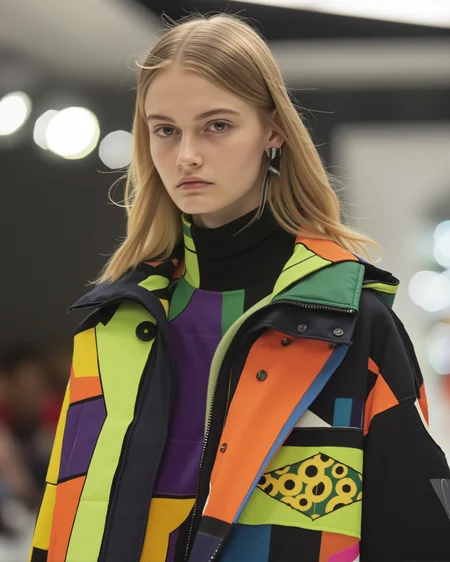
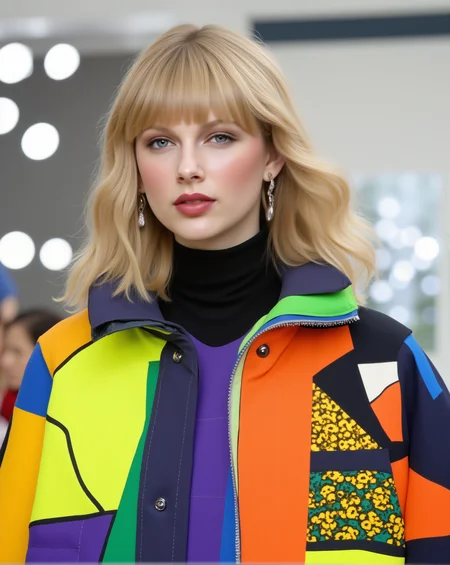

WATCH VIDEO TUTORIAL:
What You'll Learn in This Tutorial:
FLUX Redux Overview: An adapter for FLUX.1 base models, enabling refined image-to-image generation with controlled variations for restyling.
FLUX Pul ID Explained: A method to generate images based on a single reference image, preserving key facial features while varying style, clothing, or background.
Combining the Power of Both: Learn how FLUX Redux ensures visual diversity while FLUX Pul ID maintains face consistency for refined outputs.
Why Use This Workflow?
By merging FLUX Redux and FLUX PulID, this workflow is perfect for:
Artists and creators looking for consistent character designs.
Advertisers needing identity retention across campaigns.
Anyone wanting to experiment with advanced AI-driven face swaps.
Key Steps Covered:
How to download and install the necessary models:
FLUX 1 Redux Dev Model
SIG CLIP Vision Model
Pul ID Flux Model (new version)
Setting up ComfyUI and handling potential errors (e.g., the "transformer options" issue).
Step-by-step demonstrations using reference images like Taylor Swift, Elon Musk, Ana de Armas, and Gal Gadot.
Whether you're experimenting with male or female subjects, this workflow ensures your outputs are visually appealing and remarkably consistent.
Download Links and Resources:
Workflow: Available on Civit AI. Search "AI Motion Studio" for the latest version.
Models: Direct links provided in the video description.
Error Fixes: Detailed troubleshooting steps included for common issues.
Please Leave a Review on Civit AI: https://civarchive.com/user/AIMotionStudio
Subscribe to our Youtube for ComfyUI Tutorials: http://www.youtube.com/@AiMotionStudio
Download CLIP Vision: https://huggingface.co/Comfy-Org/sigclip_vision_384/blob/main/sigclip_vision_patch14_384.safetensors
Download Style Model: https://civarchive.com/models/969352/flux-adapter-flux1-redux-dev Download PuLID
Flux Model: https://huggingface.co/guozinan/PuLID/blob/main/pulid_flux_v0.9.1.safetensors
Download Workflow: https://civarchive.com/models/989680/flux-redux-pulid-image-to-image-face-swap-consistent-character
Install Flux PuLID before you continue with this tutorial 👇🏻 Video Tutorial link: https://youtu.be/xUduNl7-pE0
Description
Version 1.0
FAQ
Comments (9)
this is the only working pulid + redux that actually worked for me> thx a lot.
one question , when I try to load a 8 steps Lora it gave me only noise using (power Lora loader)
You are welcome! Try to lower the noise see if that work.
The Unet Loader GGUF point to a file that is missing. Where do I get that file
sure download the GGUF model here: https://civitai.com/models/652009/fluxrealistic
great workflow thank you
Thanks you are welcome!
how hard is it to include downloaders on your workflows?
Thanks for the great workflow. I tried Many workflows but this one work best.
I have one question the hand detailer model is marked unsafe.
PitHandDetailer-v1b-seg.pt · Outimus/Adetailer at main
Thanks for that good organized and tiny workflow. BUT this has nothing to do with faceswap. He is generating a complete new image. So NO faceswap. Waste of time.