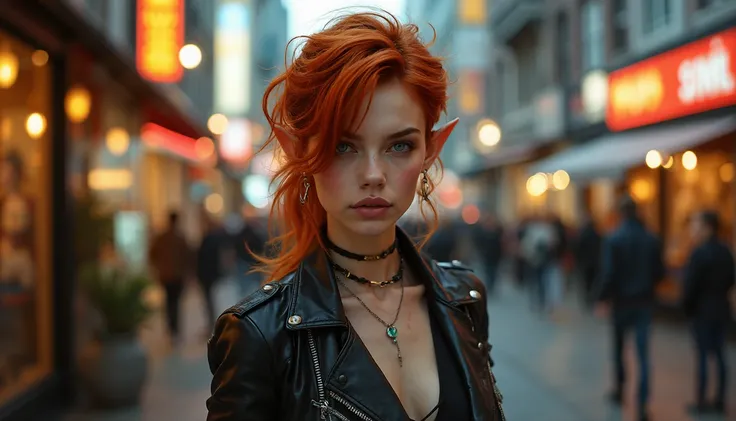
💡 What’s Inside this base model:
- i2v Phantom model can take up to 4 reference images and combine them into a video.
- 🧠 CausVid – Causal motion modeling for better scene flow and dramatic speed boot
- 🎞️ AccVideo – Improves temporal alignment and realism along with speed boot
- 🎨 MoviiGen1.1 – Brings cinematic smoothness and lighting
- 🧬 MPS Reward LoRA – Tuned for motion dynamics and detail
- ✨ Custom LoRAs (by me) – Focused on texture, clarity, and facial details.
🔥 Highlights:
- 📝 Accepts standard prompt + negative prompt setup
- 🌀 Tuned for high temporal coherence and expressive, cinematic scenes
- 🔁 Drop-in replacement for WAN 2.1 T2V — just better
- 🚀 Renders up to 50% faster than the base model (especially with SageAttn enabled)
- 🧩 Fully compatible with VACE
- 🧠 Optimized for use in ComfyUI, especially with the Kaji Wan Wrapper
📌 Important Details:
- 🔧 CGF must be set to 1 — anything higher will not provide acceptable results.
- 🔧 Shift - Results can vary based on Resolution. 1024x576 should start at 1 and if using 1080x720 start at 2. Just experiment but these settings give me the best results!
- Scheduler: Most of my examples used Uni_pc but you can get different results using others. Is really all about experimenting. I noticed depending on the prompt that the flowmatch_causvid works well too and helps with small details.
- ⚡ Video generation works with as few as 6 steps, but 8–10 steps yield the best quality. Lower steps are great for fast drafts with huge speed gains.
- 🧩 Best results using the Kaji Wan Wrapper custom node:https://github.com/kijai/ComfyUI-WanVideoWrapper
- 🧪 Also tested with the native WAN workflow, but results may vary.
- ❗ Do not re-add CausVid, AccVideo, or MPS LoRAs — they’re already baked into the model and may cause unwanted results.
- 🎨 You can use other LoRAs for additional styling — feel free to experiment.
- 📽️ All demo videos were generated at 1024x576, 81 frames, using only this model — no upscaling, interpolation, or extra LoRAs.
- 🖥️ Rendered on an RTX 5090 — each video takes around 138 seconds with the listed settings.
- 🧠 If you run out of VRAM, enable block swapping — start at 5 blocks and adjust as needed.
- 🚀 SageAttn was enabled, providing up to a 30% speed boost.
- 🧰 The text-to-video workflow is included in the custom node examples folder of the Wan Wrapper repo.
- 🚫 Do not use teacache — it’s unnecessary due to the low step count.
- 🔍 “Enhance a video” and “SLG” features were not tested — feel free to explore on your own. -- Edit. I did test "Enhance a video" and you can get more vibrant results with this turned on. Settings between 2-4. Experiment! SLG has not been tested much.
- 💬 Have questions? You’re welcome to leave a message or join the community:👾 Discord server: https://discord.gg/pKcZ4m7qt2🧵 Discussion thread: https://discord.com/channels/1076117621407223829/1379947839882268712
- 📝 Want better prompts? All my example videos were created using this custom GPT:🎬 WAN Cinematic Video Prompt GeneratorTry asking it to add extra visual and cinematic details — it makes a noticeable difference.
⚠️ Disclaimer:
- Videos generated using this model are intended for personal, educational, or experimental use only, unless you’ve completed your own legal due diligence.
- This model is a merge of multiple research-grade sources, and is not guaranteed to be free of copyrighted or proprietary data.
- You are solely responsible for any content you generate and how it is used.
- If you choose to use outputs commercially, you assume all legal liability for copyright infringement, misuse, or violation of third-party rights.
- When in doubt, consult a qualified legal advisor before monetizing or distributing any generated content.
Description
💡 What’s Inside this base model:
- i2v Phantom model can take up to 4 reference images and combine them into a video.
- 🧠 CausVid – Causal motion modeling for better scene flow and dramatic speed boot
- 🎞️ AccVideo – Improves temporal alignment and realism along with speed boot
- 🎨 MoviiGen1.1 – Brings cinematic smoothness and lighting
- 🧬 MPS Reward LoRA – Tuned for motion dynamics and detail
- ✨ Custom LoRAs (by me) – Focused on texture, clarity, and facial details.
🔥 Highlights:
- 📝 Accepts standard prompt + negative prompt setup
- 🌀 Tuned for high temporal coherence and expressive, cinematic scenes
- 🔁 Drop-in replacement for WAN 2.1 T2V — just better
- 🚀 Renders up to 50% faster than the base model (especially with SageAttn enabled)
- 🧩 Fully compatible with VACE
- 🧠 Optimized for use in ComfyUI, especially with the Kaji Wan Wrapper
📌 Important Details:
- 🔧 CGF must be set to 1 — anything higher will not provide acceptable results.
- 🔧 Shift - Results can vary based on Resolution. 1024x576 should start at 1 and if using 1080x720 start at 2. Just experiment but these settings give me the best results!
- Scheduler: Most of my examples used Uni_pc but you can get different results using others. Is really all about experimenting. I noticed depending on the prompt that the flowmatch_causvid works well too and helps with small details.
- ⚡ Video generation works with as few as 6 steps, but 8–10 steps yield the best quality. Lower steps are great for fast drafts with huge speed gains.
- 🧩 Best results using the Kaji Wan Wrapper custom node:https://github.com/kijai/ComfyUI-WanVideoWrapper
- 🧪 Also tested with the native WAN workflow, but results may vary.
- ❗ Do not re-add CausVid, AccVideo, or MPS LoRAs — they’re already baked into the model and may cause unwanted results.
- 🎨 You can use other LoRAs for additional styling — feel free to experiment.
- 📽️ All demo videos were generated at 1024x576, 81 frames, using only this model — no upscaling, interpolation, or extra LoRAs.
- 🖥️ Rendered on an RTX 5090 — each video takes around 138 seconds with the listed settings.
- 🧠 If you run out of VRAM, enable block swapping — start at 5 blocks and adjust as needed.
- 🚀 SageAttn was enabled, providing up to a 30% speed boost.
- 🧰 The text-to-video workflow is included in the custom node examples folder of the Wan Wrapper repo.
- 🚫 Do not use teacache — it’s unnecessary due to the low step count.
- 🔍 “Enhance a video” and “SLG” features were not tested — feel free to explore on your own. -- Edit. I did test "Enhance a video" and you can get more vibrant results with this turned on. Settings between 2-4. Experiment! SLG has not been tested much.
- 💬 Have questions? You’re welcome to leave a message or join the community:👾 Discord server: https://discord.gg/pKcZ4m7qt2🧵 Discussion thread: https://discord.com/channels/1076117621407223829/1379947839882268712
- 📝 Want better prompts? All my example videos were created using this custom GPT:🎬 WAN Cinematic Video Prompt GeneratorTry asking it to add extra visual and cinematic details — it makes a noticeable difference.
⚠️ Disclaimer:
- Videos generated using this model are intended for personal, educational, or experimental use only, unless you’ve completed your own legal due diligence.
- This model is a merge of multiple research-grade sources, and is not guaranteed to be free of copyrighted or proprietary data.
- You are solely responsible for any content you generate and how it is used.
- If you choose to use outputs commercially, you assume all legal liability for copyright infringement, misuse, or violation of third-party rights.
- When in doubt, consult a qualified legal advisor before monetizing or distributing any generated content.
FAQ
Details
Downloads
1,500
Platform
SeaArt
Platform Status
Available
Created
6/8/2025
Updated
6/8/2025
Deleted
-
Files
Available On (6 platforms)
Same model published on other platforms. May have additional downloads or version variants.