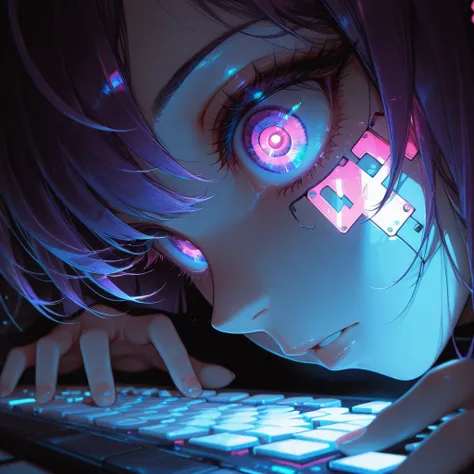
🧬 Live Wallpaper Fast Fusion – 8 to 10 Step Edition
Live Wallpaper Fast Fusion is a high-performance merged model that brings together the strengths of:
🎞️ Live Wallpaper LoRAs – two custom LoRAs trained to produce fluid motion, parallax depth, and anime/game-style aesthetics.
⚡ CausVid LoRA – enables ultra-fast video generation in just 8 to 10 steps, while preserving high visual quality (https://github.com/tianweiy/CausVid, Wan21_CausVid_14B_T2V_lora_rank32_v2.safetensors · Kijai/WanVideo_comfy at main)
🎬 AccVid LoRA – improves motion accuracy and dynamics for expressive sequences. (aejion/AccVideo: Official code for AccVideo: Accelerating Video Diffusion Model with Synthetic Dataset, Wan21_AccVid_T2V_14B_lora_rank32_fp16.safetensors · Kijai/WanVideo_comfy at main)
🌌 MoviiGen LoRA – adds cinematic depth and flow to the animation, enhancing visual storytelling. (ZulutionAI/MoviiGen1.1: MoviiGen 1.1: Towards Cinematic-Quality Video Generative Models, Wan21_T2V_14B_MoviiGen_lora_rank32_fp16.safetensors · Kijai/WanVideo_comfy at main)
🧠 Wan I2V 720p (14B) base model – providing strong temporal consistency and high-resolution outputs for expressive video scenes.
This fusion results in a versatile and powerful video generation model, capable of producing short cinematic clips (2 to 5 seconds) with smooth, natural motion and rich visual detail. While inspired by live wallpaper aesthetics, the model is designed for short, expressive animations ideal for storytelling, dynamic backgrounds, and ambient scenes.
❗ Do not reapply CausVid, AccVid, or MoviiGen LoRAs — they are already baked into the model and reapplying them may degrade results.
Recommended CFG: 1
🎨 You can safely use additional LoRAs for extra style or effects — feel free to experiment.
🛠️ Suggested Caption Workflow (LLM + Template)
To maximize output quality, you can use any LLM (such as ChatGPT, Gemini, Claude, etc.) with the following prompt template to generate motion-aware captions for your images:
You are an expert in motion design for seamless animated loops.

Given a single image as input, generate a richly detailed description of how it could be turned into a smooth, seamless animation.

Your response must include:

✅ What elements **should move**:
– Hair (e.g., swaying, fluttering)
– Eyes (e.g., blinking, subtle gaze shifts)
– Clothing or fabric elements (e.g., ribbons, loose parts reacting to wind or motion)
– Ambient particles (e.g., dust, sparks, petals)
– Light effects (e.g., holograms, glows, energy fields)
– Floating objects (e.g., drones, magical orbs) if they are clearly not rigid or fixed
– Background **ambient** motion (e.g., fog, drifting light, slow parallax)

🚫 And **explicitly specify what should remain static**:
– Rigid structures (e.g., chairs, weapons, metallic armor)
– Body parts not involved in subtle motion (e.g., torso, limbs unless there’s idle shifting)
– Background elements that do not visually suggest movement

⚠️ Guidelines:
– The animation must be **fluid, consistent, and seamless**, suitable for a loop
– Do NOT include sudden movements, teleportation, scene transitions, or pose changes
– Do NOT invent objects or effects not present in the image
– Do NOT describe static features like colors, names, or environment themes
– Return only the description (no lists, no markdown, no instructions)
Use the output from the LLM directly as your video prompt to ensure motion relevance and temporal coherence.
🎯 Best for:
- Short video generation (2–5 seconds)
- Anime/game-inspired motion scenes
- Ambient motion with parallax, particles, soft light, and floating elements
- Fast generation workflows (8 to 10 steps)