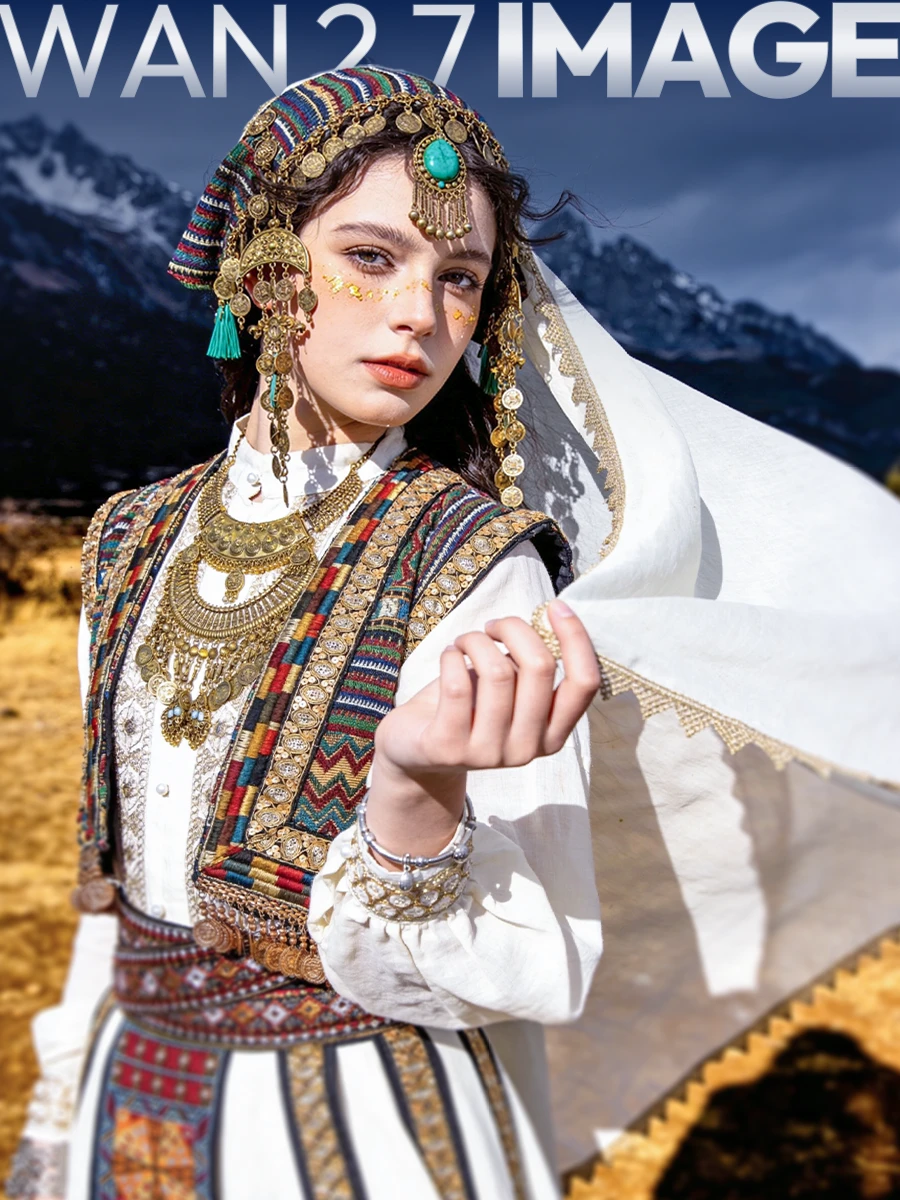
Wan 2.7 Image
Wan 2.7 Image is now available on SeaArt AI. Built for creators who want stronger control, cleaner output, and more reliable editing, this model goes far beyond basic text-to-image generation. It is designed for workflows where consistency, detail, and direction matter, making it a strong choice for everything from portraits and design visuals to multi-image storytelling and advanced image editing.
Why Wan 2.7 Image Stands Out
Wan 2.7 Image is not just about generating beautiful images. Its biggest strength is control.
Instead of giving you results that feel random or overly generic, it gives you more precise influence over the final image. Faces can be shaped more naturally, colors can be guided more intentionally, text can be rendered more clearly, and multiple references can be combined into one cohesive output. For creators who care about accuracy and repeatability, that makes a real difference.
What It Does Best
l Portrait Customization
Wan 2.7 Image offers much finer portrait control than standard image models. It allows you to guide facial structure, subtle features, and visual balance more precisely, helping portraits feel more distinct and believable instead of looking repetitive or synthetic.
This makes it especially useful for character creation, beauty visuals, fashion concepts, and any image where the face needs to feel intentional.
l Advanced Text Rendering
Text is one of the hardest things for image models to handle well, but Wan 2.7 Image performs much better here. It supports long-form text across multiple languages and can generate more structured visual content like charts, formulas, and infographics with stronger readability and accuracy.
That opens up more practical design use cases beyond pure art generation.
l Precise Color Control
If you need a specific mood, palette, or brand tone, Wan 2.7 Image gives you stronger control over color distribution and visual atmosphere. Instead of hoping the model lands near the style you want, you can guide the image more deliberately toward a softer cinematic tone, a bold commercial look, or a more refined aesthetic direction.
l Multi-Image Editing and Fusion
One of the most powerful features of Wan 2.7 Image is its ability to combine multiple input images into one unified result. It can follow detailed edit instructions while blending references more naturally, making it useful for compositing, concept development, style fusion, and controlled visual experimentation.
l Sequential Storytelling
Wan 2.7 Image can generate a sequence of images while maintaining strong consistency in subject and style. This is especially useful for comics, storyboards, multi-panel visuals, and other storytelling workflows where a single good image is not enough and the full series needs to feel connected.
l Interactive Region Editing
With box-selection based editing, Wan 2.7 Image allows more targeted refinement at the image-region level. That means you can adjust or regenerate specific parts of an image without disrupting everything else, making the editing process more efficient and much closer to real creative intent.
Ideal Use Cases
l Character and portrait design: Create faces and characters with stronger identity, more believable structure, and better visual consistency.
l Design visuals with readable text: Generate posters, infographics, or visual content that includes clearer multilingual text and more structured elements.
l Brand and aesthetic control: Keep color tone and visual mood aligned when style consistency matters across multiple outputs.
l Reference-based creation: Combine multiple images into one polished result for concept art, product visuals, or more advanced editing workflows.
l Storyboards and image sequences: Build connected scenes with better consistency across multiple frames.
How to Use Wan 2.7 Image on SeaArt AI
Getting started is simple:
1. Select the model
Choose Wan 2.7 Image from the SeaArt model library.
2. Upload references if needed
If your goal involves consistency, fusion, or guided editing, upload reference images first.
3. Write a focused prompt
Describe the subject, visual direction, color mood, and any text or structure you want included.
4. Generate and refine
Use the initial result as a base, then refine with more specific control or region-based edits where needed.
Prompt Ideas to Show Its Strengths
1. Portrait Precision Prompt
Use this to highlight its detailed facial control.
Prompt:
A cinematic close-up portrait of a young woman with sharp cheekbones, soft almond-shaped eyes, natural skin texture, subtle makeup, and elegant black hair, neutral studio background, realistic lighting, premium editorial photography style.
2. Text Rendering Prompt
Use this to show its ability to handle structured text and design.
Prompt:
A modern infographic poster about space exploration, clean layout, dark blue background, readable English headings, labeled charts, formula elements, professional typography, sleek sci-fi design.
3. Color Control Prompt
Use this to demonstrate palette precision and atmosphere.
Prompt:
A luxury fashion campaign image in deep burgundy, gold, and black tones, dramatic soft lighting, premium editorial composition, elegant and refined mood, high-end magazine style.
4. Story Sequence Prompt
Use this to highlight sequential consistency.
Prompt:
A 4-panel fantasy story sequence of the same silver-haired warrior entering an ancient forest, discovering a glowing sword, drawing it from stone, and standing beneath golden light, consistent character design and cinematic visual style.