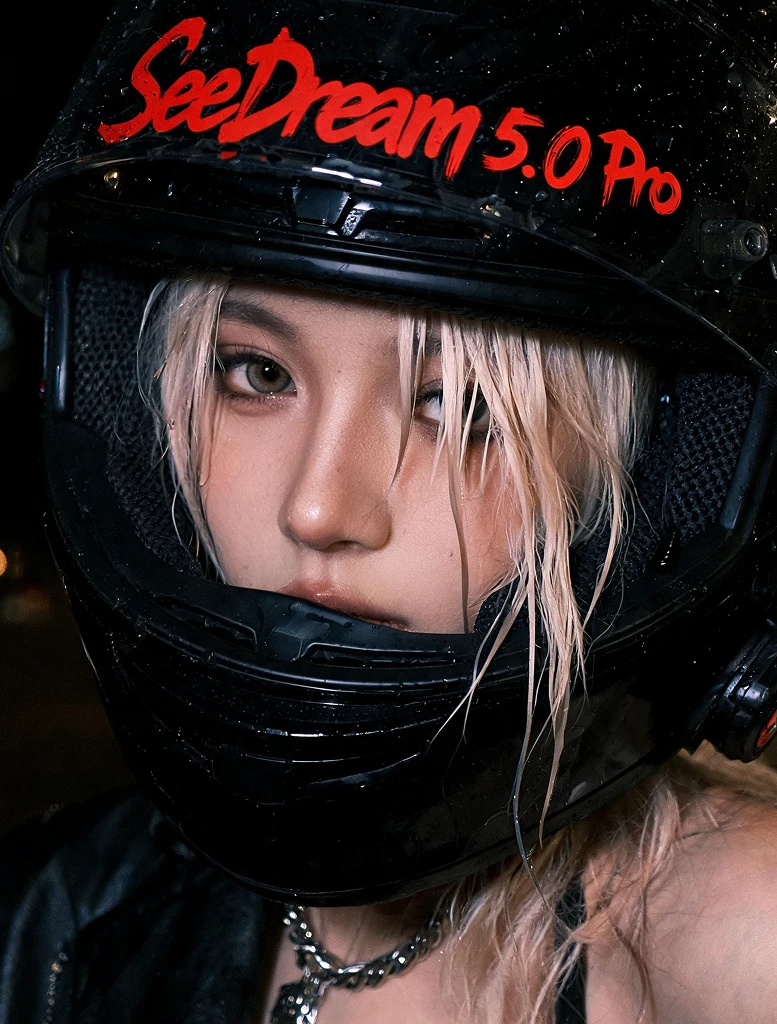
Seedream 5.0 Pro
Seedream 5.0 Pro is ByteDance's advanced AI image generation and editing model built for creators who need more than a beautiful first draft. It is designed for controlled creation, precise editing, structured composition, and professional-grade visual output.
While faster models are great for quick exploration, Seedream 5.0 Pro is made for the moment when the image needs to be polished, readable, consistent, and ready to use. It can help creators build cinematic AI art, product visuals, posters, brand graphics, infographics, social media creatives, character concepts, and high-quality images that can move directly into real creative workflows.
Key Features
l Create Professional-Grade AI Images
Seedream 5.0 Pro is optimized for high-fidelity image generation with richer details, cinematic lighting, polished materials, realistic textures, and stronger visual atmosphere. It is ideal for creators who want images that feel closer to final artwork, campaign visuals, or production-ready assets.
l Precise Local Editing
Edit specific parts of an image without changing the entire scene. You can adjust objects, outfits, backgrounds, colors, lighting, text, props, and visual effects while keeping the main composition stable.
l Layer-Like Image Control
Seedream 5.0 Pro treats an image more like a structured composition. Subjects, backgrounds, text, lighting, and effects can be refined more cleanly, making it useful for real design workflows where small changes matter.
l Strong Prompt Understanding:
The model is built to understand complex instructions, spatial relationships, visual hierarchy, lighting direction, and multi-subject scenes. This helps reduce random outputs and makes detailed prompts easier to control.
l Better Typography and Text Rendering
Seedream 5.0 Pro is useful for posters, social graphics, product labels, infographics, UI mockups, banners, and promotional layouts where text needs to look natural and readable inside the image.
l Multi-Reference Image Creation
Use reference images to guide character identity, product appearance, style, composition, or visual mood. This is especially useful for consistent AI characters, brand assets, e-commerce visuals, and style-matched artwork.
Prompt Examples for SeaArt Creators
l Fantasy Character Poster
Create a premium dark fantasy poster of a silver-haired dragon knight standing in the center, black crystal armor, glowing red sword, dragon wings behind her, storm clouds in the background, cinematic lighting, embers in the air, ultra-detailed game key art style. Add the title "DRAGON OATH" at the top in sharp silver fantasy typography.
l Anime Character Illustration
Create a high-quality anime illustration of a girl with long blue hair standing on a rooftop at sunset, school uniform mixed with futuristic cyberpunk details, glowing city skyline behind her, soft wind moving her hair, emotional expression, cinematic anime lighting, detailed background, vertical poster composition.
l Product Poster
Create a luxury perfume advertisement. A crystal perfume bottle sits in the center on a black reflective surface, golden light shining through the glass, soft smoke around the bottle, elegant flowers in the background, premium magazine style. Add readable text "LUNA NOIR" near the top and "A SCENT OF NIGHT" near the bottom.
l AI Avatar Variation
Use the uploaded portrait as reference. Keep the same face, hairstyle, and expression. Change the outfit into a futuristic white tech jacket, add a holographic city background, improve the lighting, and keep the character identity consistent.
l Motion-Ready First Frame
Create a cinematic first frame for an AI video. A lone astronaut stands on a glowing desert planet, huge ringed planet in the sky, dust floating in the air, dramatic backlight, wide-angle composition, strong atmosphere, ready for image-to-video animation.
Limitations
Seedream 5.0 Pro is powerful, but it still has limitations.
l As a higher-tier model, it may require more compute or cost than faster Lite-style models.
l Highly complex layouts with many small text blocks may still need refinement.
l Very specific typography, logos, or brand-critical text should be checked carefully.
l Complex edits across multiple elements may require step-by-step prompting.
l Character consistency improves with clear references, but perfect identity preservation is still difficult across many generations.
l Some platform safeguards may restrict certain copyrighted characters, public figures, or sensitive image requests.
How to Get Started
1. Access the Model
Open Seedream 5.0 Pro on SeaArt AI.
2. Choose Your Workflow
Start from a text prompt, upload a reference image, or use an existing image for editing.
3. Use the Pro Control Formula
Write your prompt with Goal + Subject + Composition + Style + Details + Text + Editing Rule + Output Use.
4. Generate Your First Image
Create the first version and check composition, subject consistency, lighting, text, and overall polish.
5. Refine in Layers
Edit one thing at a time. Change the background, adjust text, improve lighting, modify an object, or refine character details.
6. Create Variations
Generate different versions for style, color, layout, pose, product angle, or social format.
7. Finalize for Use
Use the best image for AI art sharing, product visuals, social media posts, ads, design mockups, character concepts, or video first frames.