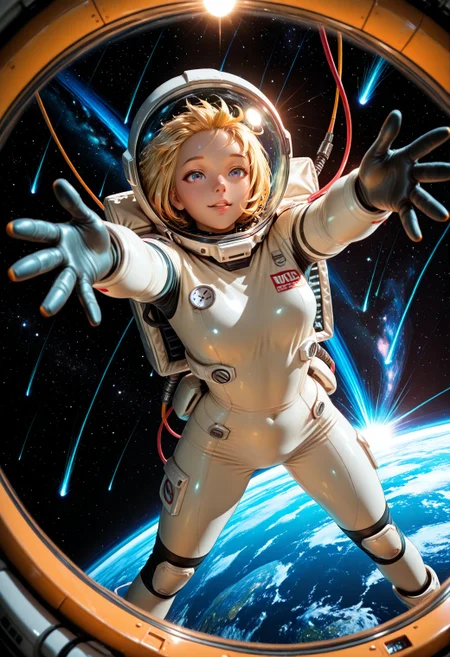

SMOOTH EMBEDDINGS
This is a set of quality enhancing embeddings for NoobAI, Illustrious/SDXL and Pony models.
No need for more quality prompts. They should be enough for getting great results!
I recommend using both positive and negative embeddings together.
NoobAI Checkpoints
Smooth Positive NoobAI / Smooth Negative NoobAI
Recommended only for NoobAI trained models since these embeddings use some tokens that are only recognized by NoobAI Checkpoints.
Can be very aggressive so don't use it together with a gigantic wall of prompts, specially when using the negative embedding.
So use:
SmoothNoob_Qualityon your Positive Prompt for NoobAI ModelsSmoothNoob_Negativeon your Negative Prompt for NoobAI Models
Illustrious Checkpoints
Smooth Pos. Illustrious (+) / Smooth Neg. Illustrious
Recommended for Illustrious trained models. It gives great quality while adding gorgeous lighting effects.
Smooth Pos. Illustrious+ is much less aggressive on lighting effects now so it should give you more control over prompts that influence light.
So use:
Smooth Qualityon your Positive Prompt for Illustrios/SDXL ModelsSmooth Negativeon your Negative Prompt for Illustrios/SDXL Models
Pony Checkpoints
Smooth Pos. Pony / Smooth Neg. Pony
Recommended for Pony trained models.
These embeddings use most tokens related to quality for Pony Checkpoints, so use only on those.
So use:
SmoothQualityPonyon your Positive Prompt for Pony ModelsSmoothNegativePonyon your Negative Prompt for Pony Models
There are a lot of high quality Embeddings on the site already, feel free to use as many others as you want together with these.
EXTRA: SMOOTH NEGATIVE HANDS
We all agree that Hands are ANNOYING to make on AI art.
After getting a few messages asking what prompts/embeddings to use to fix hands I decided to make a Negative Embedding for it.
Its very light and should not affect the quality or style of your image in anyway.
It uses tokens of NoobAI, Illustrious and Pony models so use it with any Checkpoint you want.
Its not a 100% fool proof. Results will vary depending on what combinations of Loras and Checkpoints you are using.
So use:
SmoothNegative_Handson your Negative Prompt on any NoobAI, Illustrios or Pony Models
Have Fun!
Description
Negative Embeddings for hands
FAQ
Comments (45)
Added a negative Embedding for Hands. It seems alot of people have trouble with those. >.<
Hopefully this help a bit.
this goes alone? or it does need smooth negative/ the typical negative prompt?
@ahi_hay_AI Sure. You can use it by itself or use others embeddings with it.
Qvoheu the MVP
Yer doing god's work, Harry.
For some reason SmoothNegative_Hands wasn't being detected by Civitai when uploading images created with local image generators (Forge, Reforge, comfyUI...).
I reuploaded the file and its working properly this time.
If you downloaded it before, please download it again so it can be detected by Civitai.
Very nice addition! My favorite! I use it almost all the time, the results are impressive!!!
I have a weird problem when I use smooth pos. Illlustrous+ with WAI-NSFW-illustrous v13 checkpoint, for some reason it turns everything into monochrome picture or at least in most cases
Same x.x
Thats weird. I can't replicate this. Post some pics so I can try to pinpoint what could be the problem. Does it only happens on v13?
@Qvoheu It happens with versions 7 through 12 as well. Almost monochrome or very little color in outputs. Tested in SwarmUI.
@Qvoheu i posted some pics i was experimenting with, you can see that when i was removing the + version the color started to return, but sometimes i notice it happening with other embeddings too, and if it's not monochrome, it feels like result is being desaturated very hard
@Qvoheu also added a few recent ones i did just now, probably quality ones are doing this, and maybe it's reacting to the word "dark" that's the only guess i have
The latest updates to SwarmUI seem to have resolved the issue for me.
I use WAI V15, and occasionally I also get greyscale images with a black-and-white manga-like style. Using ‘greyscale’ as a negative prompt can prevent this.
Which words are in each embedding?
Would be interested too. So I can remove unnecessary doubles.
Do embeddings replace all quality tags or i still need to use: masterpiece, best quality etc ?
depends on the embedding, there are some that include them (most "quality" embeddings) and others who dont (for some specific style, scenario etc).
Is it an incorrect practice to rename an embedding model?
You mean to use in a local generator like Forge or ComfyUI? Not at all.
@Qvoheu I am using it in the local ComfyUI and want to rename it to Chinese or familiar English. Otherwise, with too many files, I can't figure out the purpose of this file. Since it keeps fluctuating between good and bad, I'm not sure if it's related to my renaming of the file. Anyway, the logic of various software is more friendly to English. From the description in the post, it seems that I don't need to add the prefix "embedding" before the TAG.
If you're going to be sharing the prompts it might cause some confusion if you share the image +prompts to others without warning them, but for pure local use you can do whatever you want as long as you don't confuse yourself.
@LYNX233 This is a while after this comment but changing the name will actually be necessary for some embeddings sometimes, I've had the embeddings not work in comfyui because it was two words if you combine into one it will fix if that was ever and issue for you
Which words are in each embedding?
Smooth Neg. Illustrious says invalid link when attempting to download.
Huge fan of your work! I've been trying out image generation for weeks now and stumble through your workflows, checkpoints and embeddings. Love it!
May I ask few questions on embeddings?
1. Love using your checkpoint SmoothMix Illustrious 2XL +NoobAI v2! I wonder since it is mixed noob ai and illustrious. Should i just pick one for negative and possitive? I don't mind adding tons of embeddings. I just wondering if it helps with the heavy lifting especially for negative prompts.
2. I'm new to ComfyUI - when using your workflow, there is an autocomplete suggestion on embeddings. Is just "SmoothNoob_Quality" == "embeddings:SmoothNoob_Quality"?
3. follow-up on 2. can embeddings be weighted? Like "(SmoothNegative_Hands:1.3)"?
EDIT 01-06:2026: After some talking with the creator of the model I used, turns out the culprit was using "make up" instead of "makeup" in the prompt. So it wasn't the embedding at all adding the headband, just a space.
with what model?
@alucardnoir941 it popped up with a couple of them. Smooth Noob and Illustrij. Though after I posted this comment they started popping up again. Been lowering the strengths of some Loras, which might be the real answer. It's been really frustrating to track down since it'll go away long enough to make me think I got it, then reappear later on.
@zon14 If your characters start to get little flower attachments in their hair its probably ComfyUI finding the word 'Illustrious' in your prompt and thinking its the character from Azur Lane - Illustrious. She has those things on her hair. Just make sure the word 'illustrious' don't show up anywhere in your positive prompt.
@Qvoheu I've never used that word in either prompt, positive or negative. I am still beginning to think it was the strength of two Lora I was using. Knocked them both back, and haven't seen it pop up since, but we'll see. It's happened before where it went away and came back.
smooth neg. illustrious says invalind link when attempting to download.
Hey is it better to have the embedding at the start of the prompt or the end. Because I've been using it at the start and it's been messing up the pose or whatever but I added it last and it is doing a way better job - thanks
The best way in my experience to structure your prompts should generally be LoRAs first, then characters/descriptions, Scene, Art Style, Plain text describing the image, then Quality. So for example, it would be like
<LoRA>, <LoRA>, <LoRA>,
Solo, Saul Goodman, male, (suit, fixing tie), stern face, exhausted,
Office, [Court], Day,
Photo, (Realistic), Realistic Photo,
Saul Goodman standing in his office at the local Court, looking very stern as he adjusts his tie. His suit is slightly ruffled, and he's looking a bit exhausted.
High quality, Detailed, HighRes,
Generally speaking Stable Diffusion doesn't care how your text is actually formatted, but if you structure it that way, or similarly, it gives the best results. Thankfully, Stable diffusion also doesn't care if you mix plain text with your tags, and it can actually help describe the image you want to it. Just remember, Parentheses raise the emphasis on a portion, while square brackets lower the emphasis. More parentheses or brackets means even more or less emphasis. Stable Diffusion also loves descriptors like "Excessive" or "Tiny", so add descriptors where you can. You can also put them around groups of tags or text and it will emphasize everything within them.
@ThatBastardJohnny 我一般吧质量词放在lora后面,我听说越靠前的提示词权重越大,所以我觉得质量优先
how to use this ? Need call the function in cumfyUI?
Do I enter the filename? Or input <lora>? Should I just use the sample PNG's tag name? I don't understand the correct usage.
Your instructions are insanely confusing and contradictory with the tags on the right. Your description even contradicts your tags. What the hell do I use for Illustrious hands and positive/negative? Your samples don't even use the -neg versions.
Most of these "developers" just spam LoRAs, Checkpoints, Embeddings, etc to boost their rank on the website. Ego gratification and nothing else.
@LuminalArt they seem to be rewarded for it quite well.
Hi there! Why the "No selling generated content" tag?, would you consider changing it? Thanks
Illustrious XL v2.0 are released under the CreativeML Open RAIL-M license. I would appreciate the poster to justify a 'no commercial' claim
@HBLearning well I would just ignore that then. What' they goin' do?
What is the difference between SmoothNegative_Hands and SmoothNegative_Hands-neg?
Details
Files
SmoothNegative_Hands-neg.safetensors
Mirrors
SmoothNegative_Hands-neg.safetensors
SmoothNegative_Hands-neg.safetensors
Smooth_Negative_Hands.safetensors
SmoothNegative_Hands-neg.safetensors
SmoothNegative_Hands-neg.safetensors
SmoothNegative_Hands-neg.safetensors
SmoothNegative_Hands.safetensors
SmoothNegative_Hands-neg.safetensors
SmoothNegative_Hands-neg.safetensors