
I have some new and amazing upscale workflows available on my Patreon! Anyone joining the "Creators Lounge" tier also gets access to my Discord, for more workflows, images and ideas. Click here...
GalaxyTimeMachine AI Imagery | AI art in the form of digital images | Patreon
XLPlus_v3.5 is the latest version of my SDXL workflows.
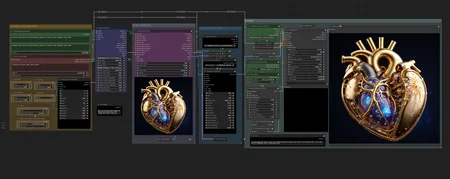
This is the workflow used to create the example images for my latest "XLPlus_v3.5" model. It includes an LLM prompt enhancer, Portrait Master nodes, hands/face/eye detailers and a controlnet tile upscale.
In v4.0, the "KRestartSampler" node can be installed from:
https://github.com/ssitu/ComfyUI_restart_sampling
The dequality node is included in the zip file, and you just need to add it to your custom_nodes directory and restart ComfyUI.
v2.x now uses the new ComfyUI nodes for Cascade. Make sure you update it and install the models as recommended:
https://huggingface.co/stabilityai/stable-cascade/tree/main
stage_b.safetensors and stage_c.safetensors (you can use the bf16 versions) go in ComfyUI/models/unet
stage_a.safetensors goes in ComfyUI/models/vae
and this: https://huggingface.co/stabilityai/stable-cascade/blob/main/text_encoder/model.safetensors goes in the ComfyUI/models/clip/ folder to be loaded with the Load CLIP node in the workflow
The SDXL workflow includes wildcards, base+refiner stages, Ultimate SD Upscaler (using a 1.5 refined model) and a switchable face detailer.
Now with controlnet, hires fix and a switchable face detailer.
I'd recommend installing all the custom node packs shown in the resources, and also these:
https://github.com/chrisgoringe/cg-use-everywhere
https://github.com/bash-j/mikey_nodes
https://github.com/twri/sdxl_prompt_styler
https://github.com/Derfuu/Derfuu_ComfyUI_ModdedNodes
https://github.com/BadCafeCode/masquerade-nodes-comfyui
https://github.com/space-nuko/ComfyUI-OpenPose-Editor
Description
A change to the nodes used for latent noise
Removed Controlnet, because I don't use it.
The re-inclusion of refiner, for those that want to use it, and a separation of base and refiner steps, for those that want to set refiner to only 1.
FAQ
Comments (8)
Thank you for your workflow, I try some others but this is my favorite: it contains the essential tool I need. I think it could easily be better with some toggles and a better seed node to improve the UX.
However, I'm really surprised to see the lack of controlnet on the v5; am I missing something?
I primarily create the workflows for my own preference, and I rarely (or never) use controlnet. It should be easy enough to cut and paste it from another flow if you require it though.
I'd be interested to know how the seed node could be improved. It's just a seed number, and you can choose how it changes. The seed is carried through the whole flow, so images can be reproduced.
I am not an expert on ComfyUI and I see that if you load an old image embedding the workflow to do some other test, you lose the current workflow modifications. I say this because if the original workflow didn't need a huge modification for each different scenario, then reloading can be easier.
For the seed, it is just an example (not great, I admit): I recently tried "SDXL Ultimate v3.2" and the seed node allows you to manually generate a new seed. In general, the UX is better overall by using the toggle node to adapt the workflow on the fly. Very handy, especially when I'm looking for a good seed and I want to stop immediately after the base generation: it's possible to manually switch off all the next nodes, but it's less simple.
I prefer your workflow for the face detailler but I am currently testing the openpose preprocessor (for pose, depth, canny) and it is a real must have for me.
@Phosmachina If you right-click on the group header, there is an option to either disable or bypass all the nodes in the group. This makes using toggle switches a waste of time, and you can just switch sections on or off using the base method.
To create a new seed, just click on the left or right arrow in the seed field. :)
@galaxytimemachine Oh right, thanks for the tip!
For the seed, I'm currently using the increment feature. This allows me to easily get the previous seed without reloading the whole worlflow by loading a history item.
@galaxytimemachine
When opening v5 I get the error message below.
I have WASasquatch's PPF_Noise_ComfyUI [Perlin Power Fractal Noisey Latents] installed, using the ComfyUI manager. I have also updated and restarted ComfyUI and reloaded the web-frontend.
The latest 'Perlin Power Fractal Noise (PPF Noise)' custom node looks more complex than the one in your screenshot. Maybe it has already been updated?
--
When loading the graph, the following node types were not found:
WAS_PFN_Latent
Nodes that have failed to load will show as red on the graph.
--
I'm just uploading v5.1, with the replaced node.