





Hello there and thanks for checking out this workflow!
—Purpose—
Built to provide a good first look at the new Lumina 2.0, with as much functionality as it currently supports—(ADetailing/Inpainting are not quite fully supported, but it just works™)
—Features—
Full metadata support; recognized by CivitAI
Wildcard support
Instruction Roulette (totally not just a gimmick)
→ Leveraging the powerful Instruction approach to illustrate its impact in a fun wayInstallation and download guide for models and nodes
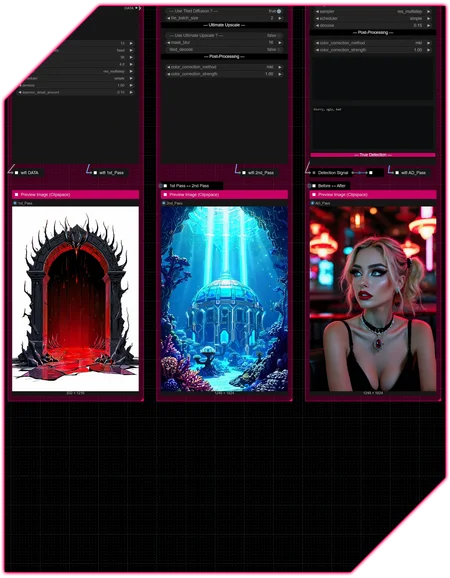
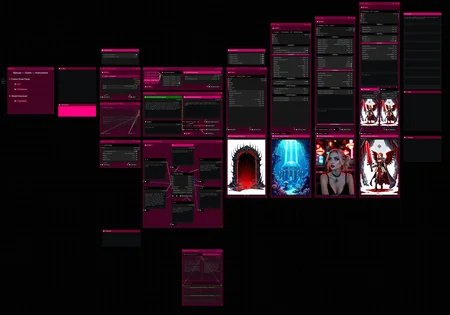
multiple passes with optional upscales
— 1st : Detail Daemon
— 2nd : Detail Daemon + Tiled Diffusion — or — UltimateSDUpscale
— ADetailer
— Inpainting
—Custom Nodes—
All of which can be installed through the ComfyUI-Manager
—Troubleshooting—
If nodes show up red (failing to load), check the 'Install Missing Custom Nodes' tab of the ComfyUI Manager for the missing node packs and install them.
Please check if all custom node packs load properly after installing, i.e. no
(IMPORT FAILED)messages next to any of them in the console upon ComfyUI startup.Always reload/drag'n'drop the original, downloaded workflow file into ComfyUI to reload an intact version of the workflow.
→ The last opened workflow that appears on startup shows a cached version of the workflow, "remembering" group nodes that failed due to missing nodes as failed, keeping them broken even after having everything installed correctly.
Specific issues :
LatentClamp ...
→ Ensure you have the ComfyUI-Allor node pack installed and NOT the LatentClamp pack
Specific installation instructions :
For "execution-inversion-demo-comfyui" the "Channel" setting (Found in the top left of the ComfyUI Manager Menu) needs to be set to "Channel: dev" for the node pack to show up in the search results
→ Important: turn the channel setting back to "Channel: default" afterwardsIf you encounter "security level" issues, you can modify the "config.ini" file located in
ComfyUI\user\default\ComfyUI-Manager(edit with any text editor).
The entry "security_level" is likely set to "= normal" (default), which did block manual custom node installation in some cases.
When you change that setting to "= weak", save and restart Comfy, you should be able to install the nodes just fine.→ Note: I'm sure this setting should not be handled lightly. I can only attest to the node packs mentioned in the list above to have not caused anything suspicious on my end.
—Thanks—
The workflow would not be possible as is without these custom node packs. If you want to support the custom node creators, give them a ⭐ on their github repos! Thank you!
Feel free to ask questions, share improvements and suggestions in the comment section!
Let me know if you encounter confusing points I can elaborate on in the next update!
Description
v2
- addition of UNet loader for trained checkpoints
- structural + layout changes
- changed seed handling from 'int' to 'number'
- changed some string handling to 'combo' type
FAQ
Comments (4)
First of all, thanks for this work!
I found a missing reference in the clamp loader^ the model is not linked to "wifi tri" and the workflow stops with the error "ModelClamp.node() missing 1 required positional argument: 'model'".
But even after fixing the reference, the workflow stops and the output is only "text" and "value" (13 results in total), no images. Saving images on the first, second and last passes is enabled, the passes themselves are also enabled. Only detailer and inpaint are disabled.
Please help, what am I doing wrong?
Hey there, thank you for the kind words! 🙏
When I loaded it up the model output on the checkpoint loader was disconnected on my end as well, probably due to one of the many frontend changes of recent.
However taking the node apart and rebuilding it worked just fine without any actual change, so I uploaded that version which should have the links in order again. Just redownload v2 and see if it fixes the issue for you as well 👌
@RedPinkRetro Never mind! The problem was in the output/input types mismatch between the "SchedulerSelector (ComfyUI)" and "BasicScheduler" nodes. I disconnected these nodes and manually selected the desired values. Now everything works correctly. I have encountered this problem before, when I was building my workflow and also trying to write metadata to an image. There is a more elegant solution - this is converting the scheduler value to a string via the "AnyToString" node, but in this case there is no need for this, because the scheduler is not available to the user anyway.
It didn't immediately occur to me that the problem might be hidden inside the group nodes.
Thank you for your time. Your workflow works great and I would have spent weeks developing something like this!
@dlebedev8645 Glad it works now!
The scheduler nodes disconnecting is an issue I've seen happen whenever a new scheduler is introduced to the list or a custom node pack such as RES4LYF for example, which causes the lists of schedulers referenced by the selector node and the actual scheduler node to mismatch and break connection.
Not sure if I did it in this workflow, but the way I handle that currently is by using the string output of the SchedulerSelector node and pipe it through CR string to combo to connect it to the scheduler input, which works like a charm as long as the selected entry of the selector node is found within in the scheduler node's list.
In case of any node packs that add to the list of schedulers it is usually always the scheduler node that has the longer list of options, so it can be presumed that the full list of the selector node is always exactly the same as or smaller than the list of the scheduler node, making this setup somewhat reliable, despite being a little hacky.
Either way, very glad the workflow is useful to you! Thank you for the kind words! 🙌