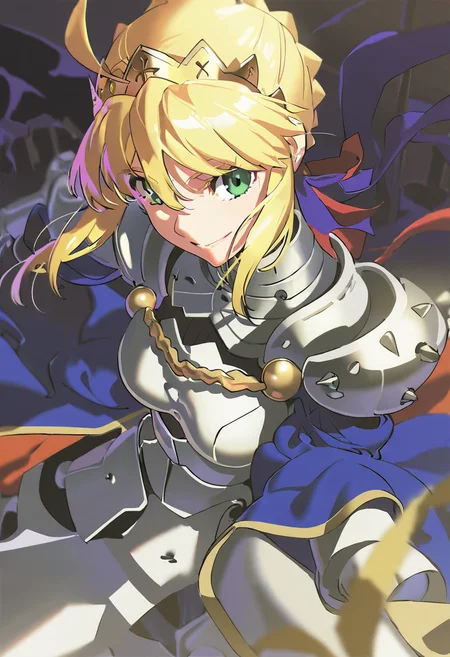
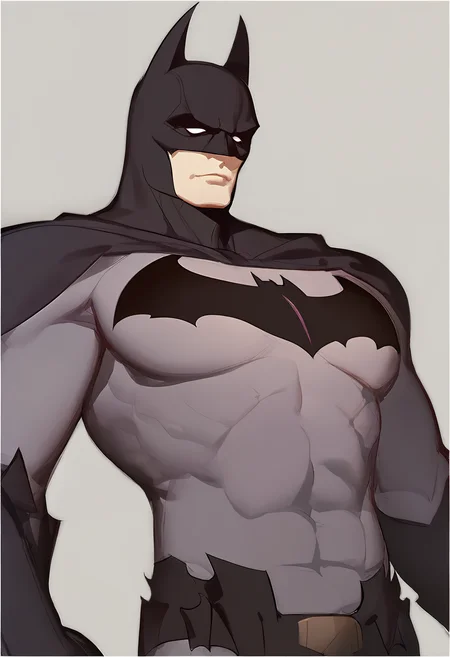
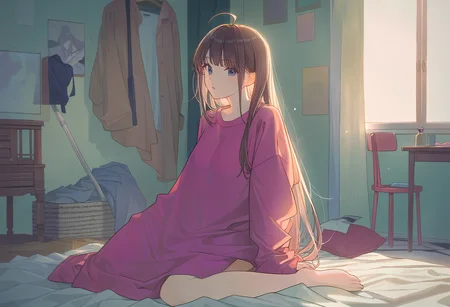
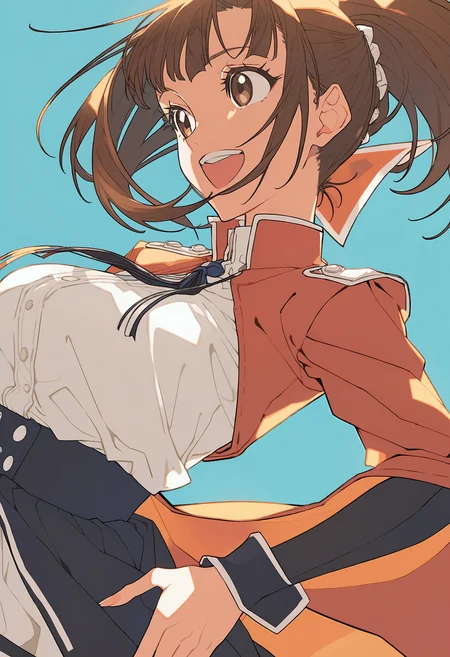
Model Introduction (英文部分)
I Contents
In this introduction, you'll learn about:
Model information (see Section II);
Instructions for use (see Section III);
Training parameters (see Section IV);
List of Trigger Words (see Appendix Part A)
II AIDXL
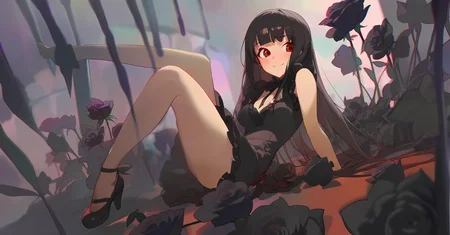
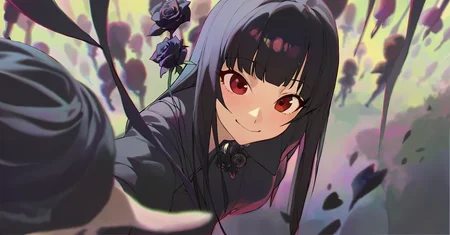
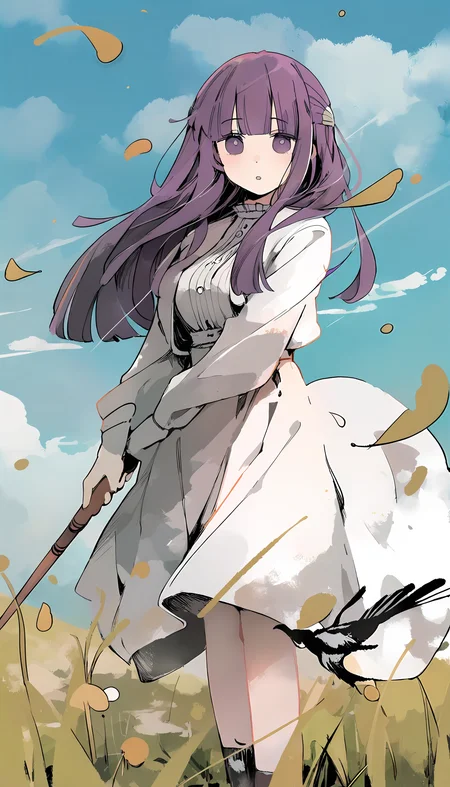
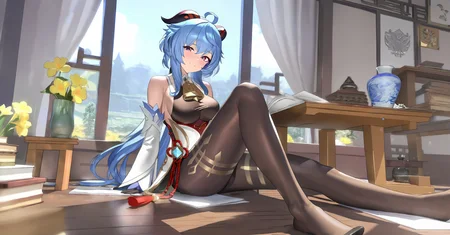
Anime Illustration Diffusion XL, or AIDXL, is a model dedicated to generating stylized anime illustrations. It has over 800 (with more and more updates) built-in illustration styles, which are triggered by specific trigger words (see Appendix A).
Advantages:
Flexible composition rather than traditional AI posing.
Skillful details rather than messy chaos.
Knows anime characters better.
III User Guide
1 Basic usage
1.1 Prompt
Trigger words: Add the trigger words provided in Appendix A to stylize the image. Suitable trigger words will greatly improve the quality;
It's recommended to reduce weight to artist style trigger words, e.g. (by xxx:0.6).
Semantic sorting: Sorting your prompt tags or sentences will help the model understand your meaning.
Recommended tag order: Trigger word (by xxx) -> character (a girl named frieren from sousou no frieren series) -> race (elf) -> composition (cowboy shot) -> style (impasto style) -> theme (fantasy theme) -> main environment (in the forest, at day) -> background (gradient background) -> action (sitting on ground) -> expression (is expressionless) -> main characteristics (white hair) -> body characteristics (twintails, green eyes, parted lip) -> clothing (wearing a white dress) -> clothing accessories (frills) -> other items (a cat) -> secondary environment (grass, sunshine) -> aesthetics (beautiful color, detailed, aesthetic) -> quality ((best quality:1.3))
Negative prompts: (worst quality:1.3), low quality, lowres, messy, abstract, ugly, disfigured, bad anatomy, draft, deformed hands, fused fingers, signature, text, multi views
1.2 Generation Parameters
Resolution: Ensure the total number of pixels (=width * height) to be around 1024*1024 and the width and height to be the division of 32, in which case AIDXL will produce the best result. For example, 832x1216 (2:3), 1216x832 (3:2), and 1024x1024 (1:1), etc.
Sampler and steps: Use the "Euler Ancester" sampler, which is called Euler A in webui. Sampled around ~28 steps on 7 to 9 CFG Scale.
'Refine': The image generated from text2image is sometimes blurry, in which case you need to 'refine' it using image2image or inpainting etc.
For simple scaling up, you may refer to: Upscale to huge sizes and add detail with SD Upscale, it's easy! : r/StableDiffusion (reddit.com)
Other components: No need to use any refiner model. Use VAE of the model itself or the
sdxl-vae.
Q: How to reproduce the model cover? Why cannot I reproduce a same picture as the cover using the same generation parameters?
A: Because the generation parameters shown in the cover are NOT its text2image parameter, but the image2image (to scale up) parameter. The base image is mostly generated from the Euler Ancester sampler rather than the DPM sampler.
2 Special usage
2.1 Generalized Styles
From version 0.7, AIDXL summarizes several similar styles and introduces generalized-style trigger words. These trigger words each represent a common animation illustration style category. Please note that general style trigger words do not necessarily conform to the artistic meaning that their word meaning refers to but are special trigger words that have been redefined.
2.2 Characters
From version 0.7, AIDXL has enhanced training for characters. The effect of some character trigger words can already achieve the effect of Lora, and can well separate the character concept from its own clothing.
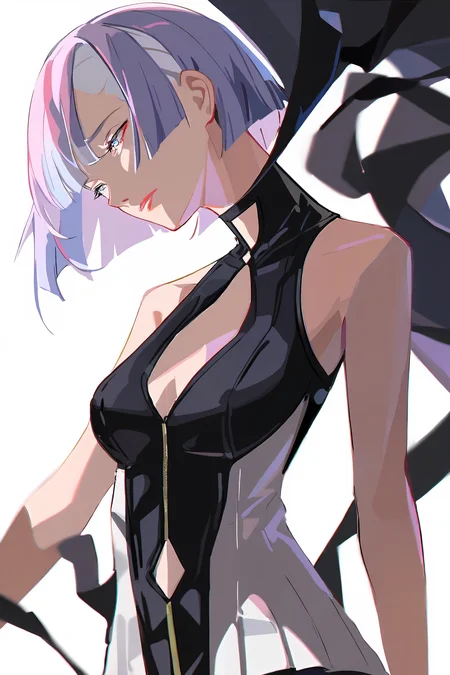
The character triggering method is: {character} \({copyright}\). For example, to trigger the heroine Lucy in the animation "Cyberpunk: Edgerunners", use lucy \(cyberpunk\); to trigger the character Gan Yu in the game "Genshin Impact", use ganyu \(genshin impact\). Here, "lucy" and "ganyu" are character names, "\(cyberpunk\)" and "\(genshin impact\)" are the origins of the corresponding characters, and the brackets are escaped with slashes "\" to prevent them from being interpreted as weighted tags. For some characters, copyright part is not necessary.
From version v0.8, there's another easier triggering method: a {girl/boy} named {character} from {copyright} series.
For the list of character trigger words, please refer to: selected_tags.csv · SmilingWolf/wd-v1-4-convnext-tagger-v2 at main (huggingface.co). Also, some extra trigger words that are not mentioned in this document may also be included.
Some character requires extra triggering step. When using, if the character cannot be completely restored with a single character trigger word, the main characteristics of the character need to be added to the prompt.
AIDXL supports character dressing up. Character trigger words usually do not carry the clothing characteristics concept of the character itself. If you want to add character clothing, you need to add the clothing tag in the prompt word. For example, silver evening gown, plunging neckline gives the dress of character St. Louis (Luxurious Wheels) from game Azur Lane. Similarly, you can add any character's clothing tags to those of other characters.
2.3 Quality Tags
Quality and aesthetic tags are formally trained. Trailing them in prompts will affect the quality of the generated image.
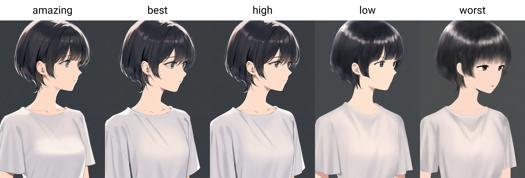
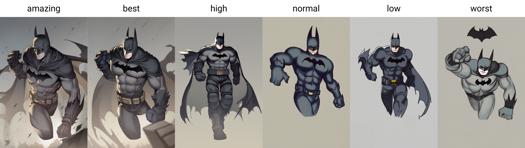
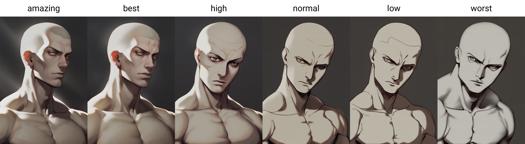
From version 0.7, AIDXL officially trains and introduces quality tags. Qualities are divided into six levels, from best to worst: amazing quality, best quality, high quality, normal quality, low quality and worst quality.
It's recommended to add extra weight to quality tags, e.g. (amazing quality:1.5).
2.4 Aesthetic Tags
Since version 0.7, aesthetic tags have been introduced to describe the special aesthetic characteristics of images.
2.5 Style Merging
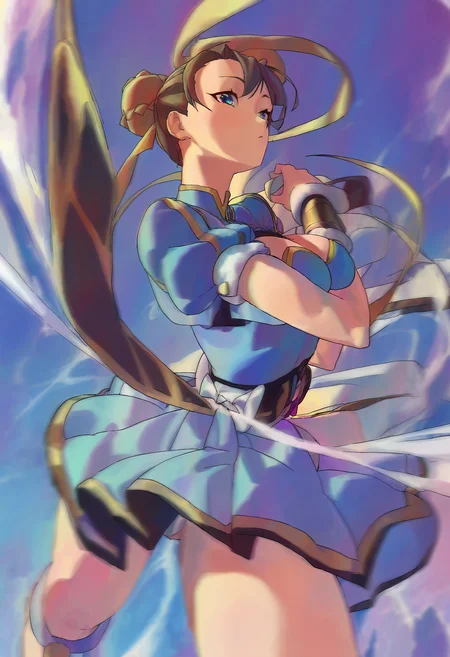
You are able to merge some styles into your customized style. 'Merging' actually means use multiple style trigger words at one time. For example, chun-li, amazing quality, (by yoneyama mai:0.9), (by chi4:0.8), by ask, by modare, (by ikky:0.9).
Some tips:
Control the weight and order of the styles to adjust the style.
Append rather than prepend to your prompt.
IV Training Strategy & Parameters
AIDXLv0.1
Using SDXL1.0 as the base model, using about 22k labeled images to train about 100 epochs on a cosine scheduler with a learning rate of 5e-6 and a number of cycles = 1 to obtain model A. Then, using a learning rate of 2e-7 and the same other parameters to obtain model B. The AIDXLv0.1 model is obtained by merging model A and B.
AIDXLv0.51
Training Strategy
Resume training from AIDXLv0.5, there are three runs of training pipelined one by one:
Long caption training: Use the whole dataset, with some images captioned manually. Start training both the U-Net and the text encoder with the AdamW8bit optimizer, a high learning rate (around 1.5e-6) with cosine scheduler. Stop training when the learning rate decays below a threshold (around 5e-7).
Short caption training: Restart training from the output of step 1. with the same parameters and strategy but a dataset with a shorter caption length.
Refining step: Prepare a subset of the dataset in step 1. that contains manually picked images of high quality. Restart training from the output of step 2. with a low learning (around 7.5e-7), with cosine scheduler with restarts 5 to 10 turns. Train until the result is aesthetically good.
Fixed Training Parameters
No extra noise like noise offset.
Min snr gamma = 5: speed up training.
Full bf16 precision.
AdamW8bit optimizer: a balance between efficiency and performance.
Dataset
Resolution: 1024x1024 total resolution (= height time width) with a modified SDXL officially bucketing strategy.
Captioning: Captioned by WD14-Swinv2 model with 0.35 threshold.
Close-up cropping: Crop images into several close-ups. It's very useful when the training images are large or rare.
Trigger words: Keep the first tag of images as their trigger words.
AIDXLv0.6
Training Strategy
Resume training from AIDXLv0.52, but with an adaptive repeating strategy - For each captioned image in the dataset, increase its number of repeats in training subject to the following rules:
Rule 1: The higher the image's quality, the more its number of repeats;
Rule 2: If the image belongs to a style class:
If the class is not yet fitted or underfitted, then manually increase the number of repeats of the class, or automatically boost its number of repeats such that the total number of repeats of the data in the class reaches a certain preset value, which is around 100.
If the class is already fitted or overfitted, then manually decrease the number of repeats of the class by forcing its number of repeats to 1 and drop it if its quality is low.
Rule 3: Its number of repeats limit its final number of repeats to not exceed a certain threshold, which is around 10.
This strategy has the following advantages:
It protects the model's original information from new training, which holds the same idea to the regularized image;
It makes the impact of training data more controllable;
It balances the training between different classes by motivating those not yet fitted classes and preventing overfitting to those already fitted classes;
It significantly saves computation resources, and make it much easier to add new styles into the model.
Fixed Training Parameters
Same as AIDXLv0.51.
Dataset
The dataset of AIDXLv0.6 is based on AIDXLv0.51. Furthermore, the following optimization strategies are applied:
Caption semantic sorting: Sort caption tags by semantic order, e.g. "gun, 1boy, holding, short hair" -> "1boy, short hair, holding, gun".
Caption deduplicating: Remove duplicate tags, keep the one that retains the most information. Duplicate tags means tags with similar meaning such as "long hair" and "very long hair".
Extra tags: Manually add additional tags to all images, e.g. "high quality", "impasto" etc. This can be quickly done with some tools.
V Special thanks
Computing power sponsorship: Thanks to @NieTa community (捏Ta (nieta.art)) for providing computing power support;
Data support: Thanks to @KirinTea_Aki (KirinTea_Aki Creator Profile | Civitai) and @Chenkin (Civitai | Share your models) for providing a large amount of data support;
There would be no version 0.7 without them.
VI AIDXL vs AID
2023/08/08. AIDXL is trained on the same training set as AIDv2.10, but outperforms AIDv2.10. AIDXL is smarter and can do many things that SD1.5-based models cannot. It also does a really good job of distinguishing between concepts, learning image detail, handling compositions that are difficult or even impossible for SD1.5 and AID. Overall, it is absolute potential. I'll keep updating AIDXL.
VII Sponsorship
If you like our work, you are welcome to sponsor us through Ko-fi(https://ko-fi.com/eugeai) to support our research and development. Thank you for your support~
模型介绍(Chinese Part)
I 目录
在本介绍中,您将了解:
模型介绍(见 II 部分);
使用指南(见 III 部分);
训练参数(见 IV 部分);
触发词列表(见附录 A 部分)
II 模型介绍
动漫插画设计XL,或称 AIDXL 是一款专用于生成二次元插图的模型。它内置了 800 种以上(随着更新越来越多)的插画风格,依靠特定触发词(见附录 A 部分)触发。
优点:构图大胆,没有摆拍感,主体突出,没有过多繁杂的细节,认识很多动漫人物(依靠角色日文名拼音触发,例如,“ayanami rei”对应角色“绫波丽”,“kamado nezuko”对应角色“祢豆子”)。
III 使用指南(将与时俱进)
1 基本用法
1.1 提示词书写
使用触发词:使用附录 A 所提供的触发词来风格化图像。适合的触发词将 极大地 提高生成质量;
提示词标签化:使用标签化的提示词描述生成对象;
提示词排序:排序您的提示词将有助于模型理解词义。推荐的标签顺序:
触发词(by xxx)->主角(1girl)->角色(frieren)->种族(elf)->构图(cowboy shot)->风格(impasto)->主题(fantasy)->主要环境(forest, day)->背景(gradient background)->动作(sitting)->表情(expressionless)->主要人物特征(white hair)->人体特征(twintails, green eyes, parted lip)->服饰(white dress)->服装配件(frills)->其他物品(magic wand)->次要环境(grass, sunshine)->美学(beautiful color, detailed, aesthetic)->质量(best quality)
负面提示词:worst quality, low quality, lowres, messy, abstract, ugly, disfigured, bad anatomy, deformed hands, fused fingers, signature, text, multi views
1.2 生成参数
分辨率:确保图像总分辨率(总分辨率=高度x宽度)围绕1024*1024且宽和高均为32的倍数。例如,832x1216 (3:2), 1216x832 (3:2), 以及 1024x1024 (1:1)。
不进行“Clip Skip”操作,即 Clip Skip = 1。
采样器和步数:采用 “euler_ancester” 采样器(sampler),该组合在 webui 里称为 Euler A。在 7 CFG Scale 上采样 28 步。
仅需要使用模型本身,而不使用精炼器(Refiner)。
使用基底模型 vae 或 sdxl-vae。
2 特殊用法
2.1 泛风格化
0.7 版本归纳了若干相似插画画风,引入了泛风格触发词。泛风格触发词各代表一种常见动漫插画画风类别。
请注意,泛风格触发词并不一定符合其词义指代的美术含义,而是经过重新定义的特殊触发词。
2.2 角色
0.7 版本对强化训练了角色。部分角色触发词的还原度已经能够达到 lora 的效果,且能够很好地将角色概念与其本身的着装分离。
角色触发方式为 角色名 \(作品\)。例如,触发动画《赛博朋克:边缘行者》的女主角露西则使用 lucy \(cyberpunk\);触发游戏《原神》中的角色甘雨则使用 ganyu \(genshin impact\)。这里,“lucy” 和 “ganyu” 为角色名,“\(cyberpunk\)” 和 “\(genshin impact\)” 则为对应角色的作品出处,括号使用斜杠"\"转义以防止被解释为提示词加权。对于部分角色,出处并非必要。
角色触发词请参照 selected_tags.csv · SmilingWolf/wd-v1-4-convnext-tagger-v2 at main (huggingface.co)。
在使用中,若仅靠单个角色触发词无法完全还原角色,则需要在提示词中添加该角色的主要特征。
角色触发词通常不会携带角色本身的着装特征,若要添加角色着装,则需要在提示词中添加衣物名。例如,游戏《碧蓝航线》中角色圣路易斯 ( st. louis \(luxurious wheels\) \(azur lane\) ) 的衣装触发可使用 silver evening gown, plunging neckline。类似地,您也能对任何角色添加其他角色的衣装标签。
2.3 质量标签
0.7 版本的质量和美学标签经过正式训练,在提示词中尾随它们将影响生成图像的质量。
0.7 版本正式训练并引入了质量标签,质量标签分为六个等级,由好到坏分别为:amazing quality, best quality, high quality, normal quality, low quality 和 worst quality.
2.4 美学标签
0.7 版本起引入了美学标签,描述图像的特殊美学特征。
2.5 风格融合
您可以将一些样式合并到您的自定义样式中。 “合并”实际上意味着一次使用多种风格触发词。 例如,chun-li, amazing quality, (by yoneyama mai:0.9), (by chi4:0.8), by ask, by modare, (by ikky:0.9).
一些技巧:
控制风格的权重和顺序来调整最终风格。
尾随而非前置到提示词上。
3 注意事项
使用 SDXL 支持的 VAE 模型、文本嵌入(embeddings)模型和 Lora 模型。注意:sd-vae-ft-mse-original 不是支持 SDXL 的 vae;EasyNegative、badhandv4 等负面文本嵌入也不是支持 SDXL 的 embeddings;
对于 0.61 及以下版本:生成图像时,强烈推荐使用模型专用的负面文本嵌入(下载参见 Suggested Resources 栏),因其为模型特制,故对模型几乎仅有正面效果;
每个版本新增触发词将在当前版本效果相对较弱或不稳定。
IV 训练参数
以 SDXL1.0 为底模,使用大约 2w 张自己标注的图像在 5e-6 学习率,循环次数为 1 的余弦调度器上训练了约 100 期得到模型 A。之后在 2e-7 学习率,其余参数相同的条件下,训练得到模型 B。将模型 A 与 B 混合后得到 AIDXLv0.1 模型。
其他训练参数请参照英文版本的介绍。
V 特别鸣谢
算力赞助:感谢 @捏Ta 社区(捏Ta (nieta.art))提供的算力支持;
数据支持:感谢 @秋麒麟热茶(KirinTea_Aki Creator Profile | Civitai) 和 @风吟(Chenkin Creator Profile | Civitai)提供的大量数据支持;
没有它们就不会有 0.7 版本。
VI 更新日志
2023/08/08:AIDXL 使用与 AIDv2.10 完全相同的训练集进行训练,但表现优于 AIDv2.10。AIDXL 更聪明,能做到很多以 SD1.5 为底模型无法做到的事。它还能很好地区分不同概念,学习图像细节,处理对 SD1.5 来说难于登天的构图,几近完美地学习旧版 AID 无法完全掌握的风格。总的来说,它拥有比 SD1.5 更高的上限,我会继续更新 AIDXL。
2024/01/27:0.7 版本新增了大量内容,数据集大小是上一版本的两倍以上。
为了得到令人满意的标注,我尝试了很多新的标签处理算法,例如标签排序、标签分层随机化、角色特征分离等等。项目地址:Eugeoter/sd-dataset-manager (github.com);
为了使训练可控,且更加服从我的意愿,我基于 Kohya-ss 制作了特制的训练脚本;
为了掌控不同世代的模型的融合过程,我开发了一些启发式的模型融合算法;为了使模型达到足够的风格化,我放弃了通过融合文本编码器和UNET的OUT层来提高模型的稳定和美学,因为这会伤害模型的风格。
为了筛选和过滤数据,我训练了一个水印检测模型、一个图像分类模型、一个美学评分模型,来帮助我清洗数据。
VII 赞助我们
如果您喜欢我们的工作,欢迎通过 Ko-fi(https://ko-fi.com/eugeai) 赞助我们,以支持我们的研究和开发,感谢您的支持!
Appendix / 附录
A. Special Trigger Words List / 特殊触发词列表
Art style trigger words: Click me
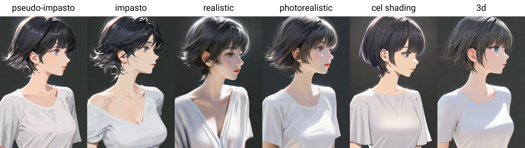
Painting style trigger words: flat color, clean color, celluloid, flat-pasto, thin-pasto, pseudo-impasto, impasto, realistic, photorealistic, cel shading, 3d
flat color: Flat colors, using lines to describe light and shadow
平涂:平面色彩,使用线条和色块描述光影和层次
clean color: Style between flat color and flat-pasto. Simple and tidy coloring.
具有简洁色彩的平涂,介于 flat color 和 flat-pasto 之间
celluloid: Anime coloring
平涂赛璐璐:动漫着色
flat-pasto: Nearly flat color, using gradient color to describe lighting and shadow
接近平面的色彩,使用渐变描述光影和层次
thin-pasto: Thin contour, using gradient and paint thickness to describe light, shadow and layers
细轮廓勾线,使用渐变和颜料厚度描述光影和层次
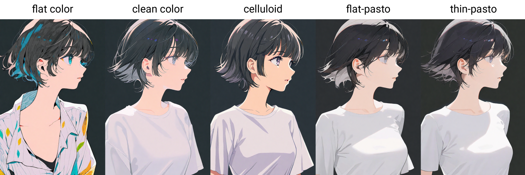
pseudo-impasto:Use gradients and paint thickness to describe light, shadow and layers
伪厚涂 / 半厚涂:使用渐变和颜料厚度描述光影和层次
impasto:Use paint thickness to describe light, shadow and gradation
厚涂:使用颜料厚度描述光影和层次
realistic
写实
photorealistic:Redefined to a style closer to the real world
相片写实主义:重定义为接近真实世界的风格
cel shading: Anime 3D modeling style
卡通渲染:二次元三维建模风格
3d
Aesthetic trigger words:
beautiful
美丽
aesthetic: slightly abstract artistic sense
唯美:稍微抽象的艺术感
detailed
细致
beautiful color: subtle use of color
协调的色彩:精妙的用色
lowres
messy: messy composition or details
杂乱:杂乱的构图或细节
Quality trigger words: amazing quality, best quality, high quality, low quality, worst quality

Description
Pretty good ! ! !
Advantages:
Style: High degree of style restoration; balanced intensity between different styles;
Semantics: Strong semantic understanding ability, including tags and natural language; aesthetic and quality trigger words have obvious effects;
Quality: Rich details, stable composition and human anatomy, good at drawing hands, coordinated and subtle colors; no dazzling exposure, no sense of AI;
GPU Sponsorship: NieTA - @neta.art
非常好!!!
有哪些优点:
风格:风格还原度高;不同风格之间的强度均衡;
语义:语义理解能力强,包括标签和自然语言;美学和质量触发词效果明显;
质量:细节丰富,构图稳定,人体稳定,擅长画手,色彩协调;无刺眼曝光,无AI感;
算力赞助:捏它 - @neta.art
FAQ
Comments (73)
我的神!
大神,v0.8比起0.71除了多增加了by xxx的标签外,还有哪些提升吗?
我刚刚更新了模型细节,那里有更详细的介绍。
大佬请问您可以上传到抱脸或者搬运吗?
還沒測完 不過感覺回到0.5*了
0.8 is the best now.
+ easy prompt, no harder prompting, small prompt can get good results.
+ better anatomy
+ more understanding texting
Thanks a lot~
What is the model-47-ep3-step6000 (Model hash: ec658b4a5a) used in the sample image of Minamoto Yorimitsu? I would like to use it, but is there any plan to distribute it?
It's an un-refined model of v0.8. Its quality is lower than the released one, which should be able to reproduce a better one~
@Euge_& nbsp;Thank you! Should I just use the release as is? I was having a hard time getting it to look similar. I'll give it a few tries.
@mumumu1295 For the reason why you can't reproduce a same one, you may refer to the first Q&A at this post: Image posted by Euge_ (civitai.com)
If you mean the quality difference, there are some tips about quality improvement in the model introduction for your information.
wish we can see a composited list of all the artists's artstyle, overwhelmed by all the styles..
Sorry for the inconvenience. This has been on my to-do list for a long time. That's a bit difficult.
It involves the source of the image. If I use the dataset images, there may be copyright issues. If I use the image generated by the model, the workload for each version is huge.
But as an alternative, I will post some good results for reference~
made one for myself, not the best quality or composition but it should work for a general understanding
I made a wildcard for dynamic prompts with all the artists, then I generate until I see one I like (then save the image with the artist name in it for future ref)
Thank you for your hard work. Is there any way to get a model that is not pruned on this? If it is uploaded to HuggingFace or something, I would appreciate it if you could let me know.
二次元底模之神
One of the best models I've ever used
About the trigger word like:
by modare,
will using just
modare,
still work?
Sure, it works, but the strength of such trigger method (remove 'by') may be weaker. 'by' is used to tell the model that 'modare' is an art style and is not necessary.
The model will learn the caption's 'distribution', so it prefers adding such a prefix 'by', which indicates that the following word is a name of some style rather than other things.
@Euge_ Thank you for the explanation!
可能有一定上手难度,但上限是很惊人的,期待新版本的更多惊喜,感谢Euge这么久以来的努力与付出
请问一下,您知道关于github上的waifuset有关的第三个问题是什么情况吗
起手质量词全是nsfw...和0.6差别有点大
0.6以前还能通用原生sdxl1.0训练的lora,0.8后已经完全独立出来,在该模型使用sdxl1.0的lora细节已经被吞的没法辨认,想用lora只能用该模型自己训练了
这不是肯定的嘛,不管是animev3还是pony,只要原模型经过大量的训练,之后肯定是不能和原生sdxl的lora配对的,没什么好抱怨的
my recently trained lora's were trained using sdxl as the base but work just fine on this model and any other xl model so idk where you're getting that information from but it's wrong.. if a lora was trained correctly on the sdxl base model it'll work on any xl model, including pony, i think ppl just started training specifically on pony because it's probably the only model they use and with prodigy it's a lot faster/less steps they have to train it for (or so i've heard)
为啥我用了画师得tag 却出不来画师的画风?
您可以在这里分享你的生成参数吗?
可能跟cilp层有关,个人体验,有的画师提示词需要切换到2更加符合
@2980171487876 我想知道为什么我锁了种子 再生成画面不一样了
大佬,这个模型真的有质的飞跃,太漂亮,太喜欢了,就是画面比较容易发黄,有什么比较好的解决方法吗,我试了一些vae,效果一般
谢谢~请问下在哪些情况下会发黄呢?VAE应该与该问题无关。
@Euge_ 特定繪師
虽然可画出的画师风格有800+,但是都基本只固定使用了那几个比较出名的,出图精细程度也是这几个出名的画师精度高,有些画师tag的出图精度有点差,其实可以不用那整那么多练好百名以内的就很不错了,宁缺毋滥嘛,也减少一下作者的工作强度,而且没有对照表的话跟开盲盒一样,当然作者的努力付出是非常棒的感谢作者的坚持
太牛了
大佬能解答下为什么下面的示例图我的参数全部相同,排除Lora和一些embeddings示例,我没有一个能完全复现出相同结果的,这是为什么啊?
因为封面图参数里的 种子、采样器和推理步数 是错的。
简单来说,原因是,模型封面都是在使用文生图出图后,用图生图高清修复而成的。然而,最终C站提取而展示的生成参数,是图生图这一步的参数,而不是文生图。
具体原因可参考:https://civitai.com/models/124189?dialog=commentThread&commentId=346080
抱歉带来不便。
@Euge_ 感谢答疑
Your model is not affected when it responds to controlnet's openpose, can it be resolved later? Thank you very much
Hello, I'm using this model well. I'm just leaving a comment because of the minor issue. I didn't do that before, but now whenever I pull out a picture, the phrase "SEE APPENDIX A, 见附录A " comes up at the beginning of the prompt. I checked it on the model page and found out that it's a trigger word. Is this coming out of a warning? (This happened after I recently added an extension called Dynamic Thresholding, is this a problem?) I also made a WEBUI file that was not expanded as a backup, but this error doesn't happen in that backup file, so I'm asking because it bothers me.
The phrase is used to remind people that the trigger words are at the appendix. I didn't expect that it would cause any issue.
I guess the website automatically prepend a model's trigger word to the prompt. So please just delete it if it appears in your prompt.
@Euge_ Oops, that's not quite what I had in mind! When entering the prompt, the text does not appear on the screen; instead, it is included in the prompt of the generated image after the image is output. So I can't delete the trigger word during the prompt input stage.
@jss31776286 I see. I just deleted the trigger words in version details.
@Euge_ Even after the developer removed the trigger word, redownloaded the model, and generated the image again, the prompt still appears in the image.
(SEE APPENDIX A, 见附录A by ningen mame, by yoneyama mai, 1 rebecca \(cyberpunk\), solo, sitting crossed legs, looking at viewer, smile, very detailed background, (beautiful color:1.3), amazing quality, perspective from below, lighting and shadow, legs out of frame, cyborg, indoors).
I have also uploaded the image using the corresponding prompt for your reference.
As shown above, 'SEE APPENDIX A, 见附录A' appears at the beginning. Could this issue be caused by a mistake in my settings? I sincerely apologize for the trouble I caused you by having to remove the trigger word. There shouldn't be any problem generating the image if such a sentence is attached, right...?
@jss31776286 Which image generation tool are you using?
this model is extreme good,normally i only use ponyxl and add on other style lora to creata anime image,now i got more choice for many anime art style in all in once. Thanks for sharing this checkpoint
Great model ,but why the control net not work?
What technology did the author use for training? And how should I proceed if I want to train my own data?
It's great to hear that you are interested in my model! Which features do you mean? Multi-styles? Trigger words?
最美模型,大佬什么时候更新啊?千万别弃坑啊
谢谢夸奖!新版本不发布在这个模型页面啦~
awa v1 (=aidxlv1.0) -> ArtiWaifu Diffusion - v1.0 | Stable Diffusion Checkpoint | Civitai
neta xl v2 -> ArtiWaifu Diffusion - v1.0 | Stable Diffusion Checkpoint | Civitai
@Euge_ 不喜欢neta ,太AI了 ,变成了普通的AI模型
there was artist name list for style why did you remove and where i can find?
This model forever a legend in my eyes.
This is cooll!
Why can't i use this lora anymore?
Because it is not a lora,it's a checkpoint.
Preview of All styles/artists tag of this checkpoint
https://civitai.com/models/235107?modelVersionId=325412
Details
Files
animeIllustDiffusion_v08.safetensors
Mirrors
animeIllustDiffusion_v08.safetensors
animeIllustDiffusion_v08.safetensors
animeIllustDiffusion_v08.safetensors
animeIllustDiffusion_v08.safetensors
animeIllustDiffusion_v08.safetensors
anime-illust-diffusion-v08.safetensors
animeIllustDiffusion_v08.safetensors
animeIllustDiffusion_v08.safetensors
animeIllustDiffusion_v08.safetensors
animeIllustDiffusion_v08.safetensors
animeIllustDiffusion_v08.safetensors
animeIllustDiffusion_v08.safetensors
animeIllustDiffusion_v08.safetensors
animeIllustDiffusion_v08.safetensors
Available On (1 platform)
Same model published on other platforms. May have additional downloads or version variants.