


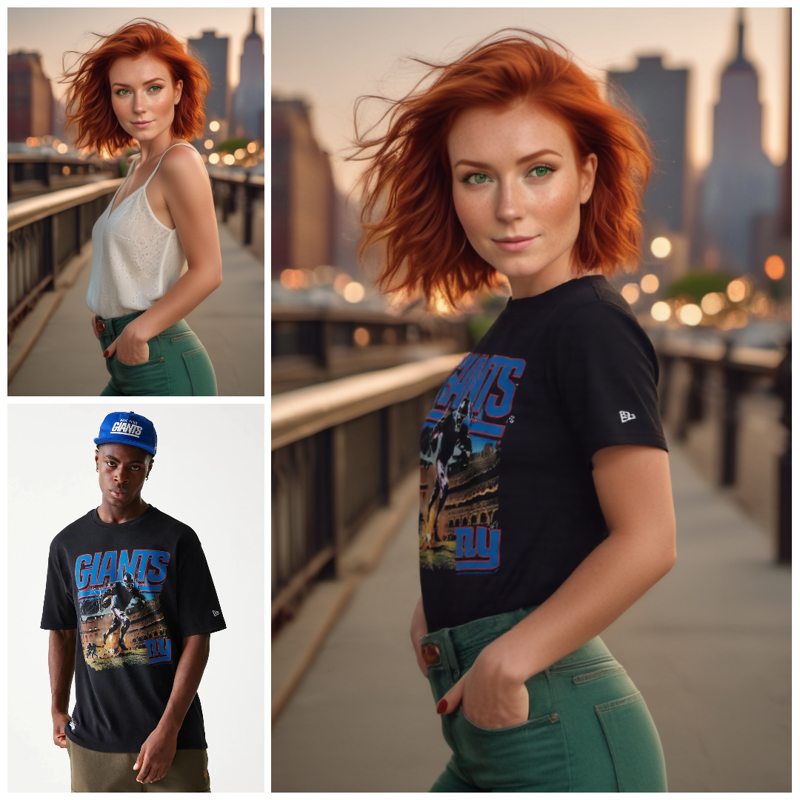
With this workflow you can change clothes to anyone in a photo. You need the original image with the model you want to dress up, a photo of the garment you want to use (can be a picture of just the garment or a photo of someone wearing it) and the workflow will transfer the clothes to the initial image according to where you applied the mask.
To apply a mask, just right-press on the initial image and from the pop-up menu select "Open in MaskEditor". Draw the mask on the area you want to change and run the workflow. It's that easy. You could also use LoRAs, but remember that the workflow will modify only the masked area of the image.
For the settings, it is suggested to use only the green nodes (Loras, steps, seed, sampler and scheduler). Prompt should stay as it is set, as it is part of the trick in this try-on workflow, same thing for the FluxGuidance, that should stay at 30 and the strength of the "Apply style model" that is suggested to stay at 1.00 for better results.
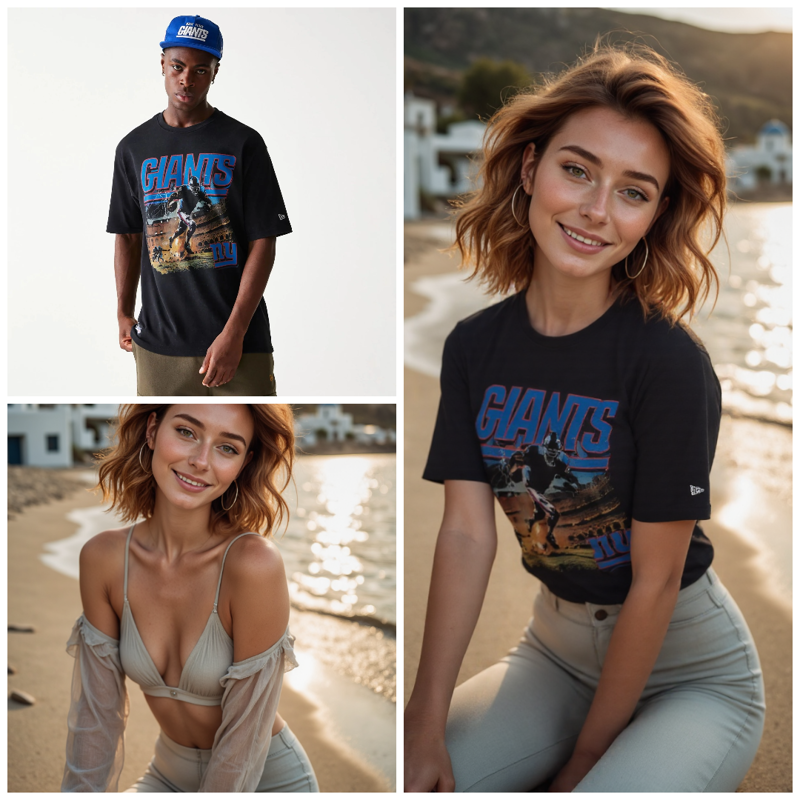
Warning:
If you get an error on the Image Overlay node you need to update (or download again) the correct Custom node.
The Overlay node should look like this:
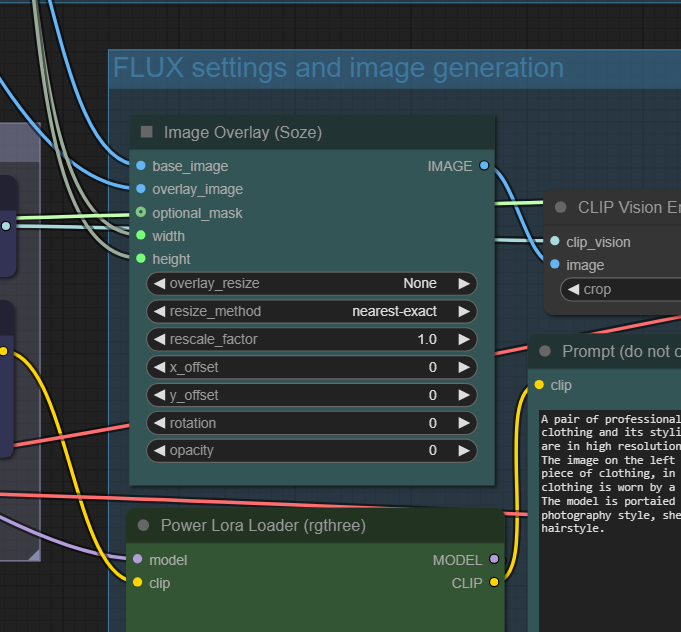 This is part of the efficiency-nodes-comfyui
They are not by Soze but by jags111.
ComfyUI Manager may mistake the two as both custom nodes have Image Overlay nodes.
So download (or update) the Efficiensy-nodes by jags111. This should fix the workflow.