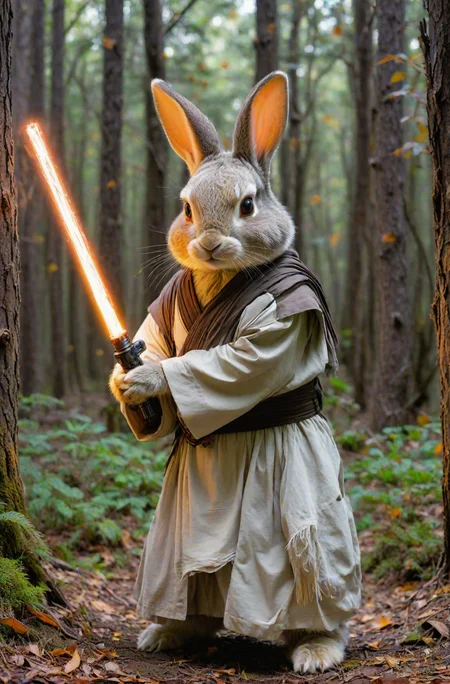
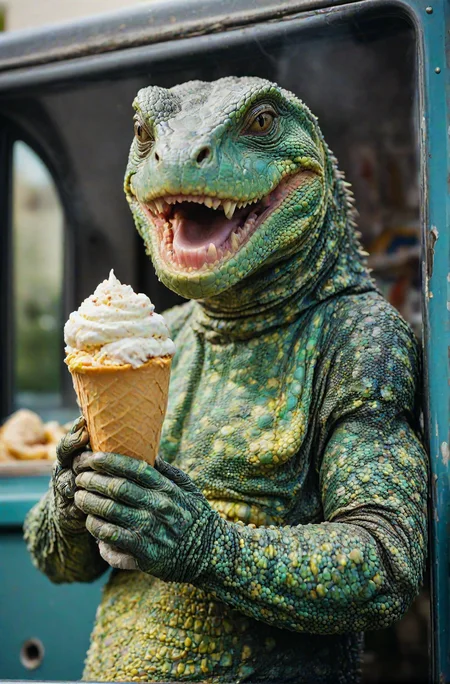
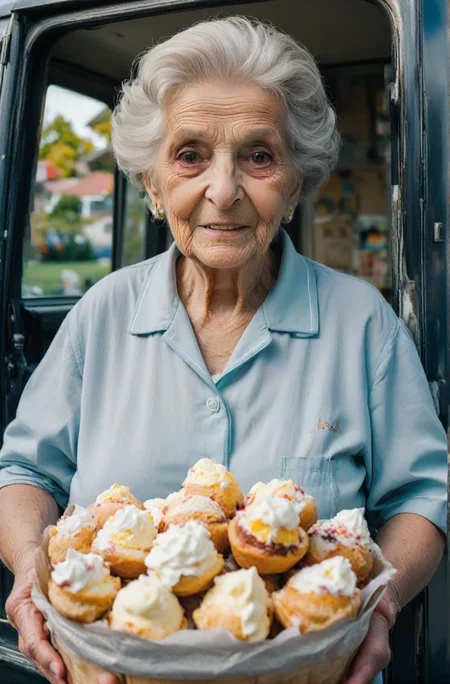
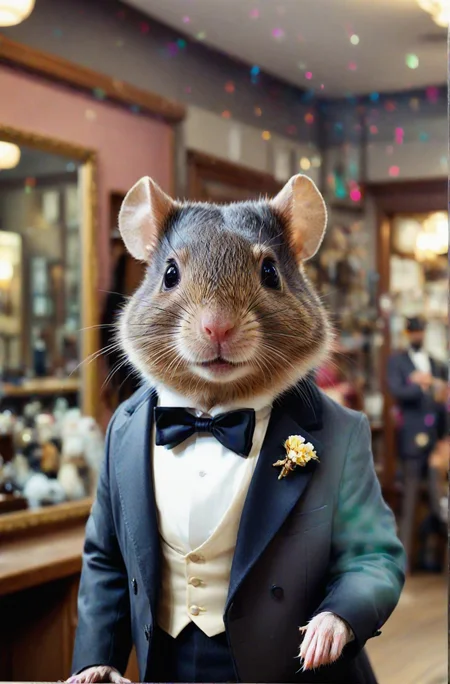
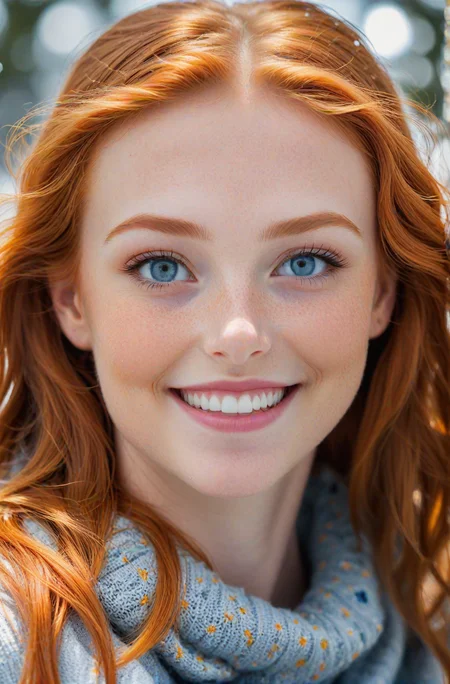
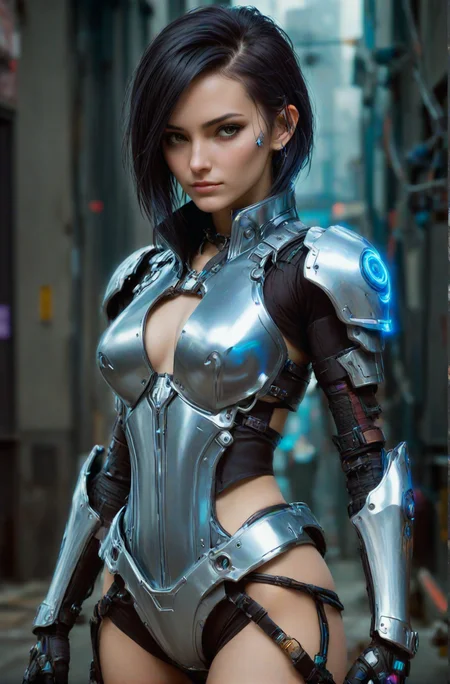
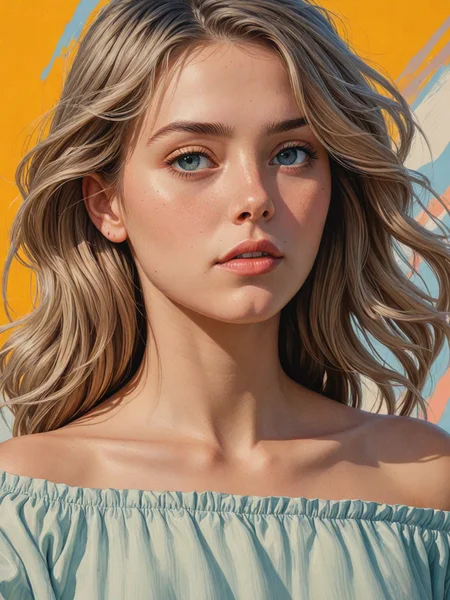
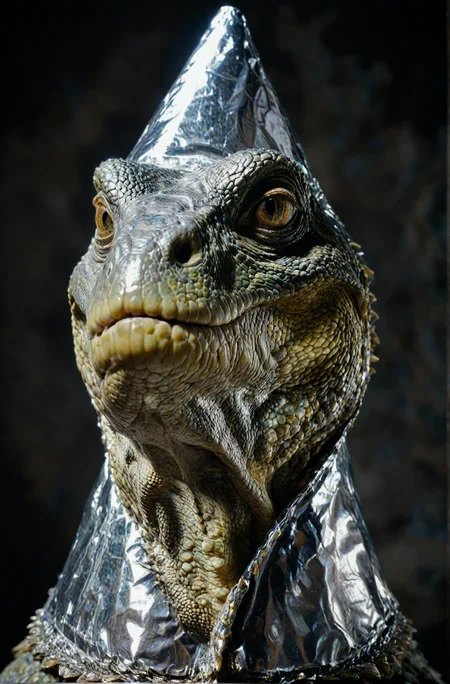


READ "ABOUT THIS VERSION" for GEN info -->
New V7 has both a TURBO and a LIGHTNING optimized version - superfast!
My BEST SDXL MODEL TO DATE - Short and sweet prompts are the best!
TURBO V2 - Now even better quality at lower steps!
LCM UPDATE: 1-2 seconds per generations! READ "ABOUT THIS VERSION" -->
UPDATE VAE with FP16 fix for better details: https://huggingface.co/madebyollin/sdxl-vae-fp16-fix
V.5 is up! Better everything - enjoy!
V.4 is up! Better photorealism...AGAIN!
V.3 wants DPM+ 3M SDE and V3 also has a new better license!
Image compatibility between COMFYUI and A1111 - same image everywhere! This breaks seeds and you will not be able to get same image as me without these changes! Read more here: https://github.com/Mikubill/sd-webui-controlnet/discussions/2039
↓ Settings and recommendations down below ↓
Easy and complex at the same time, this model is very versatile in the right hands. Better photorealism in XL is here.
⋅ ⊣ Why?
Look no further. The era of sharp versatile models for XL is here, in big part because of this awesome community. This is a model accumulating upon the knowledge provided by the SDXL 1.0 model and the incredible base it has given us - thanks to the team over at StabilityAI!
But as many have noted, there is always room for improvement. This model aims to take XL generations to a new plateau on which to build further and generate some really cool images along the way - be it photographs or digital art.
Realities Edge (RE) stabilizes some of the weakest spots of SDXL 1.0 base, namely details and lack of texture. Sometimes XL base produced patches of blurriness mixed with in focus parts and to add, thin people and a little bit skewed anatomy. The diversity and range of faces and ethnicities also left a lot to be desired but is a great leap forward since the days of 1.5. Lastly, the art in all its different styles and forms. SDXL base is far more capable than it's predecessors and a huge upgrade for us to play with, but there is some art styles the model still struggles with. The additions made to RE in this regard is big.
SDXL was released to all of us here. Now we build.
⋅ ⊣ What?
A methodical chaoswarp* of the best available models on Civitai combined with custom, unreleased, XL Loras I've been training these past weeks have resulted in this model. It is capable of photorealism and natural photography but that just scratches the surface. RE can do NSFW and has great anatomy information paired with Loras for better skin-texture and more realistic faces, eyes and mouths. The hole slew of anatomical corrections have been mostly fixed for the ladies and hands have also improved a lot giving way to staggering realism. The men still have room for improvements, but with this as a base I think that improvement will be here quick.
Realities Edge is first and foremost an art machine. Bombastic oil paintings, atmospheric art photography, futuristic 3D, all forms of digital art and anything in-between. If it's been expressed in art in some period of the human history, RE should be able to handle it or at least give you a great base to train your own stuff with! Loras are more accessible than ever with SDXL being the easiest plattform to train on (but a hard one to master 😉).
RE has a wide array of art-styles to choose from and most of them come out sharp and vibrant ready for further tweaking if and upscaling if needed. Illustrations, vector, oil paintings, watercolor, vintage cameras like Kodak and Ektachrome; product photography, concept art, macro, portraits, animals, comics, characters, Western-style, Eastern-style, medieval, RPGs like D&D, mechanical parts, aliens and all of these can be combined, twisted around, merged and re-synthesized into whatever concoction you can imagine.
⋅ ⊣ How?
Leaning heavily on the fantastic community model maker socalguitarist 's XL models infused with high volumes of my own acidic Loras burning off bad quality, low resolution, wonky eyes and airbrushed skin texture and adding a needed boost to creativity and range of style that the base model from StabilityAI lacks. Together with the training of the community merged within, this model shines.
There have been around 17 iterations before arriving at this one. Models have been merged with regular Checkpoint merging in both Weighted sum and Add difference but the heavy lifting was done in MBW (block merging). The many Loras were trained with Kohyaa-ss with dim rank of 256 for the sharpest detail and highest quality possible, at the cost of diskspace.
Speaking of which. Total footprint for model is ~170GB.
The model is capable of producing some basic anime, but don't despair, during the process there was an anime Lora born from the potion mixing- scheduled for release at the end of August. But that's for another post.
NO REFINER NEEDED
⋅ ⊣ Capabilities and recommendations:
Photorealism, 3D, 2.5D, Illustrations, Photomanipulation, Portraits and much more
NSFW capabilities
Works very well with Loras - both as a base to train on and for rendering
Excels at both types of CLIP prompting. Be it maximalist OpenAI style prompts or minimalist story driven LAION prompts (written in a more natural language without constant commas).
Great lighting and shines with easy short prompts and aggressive (but short) negative prompts.
Very low risk of burned generations even on higher CFG - recommend 5.5-15
Responds amazingly to hires.fix with just a scaling of 1.0-1.5 and beyond. I like doing it with no scaling at all, but just letting it run through with a sharp upscaler and less steps. If you have the VRAM for it, push the scaling higher, go nuts!
Favorite resolution ranges are 768x1344 and 1024x1296. Works good for landscapes on even bigger resolutions. Also works with anamorphic lenses in resolutions of 1920x816 or the likes. Test what works best for you.
DPM+ 3M SDE Karras recommended but always test your favorite!
All the img2img modes work really well and balancing a low CFG with a higher-than-average Denoising Strength will produce a sharp and clear upscale full of interesting details, using regular SD upscale. I wonder what you can do with Ultimate SD upscale?
Likes Clip Skip 1-4. I frequently use 2.
Knows about some celebrities - good LoRA base!
Use with ToMe (token merging) in A1111 (I'm sure it's implemented in Comfy as well) for a much faster SDXL generation time - changes seeds though!
* = The word "chaoswarp" is defined by large amounts of coffee and lots of nights spent waiting by the computer dreaming up ever more complex prompts, folding styles, tales and characters into elaborate images. In the haze of the late hours, ideas and experiments unfold that forego with such haste that having any recollection of the exact steps taken is, at this time, impossible.
Generate responsibly.
"Like ReV and RV but for XL - amazeballs!"
- some dude on the internet
⋅ ⊣ tack och på återseende ⊢ ⋅Description
EVEN FASTER than LCM!
Introducing SDXL Turbo and LCM combo!
Hitting 4 seconds on a 3090 rendering 1152x1752 NATIVE without upscale with only 5 steps! The images all have their data in there, so load it into A1111 and see the settings.
INSTRUCTIONS:
For recommended samplers look in the gallery for the XYZ Plot. Don't need LCM sampler for this. Please experiment to see what works for you. Some samplers are TOO aggressive and will result in bad images.
1-6 steps is the range. I recommend 4-5 steps
Resolutions from 512 and up work. Use Kohya Upres (Deep upres) for higher res. https://github.com/wcde/sd-webui-kohya-hiresfix
Recommend resolution 768x1024
All previews are rendered in 1152x1752
DOWNLOAD the images and load them to see ALL settings!
Recommend Dynamic Thresholding, CADS or/and FreeU
HAVE FUN!
FAQ
Comments (88)
So what happens if someone uses like 100 steps? I can't at the moment, but would it ... break the internet?
It will garble up the image into non-existent noise ocean! Can be cool if you want some abstract stuff! :P
@olivetty I'm getting pretty good results, but around 20-25 steps. I think it's because I'm running it through magespace - that seems to limit the speed capability. Not bad, though!
@Picky2011670 Yeah, don't know about that one, I only run locally!
how did u make the turbo model? did u just merge it?
If you read the paper from Stability you can see that the underlying architecture is pretty much the same except the new neural network they've trained/added on top. Now, it's still a kind of hack but is more akin to the LCM Lora from Stability AI than something that breaks the architecture.
That is why a merge indeed does works.
Great work Mr. Olivetty!
Thank you so much Mr. Syntax! <3
countdown to complete community disaster begun.
Picture this:
Users will start merge lcm and turbos here and there = We lost track of what is what. GG
(it was already hard to keep track of everything..)
How come you feel overwhelmed? There is already a specific category for LCM. Also, since they are clearly labeled, as long as one reads you should be good to go! If you have any suggestions as to categorize it better, please reach out to Civit and I'm sure you'll get a great answer! Hopefully I have labeled everything good, including the naming of the model files once on your disk. If it says LCM, you know what it is. If it says Turbo LCM, you know what that is as well. So not really that hard! <3
hmm, I really need to figure out how to merge LCM and SDXL Turbo models with mine properly....
What would you like to know? Just use supermerger or regular checkpoint merger! XYZ the strength to get something that fits your model needs!
PLEASE READ the "ABOUT" for all the settings necessary to make this work OR download the images!
do you have an image with a example workflow/settings for comfyui?
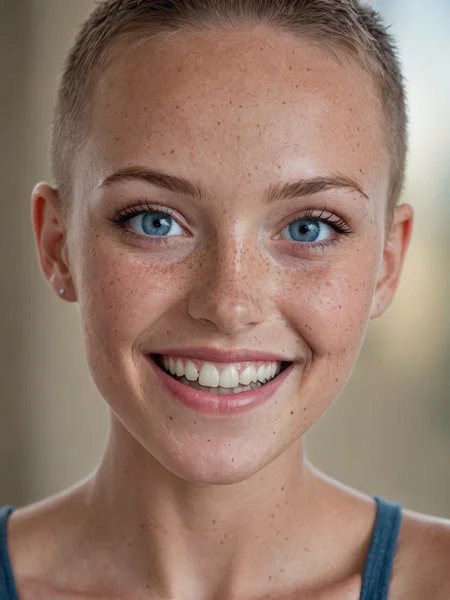
@Lush360 I'm sorry but I don't use Comfy :( Although, here are all the settings for the buzzcut girl in the gallery, you can decipher it from there:
beautiful lady, freckles, big smile, blue eyes, buzzcut hair, dark makeup, hyperdetailed photography, soft light, head and shoulders portrait, cover
Negative prompt: skewed, warped perspective, bent perspective, nightmare, worst quality, blurry, low quality, low-res, watermark, out of frame, overly saturated, disfigured, ugly, bad, overexposed, underexposed
Steps: 5, Sampler: DPM++ SDE Karras,
CFG scale: 1,
Seed: 3889503602,
Size: 768x1024,
Model: RealitiesEdge_TurboLCM,
VAE: sdxl_vae_0.9_Fix.safetensors,
Denoising strength: 0.4,
RNG: CPU
FreeU Stages: "[{\"backbone_factor\": 1.1, \"skip_factor\": 0.6}, {\"backbone_factor\": 1.2, \"skip_factor\": 0.4}]", FreeU Schedule: "0.0, 1.0, 0.0", FreeU Version: 2,
Hires upscale: 1.5, Hires upscaler: 4x_NMKD-Siax_200k,
Dynamic thresholding enabled: True, Mimic scale: 1, Separate Feature Channels: True, Scaling Startpoint: MEAN, Variability Measure: AD, Interpolate Phi: 0.7, Threshold percentile: 100, Mimic mode: Linear Up, Mimic scale minimum: 2.5, CFG mode: Half Cosine Down, CFG scale minimum: 2.5,
Discard penultimate sigma: True,
SGM noise multiplier: True,
in the about, says, Use Kohya Upres (Deep upres) for higher res. yet I cannot find any information about kohya upres, is there any possible you provide a URL or something about this?
https://github.com/wcde/sd-webui-kohya-hiresfix
this is the url for the auto1111 versions, hit extensions tab then use load from url tab and paste the link.
Sorry for not providing link, but yeah, Gramelto3 has the correct extension!
EDIT: I've updated the info with the correct link, thanks Gramelto3 and kanseki - now more will find it <3
@olivetty Thank you for your gracious response.
@Gramelto3 Thank you for your gracious response.
Things are really strange nowadays... OK, the description says "Very low risk of burned generations even on higher CFG - recommend 5.5-15", yet there's no single example of CFG more than 3, not even in the example section (at the moment I'm writing this). Next, in the official turbo repo (https://huggingface.co/stabilityai/sdxl-turbo) it says in Text-to-image section: "SDXL-Turbo does not make use of guidance_scale or negative_prompt, we disable it with guidance_scale=0.0" <-!! So, how does it change after the merge? With my short experiments with LCM lora I couldn't control the output properly with the prompt (cfg requirements 1-2). And if it's disabled for turbo, then what? Lower quality can be compensated with a few polishing steps of i2i, but the composition is set in the first steps, so control capabilities of LCM/Turbo is questionable at best, at least in the earlier stages. This is, of course, if we talk about pure prompt without controlnet and loras. What would be the best way to keep output quality of fine-tuned SDXL with the faster inference speed provided by LCM/Turbo?
First. There is a difference in settings from the LCM one and the LCM+SDXL Turbo one. I will speak to the latter.
Everything that I've thrown on the model adheres to the prompt fine or at least at the same level as the base. The only thing I can see that is different is the quality of the final denoising. The quality comes from the quality of my model and it's training. But the training is done in a (now) older way so the denoise of the image is performed in more steps and the NN needs more time to figure out what denoising "step" (no pun intended) to take next. If I were to provide the same amount of steps as for Turbo+LCM the image would look bad and washed out. But the data is still good.
In comes LCM and Turbo. Without getting technical (because honestly, don't understand everything on a granular level), I am using the information they have on the denoising process in just a few steps. They "know" how to get to the final image while skipping some other stuff. This results in fast denoising but sometimes lackluster quality. The way I see the merging in this one is sort of like injecting information from my custom one and in a given timestep melting that information into the LCM+Turbo trained noise and forcing that knowledge to take the custom data I have in my original model and "finishing" it in the steps given. So I am "in-betweening" the process with custom information but the heavy lifting is done by the new NNs from LCM and Turbo.
Also, I've found that controlling the CFG through Dynamic Thresholding and/or FreeU and/or CADS helps the model not "burn" because of how sensitive we are to the speed.
So yes, it won't produce OKish results in 1 step like Turbo in 512, but it will give you a better output in higher resolution in less than 8 steps (the recommended step count for LCM). And since all that noise info is in there from my custom model, the generation looks better. To get away from some sporadic glitches and artifacts that come from this experimental process, I utilize control over the CFG with the extensions mentioned above, which is why I recommend using them with the settings provided in all my images.
The recommendation you are referencing works on the base models. To utilize my version of it, I recommend my own recommendations (obviously). They are in the "About this version" tab next to the model on the right.
@olivetty I truly appreciate the time you took to explain all that in detail! I've taken the route of learning all the fascinating bits of deep learning but am still far (far!) behind people who train their own models and understand the process much better and in practice, so every insight is extremely useful and valuable. Thanks again and good luck with more training!
@green_anger No problem, I hope it illuminated the process a little bit! :)
Wow, this model is amazing. 🔥 You can produce really breathtaking results with just 5 to 6 steps. Even my damn old 1060 6GB generates an 1152×896 image with 6 steps in just under a minute (XL with 30 steps takes about 2:40 min)! The important thing is to use dpmpp_sde_gpu - at least in Fooocus.
Awesome to hear! Thanks for getting back with some feedback on older GPU support as well as Fooocus. Haven't used that one! Great times and happy rendering!
If I only want turbo and not LCM, will it still work or do I have to use LCM?
The LCM+Turbo works great without LCM sampler or anything like that. It is just way "smarter" than Turbo alone. I am just using it to gather "information" on the denoising process that leads to great images in few steps!
@olivetty Thank you for the reply. I'll give it a go then. I didn't find LCM to improve image quality so stopped using it, but Turbo seems to be able to improve image quality and reduce steps.
@EricRollei21 Yes, I agree, I recommend using the Turbo+LCM model I have here on the model page, it'll give you great quality in with really fast renders!
This isn't working quite right for me. I downloaded the picture of the cyborg woman and put it in PNG info section of Automatic1111, then transferred that over to txt2img. I have FreeU and Dynamic Thresholding and NegPiP installed. This is what I get: https://imgur.com/a/qtSzk3i
It's obviously messed up, and I'm really not sure why. Using PNG info should match my settings exactly right? Oh, and I used the VAE specified as well. Kind of confused.
the most important thing for me seems to be "Discard penultimate sigma: True" without that, i could not get fully rendered pictures. might not be your problem in that case, but helpful for others I hope at least.
@mech4nimal Thanks for the response! that is definitely in there. I found that even when I changed the seed, it was consistently creating all kinds of anatomical weirdness. Torso stretched. Torso stacked on another torso or coming out of a neck. Weird stuff. Not at all like the example pictures, even with the same prompt and settings. :(
@lilithdarkweaver I needed to have koya hires fix turned on to get the cat output from the example image. and also set "always_discard_next_to_last_sigma" to on (this is the variable I talked about in my previous post). you can go to settings-ui and then add it to the quick settings (checkbox appears at top of the page after restarting A1111). without one of these, it won't work.
@mech4nimal Sorry for the late reply! Yes, if you want the resolution I am talking about you need the Kohyaa hires fix! Otherwise, use 1024x768 and use regular hires fix!
Great write-up and awesome work! The community back-and-forth is creating some blazingly fast progress on a new product released less than 48 hours ago; that blows my mind. Very cool to see and I hope the SD community continues to keep the hype train going.
Although SD isn't truely open-source, it's a great platform devs to make some truly cool, fun stuff. (Oh and anime tiddies ofc)
"Discard penultimate sigma" where in A1111 do I find this setting (best would be a switch in UI) to set it , because without it, I cannot produce the results shown here. tia!
Solution: In settings -> user interface -> quicksettings -> "Always discard next-to-last sigma"
You can make your own switch in settings! :)
DPM++ SDE Karras seems to get the highest quality at the lowest steps for me. I haven't tried the recommended extensions yet though.
Thanks for reporting back! Yes, after more testing, this seems to be the case on my end as well!
Well DPM++ SDE runs at half speed, so 4 steps with DPM++ SDE is 8 steps of DPM++ 2M SDE.
Though I've always found that even with that taken into account, SDE is still fastest for good quality images.
I'm trying with DPM++ 2M, I had to bump the steps up to 20... which makes me think I'm doing something wrong? CFG 7, CLIP 2, 768x1024...
yes, try these:
dpm++ sde karras (or dpm2 karras), clip 1, CFG 1.8 (2.2 max), 5-6 steps (6 is better for this model)
there are more options in comfyui, but for A1111 all other samplers will produce worse results
Yes, CFG is too high, must be max 2, I go with 1 or 1.5, CLIP 1
I've tried some of the others, but this turbo model is frickin' incredible. In ComfyUI 'realtime' mode, I've been using 10 steps 1 or 1.5 cfg, dpmpp_sde. In Auto1111, I've been using about 15 steps, potentially another 10-15 hires steps, DPM++ 3M Karras... blablabla. I fiddle with the txt2img settings more than comfyui's realtime mode, once I get a model set up with comfy.
The quality on this is just about as good as SDXL and it even responds to HiRes Fix. It's still blazingly fast on 'realtime mode' with it set to 10 steps / 1024x1024 resolution.
AND these new Turbo models listen to my custom-trained LORAs from SDXL more clearly than SDXL did?! wow, I thought these LORAs were failures, but they work flawlessly now. (this one listens to them the best btw, idk how this black magic works)
Thanks so much! That makes the efforts worth it! Keep experimenting!
Best workflow for comfy UI? Having trouble.
Sorry, not a ComfyUi dude, but there must be something here you can use: https://comfyworkflows.com/
I've been really enjoying this model, thanks for your hard work and for providing this to us!
I am having an issue, however. If I try to upscale with Euler A and this model, each time the image becomes more and more desaturated. Any ideas why this is, and suggestions on how I can prevent this?
Hey! Glad you are enjoying it!
The desaturation problem is a first for me. Do you see any other degredation of the image other than color? If you are are using controlnet TILE then this is a known issue with the TILE model.
If you are not using Tile, it could maybe be because of the denoising process and the fact it is so fast. I would NOT recommend Euler A for any generations with Turbo model. SDE seems to be the best for now, try that sampler and don't forget the SDXL VAE!
@olivetty Euler A actually does a really great job though, it's only during img2img that the desaturation occurs.
No control controlnet tile, that doesn't exist yet for SDXL
@MysticDaedra You can use Kohya Blur for a "tile-like" experience! :D
Controlnet do not functional under this turbo checkpoint, then what is the usage of this model?
The Idea of SDXL Turbo is to get a Realtime clean Pre-Image using minimal nodes, that you can then Pipe off into an Img2Img or upscale or IP Adapter workflow with all your favourite ControlNet functions.
@a51_alien Thanks for pitching in, this is exactly it! In ComfyUI you can also chain them together and make this one end at a earlier step and pipe the resulting noised image into a sampler with regular SDXL model and get a faster result that way as well!
Does this model support inpainting ?
I don't think any of them do, but you could always try and see for yourself! Maybe it works for your intended usecase! <3
Even if it does, automatic1111 does not support SDXL inpainting yet.
@codegix Ah, yeah, thanks for the clarification - I thought that might be the case of all the missing inpainting models! I don't do any of those but if interest is high enough I'll make one!
@olivetty Sorry I think I scratch that. Automatic1111 does support inpainting right now. You have to pull the dev branch from github. I tried with other SDXL inpainting model it and it's working. Now I know how to create the SD 1.5 inpainting model (by providing the base SD 1.5 inpainting model) but what about transforming this model to inpainting model ? Do you have idea ?
@codegix You mean the XL one? Merge it with SDXL inpainting, isn't there one? :P
EDIT: Here it is :) https://huggingface.co/diffusers/stable-diffusion-xl-1.0-inpainting-0.1
Thanks, what about the replacement of SDXL for sd_v1-5-pruned-emaonly ? This is required in automatic1111 merge modal as modal C
@codegix I am in the process of testing, I'll see what needs to be difference merged or if it can just be merged!
Awesome! I am trying to download this model inside a runpod, but I can't download this in my shell since I have to be logged in to download it. I tried to take the auth token and use it inside a wget command, but it didn't work. Does anyone know how I can download this inside a shell?
Hmm, I have no idea how to do that sorry, I hope there are more clever people than me that have figured it out and can point you in the right direction! <3
You could install the Civitai Helper Extension https://github.com/butaixianran/Stable-Diffusion-Webui-Civitai-Helper . The extension has the option to paste in a civitai API Key to make authenticated download requests.
@fapaxi1236280 Thanks for sharing, hope it will help @florianvallen427 out!
I'm trying this in Automatic1111, but getting lots of images that look like this, what is happening?
Hey, I had the same, try these: Clip skip 1, Steps: 6, Sampler: DPM++ SDE Karras, CFG scale: 1.5 «Hires.fix» Upscaler: R-ESRGAN 4x+ OR 4xNMKDSuperscale, Hires steps: 6, Denoising strength: 0.7, Hires upscale: 2 ... but even with these settings, I'm not that much satisfied.
You are burning the image. Turbo and LCM need specific settings in CFG and specific samplers to work. Generally CFG from 1-2 is max, then for samplers, please check gallery for the XYZ plot of which work and which doesn't. Long story short, 3M don't work and UniPC et al don't work. Use SDE or Euler or 2M samplers, those work the best!
@olivetty You might want to change the recommended settings to reflect that? You are currently recommending 3M
@tyz9i64u No I don't that is for V3 as it says "V.3 DPM etc etc". The instructions/recommendations for each model is always (as others do) in the ABOUT THIS VERSION section under the info panel to the right.
Since this is a multi-model page always check the page relevant to the model you are on.
Additionally, there is a SAMPLER XYZ in the Gallery to show which samplers work with TURBO+LCM models in general.
@olivetty Ah, you're absolutely right. The About this version info is very clear. I've become used to checking the show more info. Most models have info in that section, with version differences clearly outlined, so I assumed your recommendations there were generally applicable. I'll have to be better about checking the About This section in future.
@tyz9i64u Yeah, I could probably do that, but I do feel that clutters it a bit (even if maximalism is my preferred genre of visuals :P )! If you have any other questions, don't hesitate to ask and good luck rendering!
DPM+ 3M SDE Karras gives me buggy outputs while Euler and DPM+ 2M SDE Karras works perfectly. Not sure why.
Because 3M doesn't work with Turbo. See the SAMPLER XYZ plot in the gallery for compatibility! :)
Recommended is DPM SDE Karras or any other than UniPC, 3M and Restart.
@olivetty Thanks!!
The best results were with: 1) dpmpp 2s a, 2) euler a, 3) ddpm. Also try exponential instead of karras
It doesn't work well with default ComfyUI turbo workflow. Or do i miss something? I loaded the model into official workflow, changed the resolution to the recommended and start getting pretty shitty results. Can somebody share a working workflow for ComfyUI?
This is a MERGE with Turbo, not a trained Turbo (those do not exist...yet!) So you need to give it some leeway. In the "About this version" tab on the right there are many recommendations but for the sake of time:
5-8 steps
hires 6 steps
CFG 1.0-2.0
The resolution given is using the DeepShrink technique, in ComfyUI this is called PatchDown something something :P Good luck!
Best model ever! I currently prefer it over Juggernaut and Dreamshaper. Please keep on developing it
Thank you, I will! Taking a little break from all of this during Christmas and New Years but after that it's back on the horse! <3
haven't used it yet, but it sounds amazing. Wanted to give a huge thank you for your time in case I forget to come back here for awhile.
Appreciate it buddy! I hope you have fun with it! Happy new year!
This model is absolutely amazing! Thank you so much for making and sharing this!
Thank you so much for commenting! That helps me to keep going! New model will arrive in a couple of days - I'm in the middle of moving!
Details
Files
Available On (2 platforms)
Same model published on other platforms. May have additional downloads or version variants.