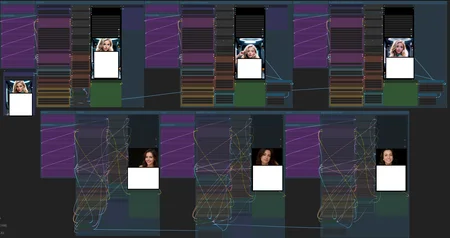
This is largely defunct now as framepack does a much better job and Anything Everywhere nodes are currently non-functional. Trimmed version here.
Create a chain of videos using the last frame of the preceding vid as the first of the next. This can be scaled up to make even longer videos albeit at a reduced coherence.
(The low ql version may look VERY different from what you end up with, also this can cause OOMs on a 12Gb card with what seem to be sensible settings)
Remember to set all switches to the same number as the Process Picker. Errors like so:
'Node <number> says it needs input value1, but there is no input to that node at all'
Are down to those switches being on mismatched numbers.
Cheers to tedbiv for assisting, testing and Lebofly for suggesting the fix to combine the vids into one file.
hunyuan_video_image_to_video_720p_bf16.safetensors - v1 (concat)
hunyuan_video_v2_replace_image_to_video_720p_bf16.safetensors - v2 (replace)
Description
FAQ
Comments (7)
it's gonna take some fiddling around to match the vid clips, but works well. thx for posting.
all my renders look like kaleidoscopes, I've tried several vae, several clips and diffusers, nothing works... This is the first workflow that does this to me.
Where can I get the "hunyuan_video_image_to_video_bf16.safetensors" file from the second pass of the bottom row? I've googled it to death and can't find it.
i posted a new vid. i ended up having to apply a modified curve on 2nd video to get them to compare. there's still a glitch in the splice...
posted a longer version... another few clips i'll have a porn movie. transitions are still visible.
I'm wondering if a WAN version would be more seamless in the transitions between the vids. It seems much more consistent than Hun, though I'm well aware of the difference in processing time.
i'm gonna post a short video that has my current workflow in it in case anyone's interested. it's a little bit of a mess. but you'll get the idea. it has a pause after initial 'quick' render to cancel or continue.