
Currently, updating to ComfyUI v0.3.30 seems to cause an error bug due to custom node compatibility.
Please use ComfyUI v0.3.29 or lower.
This is a simplified version of the workflow used to generate images in NiMBlEw.
It can be used for other checkpoints, but the parameters must be adjusted.
Please download the missing Nodes from ComfyUI Manager.
If you generate something you like, please post it!
Enjoy!
Using Guide
set the Checkpoint Lora Image size in the main setting area
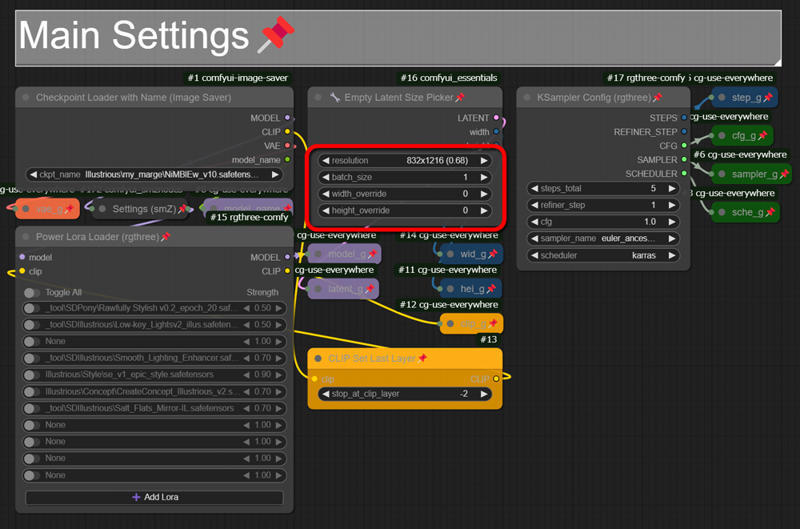 If the image size is too large at this stage, the image tends to break down in the latter half of the process
Next, we move on to image-making prompts
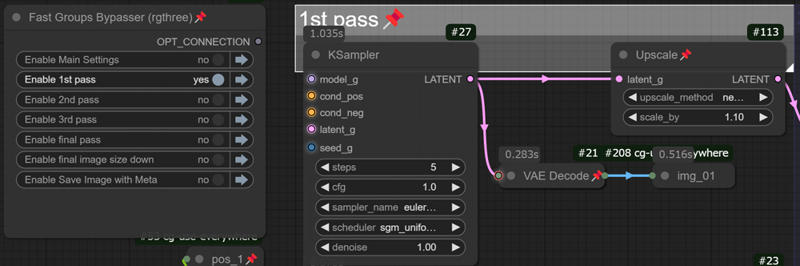 Let's use the bypass selector on the left to set the 1st path only, enter the prompt, and export the result.
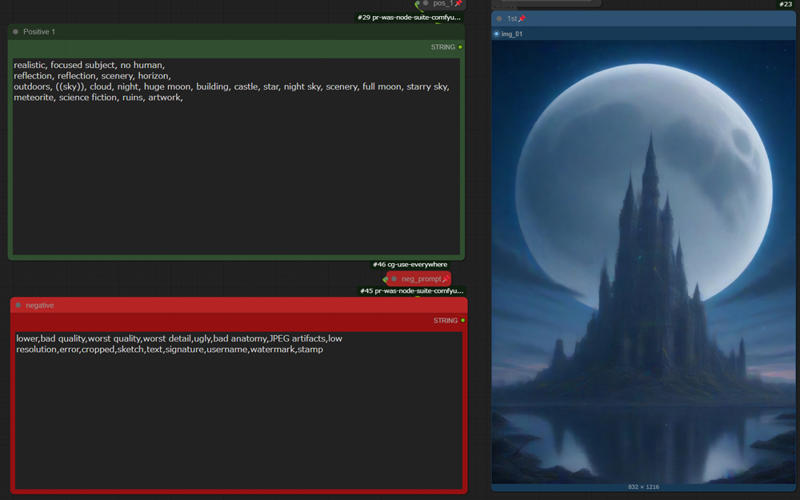 Create a rough composition here.
You may want to try it several times to compare the degree of influence the sampler and scheduler have on the prompt. If you get a good feel for it, fix the seed value and unbypass step 2 to proceed.
In the 2nd step, outline the composition in the 1st step and make the details ambiguous (have the AI come up with the details in the 3rd step).
 Now let's go to the KSampler values for the two steps.
A lower value for Denoise produces an image closer to the previous image, while a higher value adds new detail. You can experiment with different values to see how they affect the image.

New elements can also be inserted by adding nodes.
Prepare “CLIP Text Encode” and “Conditioning(Concat)” and connect and rename them as follows.
clip > clip_g
conditioning_to > cond_pos
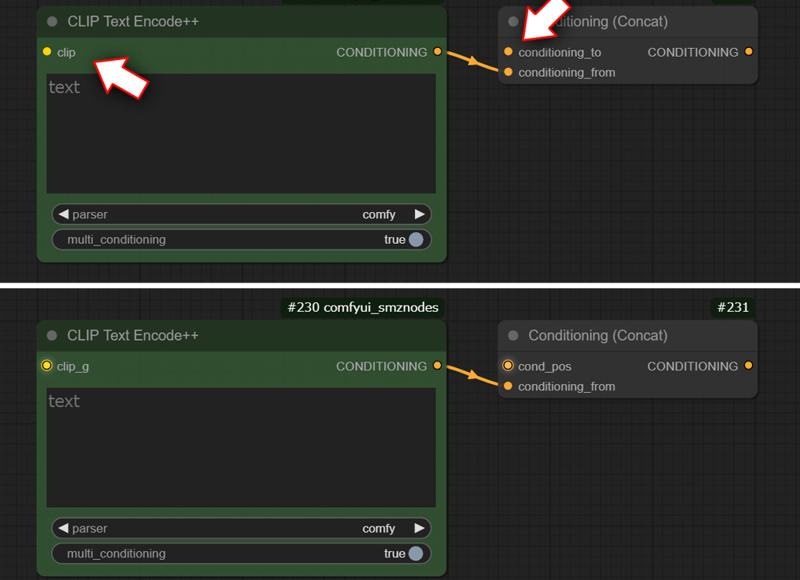
Connect the output of “Conditioning(Concat)” to “cond_pos” in the 2nd pass

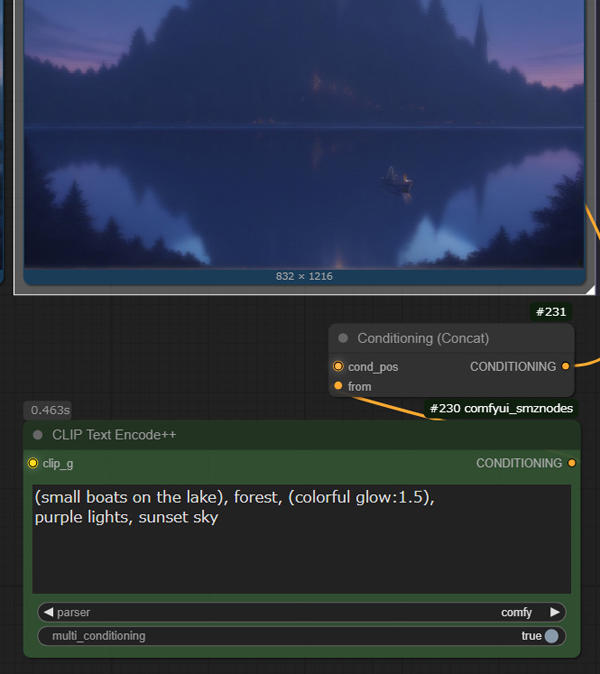
3rd Step and Final Step are connected in the same way. (You can also just use the first prompt without doing this 😋)
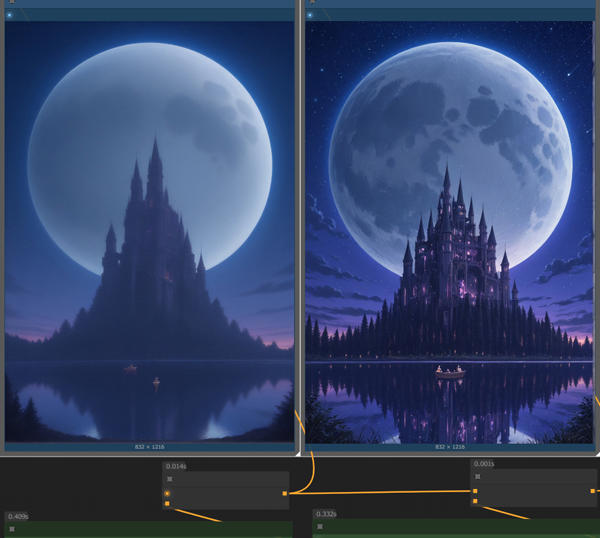
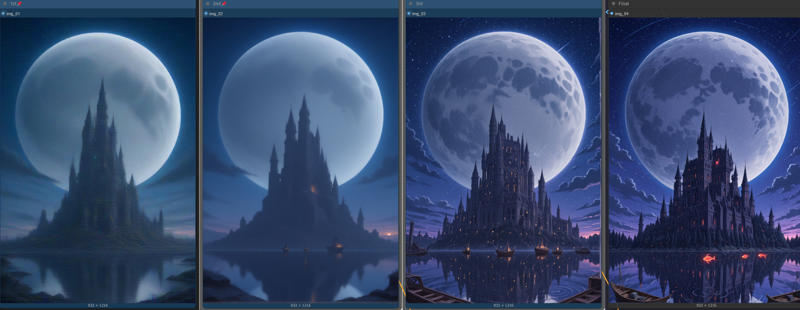
with checkpoints that produce a clear image in fewer steps, it would be easy to create a detailed image in less processing time. I'm sure I didn't explain many things, but I'm very grateful to those who were interested enough to come here to take a look and rate my work! thx