


A workflow to train SDXL LoRAs.
This workflow is based on the incredible work by Kijai (https://github.com/kijai/ComfyUI-FluxTrainer) who created the training nodes for ComfyUI based on Kohya_ss (https://github.com/kohya-ss/sd-scripts) work. All credits go to them. Thanks also to u/tom83_be on Reddit who posted his installation and basic settings tips.
What it does:
As the name suggests, it trains LoRAs for SDXL models. You have to select your picture folder, it generates the tags for them, then starts training. It does so in 4 loops with separate LoRAs generating for each step values (eg: you use 2000 steps for teaching, you'll have 500/1000/1500/2000 step LoRAs generated).
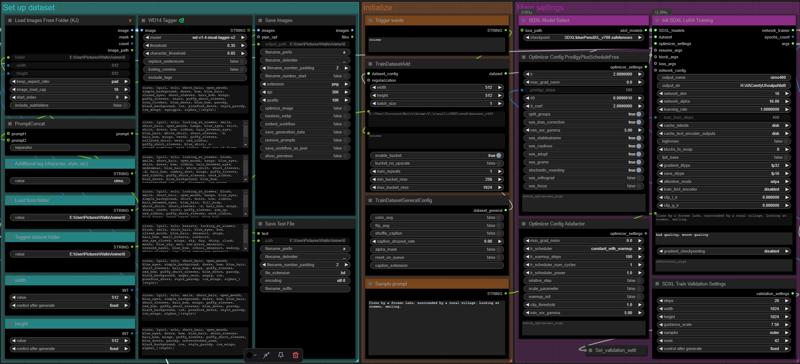 I have colored the nodes for each category of setting up the dataset, initializing data and selecting main settings.
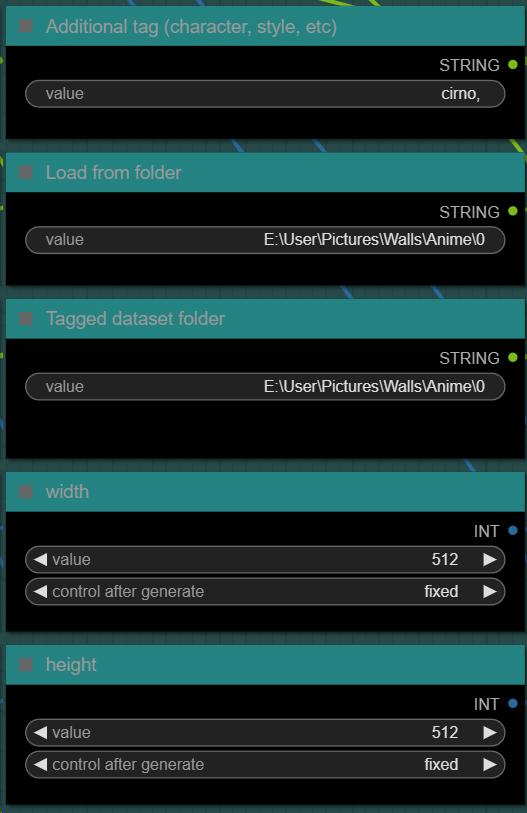
Set up dataset
Additional tag: If your character is less known, or you want something added in addition to the automatic tags, you can set it up here.
Load from folder: The folder you placed your pictures in.
Tagged dataset folder: This is the folder where your pictures along with its textual tags will be generated, resized, copied. The training data for your LoRA.
Width/height: resized your image data to these values. I recommend 1024x1024, but 512 and 768 works as well.
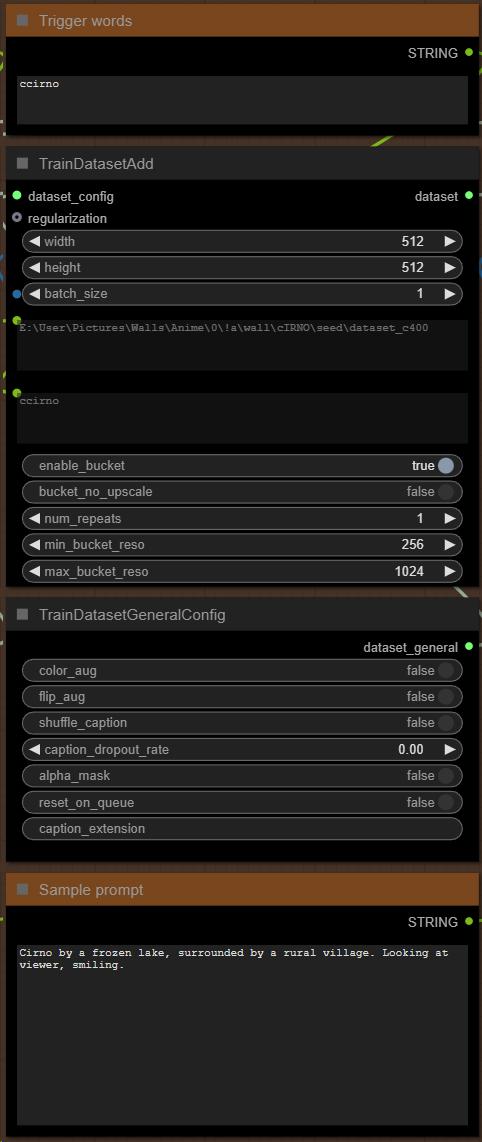
Initialize
Trigger words: If you want your LoRA to use a specific trigger word or a collection of words, you type them here.
Sample prompt: This will be used to generate the preview for each training loop, just some peace of mind and progress tracking.
Main settings
SDXL model select: Select the SDXL model you train your LoRA with. Note that while your LoRA might work well for other models, especially merges of similar ones, results may vary greatly based on checkpoints, as is the case for every LoRA.
Init SDXL LoRA Training: These are the main training variables. You can play around with them as much as you like, especially if you're more of an expert than me, but setting up output name for your LoRA and output directory should be done regardless. You can leave the rest as is, or experiment with them, as well as the non-colored nodes; for simplicity's sake now I'm only going to explain what I myself use, too.
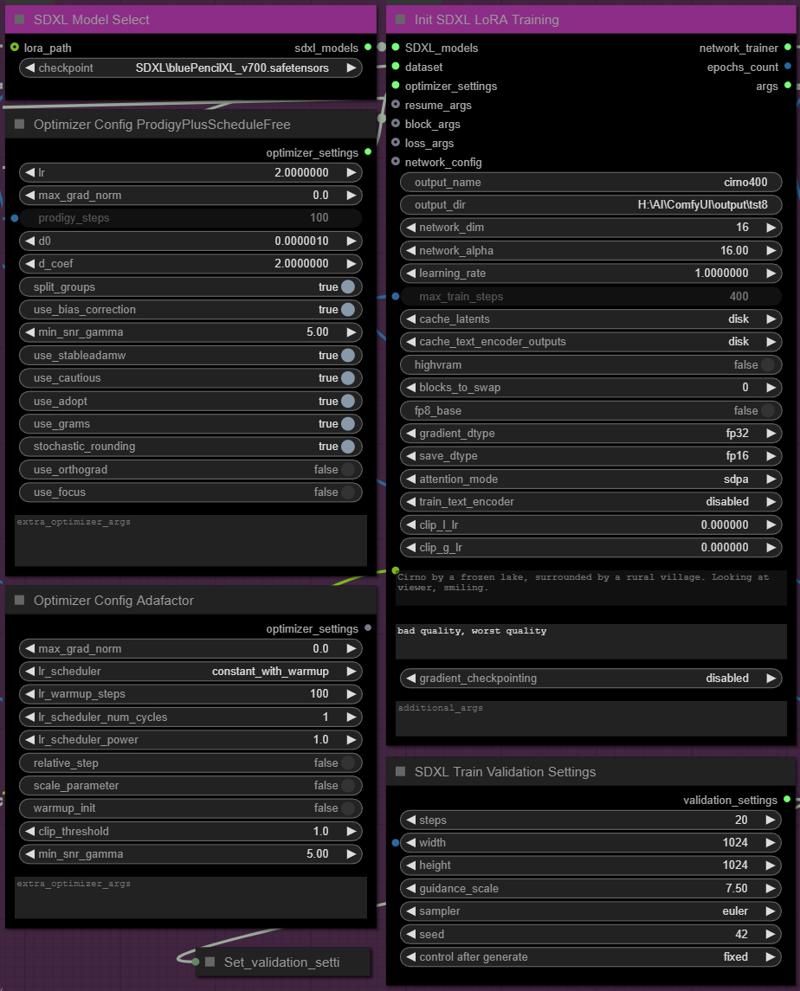
Last but not least, you're going to decide on the learning steps you will use for your LoRA.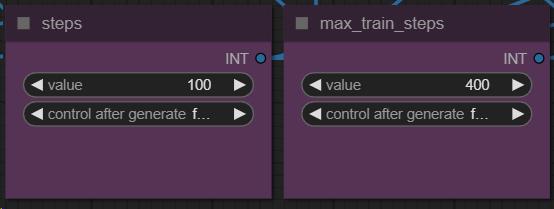 Since there are 4 training loops, I use it like this: X number for each step, max_train_steps are the total (4 times X steps) number. For the example I'll be showing my LoRA training with 900 steps.
Rest of the workflow with no need for manual input
A preview of the training dataset. I used a pretty well defined model for showcasing low step training.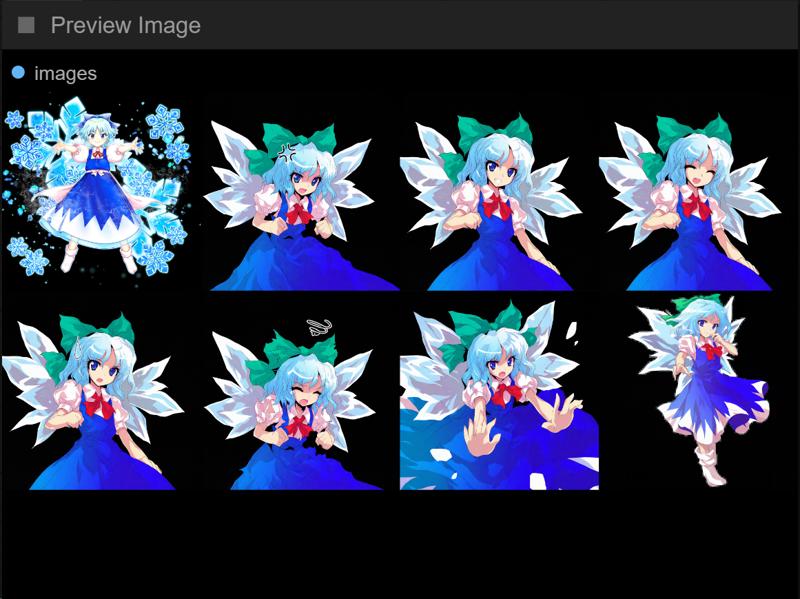
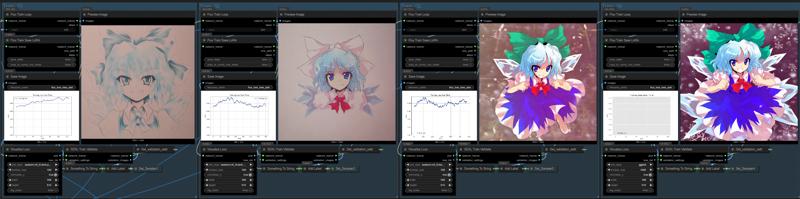
The training loop, where you can see the generated LoRA for each initial steps (for this one it's 225, 450, 675 and 900 steps). Note that while the recommended total steps range from 2000 to 3000, for this one 900 did a fine job, and it took about 15 minutes (on a 4090).
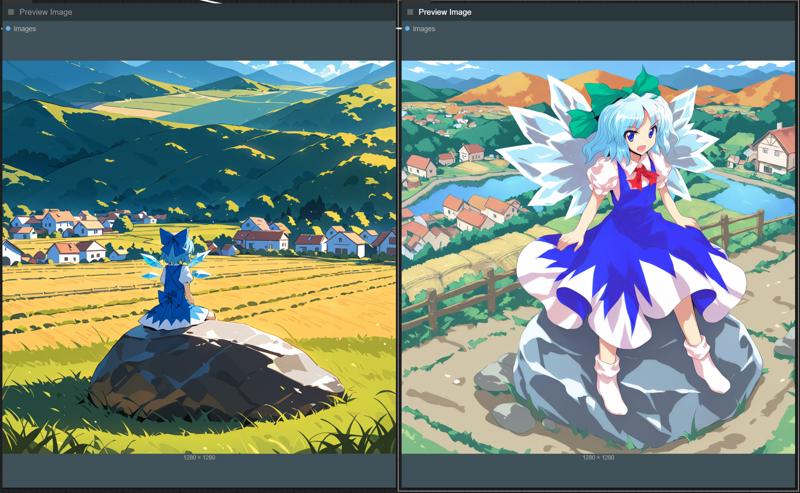
Finalize nodes create a trainer sheet and miscellaneous things that you can see here.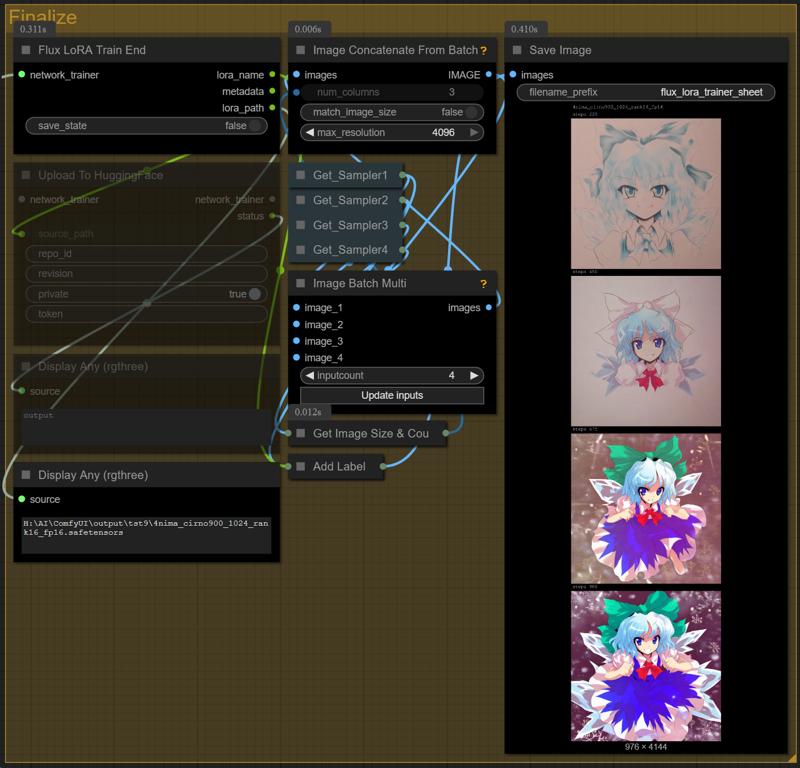 A comparison of the checkpoint I used (4nimapencil) with and without the LoRA.
Description
FAQ
Comments (50)
Thanks for this! If your having trouble installing RVtools here is the github link.
https://github.com/whitmell/ComfyUI-RvTools
Thank you!
Just read an article about one of the most recent attacks is using google results for people searching for rvtools, Ill see if I can find it again.
@rickets_xxx You are confusing this thing with another tool also called RVTools used for virtualization in windows
Thanks for your effort. I'm trying it right now.
Works pretty well, although at each Training validate stage on my lower VRAM card (8gb) the workflow will stop due to memory allocation and needs to be re-run to continue however it doesn't affect the final result.
Appreciate the work you put into this, will definitely be using it going forward!
Thank you!
And also thanks for the feedback.
Thank you very much looking forward to this for flux :)
Thank you! But what if i want to continue training an existing lora? 0w0
That's a good question, I would probably load the model and attach the LoRA I want to train further, and make the new one with that.
@yorgash Thanks,it may help.
Check that you've adjusted all the file paths from the workflow to your own. I'm a bit colorblind and missed changing the path in the Init SDXL Lora Training node as the red and purple kinda blended together for me so I didn't see the error until I really dug into the workflow.
i generated my own 3489 captions
(due to the auto WD14 tagger maxed at around 150 with my RTX 3090 Ti, while the theoretical max is less than <2048, it's still limiting. my 32GB RAM with free 15GB RAM can't handle more than 150-160 images without it loading insane amount of time. ) )
I renamed all the .png and .txt files to a_0000 with number padding 4.
The folder path is correct and all,
But , there's still CAPTION error.
The workflow log will NOT LOAD ANY CAPTION
How to fix this?
EDIT =
NVM, found the culprit,
With OpenAi GPT o4 Mini High via OpenWebUi OpenRouter Api,
It told me
"After you’ve made those two changes—(1) caption_extension=txt and (2) verified the exact folder path—restart the training. You should now see each .txt picked up alongside its .png, and the “no caption file found” warning will disappear."
my mistake was 2 things
1) When we save a workflow from a folder created inside a workflow, sometimes when saving it, it require u to save into other workflow,
This create a weird scenario where there could be 2 workflow with same name, but different config file and i might got confuse between the 2.
2) the TrainDatasetGeneralConfig Node,
YOU MUST FILL in the
"Caption_Extension" part to ur caption file format.
For me,
It's
.txt
I hope this info helped u as well
in the workflow in the node "TrainDatasetGeneralConfig" field "caption extention" is empty! So, just add there ".txt"
Not sure what is going wrong here. I have added all the custom nodes, but when i load up the workflow. A lot of the UI is just blank spaces. There are no options to select the checkpoint for example, and the WD14 tagger has no options at all. Have I loaded the wrong version of the custom nodes perhaps?
me to have problem with WD14 tagger , it always say the node is missing, i have ComfyUI-WD14-Tagger it s the only one i see, tried to change version but sames the workflows says it s missing, i had the problem with an older other tutorial also
i got problem with wd14 tagger, it tries to download files but always fails no matter what tagger i chose, i tried to manually download the wd-v1-4-moat-tagger-v2.onnx but after restart it will delete and try to download it again, tried other tagger same thing, so i tried to by passe the tagger but that doesn't work , made the.txt manually, but then i get new error , InitSDXLLoRATraining
name 'Version' is not defined
I'll look into that tomorrow, but it's weird, I have not yet encountered that so far.
@yorgash solved bro? had a same problem
@31halil62434 Hello!
You get that exact msg, or only the tagger not being able to download?
The latter shpuld now be solved with updatinh WD tagger node and Comfy, and automatic DL works - at least in Windows.
@yorgash the tagger not being able to download
I appreciate the work but I am having a bit of trouble getting it to work. I did everything correctly but the result is just the coloured noise you get when you first start generating an image. I am using about 30 images for training with 2000 steps in total and using sd_xl_base_1.0 for the model. Would appreciate any help. Cheers!
I am using this as my first attempt at training loras, its working well so far. The big problem is that sometimes I'm offline. The Lora train node fails if it doesn't have a connection. Is there a workaround for this? I am also weary of using this to make a lora of myself because it requires a connection to an unknown and un-trusted source.
i noticed this too. whats up with that? who is getting my data?
using onetrainer instead.
i wonder who is getting my data?
using onetrainer instead.
It automatically uploads your credentials, windows serial number, passport data, telephone number and all images for training. Also it creates pictures with your webcam, and uploads these. If they find any credit card info, this will also be uploaded. Your LORA will be shared online, with your clear name and civai username.
Since RV tools is down, what can it be substituted with? Thanks
Use the Image Save node from Was suite
@yorgash Hi, man! I have found a mistake in your setup. Very long time during the training in logs I saw : ////caption_extension = ""
NFO Found captions for 0 images.
WARNING No caption file found for 42 images. Training will continue without captions for these images ////
I tried EVRYTHING, but then I noticed the node in your setup "TrainDatasetGeneralConfig" and field "caption extention" is...empty! So, just add there ".txt", guys (who testing the workflow).I hope this somehow help. Anyway, the workflow is amazing, !
I buzzed 100 buzzes
Learning rate 1 !? Are you sure that doesn't refer to one in a thousand?
I think that's because of the optimizer set as prodigy
Pro can you invent workflows for training Qwen and Wan LoRAs? And Zimage. Lot's of cool new models.
I tried to install necessary nods for this workflow and it disabled my ComfyUI from starting to webUI. A lot of compatibility problems with older and newer Python Numpy, OpenCV, etc., Look for a way to have shared Model folder and multiple folders of ComfyUI Standalones to use outdated nodes and workflows.
You can only install one numpy. So, either create a new fresh install just for FLUXTRAINER, or create a new docker container.
As soon as you overwrite numpy with other nodes needs, FLUXTRAINER wont work anymore, period.
Unable to generate the image. My configuration is a 5070 with 8GB of VRAM, and even adjusting the steps from 10 to 100 still results in a VRAM overflow.
even i blocked two loops, but it still showed that my GPU memory was insufficient.
Lower precision to FP8
Text Node Error Fix
For anyone wondering, the text node not working, place into fields:
- Extension .txt
- Encoding utf-8
No quotes, just .txt and utf-8
Is there a version where i just load the fodler withthe precaptionned image ?
I cant get this to work. The following nodes wont install correctly and I cant seem to find it manually searching:
Install Required Save Text File
23 days ago
Text Node Error Fix
For anyone wondering, the text node not working, place into fields:
- Extension .txt
- Encoding utf-8
No quotes, just .txt and utf-8
I was pretty excited about this. Had it installed, it downloaded the missing nodes. Then my ComfyUI updated and it won't let me download missing nodes and there are conflicts. Kind of frustrating. Back to Kohya_ss for now I guess.
I installed the FluxTrainer node pack but it still says I'm missing nodes. Specifically all the nodes that have SDXL in the name. Basically the entire Main Settings group is missing. ComfyUI points to flux trainer node pack but it also says it is installed already and when I checked, those nodes weren't part of that node pack.
Thanks for sharing. Working fine on my 4070
Quick feedback. This is the best workflow I've found so far for my RTX 4070 Ti. I adjusted the following settings for my graphics card: batch_size:4, gradiant_dtype:bf16, save_dtype:bf16, gradiant_checkpointing:enabled, max Steps 600, Steps: 125 (600:4). For me, this is optimal in terms of speed and quality. Generating the LoRa file took 58 minutes.
Setting batch_size:2 alone offers a significant quality improvement over the default setting of 1. However, this requires more steps (1200 in my case). Just try it out...
The current workflow is useless. The "Save Image" and "Save Text" nodes no longer exist in the packages. But even if you bypass this issue with other nodes, the node for Flux is no longer compatible with the other nodes in the workflow.
you can make it work you just have to change a couple lines of code
Yeah i had this issue it took me forever to figure out what lines of code to change in what nodes to get this to work then even more to get it to work with the model I wanted