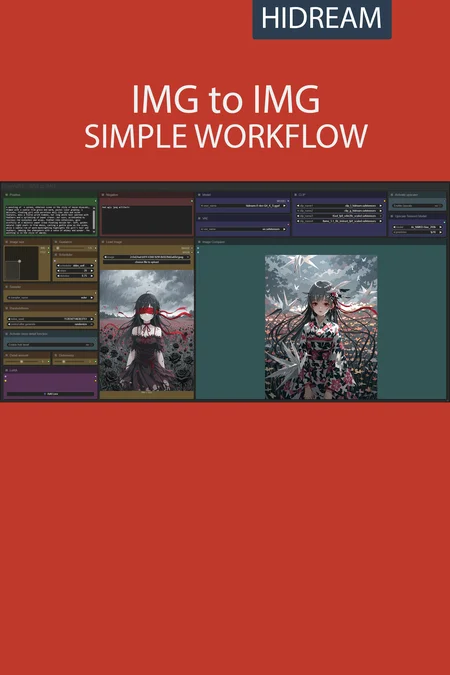
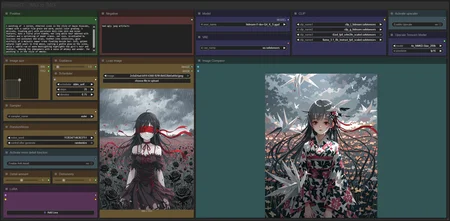
✨ HiDream — Image to Image — Simple Workflow
A clean, all-in-one HiDream image-to-image workflow built entirely with the UmeAiRT Toolkit for ComfyUI.
Only 8 nodes. No spaghetti wires. Just load your model, write your prompt, and hit generate.
⚠️ IMPORTANT — Nodes 2.0 Required
This workflow is built for the Nodes 2.0 (Vue) interface of ComfyUI. If you don't enable it, the workflow may have display problems.
How to activate Nodes 2.0:
Open ComfyUI
Go to Settings (⚙️ icon, bottom-left)
Find "Use Nodes V2 (Vue)" and toggle it ON
Refresh the page
Load the workflow
If you prefer the classic interface, check out my Legacy version of this workflow instead (link).
🎯 Features
Image-to-Image generation
Automatic download of models in auto version
Built-in SeedVR2 upscaler — high-quality tiled upscaling (toggleable on/off) Slower than a classic upscaler, but significantly better quality
Full metadata embedding — your images are saved with all generation parameters, ready for online publishing and remixing
3 LoRA slots — with individual on/off toggles and strength control and you can connect as many other lora modules to each other for as many LoRA as you want.
📦 Custom Node Required
Only one custom node to install:
Install via ComfyUI Manager (search "UmeAiRT") or use the UmeAiRT Auto-Installer.
The Toolkit packages everything internally — upscaler, face detailer, metadata saver. No other custom nodes needed.
📂 Files you need (in manual version)
24 gb Vram : base
16 gb Vram: Q8_0
12 gb Vram: Q5_K_S
<12 gb Vram: Q4_K_S
For base version
Model : hidream_i1_dev_fp8.safetensors
in ComfyUI\models\diffusion_models
For GGUF version
GGUF_Model : hidream-i1-dev-QX_K_S.gguf
in ComfyUI\models\unet
VAE : ae.safetensors
in ComfyUI\models\vae
CLIP : clip_l_hidream.safetensors, clip_g_hidream.safetensors, t5xxl_fp8_e4m3fn_scaled.safetensors and llama_3.1_8b_instruct_fp8_scaled.safetensors
in ComfyUI\models\clip
Description
Base version