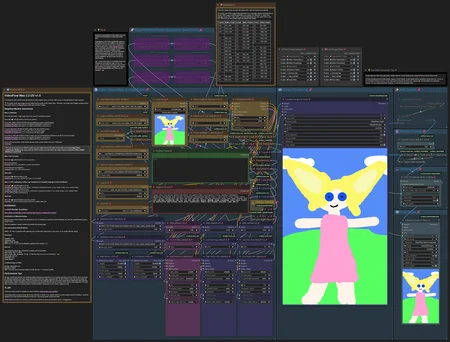
Update 2026-08-22: LTX 2.3 All-in-One v3.0 workflow fixed
The download has been replaced. The corrected version of the workflow no longer produces any error messages when run.
Update 2026-05-13: LTX 2.3 All-in-One v3.0 workflow published
VideoFlow LTX 2.3 distilled 1.1 All-in-One v3.0
New Features:
Text-to-Video Support with a pre-configured set of LoRAs for creating photorealistic videos.
Image-to-Video Support for both first and last frame.
Optional Audio Integration (audio-to-video) with the ability to extract voice from recordings (file or recorded clip) to remove background noise.
Consistent Character Voice through voice cloning with just a 5-second reference audio (file or recorded clip).
Video Filters for adjusting brightness, contrast, saturation, sharpness, blur, and enhancing edges and details.
Film grain for a cinematic or analog effect.
50fps Support via frame interpolation.
Improvements:
Now using LTX 2.3 distilled 1.1 resulting in better emotions, movements and audio.
Faster, less memory-intensive color correction.
More explanations and guidance integrated.
Fixes:
Audio and video are now always perfectly in sync.
Resolution input (video dimensions) for image-to-video generation now works properly.
Update 2026-04-14: LTX 2.3 I2V workflow updated
VideoFlow LTX 2.3 distilled I2V v2.0
VideoFlow 2.0 is here, bringing major performance upgrades, better quality, and more flexibility to your workflow.
Key Improvements:
Much Faster Generation: Thanks to improved samplers and schedulers, videos generate approx. twice as fast compared to Version 1.0.
Higher Quality Output: Despite the speed boost, image quality, audio quality, and prompt adherence have all been significantly improved.
Flexible Model Support: You can now freely choose between multiple model types:
Checkpoint
GGUF UNet
Diffusion model
Optimized for Low VRAM Systems: With GGUF support, VideoFlow now runs much more efficiently on systems with limited GPU memory.
Optional Sampler Preview: Disable the sampler preview to further reduce generation time.
Improved Usability: Additional guidance and hint texts help you get the most out of the workflow.
Update 2026-03-15: LTX 2.3 I2V workflow added
VideoFlow LTX 2.3 distilled I2V v1.0
This workflow provides an easy-to-use image-to-video solution for LTX 2.3, designed to work seamlessly with the distilled LoRA model. It focuses on high-quality, realistic output, with the first-stage scheduler's sigma values finely optimized for best performance.
Subgraphs are used to keep the main workflow streamlined and easy to navigate. A live preview is displayed during generation, allowing you to monitor progress and stop the process early if desired. Additionally, the first-stage video can be decoded for quick previewing. This feature lets you watch a lower-resolution version of the final video and cancel immediately if the result doesn’t meet expectations.
As the distilled LoRA already delivers impressive quality in the first stage, you can skip the second stage entirely if your hardware has limited performance. An optional color-correction node is included to compensate for LTX’s tendency to introduce subtle color and lighting shifts, ensuring consistent visual quality.
Update 2025-08-24: Wan 2.2 I2V workflow added
VideoFlow Wan 2.2 I2V v1.0
VideoFlow is now fully optimized for Wan 2.2. It supports resolutions from 480p up to 720p, with the option to upscale smoothly to 1440p at 32fps. The process is accelerated by integrating Lightning LoRA during the final two-thirds of the generation steps, ensuring faster results without compromising quality. Importantly, Lightning LoRA does not influence the initial generation steps, preserving natural and fluid movements throughout the video. SageAttention with Triton is supported but not required. Instructions on how to set up and use the workflow are included within the workflow itself.
VideoFlow Wan 2.1 I2V v1.0
This image-to-video workflow is designed to generate smooth, realistic videos at 32 fps with a strong emphasis on fast, high-resolution output. At least 16 GB of VRAM is recommended for optimal performance. For additional speed improvements, you may also install SageAttention and Triton, though these are optional.
It's fast 🚀!
Sample videos were rendered at 768 × 1152 resolution and 16 fps, consisting of 81 frames, each video taking about 6 minutes to generate. The upscaling and frame interpolation to 1536 × 2304 resolution and 32 fps took approximately another 6 minutes on an RTX 4080 with 16 GB VRAM. Lower resolutions render even faster.
Key configuration for the sample videos:
Video model: Wan2.1 SkyReels V2 I2V 14B 720P
LoRA: Lightx2v
Steps: 4
Sampler: dpmpp_sde_gpu
Scheduler: beta
💡Comprehensive usage details and instructions are provided within the workflow itself.
Sample images for input were created with my PhotoFlow workflow.
The download of the workflow contains all sample videos, including the input image with its own workflow, the initial generated video and its upscaled counterpart, allowing for convenient side-by-side comparison.
Leave a 👍 if you like the workflow 🙂.
Description
VideoFlow is now fully optimized for Wan 2.2. It supports resolutions from 480p up to 720p, with the option to upscale smoothly to 1440p at 32fps. The process is accelerated by integrating Lightning LoRA during the final two-thirds of the generation steps, ensuring faster results without compromising quality. Importantly, Lightning LoRA does not influence the initial generation steps, preserving natural and fluid movements throughout the video.
FAQ
Comments (28)
how can I add my own lora to this workflow?
At the bottom left are two nodes for loading as many loras as you like. One for the high noise model, one for the low noise model.
@ai839 thanks, I didn't notice it right away)
Don't know if it works yet on my system but just the fact that you wrote a whole text on how to set it up directly in the workflow is... AMAZING!
Thank you for your kind words 😊.
@ai839
@ai839 I've ran a few things, so far it's great, not random missing nodes/hard to find ones missing.
Albeit the quality is veryyy good, it feels a little less smooth than over worflows. It's also very realism oriented (I've input a semi-realistic image and it bumped the realism by a lot, losing some of its artistic side).
The other downside (I guess for the tradeoff of high quality) is the generation time. I'm generating consistently between 8-10 mins for everything set to default (8 with sage, 10 without).
That's quite a ride compared to another one which was roughly 2-3mins (see this one i use: https://civitai.com/models/1818841/wan-22-workflow-t2v-i2v-t2i-kijai-wrapper)
Still, good job on this workflow!
N.B. I'm not very knowledgeable in I2V, just experimenting with it recently.
@Fellaitio For non-realistic videos, you should definitely adjust the negative prompt! There are words in the default pushing realism. The positive prompt should describe the style, I think. You are right that the focus is on realism and high quality, not being the fastest workflow with mediocre quality. It is version 1.0. Maybe it can be improved over time. I am still learning, too...
@ai839 Thank you for your feedback. I've manged to tweak a little to my liking!
Also, may I suggest adding a version with Florence for auto prompting to speed up the manual process.
You can look for the i2v version from the link I've sent in my first comment, that workflow is faster but less stable.
Happy learning :)
Great workflow. And that's an understatement. Thank you! Is there any way to create videos longer than 5 seconds? Considering that you're using the Wan2.1 SkyReels V2 I2V 14B 720P workflow
Hi. I'm glad you like the workflow so much! I'm also interested in the answer to this question! I haven't had time to look into it yet. If anyone knows of other workflows that can do this with excellent quality using Wan 2.2, please feel free to mention them here. I'll take a closer look and see if I can create my own workflow for this.
@ai839 you need to add context window
@stablediffusion2660 Thanks for pointing that out! I'll take a closer look at that.
@ai839 your workflows are simply amazing!! hoping for some new ones
Good work! Workflow works on my rtx3050 with GGUF's 14B_Q3_K_M, generates 480x720 5sec vid in about 30min, great quality. I think it can generate vids with highest than 480x720 quality, I'm just starting to test.
UPD. Q5_K_M works well too
Changing this review - This is one hell of a good workflow. I liked it before, but once I realized how the upscaling worked, I was thrilled.
I've been experimenting, and am using a lower cfg to get a little more unprompted action. But it works amazingly well and the videos are, all things considered, crisp.
Previous to this, I was running a very good gguf WF. Now, my rig has a 5060ti, which is not the fastest GPU and I have 64GB RAM. So, it runs decently fast for me without upscaling, and about twice as long when I upscale.
Bottom line, though, it runs well, creates very good videos. And the creator is very responsive - thanks for that.
Great job on this flow!
The LoRA loader node on the bottom left can apply as many LoRAs as you want. Just increase the number in the num_loras field. The "Resize Video Frames" node is just the default "Upscale Image" node. I only renamed the title.
@ai839 Quite literally, I looked at the workflow about 2 minutes ago and realized the LoRa node has a number to adjust for how many can be used and was going to edit my comment. Thanks much. I am liking this Workflow. And, now, I can investigate why the upscale image isn't working right.
I am guessing that node is part of the WAS nodes. I have it all installed but I cannot get that "Upscale Image" node to work. Probably it was recently discontinued or something. Have you any suggestions? It's the only part of this WF that seems to be at issue.
@hdean The "Upscale Image" node is part of Comfy Core, so it does not require additional module installation. After a clean install of the latest ComfyUI version (v0.3.64), everything worked without issues. One thing to note is that the "Add Details" group is muted by default, which may cause the workflow to stop before upscaling begins. You can unmute this group in the "Fast Groups Muter" node.
Do you use the Wan 2.2 or 2.1 workflow? Are you encountering an error? What makes you think a node might be missing?
I'm using the 2.2 version of your flow. When I run the flow, the "Resize video frames" gets that red line around it. It creates the video - I have it set to 720x720 but there is no upscaled version of it.
Well, shit! I unmuted the add details just now, as I was responding (on the fly) and clicked run. That node is no longer in red. So, fuck me, I was just doing it wrong. Awesome. Thanks so much. I had read through everything but had no inkling that the node was tied to that.
Thanks, so much. I am a bit red faced now!
Quick question: I tend to generate images at 1024x1024 and then make them into videos. Is there an optimal size to generate a video before upscaling it? For instance, would 720x720 be better than 480x480 or does it remotely matter (other than time) for the upscaling aspects?
@hdean Upscaling adds only a few details. The details in the source image or video are much more important. The larger the source material, the better. For video generation, it is important to note that the side lengths must be divisible by 16. Ideally, they should be divisible by 64. If this is not the case, some details will be automatically cropped. Wan is a 720p model. 1280 x 720 is just under 1 megapixel. Ideally, the source image should therefore have 1 megapixel. 960 x 960 or 1024 x 1024 as the video resolution before upscaling will certainly lead to a good result. I chose a slightly high upscaling factor of 2.00 in the workflow. 1.50 is perfectly sufficient if the video already has 1 megapixel.
@ai839 Thanks much. Gives me some insight. I am getting slightly blurry videos at the moment and I want them a bit higher quality. Could be the loras (2.1), but I am running lots of experiments.
absolutely amazing workflow.. im new to comfyui and i COULD NOT get the wan template gens to work the way i wanted.. the pictures were blurry or jittery.. just didnt work well at all.. this thing tho.. works perfectly right out of the box.. i HIGHLY recommend checking this out..its a life saver..seriously ty for making this
Newbie at vid genning here, tried your workflow, and it seems a bunch of nodes needs changes to work properly: if we listen to the note you gave about deleting GGUF model nodes, we need to reconnect the original model loaders into the WanVideoNAG nodes. Then the 1st of the 3 Lora loaders requires a model input, but I can't decipher what to put in since the other two Loras use the High and Low models as inputs, so... still currently trying to figure out how to work around this >.<
(this is all for the Wan2.2 workflow btw)
Edit: after deciding to put the low noise model through that, I was able to get it to gen vids! But... I dont think it listens to my prompts very well. Not sure if I understand sadly, so sorry!
The fastest way to solve this problem is to return to the original workflow, download a GGUF model, and select it in the workflow without actually using it. This ensures that everything is properly connected and prevents any errors.
I have discovered that my instructions for deleting the GGUF nodes are incorrect, meaning they do not produce the desired result.
@ai839 ohh ok, thanks! I think I'll try this out sometime later in the future