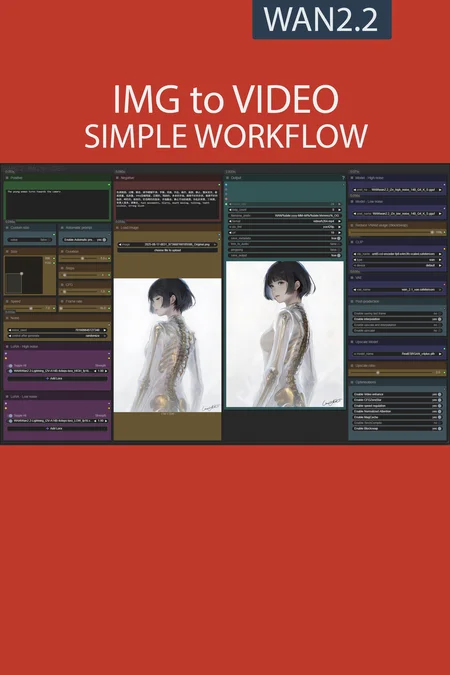
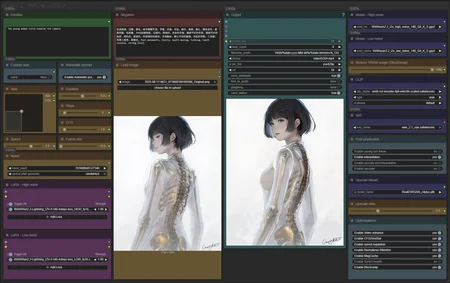
✨ WAN2.2 — Image to video — Simple Workflow
A clean, all-in-one WAN image-to-video workflow built entirely with the UmeAiRT Toolkit for ComfyUI.
Only 12 nodes. No spaghetti wires. Just load your model, write your prompt, and hit generate.
⚠️ IMPORTANT — Nodes 2.0 Required
This workflow is built for the Nodes 2.0 (Vue) interface of ComfyUI. If you don't enable it, the workflow may have display problems.
How to activate Nodes 2.0:
Open ComfyUI
Go to Settings (⚙️ icon, bottom-left)
Find "Use Nodes V2 (Vue)" and toggle it ON
Refresh the page
Load the workflow
If you prefer the classic interface, check out my Legacy version of this workflow instead (link).
🎯 Features
Text-to-Image generation
Automatic download of models in auto version
Built-in SeedVR2 upscaler — high-quality tiled upscaling (toggleable on/off) Slower than a classic upscaler, but significantly better quality
Full metadata embedding — your images are saved with all generation parameters, ready for online publishing and remixing
3 LoRA slots — with individual on/off toggles and strength control and you can connect as many other lora modules to each other for as many LoRA as you want.
📦 Custom Node Required
Only one custom node to install:
Install via ComfyUI Manager (search "UmeAiRT") or use the UmeAiRT Auto-Installer.
The Toolkit packages everything internally — upscaler, face detailer, metadata saver. No other custom nodes needed.
📂 Files you need (in manual version)
For base version
I2V Model : wan2.2_i2v_high_noise_14B_fp8_scaled.safetensors and wan2.2_i2v_low_noise_14B_fp8_scaled.safetensors
In models/diffusion_models
CLIP: umt5_xxl_fp8_e4m3fn_scaled.safetensors
in models/clip
For GGUF version
I2V Quant Model : wan2.2_i2v_high_noise_14B_QX.gguf and wan2.2_i2v_low_noise_14B_QX.gguf
In models/unet
Quant CLIP: umt5-xxl-encoder-QX.gguf
in models/clip
For speed version
lightning LoRA : Wan2.2-Lightning_I2V-A14B-4steps-lora_HIGH_fp16.safetensors and Wan2.2-Lightning_I2V-A14B-4steps-lora_LOW_fp16.safetensors
For AIO version
I2V FAST AIO Model : wan2.2-i2v-rapid-aio.safetensors
In models/checkpoint
VAE: wan_2.1_vae.safetensors
in models/vae
ANY upscale model:
Realistic : RealESRGAN_x4plus.pth
Anime : RealESRGAN_x4plus_anime_6B.pth
in models/upscale_models
Description
New autoscale to 1080p fonction,
Remove Teachache,
New SpeedLora added.
FAQ
Comments (101)
Thanks for the update, will give it a try today. I am always scared to try new workflows. My Comfy install got borked a number of times from updates/new node installs forcing a lengthy re-install.
Sometimes I feel like there's a gambling fan in the ComfUI development team xD
Blockswap doesnt work. did you even test it?!
I always use it, i only have a 4080
Working fine on my end using UmeAiRT Comfy auto-install. You might need to check your system
Works fine for me, not using auto-install, using my own manual install.
1.3 gguf-speed version is amazing! Generating high quality 5s videos in under 3min with only 10gb VRAM
first of all thank you so much for the customizable workflow!!! its super useful
im using a rtx 4070, usually take 5 mins for Wan2.2 img2vid.
However im using the gguf-fast v1.3, and its been stuck at the "Sampler High" step for well over 30 mins now, any reasons why that could be the case?
I'm almost sure it's a lack of VRAM, be careful by default the image is resized in 1080p, if you want to reduce this size check "custom size"
UmeAiRT appreciate the reply! I tried it again and it took 30 mins or so for the first run, ill try a smaller size to see if it works faster
Any plans to create a Text-to-Image or Image-to-Image workflow for WAN2.2? There has been a lot of talk about using WAN for Image generation as well.
Nothing against you but this is not a simple workflow. Would really be happy if people stop say its a simple workflow, and it wants to install 34090394 nodes that is missing.
I can understand the frustration associated with using ComfyUI, especially when you're still not very familiar with the tool.
Simplicity is very subjective.
But here are two explanations for why I use this word:
This is a series of workflows, from the very simple FLUX TXT to IMG to the more complex WAN FUN CONTROL, for example. The goal is to provide a simplified interface for a large number of tasks. But this doesn't come at the expense of functionality. It creates a familiar interface that allows you to stay on track no matter what you want to do. Obviously, this doesn't mean that you'll instantly understand everything about AI creation, its very specific vocabulary, etc.
Second, I'm quite surprised that you find this workflow difficult, given that it does almost everything for you: automatic prompt, automatic resizing, etc. You just have to choose your image, write the desired movement, and press start. And I also wrote a node-by-node guide, which is included in the description.
Finally, regarding the "custom nodes" issue, I'm not responsible for the operation of ComfyUI. Sometimes their installation goes wrong with ComfyUI Manager, and I'm the first to experience it. But I also tried to simplify all of this, even though it's not specific to my workflow, by providing a free, complete installation script that installs not only the custom nodes but also the vast majority of optimizations, workflows, and many other features that are more or less complex to perform manually.
To summarize:
- Simple Workflow is a workflow family appreciated by many people.
- Reading the guides and learning how to use ComfyUI will allow you to avoid most problems and really get what you want.
- The community provides many tools and helps those who have difficulty.
@UmeAiRT Your hard work is much appreciated. I found the install script super helpful.
Great workflow as always !! torch compile does not seem to work with loras but is fine without those, at least on my pc
is sage attention not a thing anymore with wan 2.2?
Personally I use it all the time with wan2.2
@UmeAiRT Oh nice, I was hoping it was still compatible, I just didn't see it in this workflow.
Is anyone having the issue where it ignores the input image, and basically functions like T2V? It happens with both regular and speed. 1.3.
Hmm? I have probably created 100+ videos using v1.3 GGUF version w/ speed and I have never seen this issue (or any issue with this version). All of the versions of this Ume I2V workflow worked fine for me except the color match function if the initial image and ending frames were completely diff colors, then I saw color shift that required me to dial that node down. I was looking at your profile and clearly you know what you are doing but, can you double check your models/loras, I2V vs T2V ones?
@yajukun You called it. I did some cleanup and I thought that I only had I2V models, but I only had T2V models. I also found that the model downloader did not download the I2V models. I ran it a few times and it says it completed, but only downloads the T2V models. I'm getting them now from https://huggingface.co/UmeAiRT/ComfyUI-Auto_installer/tree/main/models/unet/WAN
Thank you for your workflows, they are perfect for me and I have learned a about how everything works just from using them. 1.3 is working great!
Any idea why Im getting a node error on the Find and Replace:
Some Nodes Are Missing
When loading the graph, the following node types were not found
Text Find and Replace
It looks like its asking for WAS Node Suite, of which I have installed all versions of and still get error. Any suggestions?
After WAS Node Suite instalation did you close and import the workflow again?
@UmeAiRT yup, Im an idiot. That fixed it, thanks!
Thanks for the incredible workflow! Do you have any plans to create a continuous Wan 2.2 workflow to stitch together videos? That would be awesome
Thank you for your hard work! I've been using your workflow since WAN2.1! However, I encountered some issues when using 2.2:
I reinstalled ComfyUI using your auto installer, and then when generating videos, I see the following error... I'm not quite sure what went wrong. If anyone could tell me what happened, I would be very grateful.
Unrecognized processing class in J:\wan2.2\models\LLM\Florence-2-base-PromptGen-v2.0. Can't instantiate a processor, a tokenizer, an image processor or a feature extractor for this model. Make sure the repository contains the files of at least one of those processing classes.
This error is caused by a failure to automatically download the model for the automatic prompt. You can download it manually here: https://huggingface.co/UmeAiRT/ComfyUI-Auto_installer/tree/main/models/LLM
I'm finding Wan2.2 tends to want to end I2V loops back to the original frame. Anything longer than 5 seconds seems to have this issue. Didn't see it with Wan2.1, which would generate even 10 second videos ok.
Any tips? Different model, or just a different process? I've tried disabling the optimizations in this workflow, and tried removing the 4step lora and using up to 20 steps.
Searching seems to say just generate shorter videos, but wondering if that's the only solution.
i'm too noticing the same thing
In v1.3 I got:
KSamplerAdvanced
Expected all tensors to be on the same device, but found at least two devices, cuda:0 and cpu!
It does not happen on v1.2 with the same settings, what could be the cause?
For the next version, could you please add start/end frame?
@UmeAiRT Thank you. My mistake.
Hi I get this error when I try to run the work flow (WanVideoNAG mat1 and mat2 shapes cannot be multiplied (385x768 and 4096x5120), can anyone help please.
Use the scaled version of the text encoder.
would way better if all workflows had multi gpu nodes ..
You have blockswap in this workflow, more stable than multi gpu
Great workflows, as always! Its making WAN useable for everyone! Do i need to update the sage attention? With WAN2.1 it works but with WAN2.2 i get a message it can not be used.
I know copied the Nodes from your previous workflows in this one, seems to work but not sure if thats the way to do it.
Thanks again
I can't understand. When starting generation, the RAM is completely filled (I have 32 GB), but the video memory of the video card is only 70% full. And also during generation, the C drive is actively used (100% loaded). It seems like a memory leak, but I can't figure out what the problem could be? I tried different GGUF models, even the lightest ones, the problem is with this workflow
It's because you have "blockswap" option activated. As explained in the guide, this allows you to transfer part of the model to your RAM instead of VRAM. You can disable this option or reduce it with the associated slider.
@UmeAiRT thanks for the answer. But unfortunately that's not the issue. I tested it both with and without it.
Looks like a memory leak, the first generation uses 20 GB of RAM, the second generation uses 30 GB of RAM, and the third generation starts to freeze, and the RAM is completely full, but the video card's video memory is not. (As if the blockswap is not turned off, but not exactly). My knowledge is not enough to determine what is causing the memory leak.
But the workflow is good, thanks. there were no problems with your workflows for wan 2.1.
Great workflow, everything works fine! However, there seems to be an issue with the speed version. All the generated videos are in slow motion. I am currently using your latest ComfyUI auto install with this workflow which fixes the slow motion problem with the Lightx2v loras. Just giving some feedback :) here is the workflow if you want to take a look: https://civitai.com/models/1864506/wan-22-i2v-faster-motions-6-step-lightx2v-workflow
Is there a way to implement sage attention also as optimizer?
Literally doesnt use the photo I use AT ALL.
Many users have posted videos created with this workflow without any problems. Which version of the workflow are you using and with which version of ComfyUI?
Mine was fine. did you tinker with the CFG? The default settings work ok with the WAN2.2 model and no LoRAs. Another thing to note is that if you use a Lightning LoRA with it you'll need to change the steps to less. They have it set as if it is the regular WAN2.2 model, which takes around 25 steps.
Thanks for the workflow. I've been having a display issue since a Comyfui update. Node details are no longer accessible: size, duration, steps, scg, speed, framerate, etc....i use the V1.3
this is such a great workflow I used your 2.1 workflow for a long time as its really organized and versatile
however, with wan 2.2 im having the issue of strange color changes and blotchiness in generations, doesnt keep the color pallette of the original photo. any ideas?
for i2v, updating the "Color Match" node (Backend Stage 2) from the workflow seems to work if the lighting is inconsistent. Settings: method->reinhard, strength->.4, multithread->true
@chud1 thanks Ill try this!
One of the best workflows for wan 2.2 and 2.1
Trust this guy, he knows his shit!
I get very strange generation results, no errors come out, but the video itself turns out to be very strange. do you have any idea how this can be fixed? everything worked fine with wan 2.1
same issue
@qqqq4413 try to turn off blockswap and use gguf models. it helps me
As a footnote, I find the lightning LoRA works MUCH better with a three-step sample process; the two-step approach really suppresses motion (it's slow and extremely under-expressed compared to the base workflow). See this discussion: https://huggingface.co/lightx2v/Wan2.2-Lightning/discussions/20#6897529022ebf7a1e53df7c7
Sampler 1: CFG 3.5, no lightning LoRA, HIGH, enable noise, forward leftover noise
Sampler 2: CFG 1, lightning LoRA, HIGH, disable noise, forward leftover noise
Sampler 3: CFG 1, lightning LoRA, LOW, disable noise, disable leftover noise
6 steps, not 4, and just spread the steps evenly (0-2, 2-4, 4-6).
Might be something with the model itself and have nothing to do with the workflow, but I noticed most of my gens attempt to end on a loop. It's been kind of annoying haha
That's happened at least form me when trying a 5 sec video.
I'm having a real issue getting this to work. I downloaded comfy via the script you provide, use the models etc exactly, but it's falling over at the Sampler High and Sampler Low spots with the error
Traceback (most recent call last): File "D:\CODE\Comfy\custom_nodes\ComfyUI-KJNodes\nodes\model_optimization_nodes.py", line 1476, in modified_wan_self_attention_forward x = comfy.ldm.modules.attention.optimized_attention( TypeError: attention_sage() got an unexpected keyword argument 'transformer_options'"AttributeError: module 'comfy.ldm.modules.attention' has no attribute 'attention'"Anyone got any ideas?
Toss this at the free version of ChatGPT (or paid obv), and ask it for a powershell (windows) script to compare (non-destructive) the dependencies and requirements.txt for ComfyUI and all Custom Nodes. Then ask it to check and report your environment paths to see if ComfyUI is seeing Sage Attention. Once you have a ChatGPT thread with both those loaded, you can ask for a safe powershell script to adjust paths so Sage is being located. If it asks if you want to update anything else, say no unless its a requirement. If only because its better to do that kind of stuff inside VS Code using CoPilot on a Tunnel connection. At least then it can 'see' everything before it makes a suggestion.
be careful I made the mistake of having confidence to install not his workflows it breaks my configuration here you are warned that there is a risk !!!
I really like this workflow. It works really well and isn't complicated.
My mxToolkit nodes suddenly stopped working. They're all blank. ComfyUI just updated but I also just changed environments. Is anyone else having this problem? I tried rolling back to a different version but it hasn't worked.
The log shows it loading with no errors.
I got this issues some month ago you need to modify ui_mixlab.js
https://github.com/Smirnov75/ComfyUI-mxToolkit/issues/28#issuecomment-2603091317
@hmmmmmnike Thank you! I wish MixLab had fixed this in the last 8 months. At least it works for me now. I appreciate it.
Is there any reason why when I load the base workflow it have t2v model instead of i2v in the high and low model select box ?
I'm not use to the automatic prompt recognition but do you need t2v to make it work properly or the i2v model will work ?
I'm using i2v models and it seems to work pretty well. Results are close to other workflows with the same settings. I haven't actually tested it with t2v.
I have a small problem with the GGUF Version, the CLIP-Node loaded by the workflow doesn't support .gguf files. I had to replace it with Node that supports GGUF.
i am able to get to 100% progress but no video is generated. any ideas why?
Check your terminal log and read...
The resolution should be automatic, right? When the resolution is default, the video memory often overflows.
No clue what's up with this. Even with an absolute clean install of ComfyUI, if you use this workflow and install the required modules, it absolutely destroys your ComfyUI every single time. No exceptions. It's insane. Stay away from this workflow.
I'm using it just fine with an older install of comfyui + thousands of custom nodes already there.
seems like i should have listened to your comment xD
@Br0mantic same
Magcache node model can be updated to wan 2.2; also would like to see a version with kjnodes triple k sampler + two step base high sample without lora, or your own variation of it. would also recommend the comfui resolution master node... great for refining resolutions to fit vram while maintaining dimensional proportions https://civitai.com/models/1585622/self-forcing-causvid-accvid-lora-massive-speed-up-for-wan21-made-by-kijai?modelVersionId=2314042
Thanks for the suggestions. I've been away for the past few months, so I'm slowly updating my workflows.
@UmeAiRT no problem. fyi a new lightx2v lora has been released that allows to cut steps by 2 in my case from 8 to 6, without any loss in quality;
use 1030 for high, 1022 for low; https://civitai.com/models/1585622?modelVersionId=2361379
there was also a wan2.2 model cooked up with this baked in.
gguf
https://huggingface.co/jayn7/WAN2.2-I2V_A14B-DISTILL-LIGHTX2V-4STEP-GGUF/tree/main
fp8 scaled:
https://huggingface.co/lightx2v/Wan2.2-Distill-Models
Your workflow / custom nodes broke my python embeded. your should not use custom lnodes that have x other dependencies.
I can understand your frustration, but you're looking at the problem the wrong way around. There are thousands of custom node combinations, each updated by their own developer. So I can't anticipate this kind of individual problem. I have more than 50 workflows and I do my best to use the minimum number of additional modules and the maximum number of the same ones. But I can't provide more and more functionality without these modules. This is precisely the great strength of ComfyUI: it allows the community to create more and more functionality. I always test my workflows before publishing them and I provide an installation script to solve all these custom node problems as easily as possible. I must admit that I don't know how to do better at the moment.
can i use this wf to use the new moe lightning loras? any plans to make a new one with them?
I'm updating my workflows little by little. This one will also be updated soon.
I'm getting stuck at 75%, at the Sampler High node. 5 hours and counting? That cant be normal right?
It is probably because you downloaded a big model for your quant i2v high/low. What is your current GPU, the VRAM of it, and RAM?
@vgbestly, thanks for your reply. i turned the upscale ratio down to 1 (instead of 2) and it completed in 2 hours. i'm on 16gb vram using the i2v 14b q4 K S, maybe i should go down a bit? i use the t2v ones and generate 5 second clips in 15 seconds with the lightning loras
@markharper80266 14b q4 K S should be fine with a 16gb card. Bump it down to a 14b q3 k s, try to test it out, can't hurt. Maybe the quality isn't too bad vs q4. That 2 hours is not worth it. And yes, turn down the upscale ratio to 1. Learn that the hard way when 2x scaling a 1080p pic.
I figured it out, the image size somehow got set to 2048 x 2048, bringing it down now i'm generating in 15 minutes
this was working beautifully for me until a recent update, now it seems to get stuck at 75% on the sampler and I can see my gpu use spike up and down, I know its not the model size or resolution because nothing changed in my settings. so weird.
Needs some TLC: Torch compile nodes are outdated and no longer function; modification required by users also for workflow to be compatible with blockswap nodes.
@UmeAiRT great workflow. One question though. How interpolation works? Does it join two clips? Thank you.
The model essentially generates the key frames at a lower framerate, the interpolation blends the keyframes together to make the final result smoother. It's usually quicker than having the model generate at a higher framerate from the start.
Thank you.
This is some great stuff here. @UmeAiRT thanks for making this. Can you please tell me the Steps and CFG you use for the base and speed models? I'm new to this and just need a starting point.
Workflow is dead and in dire need of updating, there are many depreciated nodes (torch compile nodes and blockswap)
TorchCompiles Patcher Low / Patcher high nodes in this workflow are depreciated and can be removed https://github.com/kijai/ComfyUI-KJNodes/issues/484
Could someone explain why increasing the video duration makes the generation process take significantly longer than expected? For example, generating 1 second usually takes around 10 minutes, but when I set the duration to 6 seconds, it can take over 2 hours. I’m currently using ComfyUI with Wan 2.2. Apologies if this is a basic question...
There is a good chance that this is caused by a lack of VRAM. When you ask for 2 seconds instead of 1, it requires more VRAM, and if you are too tight, it takes significantly longer.
@UmeAiRT thank you!
Honnestly and if possible you should change your Config. 2 hours for a 6 sec generation... With my RTX 3080 (so not a High Level PC), it takes about 5 minutes for a 6 sec (and most of time I have to redo and redo if I'm not happy with the result)
I like this workflow, but I'm confused about what the 'Custom Size'- true/false node does for i2v. The guide says that checking true would enable the custom size (from the grid) to be applied to the video, but I'm finding that the custom size is applied regardless of whether it's checked 'true' or 'false'