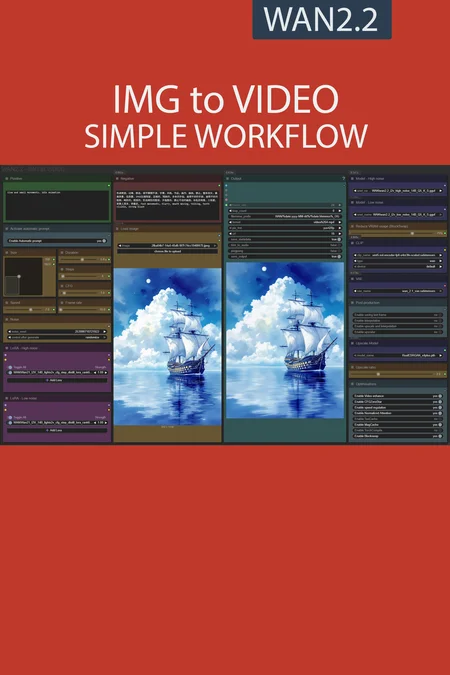
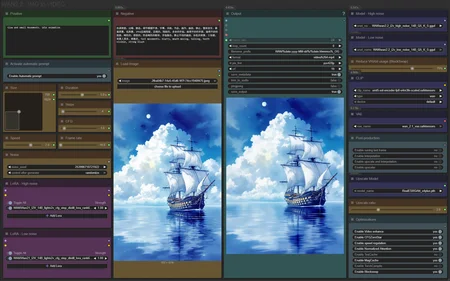
✨ WAN2.2 — Image to video — Simple Workflow
A clean, all-in-one WAN image-to-video workflow built entirely with the UmeAiRT Toolkit for ComfyUI.
Only 12 nodes. No spaghetti wires. Just load your model, write your prompt, and hit generate.
⚠️ IMPORTANT — Nodes 2.0 Required
This workflow is built for the Nodes 2.0 (Vue) interface of ComfyUI. If you don't enable it, the workflow may have display problems.
How to activate Nodes 2.0:
Open ComfyUI
Go to Settings (⚙️ icon, bottom-left)
Find "Use Nodes V2 (Vue)" and toggle it ON
Refresh the page
Load the workflow
If you prefer the classic interface, check out my Legacy version of this workflow instead (link).
🎯 Features
Text-to-Image generation
Automatic download of models in auto version
Built-in SeedVR2 upscaler — high-quality tiled upscaling (toggleable on/off) Slower than a classic upscaler, but significantly better quality
Full metadata embedding — your images are saved with all generation parameters, ready for online publishing and remixing
3 LoRA slots — with individual on/off toggles and strength control and you can connect as many other lora modules to each other for as many LoRA as you want.
📦 Custom Node Required
Only one custom node to install:
Install via ComfyUI Manager (search "UmeAiRT") or use the UmeAiRT Auto-Installer.
The Toolkit packages everything internally — upscaler, face detailer, metadata saver. No other custom nodes needed.
📂 Files you need (in manual version)
For base version
I2V Model : wan2.2_i2v_high_noise_14B_fp8_scaled.safetensors and wan2.2_i2v_low_noise_14B_fp8_scaled.safetensors
In models/diffusion_models
CLIP: umt5_xxl_fp8_e4m3fn_scaled.safetensors
in models/clip
For GGUF version
I2V Quant Model : wan2.2_i2v_high_noise_14B_QX.gguf and wan2.2_i2v_low_noise_14B_QX.gguf
In models/unet
Quant CLIP: umt5-xxl-encoder-QX.gguf
in models/clip
For speed version
lightning LoRA : Wan2.2-Lightning_I2V-A14B-4steps-lora_HIGH_fp16.safetensors and Wan2.2-Lightning_I2V-A14B-4steps-lora_LOW_fp16.safetensors
For AIO version
I2V FAST AIO Model : wan2.2-i2v-rapid-aio.safetensors
In models/checkpoint
VAE: wan_2.1_vae.safetensors
in models/vae
ANY upscale model:
Realistic : RealESRGAN_x4plus.pth
Anime : RealESRGAN_x4plus_anime_6B.pth
in models/upscale_models
Description
New frame rate slider,
Add MagCache optimisation.
FAQ
Comments (48)
10/10
Out of curiosity is there a reason you didn't include Sage Attention in the workflow like your 2.1 ones did?
I connected the Sage Attention node and it started patching for Sage Attention. But it was much slower with it. Dunno why. Using Normalized Attention worked better for me.
Because using this node is not recommended. Instead, use the "--use-sage-attention" launch parameter for comfyui
Getting error "Cannot find a working triton installation" How do you install triton? O.o
Your 2.1 Workflow works perfectly, just having this issue with 2.2
Okay seems I could bypass it by disabling three of them, but im not sure either since I do sometimes get it regardless,
Normalized Attention
TeaCache
Torch Compile
if you want to use triton for windows check this:
https://github.com/woct0rdho/triton-windows
Why do I keep getting ghost frames? Like two videos merge together?
try 16 fps or 3 sec, for me 5 s shift/speed 8 16 fps 5 sec, normal frames
I've tried to batch this workflow exactly; but, getting "lora key not loaded" messages. Any ideas? To broad to diagnose?
Not sure if we are all seeing the same issue when using Wan2.1 I2V loras with Wan2.2? Read this. https://www.reddit.com/r/comfyui/comments/1mgo0z3/wan_22_doesnt_load_certain_loras_i_got_it_working/
I've replicated a simplified Kijai version of the UmeAiRT workflow.
https://civitai.com/posts/20442238
Please tell me about Umeirt, my video is blurry, but everything is clear in your version. What could be the reason for this?
I'm sorry, I didn't put it right. In WF umeirt "base-lightx2V", my video is blurry, but in your WF everything is clear and at the right speed
Which model do you recommend for 4090?
MSI 4090 Suprim X is not bad at all :-)
vladulidlo I don't have the answer, but I believe they were asking which .guff model to use on their 4090.
I am a 4090 guy too. I am using the Q8 gguf files, 480x832, 5 seconds, 25 steps, 2 loras, no blockswap, hits 23GB, take 15mins to generate. The AIO is way faster and not as good, as you probably would expect.
Is it normal that in the workflow high runs before low? I thought it was the other way around, low runs first and then high?
High noise first then low noise.
Amazing work as usual, too scared to try anyone else's workflows... can we get a CFG/sampler editor for each model?
I.e.
High noise model to run without Lightx2v @ 30 steps, CFG 3.5
Low noise with Lightx2v @ 4 steps, CFG 1.1
Hi, for the 4090 guys, what are you enabling vs disabling in Optimizations? Out of the box my 4090 is only using 19.xG VRAM and it seems very slow to render. Normally when using Wan2.1 I'm just about to hit 23G usage. To be fair I normally use 480x832 for my Wan2.1 stuff, not 768x1024 so maybe that is part of it. Is there something I can turn off and use more VRAM but will speed up my processing? Do we need to blockswap?
Higher resolution = higher VRAM consumed. Be happy you have some VRAM free left. Use blockswap when you get OOM errors. I usually blocskwap always as I tend to render longer clips on higher resolution with low number of steps with lightx lora and I got OOM all the time without blockswap. I swap all blocks to RAM (i have 128 GB RAM so plenty of virtual VRAM). It costs less time then dealing with OOM issues and running workflow again.
vladulidlo Thanks for the info!
When using the version 1.2 workflow, I noticed that if there’s a lot of red in the image, the video gradually turns red toward the end — including the face. I'm not sure what’s causing this.
I have generated over 20 videos using the V1.2 classic version (GGUF) of this workflow and I have not seen this any red tint occuring? Very odd. I noticed toward the end of the workflow there is a Color Correction doodah, I wonder if yours is borked somehow?
yajukun The red tint appearing at the end seems to be caused by Wan21_I2V_14B_lightx2v_cfg_step_distill_lora_rank64. If the original image contains a large amount of red, this effect tends to show up in the final result.
cnosgame916 Ahh...interesting! I am going to start trying to use the lightx loras soon. I'll keep this in mind. I think they just came out with the Wan2.2 version for T2V right? Thanks.
noticed the same phenomenon, for example if the subject is wearing a pure red shirt, by the last frame the character becomes largely red
i get this error:
mat1 and mat2 shapes cannot be multiplied (385x768 and 4096x5120)
sorry i am new to this. how can i fix it?
Make sure input image width and height are divisible by number 16 or set in Input Resize node "divisible by" 16. This will make sure that all input image sizes with not supported resolutions are divisible by 16 and will be processed. At least make sure width and height are not odd numbers.
vladulidlo I just tried that in a 800x992 image and got the same error, both are divisible by 16 :(
Actually I was using the wrong clip model, now I got the right one and a different error is showing.
Is anyone getting this error?
KSamplerAdvanced
Given groups=1, weight of size [5120, 36, 1, 2, 2], expected input[1, 32, 13, 128, 96] to have 36 channels, but got 32 channels instead
Appreciate any help.
I did not get this error but I found this on reddit, sounds like its a common wan 2.2 issue. I assume you updated Comy before doing anything? Also seems like some solved it by using the Wan 2.1 VAE? https://www.reddit.com/r/StableDiffusion/comments/1mc2gkq/given_groups1_weight_of_size_5120_36_1_2_2/
'lora key not loaded', though loras seem to work. why this message, will there be a fix one day?
Are you using Wan 2.1 loras with Wan 2.2? There are multiple Reddit posts about this. However a good explaination was from Kijai himself. https://github.com/kijai/ComfyUI-WanVideoWrapper/issues/909
'2.2 I2V model dropped image cross_attn layers so it's normal to get key mismatch errors when using 2.1 I2V, it still works for the rest of the keys, and those layers never were that important anyway.'
When running the gguf workflow with lightxV2; it runs, but I get a million errors like this:
ERROR lora diffusion_model.blocks.2.cross_attn.o.weight shape '[5120, 5120]' is invalid for input of size 9437184
ERROR lora diffusion_model.blocks.2.ffn.0.weight shape '[13824, 5120]' is invalid for input of size 44040192
ERROR lora diffusion_model.blocks.2.ffn.2.weight shape '[5120, 13824]' is invalid for input of size 44040192
ERROR lora diffusion_model.blocks.3.self_attn.q.weight shape '[5120, 5120]' is invalid for input of size 9437184
ERROR lora diffusion_model.blocks.3.self_attn.k.weight shape
Any idea what's going wrong?
I just released an update with a new lora
Just trying the GGUF version of 1.2 and looks like the wrong Clip node was used (not the GGUF version). Cheers.
Appreciate the work!
Hello. Such a problem. In "IMG to VIDEO (gguf-lightx2V)" everything works fine, the video is clear. But with the same parameters, but in "IMG to VIDEO (base-lightx2V)", the video turns out to be blurry. What could be the reason?
when blurry, adding more steps helps me (8 instead of 4)
There, in the comments, user xuanwoa threw off a redesigned workflow based on "UmeAiRT". https://civitai.com/posts/20442238
In this workflow, my basic model works well with steps - 4, cfg - 1, Wan21_I2V_14B_lightx2v_cfg_step_distill_lora_rank64 - 1. It works faster and better than the GGUF model. But unfortunately there is no StartAndFrame.
why do the video outputs flicker?
i get ghost/blurry video, only if I push the limits in terms of resolution and duration.
for example,
640x896, 8 second video is fine
1024x768, 6 second video is fine
1024x768, 8 second video - complete mess
any idea why it might happen?
you probably need more steps
Try Kijai's workflow. That fixed it for me. Maybe the ksampler is bad?
@Rumaben
switching to KJs models (and a workflow that supports them) indeed vastly improved quality of generated videos. on RTX 4090: 8 second videos, 848x1088, 8 total steps - as fast as 7 minutes with great quality! 720x960, 6 total steps - 3.8 minutes.
UmeAiRT's workflow doesn't support KJs models properly, unfortunately.
p.s.
obviously using "lightning" loras for speed improvement