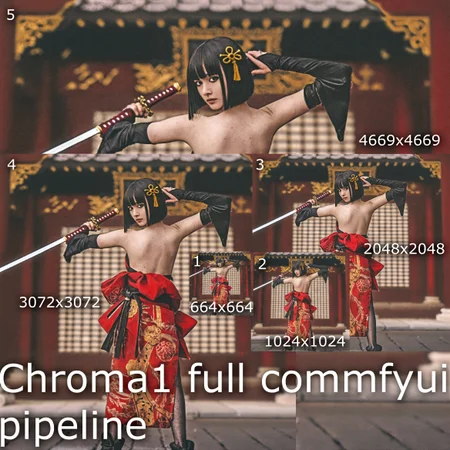
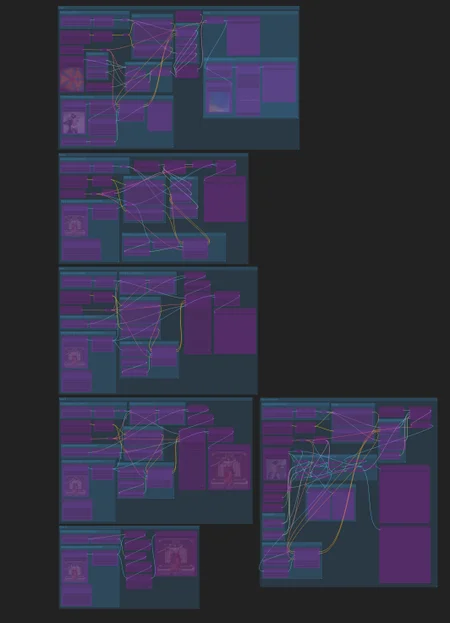
This is a workflow example to work with Chroma1-hd.
With this workflow you will be able to upscale from 664x664 to 4669x4669. It includes full resolution inpaint section using Chroma1-hd models workflow based on inpaint at full resolution.
It also includes batch processing mode, just connect the "Load image list from dir" node or for single image the "Load image" node.
Use the Chroma1-HD.safetensors model its vae and clip files
Download Chroma-Hyper-Flash-Heun-Low-Step-r04-fp32.safetensors (uploaded in civitai as original source seems missing) and place in loras
For ControlNet you can use diffusion_pytorch_model.safetensors originally for Flux but works on Chroma
The upscalers using as defaults are 4x-UltraSharp.pth, 4x_UniversalUpscalerV2-Sharp_101000_G.pth and 4x_NickelbackFS_72000_G.pth
To use just import the .json file in comfyui and install the missing nodes under manager -> install missing custom nodes. This workflow was tested to work on MacBook pro M2. but it should also work on linux and windows systems.
Description
Initial release.