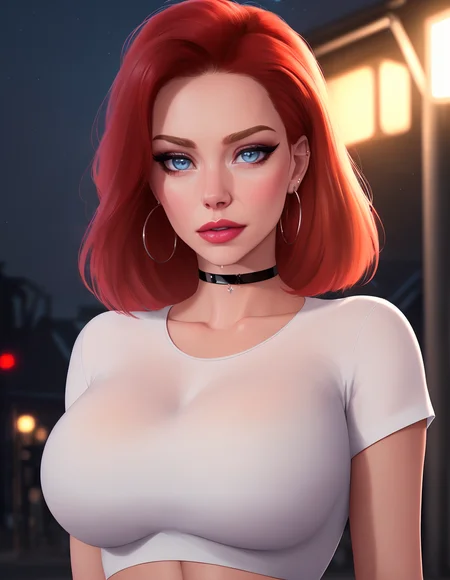
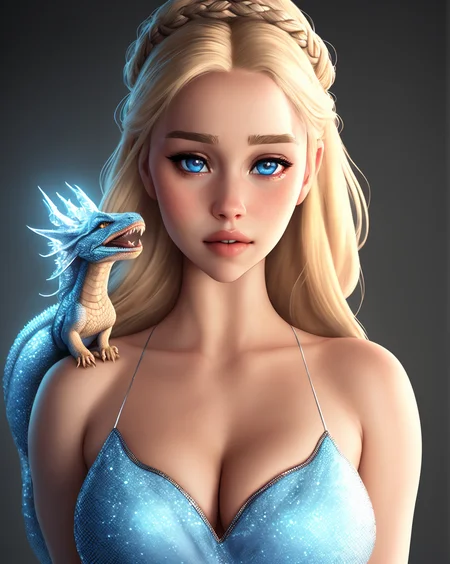
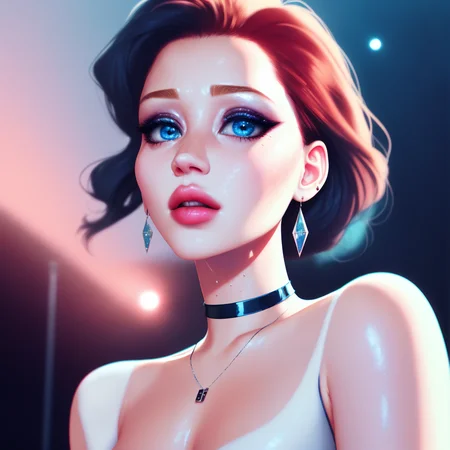
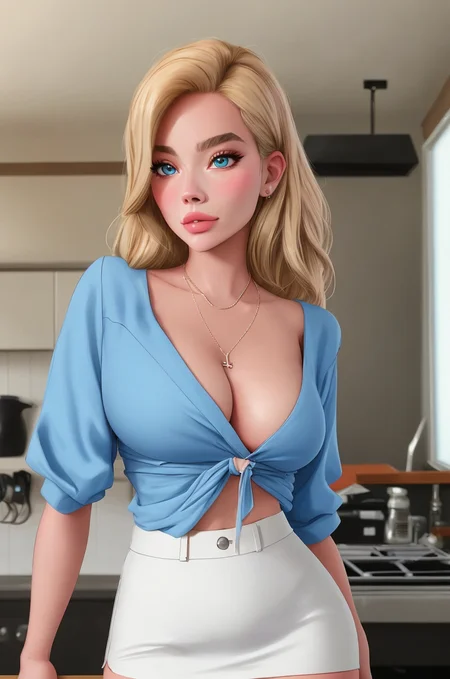
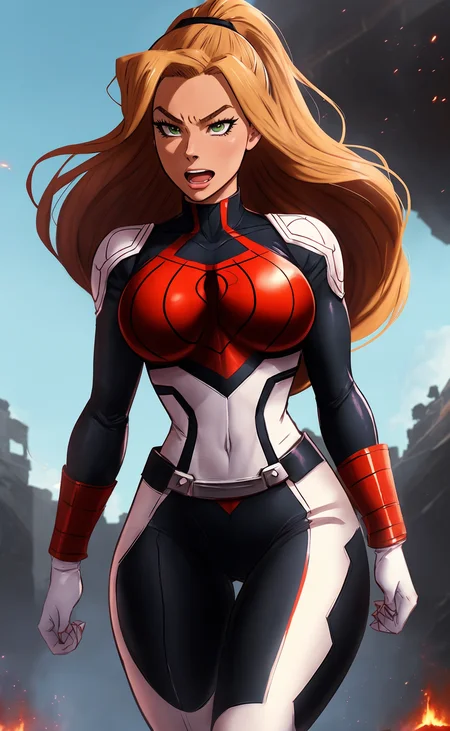


- Download 1.2i17 as digital product or with Membership September 2026 models collection.
- Download 1.2i16 as digital product or with Membership August 2026 models collection.
- Download 1.2i15 as digital product or with Membership July 2026 models collection.
- Download 1.2i14 as digital product or with Membership June 2026 models collection.
- Download 1.2i13 as digital product or with Membership May 2026 models collection.
- Download 1.2i12 as digital product or with Membership March 2026 models collection.
- Download 1.2p11 as digital product or with Membership February 2026 models collection.
- Download 1.2p10 as digital product or with Membership May 2025 models collection.
- Download 1.2p09 as digital product or with Membership May 2025 models collection.
- Download 1.2p08 as digital product or with Membership May 2025 models collection.
- Download 1.2p07 as digital product or with Membership May 2025 models collection.
- Download 1.2p06 as digital product or with Membership May 2025 models collection.
- Download 1.2p05 as digital product or with Membership May 2025 models collection.
- Download 1.2p04 as digital product or with Membership May 2025 models collection.
- Download 1.2p03 as digital product or with Membership May 2025 models collection.
- Download 1.2p02 as digital product or with Membership May 2025 models collection.
- Download 1.2p01 as digital product or with Membership May 2025 models collection.
- Download 1.2p00 as digital product or with Membership May 2025 models collection.
- More cool models.
The aesthetic balances clean lines with soft, luminous shading, bringing out subtle textures in hair, skin, and clothing while maintaining harmonious color palettes. Subtle adjustments to lighting add depth and atmosphere, ensuring each character integrates smoothly into their environment with a polished, artistic finish.
From serene natural landscapes and whimsical fantasy backdrops to sleek sci-fi settings, this style adapts effortlessly to diverse themes. It offers creators a refined, high-fidelity toolset that prioritizes balanced composition, expressive charm, and a timeless digital painting quality.
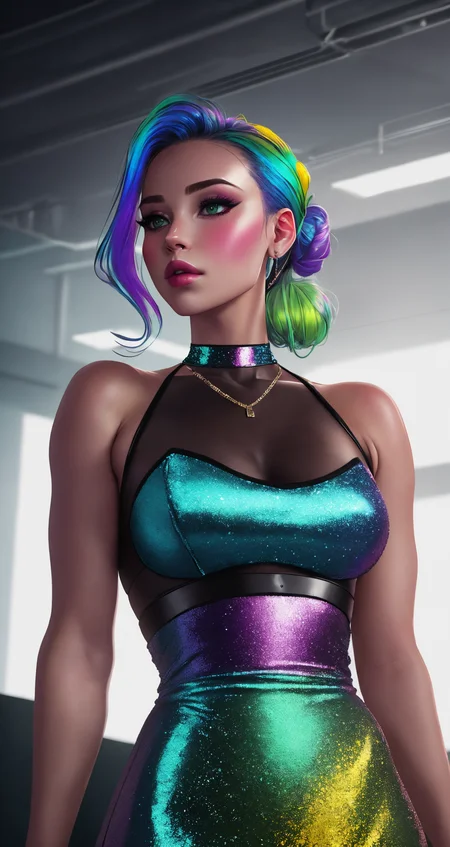
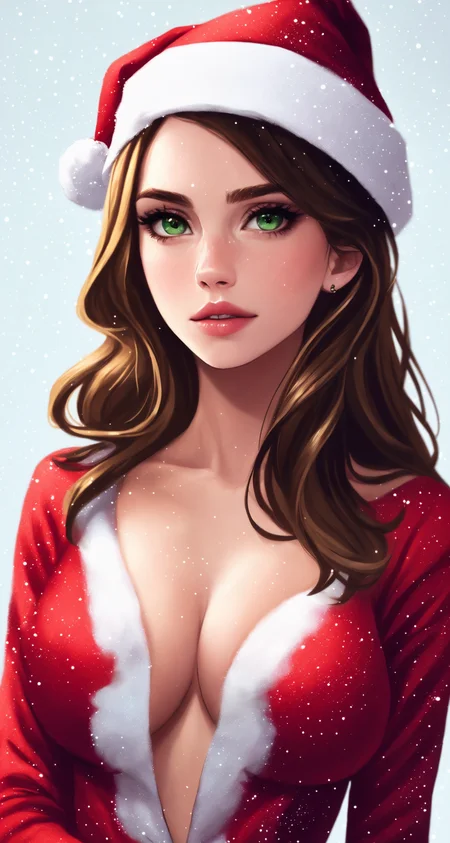
ℹ️ Babes 1.2i16 Illustrious introduces a beautifully balanced approach to digital character illustration, focusing on softer transitions and natural harmony. By stabilizing contrast and glow, this style delivers a gentler, more organic aesthetic that emphasizes depth through subtle shading. The overall composition feels grounded and inviting, offering a sophisticated look that honors classic digital painting techniques of the model.
Characters rendered with the style feature refined proportions and natural head shapes, creating a more realistic and cohesive physical presence. Expressive eyes, finely detailed hair, and rich, tactile textures on clothing and accessories are rendered with meticulous care. The color palette remains vibrant and diverse, yet it is applied with a thoughtful restraint that allows intricate details and soft lighting to take center stage.
This versatile style adapts effortlessly to a wide range of themes, from serene outdoor landscapes and cozy domestic scenes to sleek futuristic concepts and fantasy backdrops. It provides artists and creators with a polished, high-fidelity toolset for character design, prioritizing elegant compositions, balanced lighting, and a timeless, artistic charm.
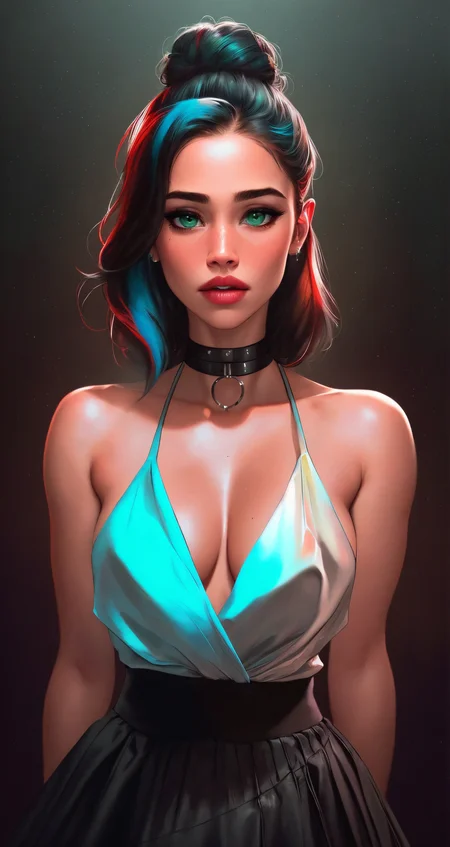
ℹ️ Babes 1.2i15 Illustrious is a bolder and more energetic evolution of the series, combining its established semi-realistic character style with stronger color, cleaner structure, and greater visual coherence. Saturation and contrast are more pronounced, giving each image a punchier presence while preserving the polished warmth and approachable charm associated with Babes.
The style features expressive faces, luminous skin, crisp linework, and smoothly sculpted forms with a refined illustrated finish. Jewel tones, neon accents, glossy materials, dramatic rim lighting, and carefully placed highlights create vivid dimensionality, while hair, clothing, accessories, and environments receive richer definition and more intricate detail.
Babes 1.2i15 works especially well for fashion-led portraits, fantasy characters, colorful contemporary scenes, and futuristic concepts. Its visual language can shift from soft domestic warmth to radiant fantasy or electric cyberpunk while maintaining clear compositions, cohesive palettes, and a confident, recognizable artistic identity.
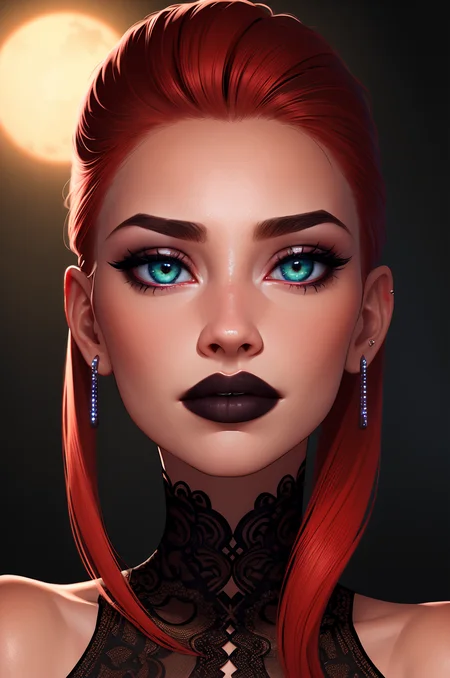
ℹ️ Babes 1.2i14 Illustrious - This latest release in the Babes series honors its Pony heritage while stepping forward with the refined strengths of the Illustrious architecture. It brings punchier, more saturated colors, heightened contrast, and fresh light effects that add vitality and dimension to the established aesthetic. The result feels both familiar in its polished grace and newly energized - a harmonious evolution that sharpens visual impact without losing the series' signature warmth and cohesion.
Visually, the model creates radiant portraits where luminous skin interacts dramatically with light, producing rich highlights, subtle atmospheric depth, and a sense of living presence. Colors bloom with vibrant yet balanced intensity, from jewel-like accents in hair and details to harmonious palettes that feel alive and inviting. Compositions gain cinematic clarity, with crisp elegant linework, thoughtfully layered backgrounds, and framing that guides the viewer into each scene with quiet sophistication and expressive charm.
Babes 1.2i14 offers a versatile, premium visual language suited to fashion-forward ideas, fantasy narratives, and character studies alike. It delivers modern digital artistry that is luminous, dynamic, and full of life - refined enough for serene moments, bold enough for striking scenes, and consistently cohesive in its artistic voice.
ℹ️ Babes 1.2i13 Illustrious marks a refined evolution in the series, now grounded in the Illustrious architecture. This version enhances fidelity, subject framing, and compositional clarity while expanding the range of colors and refining body proportions and facial harmony. The signature Babes aesthetic remains beautifully intact - luminous, polished, and artistically expressive - but now feels even more precise, balanced, and visually cohesive.
Visually, the model creates radiant, high-fidelity portraits with softly sculpted features, luminous skin tones, and gracefully expressive faces. Colors bloom with rich yet harmonious saturation, from jewel-like accents in hair and attire to natural, flattering lighting that adds depth and dimension. Linework stays crisp and elegant, backgrounds gain subtle storytelling detail, and overall compositions feel cinematic and thoughtfully framed, inviting the viewer into each scene with warmth and quiet sophistication.
Babes 1.2i13 Illustrious captures the essence of modern digital artistry at its most refined: elegant, vibrant, and full of life. It excels at fashion-forward concepts, fantasy-inspired narratives, and serene character studies alike, delivering a premium aesthetic that feels both timeless and alive. Whether you seek graceful elegance or creative storytelling, this version offers a versatile and captivating visual language.
ℹ️ Babes 1.2i12 Illustrious marks an exciting evolution in the series, transitioning from its Pony-based foundations to the Illustrious architecture. This shift brings a refined, luminous quality that feels both fresh and deeply intentional - a harmonious blend of the signature Babes aesthetic with the elegant strengths of Illustrious. The result is a style that retains its characteristic glamour and polish while gaining new levels of clarity, harmony, and expressive finesse.
Visually, Babes 1.2i12 delivers radiant, high-fidelity portraits with luminous skin tones, softly sculpted features, and a gentle yet captivating presence. Colors bloom with rich, balanced saturation - jewel-like hues in hair and attire dance alongside natural, flattering lighting that creates depth without harshness. Linework is crisp yet graceful, backgrounds gain subtle storytelling detail, and overall compositions feel more cinematic and cohesive. Faces carry a refined, almost ethereal charm: expressive eyes, harmonious proportions, and an inviting warmth that draws the viewer in.
This version captures the essence of timeless elegance reimagined through modern digital artistry - glamorous, vibrant, and effortlessly stylish, yet always tasteful and sophisticated. Whether crafting fashion-forward concepts, fantasy-inspired scenes, or serene character studies, Babes 1.2i12 offers a versatile, premium aesthetic that feels both luxurious and alive.
ℹ️ Babes 1.2p11 Pony - This version introduces several refinements. A significantly expanded color range brings richer saturation, cleaner white balance, and more accurate, natural hues across a broader spectrum of shades. Shapes and linework appear sharper and more defined, enhancing clarity without sacrificing softness. Backgrounds receive greater attention, with increased depth and fine detail that elevate overall composition. The semi-realistic style is now more consistent throughout, and facial features lean subtly cuter - balanced, expressive, and more harmonized with the overall aesthetic.
How it works?
Choose Product or Subscribe:
Get this model via a Ko-fi product, or
Join the appropriate membership tier:
Model released during current month: Current Month Content
If model released in previous months: All Months Content
You will be prompted to link your Hugging Face and Ko-fi emails.
Hugging Face access is checked by email, which might be different from your Ko-fi email. You will receive a link from Ko-fi to add the email and continue.Request Access on Hugging Face:
After you acquired product or subscription, you’ll receive a link to a gated Hugging Face repository.Click "Request Access".
Your access will be approved automatically within a minute.
Download & Use:
You can then download and use the model under the license provided in the repository (LICENSE.md).
Why I Created My Own Access Control
I have been a creator on Civitai since December 2022. My goal has always been to help make model training, design, and development a sustainable, professional activity, not only for myself, but for other creators too. Supporting people who want to create models professionally is good for users, for creators, for the entire community, including Civitai itself.
Civitai has shared some of this vision and has tried to create ways to support creators. Unfortunately, their current Creators Program has serious problems:
Civitai was deplatformed by payment processors and operates at a loss.
The current compensation model pays creators mainly for model usage in the generator.
Early Access limits paid access to only 15 days, after which models must be free.
Buzz extraction value has dropped to ~45% of its original worth, making withdrawals basically a 55% fee.
Bugs and creator feedback are ignored for months, and several team members who used to listen have left.
I believe this system is unfair, harmful, and exploitative. Creators should be able to:
Sell models without arbitrary time limits.
Pay a fair platform fee of 15% or less.
Civitai briefly tested a much better system called Clubs in early 2024, which worked well for creators, but it was canceled after backlash from a loud minority that opposed fair creator compensation. I have long hoped Civitai would fix these issues, as I’ve suggested in my articles:
But nothing has changed. Bugs remain unresolved, feedback is ignored, and I’ve lost optimism about Civitai’s willingness to improve.
That’s why I’ve decided to experiment with my own alternative access control system, a fairer way to share models with users who value my work.
ℹ️ Babes 1.2p10 Pony - This version introduces a few interesting changes, continuing my effort to refine and evolve Babes with every version. In this version, I focused on adding a few hand gestures, such as: hand on chest, hand v sign, hand open palm, hand thumb up, hand pointing up, and both hands on waist. These gestures are significantly better now, but they are definitely far from perfect.
I also tried to improve the teeth, aiming for more defined, clear details and more consistent results, and I think that effort was successful.
This version includes a few adjustments to the semi-realistic base style and default faces. My goal was to make the model feel more rounded and distinct, while staying aligned with the established look of earlier versions. I feel that the fidelity remains very high, and I’m pleased with the direction the model is heading.
As always, each release is an opportunity for me to add creative flavor to the model. I’ve continued to refine the model and hope to be able to keep making frequent updates, while Civitai is going through some worrying changes.
I really love what the model can do now, and I hope that people will enjoy this latest addition.
ℹ️ Renamed versions: 1.2-1.29 Pony versions changed to 1.2p00-1.2p09 or 1.2p0-1.2p9.
ℹ️ Babes 1.2p09 Pony – A new training and a few new components added, aiming to polish and improve semi-realistic style further, adjustment to faces and skin, a little bit more details, enhancement of sharpness and contrast.
ℹ️ Babes 1.2p08 Pony – Incorporated a few new components and new training, sharpened backgrounds, added more details, slicker 3D effects, expanded tonal range, and lowered close-up bias. This version can create truly incredible images—it's my pleasure and privilege to be able to create and publish it.
ℹ️ Babes 1.2p07 Pony – This version comes with enhanced semi-realistic base style, adjustment to default faces, and improvement to saturation and lighting.
ℹ️ Babes 1.2p06 Pony – This version brings significant improvements to details and sharpness, along with major enhancements to compositions and backgrounds. For a more alternative look, I recommend using "tattoos" in the prompt. I have to admit, though, that hands are more challenging in this version.
⚠️ This model has been on Civitai’s generator since the first day of generator existence. However, after the recent attempt to support all checkpoints in the generator did not work as expected, Civitai has decided to stop supporting this model in the generator. I’m disappointed by this decision—this is my first and most beloved model.
Ultimately, during the period when all models were briefly available in the generator, neither of the Babes versions met some required threshold. Maybe this happened because the latest version was in Early Access, splitting users between two versions—I don’t know.
I checked the data from this model for exact numbers. I also found at least four models that are currently in the generator, which have a lower number of images generated with them than versions of this model (v1.2p04, v1.2p05) - despite being measured over a shorter period of time. So unfortunately, the decision by Civitai is not based on merit, unlike how it was presented.
Civitai promised that the new Creators Program would be more fair, but after reverting changes to support all checkpoints, we now see that two creators hold around 20 checkpoints in the generator—meaning just two people have 10% of all available slots—including a single model with six versions. Other models have three or even four versions in the generator. This situation is an unfair for other creators and not helpful to users.
ℹ️ Babes 1.2p05 Pony - This version looks amazing. It creates gorgeous faces and bodies, and overall, I like it a lot. Some of the changes include: less shiny skin, rebalanced contrast with renormalized colors, better proportions, and more realistic lighting.
ℹ️ Babes 1.2p04 Pony - Additional polishing of base style, look and feel. Adjustment to more volumetric and less flat shading, slightly more metallic textures, can produce more darker images, has a wider variety of colors - particularly for clothes and hair.
🍊 I want to thank all the people who are using and enjoying this model, all my other models, and supporting my work. As a token of appreciation to all the lovely people, I decided to discount Babes 1.2p03 Early Access bigly and boldly. Hope y’all are having a great 2025. Let’s Make AI Great Again!
ℹ️ Babes 1.2p03 Pony - Adjustment to base style, default faces, more vivid colors and more colorful images. I love the results, somehow I keep surprising myself all the time. 😆
ℹ️ Babes 1.2p02 Pony - Incorporating new components, including training from Galena 1.3 and Babes Kissable Lips 3.7, and additional new finetuning. The base style is a continuation of Babes 1.2p00 and 1.2p01 with a slight variation. The results look amazing in my humble opinion. 😊
ℹ️ Babes 1.2p01 Pony - Changes to the base style of Babes 1.2p00, intended to offer additional complementary options.
ℹ️ Babes 1.2p0 Pony - Finetuning based on Babes Kissable Lips 3.4.
ℹ️ Babes 3.1 includes new training, a new recipe, rebalanced styles, and enhancements to the base style.
ℹ️ Babes 3.0 was trained with 43,000 images, including many new styles and subjects.
ℹ️ Styles: Babes 1.1 - "basety style", Babes 2 - "abbe bi style", Sassy Girls - "sassy style", Midjourney - "midjourney style".
ℹ️ Cartoon styles:
othalama style, ronidu style, seviechan style, samdoesart style, thepit style, owler style, cherrmous style, arosen style, uodenim style, stanleylau style, amime style
ℹ️ Recommended tags in the negative prompt: nose stud, piercing
ℹ️ Misc trigger words: wild nature, suicidegirl, interior design, digital art
📌 Are your results not 100% identical to any specific picture?
Make sure to use Hires-fix from example SwinIR_4x / 4x-UltraSharp / 4x-AnimeSharp / RealESRGAN_x4plus_anime_6B (Upscaler Download), it is what I usually use for hires-fix.
SD 1.5 - Use VAE: vae-ft-mse-840000-ema-pruned for better colors. Download it into "stable-diffusion-webui/models/VAE" folder. Select it in the settings.
I use xformers - it's a small performance improvement that might change the results. It is not a must to have and can be hard to install. Can be enabled with a command argument "--xformers" when launching WebUI.
WebUI is updated constantly with some changes that influence image generation. Many times technological progress is prioritized over backward compatibility.
Hardware differences may influence changes. I've heard that a bunch of people tested the same prompt with the same settings, and the results weren't identical.
I have seen on my own system, that when running as part of a batch, may change a little bit the results.
I suspect there are hidden variables inside modules we can't change that produce slightly different results due to internal state changes.
Any change in image dimension, steps, sampler, prompt, and many other things, can cause small or huge differences in results.
📌 Do you really want to get the exact result from the image? There are a few things that you can do, and possibly get even better results.
Make a single word changes to prompt/negative prompt and test, and push it slowly to your desired direction.
If the image has too much of something or doesn't have enough of something, try to use emphasis. For example, too glossy? use "(glossy:0.8)", or less, or remove it from the prompt, or add it to the negative. Want more, use values 1.1-1.4, then additional descriptors in the same direction.
Use variations - use the same seed, and to the right of the seed check "Extra". Set "Variation strength" to a low value of 0.05, generate a few images, and watch how big the changes are. Increase if you want more changes, and reduce if you want fewer changes. That way you can generate a huge amount of images that are very similar to the original, but some of them will be even better.
📌 Recommendations to improve your results:
SD 1.5 - Use VAE for better colors and details. You can use VAE that comes with the model or download "vae-ft-mse-840000-ema-pruned from (https://huggingface.co/stabilityai/sd-vae-ft-mse-original/tree/main) , ckpt or safetensors file into "stable-diffusion-webui/models/VAE" folder. In the settings find "SD VAE", refresh it, and select "vae-ft-mse-840000-ema-pruned"(or the version included with the model). Click "Apply settings" button on the top. The VAE that comes with the model is "vae-ft-mse-840000-ema-pruned", you don't need both, use the one that you downloaded, it will work very well with most of the other models too.
Use hires-fix, SwinIR_4x / 4x-UltraSharp / 4x-AnimeSharp / RealESRGAN_x4plus_anime_6B (Upscaler Download), first pass around 512x512, second above 960x960, and keep the ratio between the two passes the same if possible.
Use negatives, but not too much. Add them when you see something you don't like.
Use CFG 7.5 or lower, with heavy prompts, that use many emphases and are long, you can go as low as 3.5. And generally try to minimize the usage of emphasis, you can just put the more important things at the begging of the prompt. If everything is important, just don't use emphasis at all.
Make changes cautiously, changes made at the beginning of the prompt have more influence. So every concept can throw your results drastically.
Read and use the manual (https://github.com/AUTOMATIC1111/stable-diffusion-webui/wiki/Features).
Learn from others, copy prompts from images that look good, and play with them.
DPM++ 2M Karras is the sampler of choice for many people, including me. 40 steps are plenty, and I usually use 20.
Discord server for help, sharing, show-offs, experiments, and challenges
Description
Inspired by SamDoesSexy Blend. VAE inside!
Influenced by: SDHero-Bimbo-Bondage, Pit Bimbo, Analog Diffusion, Dreamlike Diffusion, Redshift Diffusion.
Core influence: MidJourney v4, Studio Ghibli, CopeSeetheMald v2, F222,SXD 0.8.
Notice: If you see skin artifacts and noise, please add "freckles" to the negative prompt. If you want freckles, write in your positive prompt: "(freckles:0.7)", values under 0.8 seem to produce normal freckles in my tests.
I'm using VAE: vae-ft-mse-840000-ema-pruned.
Upscaling used for hires-fix: SwinIR_4x with "Upscale latent space image when doing hires. fix".
No hypernetworks.
xformers - small performance improvement that might change the results, not must to have.
FAQ
Comments (34)
I really like this model, but e9 definitely struggles with short haircuts - it seems like it defaults to neck-length hair even if a bob or pixie cut is specified.
Good point, it's probably related to the same images that created the lips bias. I'm going to take care of it in the next version.
@TheArchivist

I have tested a few prompts to create short hair, you can see them here: https://files.catbox.moe/gmuulm.jpg
The file includes PNG info, so you can see the prompt and test it yourself.
I have limited experience with haircuts, but I'm not sure that I'm seeing the problem you are describing with Experiment 9. You can attach an image with PNG info that represents the problem, and I will check it.
@alexds9 I think it's just a different expectation of what a 'pixie cut' is - I would typify it as being quite close-cropped with short bangs, versus the chin-length hair in the test prompt. The base v1.1 gets it right more often, so I've been sticking with that for generation for the moment.
https://i.imgur.com/LF2qHTN.png (v 1.1) (ear length hair)

vs https://i.imgur.com/yKbJkVi.png (v 1.1e9) (closer to a bob or pageboy; chin length)

I will admit it's getting into fine distinctions between hairstyles here, and naturally there isn't any sort of visual dictionary to this so figuring it out is a pain, but I appreciate your looking into it.
I've also seen the model generate wings(?) when the term 'pixie cut' was used, especially at a high emphasis - I suspect there's a keyword confusion there from the training data used for e9:


@TheArchivist
Yeah, the hairstyle difference is very small, maybe additional adjectives are needed to make it more clear.
Regarding the wings, it is probably a behavior of the base model. Pixies and fairies both have wings, so the model may add wings when it sees pixie.
Maybe "pixie haircut" will be less confusing for the model? Not sure. My training should not be anywhere near this area.
Vanilla 1.1 vs e8 vs e9
I finally had the time to look at the experiments in detail. Generated about 200 images each with e8 and e9. Here are some observations:
- e8 tends to generate the "Korean Doll" look that is found in many other models also. Not a fan of that personally. Overall, e8 generates much lighter skin shades than the base model.
- e8 outputs look a bit more realistic than the base model, and less comic book bimbo style.
- e9 appears to be unable to deal with different ethnicities. It pretty much only generates "White" faces. Skin shades may differ, but the features remain Caucasian.
- e9 has an overwhelming bias towards the color red. Red shades feature prominently in almost every image, and skin also tends to look flushed with red by default.
- e9 generates much better nipples and genitals than the base model. In nonstandard poses, 1.1 often draws deformed nipples, while e9 does noticeably better. The shape of breasts is also slightly different, but whether it's an improvement or a regression in quality depends on the image.
- Both e8 and e9 appear to tolerate higher CFG values than vanilla. I've not been able to conclusively determine whether this means they also follow the prompt better.
My personal opinion is that e8 is a step in the wrong direction because it makes Babes more similar to many other models that already exist. If I want a more realistic or a more doll-like appearance I can just blend with one of several attractive options. e9 is an improvement as far as nudity is concerned, and a regression in some other areas.
To me, the biggest weakness of all current "Babes" models is that they are really bad at generating faces that look older than 25 years or so. Most of the time the model doesn't react to relevant prompts at all, and if you push really hard you tend to get grandmothers or monsters. I've found it very, very difficult to get an attractive face of a 40-ish woman (some of my best results are in my first review, and those are miracles pulled from literally hundreds of seeds). I get that many people just want to generate college girls, but it would be nice to have more range available here, since mature faces tend to look more interesting and also have richer skin textures.
@NihilisticNihilist
Thanks for your extensive comparison. But you missed one important member in the family, Experiment 7, it deserves a little bit of love too, maybe next time :-). Chronologically speaking the oldest version is Experiment 8, then Babes 1.1, then Exp 7, and Exp 9.
My plan for the next version is to be a smooth continuation of Babes 1.1 in style, with a reduction in noise, better NSFW, and better control of the prompt. But I want to have more than just one version, at least one version step closer to anime, and at least one version closer to realism.
I took note of the red bias in Exp 9...
Regarding the age bias of the model, I hope that the next version will be much more flexible in this regard. I think that Exp 9 is already slightly improved, when I used in prompt "mature women", I got results that were observably older. You may still need to find better prompts to craft what you want, but I think it should easier with Exp 9. You can also try the darker prompts that I borrowed from Ally's mix for Babes 1.1 examples, they generated older women with Exp 9. Exp 9 is at the bottom: files.catbox.moe/2126qc.jpg
Visit sometime Discord Babes Art.
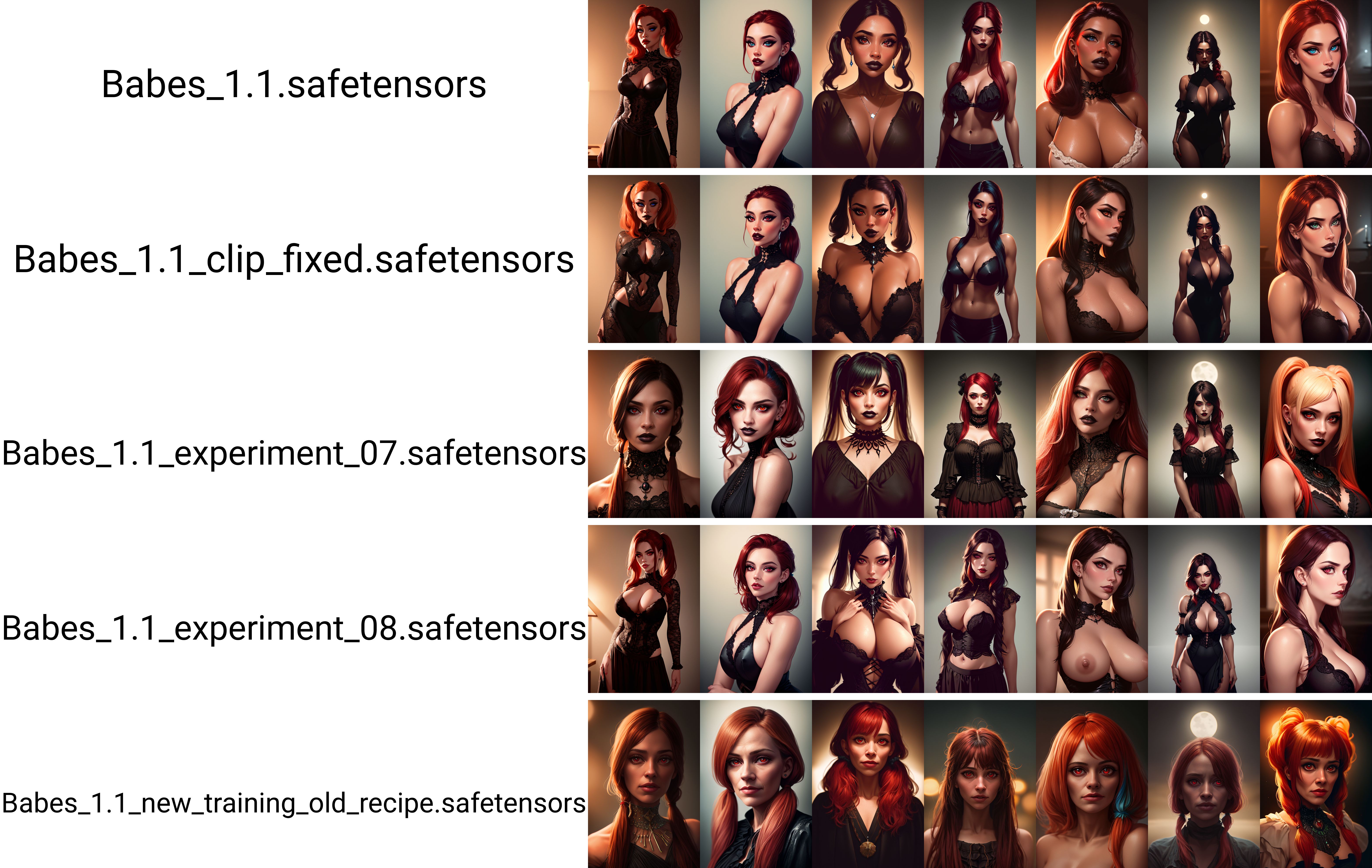
@alexds9 Yeah I plan to test e7 too at some point (and the clipfix version also, probably). Your "mature" redheads look really good, though they still look a bit more like college girls with wrinkles than like actual older women.
I tried to get on the Discord multiple times. Unfortunately, in my part of the world, using Discord requires you to provide your phone number, which is a non starter for me :(
@NihilisticNihilist
I wasn't aware of Discord forcing people to give their phone numbers, but I'm just a little organic battery inside Matrix, so what do I know anyway...
Not sure if it is something you can do, but here is a result from a google search "discord without phone number" from Nov 2022:
"What is this? If you are trying to create a Discord account and pass the verification without adding your phone number, your best option is to verify your account using an email address. Once the email gets verified, you can use your account without adding your phone number."
Maybe 10 min email can be used for that...
@alexds9 I've tried all of that a hundred times over. It depends on which country you access Discord from, and probably on some other factors. Email verification is not available when I sign up, only phone. Other people from my country are having the same problem. If you use VPN, they sometimes outright ban you, or again force you to give them your phone number, and may still ban you afterwards. Facebook is the same. It's been a problem for years.
@NihilisticNihilist
Yeah, unfortunate situation.
I've done a few dozen tests where I compared the clipfix version to the standard version using identical seeds, and to my surprise I found that I almost always preferred the version without the fix. Moreover, the clipfix version seems to suffer from an issue where the body parts of two people standing close to each other are fused together like conjoined twins. I've seen this several times with clipfix, but never with standard using the same prompt.
The quality of hands might be a tiny bit better with clipfix. I'm not sure about that, it's too close to tell. But the attractiveness of faces, the lighting, and other details are without a doubt better in standard, at least with the prompts I tested.
Thank you very much for this information.
So it was a good decision not to make the clip fixed version the main version.
But how is your experience with prompt control, fixed clip version should be more responsive and better controlled by the prompt, have you noticed such behavior in your tests?
@alexds9 To be frank, both the clipfix and standard version of Babes are among the least responsive models I've used. I didn't notice any difference in that regard. For example, with Babes (clipfix or not) you can specify sapphire jewelry and it will give you rubies or emeralds. Many other models react far more accurately to such specifics.
Experiment 9 does seem to be more responsive though, unfortunately it is lacking in range as discussed before. Mixing in e.g. Deliberate also improves prompt control, even at admixture levels as low as 15%. I'm currently conducting systematic experiments with many blends and will probably upload soon a resulting blend optimized for a specific style. Your models will certainly be the most important ingredient in that blend and I can't thank you enough for providing them!
@NihilisticNihilist
Cool.
By the way, do you use hako-mikan/sd-webui-supermerger to test merges in memory, without saving them to disk?
I can't understand if it can chain merge like this ((((A + B) + C) + D) + E), when A-E on disk, and the merges are in RAM, without saving them to disk.
It seems to support only (A + B) + C, but not more. And no option for ((A + B - C) + D - E).
Not sure if I'm missing something. I opened a help request on github, but nobody responded yet...
@alexds9 I've tried that extension, but I ran into multiple bugs and just gave up. Normally I'd file an issue as a courtesy to the author, but I was just too lazy this time.
I got plenty of disk space so I just merge using the standard A1111 UI. Which is actually pretty bad. But my main problem with it isn't that I need to write to disk, it's that merging more than 2 checkpoints is so unintuitive. I'd like a system where I can put in N models and assign each of them an arbitrary weight, and the code sums up the weights by itself, normalizes so they add to 1, and then recursively performs the merge. Or even non-recursively, all in a single summation, if there's enough RAM. Even better, let me specify an arbitrary expression like in your example so more advanced operations are possible.
But the math is pretty simple so I just do it myself. It's not like I need to do thousands of merges or something. But if I keep doing merges, maybe I'll write a script someday to implement the above idea.
@NihilisticNihilist
A system with N models where you can give each model just a percentage of the total could be really good. I started implementing such a system myself, but I haven't made it functional and stopped working on it...
There is an extension: https://github.com/bbc-mc/sdweb-merge-board.git
that allows you to make up to 10 merges, they are all saved to disk, but it can automatically reuse already existing merges. It has the option to use text for the recipe, so you can change the weights and model names very quickly. It helped me a lot with merges lately. You can just save the text of the recipe and use it again later. I would recommend you try it.
@alexds9 Thanks for the tip, the part where you can just type text is a killer feature!
Let me chip in a little. Does ComfyUI help in this regard? When it comes to the merges and stuff. Just thought about giving it a try.
@Tetraanichon
Good to see you here.
I never used ComfyUI, so I don't know.
@alexds9 Saw an interesting conversation, so I had to check it out :)
@Tetraanichon
If you haven't visited Discord Babes Art yet, definitely pop in and say hi sometime.
@alexds9 There is a discord channel! Definitely ;)
nice model, is there a description somewhere of what the tags are? thepit bimbo, analog, dreamlikeart, redshift, studio_ghibli_anime_style
Yes, please look at the Trigger Words list I provided in the description of the model above.
Many of the trigger words have only a minor effect or basically unknown influence on the results. Some have strong and reliable effects. You can experiment with them and see what works better for your prompts. Please let me know if you find something interesting.
@alexds9 right i see the list i was just wondering if there was documentation of what type of effect each trigger word tends to have
@Adeladen
No documentation, the most effective triggers that I found are: "thepit bimbo", "copeseethemald style", "studio_ghibli_anime_style style".
And the cursed one is "freckles".
was this model trained using photos of the YouTuber/adult star, Jessa Rhodes? A lot of the images look like her.
Sorry, but I never heard of her up until now. Unfortunately, the model wasn't trained with her images.
But SD has a lot of public people included inside, so maybe she part of the base training of stable diffusion models.
Great to see this model design. I want to make the similar one for my coffee review blog.
Interesting.
Details
Files
babes_11.safetensors
Mirrors
2220_babes_11.safetensors
Babes_1.1_with_vae.safetensors
babes_11.safetensors
babes_11.safetensors
babes_11.safetensors
babes_11.safetensors
babes_11.safetensors
Babes_11.safetensors
SDCfRPnD6R-Babes-1.1.safetensors
babes_11.safetensors
Babes_1.1_with_vae.safetensors
babes_11.safetensors
babes_11.safetensors
babes_11.safetensors
babes_11.safetensors