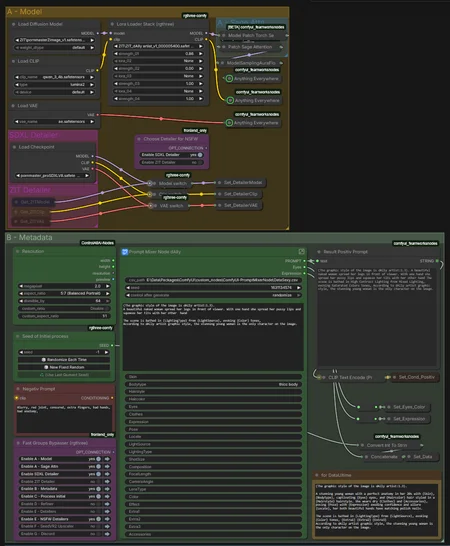
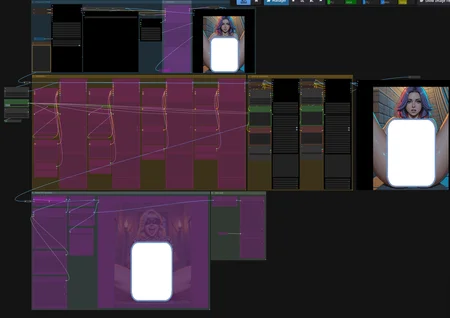
Workflow include : text-to-img | img-to-img | Inpaint | ControlNet | Refiner | Detailer | NSFW Detailer | Upscaler | Discord (save and/or share)
The best experience with this Workflow is to put a similar prompt for SDXL and Zimage, 1st gen on SDXL -> Enhance with Zimage Base + Distill LoRA -> Refine with Zimage Turbo (-> Detailers if you are really touchy) -> Upscale to 4K with SEEDVR2.
But you can disable almost all the group to use what you really want.
Update v3
Remove the node folder as they are available on ComfyUI Manager
Optimize the switch, you can disable the Zimage Base model to use all with Zimage Turbo. You can almost disable any nodes.
Update v2.603
Add i2i with Zimage Base + Distill LoRA
Add back the Zimage turbo Refiner for this release
Update of the mixer node to be able to plug an INT
Adjust Resolution node for QoL
Add a "guide"
Update v2.1 -
Add the ControlNet group
Add an exemple of the Data.csv i use to feed the PromptMixerNode
Update v2 -
(Zimage Base only) Add a quick switch on/off Distill LoRA (and the parameters) (need Z-Image-Fun-Lora-Distill-8-Steps-2602-ComfyUI.safetensors)
Split the version with NSFW detailers and without.
Add the updated version of my PromptMixerNode with an option to keep the format of the prompt or make it flat.
Add a small node to count the token (T5, Clip L and Qwen)
Add a small parts to compare with/without LoRA or another generation method
Add somes QoL
Two generation parallel + Detailers (NSFW one aparts)+ Upscaler + Discord
Adjust the size of the first generation by the "Resolution" node and adjust megapixels value.
2.4 Mpx is the spot for 16 Gb VRAM
V1.2
Workflow with my custom node (a node for wildcard with a csv). Same as the ZIT, the sampler are set for use with my LoRA, if you just use the workflow for his own, change sampler.
First Generation + Refiner + Detailer + NSFW Detailer + Upscaler + Discord
Description
Optimize Bypass, add optional SDXL Detailer for NSFW