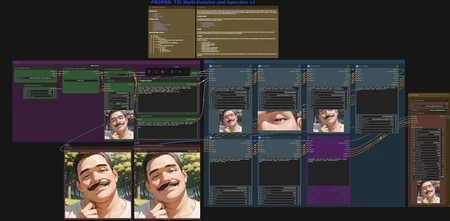
PROPER Txt2Img Multi-Detailer and Upscaler
I've had some DMs stating that people are having problems with reproducing the ComfyUI images I post here on CivitAI. I cleaned up my workflow and added some documentation on how to set it up. It's mostly for male-focus NSFW gens, but it should be easy enough to adapt for your needs. I've only been messing around with ComfyUI since December 2025, so I'm far from an expert. I just want to share what I've learned and hope it helps anyone else who are just getting started.
What this Does
This is a really basic application of the Impact Subpack FaceDetailer to fix various body parts. Each detailer uses a separate detector. I've found that this can dramatically fix messed up eyes, and sometime fix hands and other things too. It also has an Upscaler that you can bypass if it's not needed.
There's in-line documentation in the workflow itself that should explain where to get the required extensions, nodes and models.
It needs a lot of tuning for the bbox_threshold and denoise settings. Lowering the threshold will make it easier to detect the objects you're trying to detail but will also make it more likely that the detector will incorrectly detail the wrong things. A higher denoise value will result in more drastic changes to the original image, while a lower value will result in more subtle changes.
Typical before/after:

Benchmarks:
On my RTX 4070 Super with 12gb of VRAM this adds quite a bit of time to each image.
Average generation time per image:
17.6 seconds - Undetailed 1024x1024, all detail/upscale nodes bypassed
50.1 seconds - Detailed 1024x1024, upscale nodes bypassed
71.2 seconds - Detailed 1024x1024 upscaled to 2048x2048