



⚡ Anima Workflow:
🛠️ Purpose & Design Philosophy
This workflow is designed for quality and autonomy, not speed. It follows an "all-in-one" philosophy: configure your settings, hit queue, and let the workflow handle everything from initial generation to high-res detailing in a single pass.
Not for Speed: If you want rapid-fire generations, this is not the tool for you. A solid, much faster alternative created by darksidewalker can be found here.
Personal Use: This was built for my personal production needs. It is not intended to be a "one-size-fits-all" solution, but I am sharing it for those who value the same high-fidelity results. Please adjust the settings to your preferences!
Heavy Duty: Due to the multi-stage processing, this workflow can be resource-intensive. In my experience, the detailers are not usually needed. YMMV.
On v1g and after: If the results are too blurry for you after USDU, you can try using the RTX nodes after it to help.
v2 is compatible with AIO versions of Anima models. Note: You might have to select a random model in the Checkpoint Loader node even if you are not using it. This is because it references your models/checkpoints folder. The opposite may also be the case if you are using the Checkpoint Loader node but not the Model Loader in the Diffusion Model Loader group which references the models/diffusion_models folder.
🚀 Key Features
Beyond standard generation and upscaling, this workflow integrates:
Power LoRA Loader: Efficiently manage multiple LoRAs without spaghetti wires.
Global Controls: Centralized Seed, Sampler, and Scheduler nodes for a unified experience.
Bypass Control to toggle features on/off.
Visual Validation: Integrated Image Comparer nodes to see exactly how your image evolves at every stage.
Upscaling: 2-stage upscaling using standard image upscaling and Ultimate SD Upscale (optional).
Triple Detailer Groups: 3-stage detailing using standard BBOX and SEGM detection models for faces, hands, and clothes.
CivitAI Ready: Images are saved with full metadata (Model, LoRAs, Prompts) for easy site parsing.
⚠️ Disclaimer & Compatibility
Install at Your Own Risk: Updating ComfyUI or adding custom nodes can break your environment. I am not responsible for any installation issues.
Portable Version: This was built and tested on the ComfyUI Portable version. Desktop app users may require additional troubleshooting.
"Your Mileage May Vary": Your environment is almost certainly different from mine. I do not guarantee 1:1 compatibility.
Nodes 2.0: I strongly recommend disabling Nodes 2.0. It causes unpredictable behavior; I will not provide support for any issues arising from its use.
🤝 Support & Boundaries
No DMs: Direct messages are disabled due to high volume. Please use the Discussions tab below. Check previous comments first (unless there aren't any yet), as most common questions may have already been answered.
Custom Requests: I do not take private requests for custom workflows. If you need a specific solution built, please post a Bounty on CivitAI. There are many talented creators here who will be happy to assist you for a fee.
Modifications: You are free to add or remove nodes as you see fit. However, if you change the internal logic, you are responsible for your own troubleshooting.
The only place I am actively maintaining this workflow is here on civitai. If my workflows are being posted and monetized elsewhere, whoever posted them is obligated to provide support.
Description
Release Notes: v1f-RTX
This version introduces a major overhaul of the upscaling and refinement pipeline by integrating Nvidia RTX-accelerated hardware nodes. These changes focus on maximizing hardware efficiency while providing a cleaner, sharper output for the Anima style.
New Node Integrations
RTX Video Super Resolution (VSR): Replaces the traditional "Upscale Model Loader" and "Upscale with Model" chain.
RTX Denoise & Deblur: Added as final post-processing steps to polish the image after the Ultimate SD Upscale (USDU) pass.
Why RTX Nodes?
Unlike standard upscalers that rely on static model files (like ESRGAN or SwinIR), these nodes leverage the Tensor Cores on your GPU to perform real-time, AI-driven reconstruction.
Key Benefits:
Superior Artifact Suppression: RTX VSR is specifically designed to eliminate compression artifacts and "haloing" around edges, which is crucial for maintaining the clean lines of anime faces.
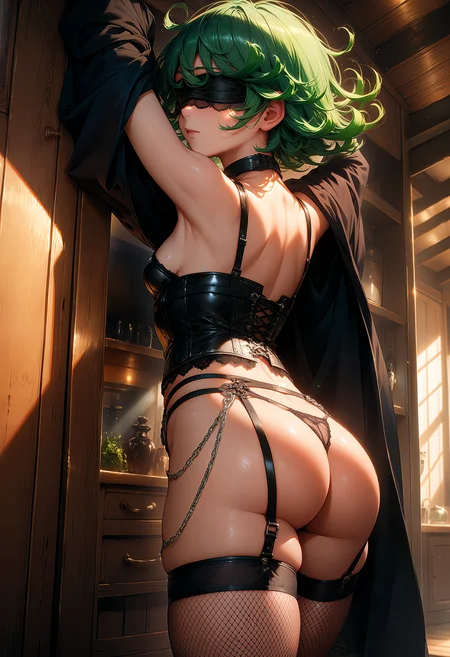
Texture Preservation: While standard models often over-smooth textures, RTX Denoise and Deblur are highly effective at cleaning up leftover grain after USDU while keeping high-frequency details—like the intricate textures of leather, lace, or satin—sharp and distinct.
Efficiency: By utilizing the dedicated hardware on your card, these nodes reduce the overhead associated with loading and processing large upscaling model files.
Hardware Requirements
[!IMPORTANT] Nvidia RTX GPU Required: These nodes utilize proprietary Nvidia technology. You must have an RTX-series graphics card (and probably not ancient Nvidia drivers, I'm using 591.74 Studio) installed for this workflow to function.
Impact Wildcard Processor
This is now detached by default.
If you are planning to use this for wildcard, the output just needs to be connected to one of the text boxes for the positive prompt.
FAQ
Comments (10)
Hi Boss, thenk you a lot for workfow, respect!:) please link rtx denoise post upscale nodes. Cant find them. And node manager on desktop comfy too((
For the RTX Denoise/Deblur nodes: https://github.com/PixWizardry/ComfyUI-PIX_Nvidia_RTX_Deblur_Denoise
By node manager I am guessing you mean ComfyUI-Manager, which can be found here: https://github.com/Comfy-Org/ComfyUI-Manager
@Gladas Damn, Im so stupid that I thought that the built-in and this managers were the same thing. thanks a lot
@mifink94 no problem! I tried the desktop app once and was like NOPE. I refuse to use it unless they take away the portable or manual install versions.
@Gladas I'm just not as experienced as you)
To be more precise, Im a total noobXD
and https://github.com/Comfy-Org/ComfyUI-Manager cant be installed even via git cloneXD
but rtx nods working good, thank you for halp!)
Glad to see that you’re still around and pumping out quality. Thank you!
What’re your thoughts on Anima versus Illustrious at the present?
For me, Anima is pretty nice if you have the hardware and/or patience to use it. I'm sure as more fine-tuned versions are made, it will probably only get better. It works well with natural language prompts (and booru prompts too). I am so used to booru prompts, that it feels weird typing normal sentences for a prompt. The main downside for me is the speed. Faster isn't always better, but it is a major factor if having to 'reroll'. It also makes it more daunting to build/update workflows for it.
Illustrious is still my go-to for now (unless Better Days gets an Anima version).
Illustrious makes "nicer" images faster and has infinitely more community resources. The main area where Anima convincingly beats it is in prompt comprehension / concept separation, especially if you have multiple subjects. If what you want can be described with just danbooru tags then Illustrious wins, but Anima allowing you to throw in random sentences makes it much better at creating a specific scene or composition.
For example, "2girls. one girl is behind pushing another girl who is sitting on a swing. the girl on the swing has red hair and is eating a cookie" will produce reasonable results in Anima without prompt spaghetti and red/cookies bleeding all over the place. Anima is worth consideration if you have any intention of describing things in natural language, otherwise just stick to Illustrious for now.
@Gladas Where is TT or Homo?... Just busty woman? Noooo😭😅
lol I needed to sleep