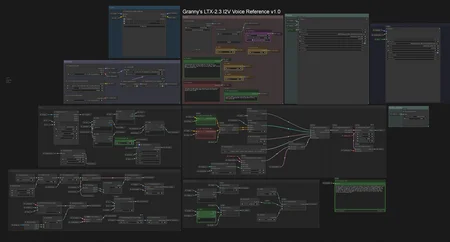
The workflow generates video starting from given image as first frame and... makes the character speak sentence in prompt using voice given in 10 sec sample.
The workflow was tested on recent version of ComfyUI and recent versions of nodes. RTX 5090, PyTorch 2.9.0, Python 3.13.11.
This is not for the begginers. Make female speak male voice is pretty hard, but low resolution and good prompt helps. So, good scenario for using the workflow is to take only audio output and inject to the video in high resolution. Female to female could work easily.
I tried some voice cloning technics with different models, but everytime i got the speech more or less "out of context". Now i can apply the speech perfectly matching to the action.
So, there's no need to train lora with specific voice anymore.
Description
Basic parameters. For your own further developing.
FAQ
Comments (7)
From what I saw in the prompt, you made the grandma first say "So I'm going to now do a little signing.." and then the system cloned her voice, then you just cut the first part of the video?Meaning, we have to type what the reference voice says in the sample?
The first 10 seconds of the whole video has injected audio given as input sample. The prompt is built by whisper model. Then next part of the video is the main prompt given by user. Finally the workflow splits the video: first 10 second as wasted and next part as our goal.
"We have to type what the reference says in the sample" - no. This job is done by whisper model built-in the workflow.
The prompt template has to be tuned for every single voice. As I said in the description - female to female or male to male is easy. Crosssex voice is tricky.
@orzechowy3334318 Got it, will try it and report back if I find any issues, thanks!
this breaks a lot of sage attention wheels with the re-install torch to 2.9
"Apply Sage Attention" can be removed, also "patch" node.