
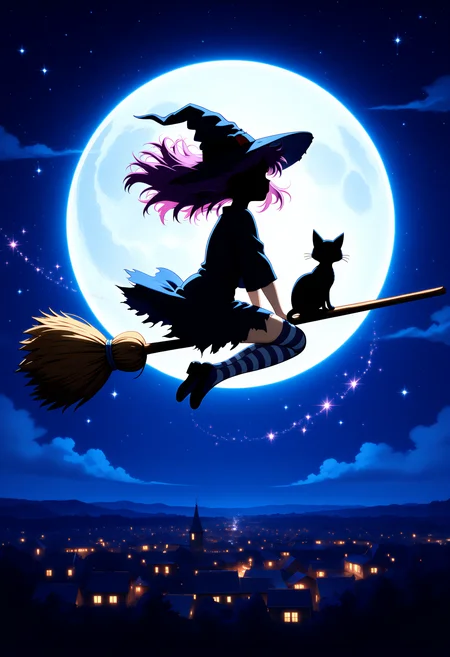
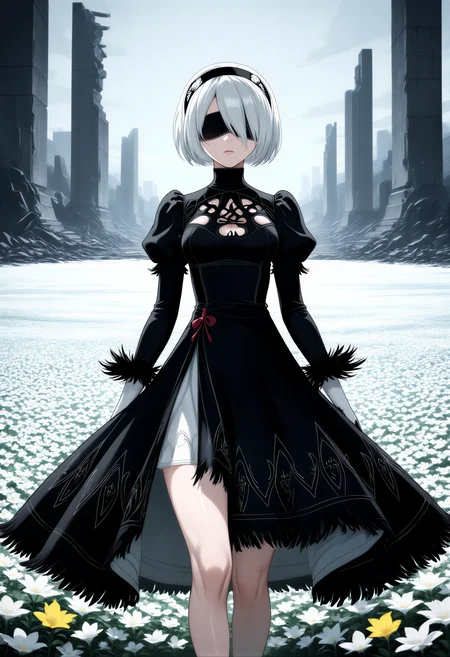
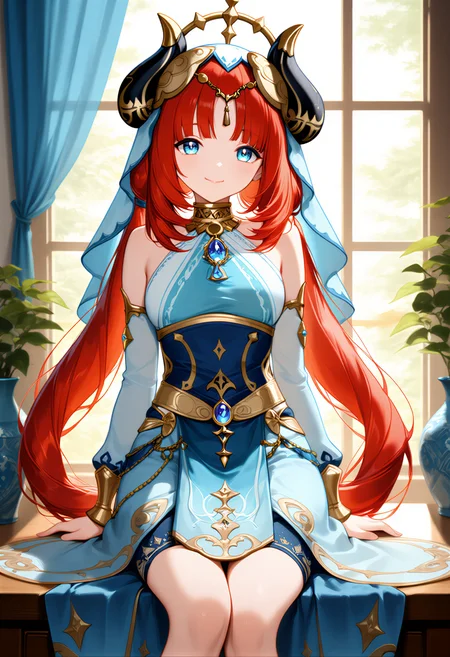
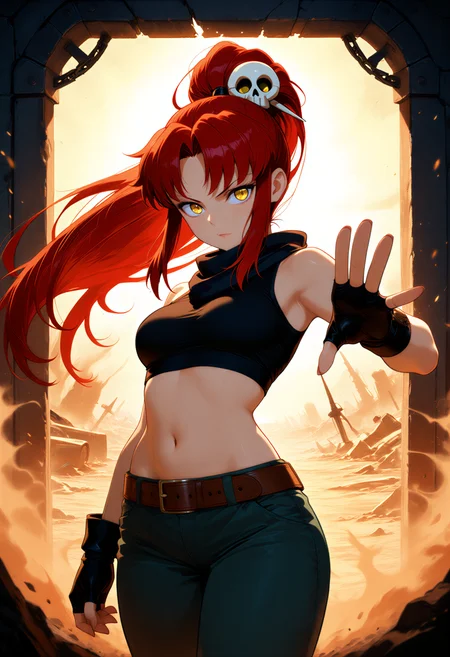

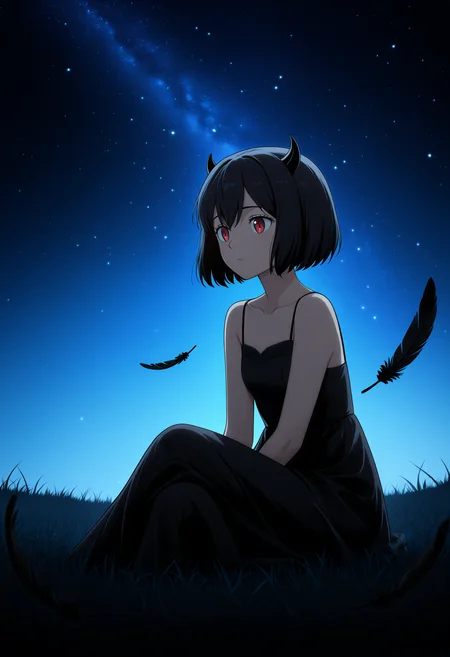
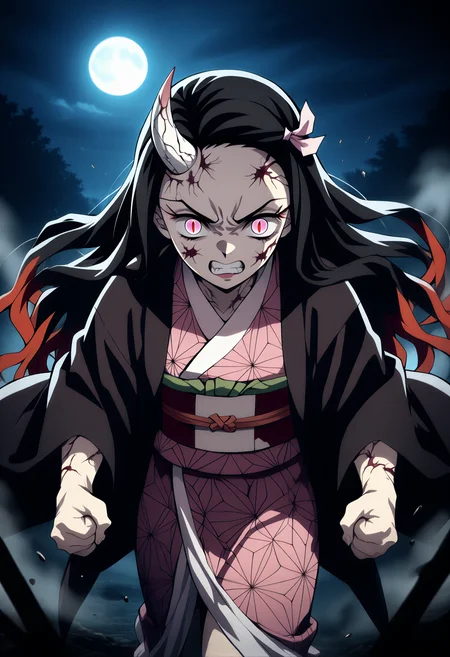
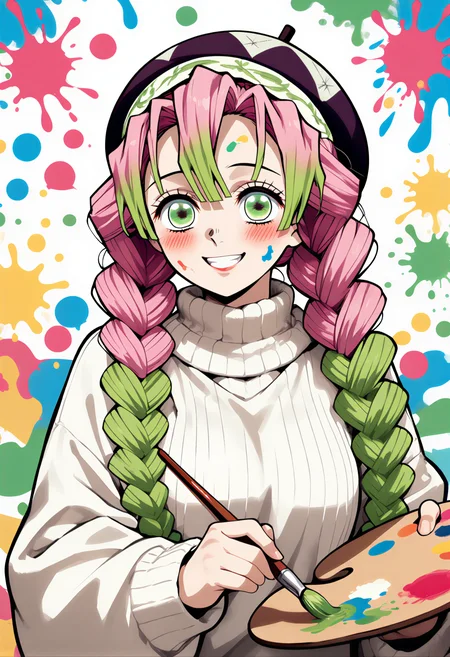
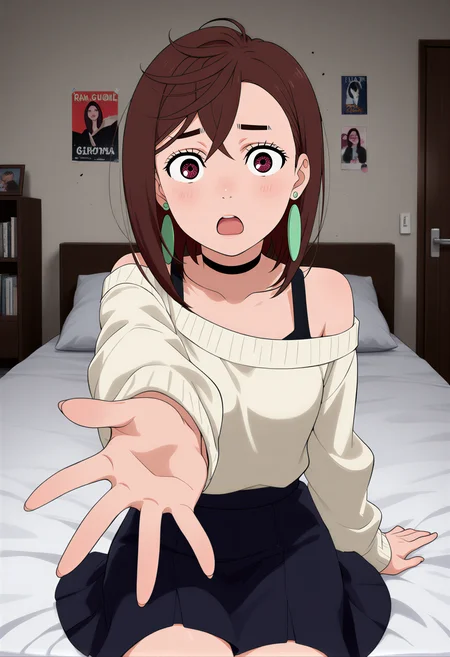


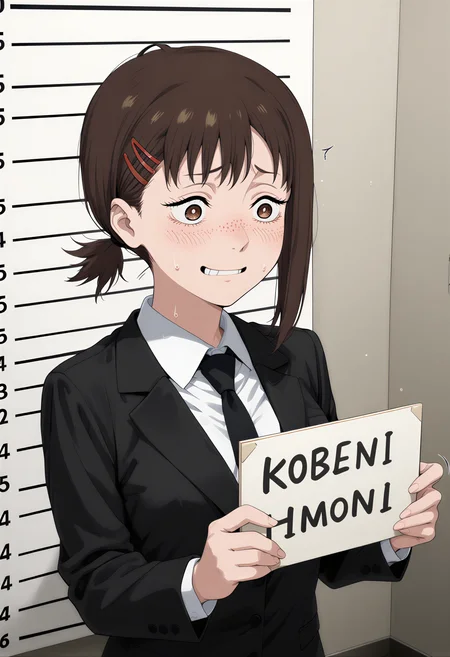

🎌 Z-Anime | Full Anime Fine-Tune on Z-Image Base
Full Fine-Tune • Rich Aesthetics • Strong Diversity • Full Negative Prompt Support
BF16 & FP8 & GGUF & AIO • Natural Language Prompts • 8GB VRAM
🤗 Now also on Hugging Face: huggingface.co/SeeSee21/Z-Anime — including the full Diffusers folder for ZImagePipeline.from_pretrained() use.
✨ What is Z-Anime?
Z-Anime is a full fine-tune of Alibaba's Z-Image (Base) architecture — not a LoRA merge, but a completely retrained model optimized for anime aesthetics from the ground up.
Built on the S3-DiT (Single-Stream Diffusion Transformer) with 6 billion parameters, Z-Anime inherits everything that makes Z-Image Base special: rich diversity, strong controllability, full negative prompt support and a high ceiling for fine-tuning — now fully tuned for anime.
This page contains the complete Z-Anime family:
🎌 Z-Anime Base — Full quality, full control, full creativity
⚡ Z-Anime Distill-8-Step — Great results in 8 steps
🚀 Z-Anime Distill-4-Step — Maximum speed, 4 steps
📦 GGUF Variants — Q8_0 + Q4_K_S for low VRAM / CPU / AMD
📦 AIO Variants — All-in-one checkpoints (Base + 4-Step + 8-Step)
Each main variant is available in BF16 (~12 GB) and FP8 (~6 GB).
🎯 Key Features
✅ Full fine-tune on Z-Image Base — not a LoRA merge
✅ Rich anime aesthetics with strong style diversity
✅ Natural language prompts — detailed descriptions, not tag lists
✅ High diversity across characters, poses, compositions and layouts
✅ LoRA training ready — perfect base for further fine-tuning
✅ Partially NSFW capable
✅ 8 GB VRAM compatible
✅ All variants supported by the official Z-Anime ComfyUI Workflow
🗺️ Z-Anime Roadmap
✅ Released
🎌 Z-Anime Base — Full fine-tune on Z-Image Base, BF16 & FP8
⚡ Z-Anime Distill-8-Step — fast anime generation in 8 steps, CFG 1.0, BF16 & FP8
🚀 Z-Anime Distill-4-Step — ultra-fast anime generation in 4 steps, CFG 1.0, BF16 & FP8
📦 GGUF Variants — for low VRAM and AMD GPUs. Since CivitAI currently has no dedicated GGUF category, here is what the files represent:
Z-Anime-Base-Q8_0 = Pruned Model FP8 (6.73 GB)
Z-Anime-Base-Q4_K_S = Pruned Model NF4 (4.2 GB)
📦 AIO Versions — All variants with VAE + Text Encoder integrated in a single file:
z-anime-base-aio (BF16 + FP8)
z-anime-distill-8step-aio (BF16 + FP8)
z-anime-distill-4step-aio (BF16 + FP8)
🔧 Z-Anime ComfyUI Workflow — Official workflow, supports all variants (auto-detects Diffusion / GGUF / AIO loaders, optional LoRA, optional 1.5× upscale)
🤗 Hugging Face Repo — full mirror including the Diffusers folder for Python users: huggingface.co/SeeSee21/Z-Anime
More updates coming — follow to stay notified! 🎌
📦 Versions Overview
🟢 BF16 (~12 GB)
Maximum precision. BFloat16 format, no quality compromise. Best for professional or commercial work and LoRA training. Still runs on 8 GB VRAM.
🟡 FP8 (~6 GB)
Recommended for most users. Half the file size, much faster downloads. Excellent quality, barely distinguishable from BF16. Perfect for everyday use and testing.
🔵 GGUF
Optimized for lightweight inference setups, especially useful for low VRAM, CPU inference, or alternative backends.
🟣 AIO
All-in-one checkpoints with image model + Text Encoder + VAE integrated into a single file. Single-file convenience, no extra loaders needed.
🎌 Z-Anime Base
The foundation of the Z-Anime family. A full fine-tune with the highest quality ceiling, the widest creative range and full negative prompt support.
Recommended Settings:
Steps:      28–50
CFG:        3.0–5.0  (up to 9.0 possible)
Sampler:    euler_ancestral
Scheduler:  beta
Negative:   strongly recommended — very responsive!
CFG Guide: 3.0–5.0 is the sweet spot for balanced quality and creativity. 5.0–7.0 gives tighter prompt adherence. 7.0–9.0 is for maximum control — watch for over-saturation. Above 9.0 is not recommended.
Negative prompts have full effect on Z-Anime Base. The official workflow ships with an optimized negative prompt ready to use.
⚡ Z-Anime Distill-8-Step
The sweet spot of the family. Distilled from Z-Anime Base, delivering strong anime results in just 8 steps. Much faster than Base while keeping most of the quality intact.
Recommended Settings:
Steps:      8
CFG:        1.0  (max ~1.5)
Sampler:    euler_ancestral
Scheduler:  beta
Negative:   limited effect
CFG Guide: Runs best at CFG 1.0 by design. Small nudges up to 1.3–1.5 are possible for slightly tighter prompt adherence. Do not go above 1.5 — artifacts may appear.
Negative prompts have limited effect at this distillation level. Use ConditioningZeroOut (included in the workflow) instead of writing a full negative prompt.
🚀 Z-Anime Distill-4-Step
The fastest Z-Anime variant. Built for maximum throughput — rapid prototyping, batch generation and situations where speed matters most.
Recommended Settings:
Steps:      4
CFG:        1.0  (max ~1.5)
Sampler:    euler_ancestral
Scheduler:  beta
Negative:   limited effect
CFG Guide: At 4 steps the model has very little correction room. Stay at CFG 1.0 for the most stable results. Nudging up to 1.3–1.5 is possible but increases instability. Do not go above 1.5.
Tips for 4-Step: Be specific and front-load the most important details early in your prompt. The optional upscaler (hires fix or SeedVR2) in the workflow is especially useful here to recover fine detail.
📐 Resolution Guide
| Use Case | Resolution | |---|---| | ⭐ Portrait / Character art | 832 × 1216 | | Landscape / Scenes / Backgrounds | 1216 × 832 | | Square / General purpose | 1024 × 1024 | | Tall / Full body / Phone wallpaper | 768 × 1344 | | Cinematic / Wide scenes | 1920 × 1088 | | High quality / Detailed portraits | 1024 × 1536 |
Supported range: 512 × 512 to 2048 × 2048, any aspect ratio. All resolutions run on 8 GB VRAM.
💡 Prompting Guide
Natural language — not tag lists!
✅ Good
A young anime girl with long silver hair and golden eyes, wearing a
traditional shrine maiden outfit with white haori and red hakama.
She stands in a sunlit bamboo forest, cherry blossoms falling softly
around her. Warm afternoon light filtering through the trees,
detailed fabric shading, expressive face, calm serene expression.
High quality anime illustration with fine line work.
❌ Avoid
anime girl, silver hair, shrine maiden, bamboo, cherry blossom, warm light
Character portraits
Detailed anime portrait of [character], soft rim lighting,
expressive eyes with detailed reflections, fine hair strands,
clean linework, professional anime illustration quality.
Action scenes
Dynamic anime [scene], dramatic angle, motion energy, speed lines,
particle effects, cinematic composition, detailed shading,
high quality anime art.
Backgrounds & landscapes
Anime [location] at [time of day], [lighting], [atmosphere],
Studio Ghibli inspired detail level, beautiful background art,
wallpaper quality.
🔧 Installation
Step 1 — Download your version (BF16, FP8, GGUF or AIO) for the variant you want.
Step 2 — Place the files:
Standard BF16 / FP8 models:
ComfyUI/models/diffusion_models/
├── z-anime-base-bf16.safetensors
├── z-anime-base-fp8.safetensors
├── z-anime-distill-8step-bf16.safetensors
├── z-anime-distill-8step-fp8.safetensors
├── z-anime-distill-4step-bf16.safetensors
└── z-anime-distill-4step-fp8.safetensors
GGUF variants:
ComfyUI/models/unet/
├── z-anime-base-q8_0.gguf
└── z-anime-base-q4_k_s.gguf
Text Encoder & VAE (for the non-AIO variants):
ComfyUI/models/clip/
└── qwen_3_4b.safetensors

ComfyUI/models/vae/
└── ae.safetensors
AIO variants — single file, no extras needed:
ComfyUI/models/checkpoints/
├── z-anime-base-aio-bf16.safetensors
├── z-anime-base-aio-fp8.safetensors
├── z-anime-distill-8step-aio-bf16.safetensors
├── z-anime-distill-8step-aio-fp8.safetensors
├── z-anime-distill-4step-aio-bf16.safetensors
└── z-anime-distill-4step-aio-fp8.safetensors
Step 3 — Load in ComfyUI:
Use the Load Diffusion Model node for the model file, a CLIPLoader for the text encoder and a VAELoader for the VAE.
For the GGUF versions: load the GGUF model from the
models/unet/folder, use the same CLIP and VAE files as above.For the AIO versions: just use a standard Checkpoint Loader — no extra CLIP or VAE loading required.
Or use the official Z-Anime ComfyUI Workflow — it handles all variants and precisions with a built-in model switch.
📦 Custom Nodes (for the official workflow)
rgthree-comfy
ComfyUI-Lora-Manager
ComfyUI-GGUF (only for the GGUF variants)
ComfyUI-SeedVR2_VideoUpscaler (optional, only for SeedVR2 upscale)
🤗 Hugging Face Repo
The complete model family is also mirrored on Hugging Face:
🔗 huggingface.co/SeeSee21/Z-Anime
The HF repo additionally contains:
The full Diffusers-format folder (
diffusers/) — drop-in compatible withZImagePipeline.from_pretrained()for Python usersAn alternative Text Encoder by BennyDaBall — Engineer V4 (full fine-tune of the Z-Image text encoder with SMART training, drop-in compatible — often produces more varied outputs from the same seed)
📈 Version History
v1.0 — Initial Release
Z-Anime Base in BF16 & FP8
Z-Anime Distill-8-Step in BF16 & FP8
Z-Anime Distill-4-Step in BF16 & FP8
GGUF Variants added:
Z-Anime-Base-Q8_0 = pruned FP8 model (6.73 GB)
Z-Anime-Base-Q4_K_S = pruned Q4_K_S / NF4-style model (4.2 GB)
AIO Variants added (all 6):
z-anime-base-aio-bf16 / -fp8
z-anime-distill-8step-aio-bf16 / -fp8
z-anime-distill-4step-aio-bf16 / -fp8
Official ComfyUI Workflow included — supports all variants
Hugging Face mirror with full Diffusers folder for Python users
Optimized for euler_ancestral + beta, simple practical use across the family
🙏 Credits
Base Architecture: Tongyi Lab (Alibaba) — Z-Image
Fine-Tune: SeeSee21
License: Apache 2.0
Architecture: S3-DiT (Single-Stream Diffusion Transformer, 6B parameters)
Base Model: Tongyi-MAI/Z-Image
GitHub: Tongyi-MAI/Z-Image
Engineer V4 Text Encoder (HF only): BennyDaBall/Qwen3-4b-Z-Image-Engineer-V4
Z-Anime — Anime at its finest, powered by Z-Image Base. 🎌
Description
FAQ
Comments (50)
I only get noise with your workflow. Is that CLIP (qwen 3.4b z-image engineer v4) relevant?
No, you can use the standard clip.
Look here 😊
Hello—may I ask if you managed to resolve this? I'm using Qwen3 4b Q8, but I'm only getting completely black images, and I'm encountering errors as well.
@futa2088 No, I gave up on it, unfortunately.
@artyclaw Okay, I'm still trying right now. If I succeed, I'll let you know.
@futa2088 Please do, and good luck 😊
I also don't see any images here from anyone else but the author, so I wonder if anyone actually got it to work..
What graphics card are you using? I have a BLACKWELL (5090), and I’ve tried countless combinations—including workflows that others have successfully used to generate images (@foxgot)—but I consistently get nothing but black images. However, when I sent my workflow to a friend (who has a 4080), he was able to generate images normally. I was the one who set up and configured his environment and workflow, so they are identical to mine; the only variable is the graphics card. TAT
@futa2088 That's interesting. I have a 5060 16gb. Maybe it doesn't work on 5x cards?
First of all, thanks for not giving up right away.
The checkpoint itself works without problems. I tested it myself on both an RTX 4060 Ti with 8 GB VRAM and an RTX 5060 Ti with 16 GB VRAM.
There can be several reasons why you are only getting a black image, but my strongest suspicion is that the wrong Qwen text encoder is being used. In that case, the wrong tokenizer may also be passed along, which means z-Anime / Z-Image cannot interpret the prompt correctly and the result stays black. Another possibility is that the image is actually being generated correctly, but then a wrong VAE is used for decoding, which again results in a black image.
For ComfyUI, you need to use the standard VAE and text encoder intended for Z-Image-Base. If you are not using my workflow, then the workflow itself could also be the problem. But without error logs or knowing your ComfyUI version, there is not much I can say for certain.
And to answer your question: yes, other users have already generated images with it, for example with the 8-step version. I have just already generated a lot of images myself, so there are mostly my examples here XD
More good news: later today I will upload a matching VAE and text encoder in BF16 and FP8, so you will not have to search for them yourselves. That will probably be this evening.
I will also upload more workflows, and later there will be AIO versions as well, where everything is included in a single checkpoint so that no separate VAE or text encoder is needed anymore.
I hope this helps a bit.
@SeeSeeLP Thank you for the update. I will try it out later.
@SeeSeeLP I followed your workflow exactly—filling in all the files just as they were—but I'm still getting nothing but black images. Last night, I tried switching through various text encoders that are known to work, cross-checking each one against the original base model; the original base model outputs images just fine. However, when running these same combinations on my friend's 4080 setup, every single configuration I tried produced images successfully.
@SeeSeeLP Would it be convenient for me to take a look at the library versions in your runtime environment?
About
DiscordComfyOrgLoRA Manager v1.0.1-stableEasyUse v1.3.7
System Info
win32
Python Version
3.12.10 (tags/v3.12.10:0cc8128, Apr 8 2025, 12:21:36) [MSC v.1943 64 bit (AMD64)]
Embedded Python
true
Pytorch Version
2.9.1+cu130
Arguments
ComfyUI\main.py --use-sage-attention --listen 0.0.0.0 --port 8188 --enable-cors-header http://192.168.178.5 --disable-auto-launch --preview-method auto
RAM Total
63.82 GB
Templates Version
0.9.43
Devices
Name
cuda:0 NVIDIA GeForce RTX 5060 Ti : cudaMallocAsync
Type
cuda
VRAM Total
15.93 GB
@SeeSeeLP Hmm... it looks like everything is pretty much the same, except that my ComfyUI version is older than yours (updating it tends to break certain nodes). I'll give it another try.
I've also uploaded the VAE and text endcoders; otherwise, try it with those.
@SeeSeeLP I used the VAE and CLIP files you uploaded, but I'm still only getting black images. However, I also tried AIO, which works fine. That'll do for now. 😵💫
@artyclaw Did you succeed? If not, try using AIO. AIO is working successfully.
@futa2088 Yeah, AIO works, I just wanted to use the new version here.
Ok, I updated my Comfy from 0.14 to the current 0.18.5 and downloaded those VAE and CLIP. The only difference is that I now generate full white images 😂
zAnime_base, zAnime_textEncoder, zAnime_vae. Workflow from the title image.
It's fine - I'll check back in one month ;) If I can help debug, just let me know.
Same i get full black image no matter what, AIO or not
@Sbogous When did you download the model? I downloaded mine on April 6th, but the author released an update eight days ago.
@Sbogous The version I downloaded is z-image-anime-aio-bf16; it is 19.1 GB in size and is currently still working properly.
@Sbogous Oh yeah, I fixed my Qwen: Remove any --fast and --force-fp16 options from your Comfy exe 😒
I have a second shortcut just for Qwen.
Hey, this is a model that, like the base model, only runs on BF16 or FP8, not FP16. And Mr. heatwoodzachary763 also wrote the following: "I got it working; I had to turn off Sage Attention and use Quad Cross Attention instead."
🗺️ Z-Anime Roadmap
✅ Released
🎌 Z-Anime Standard
Full fine-tune on Z-Image Base — BF16 & FP8 → Available now on CivitAI
⚡ Z-Anime-Distill-8-Step
BF16 & FP8 Fast anime in 8 steps, CFG 1.0
🚀 Z-Anime-Distill-4-Step
BF16 & FP8 Ultra-fast, 4 steps, CFG 1.0
📦 GGUF Variants
Base GGUF Q8 and Q4_K_S
🔜 Coming Soon
🔧 Z-Anime ComfyUI Workflow
Official workflow — supports all variants
🎲 Upload Diffusers folder to Hugging Face
🔮 Planned
📦 AIO Versions
all versions VAE + Text Encoder integrated, single file
More updates coming — follow to stay notified! 🎌
Update : ✅ Released -> ⚡ Z-Anime-Distill-8-Step
Update : ✅ Released -> 🚀 Z-Anime-Distill-4-Step
Update : ✅ upload-> 🚀 VAE & Text Endcoder
Update : ✅ Released ->📦 GGUF Variants Base GGUF Q8 and Q4_K_S
Update : ✅ Released 📦 AIO Versions
Update : ✅ Released -> Upload Diffusers folder to Hugging Face
How is this a full fine tune? What database was this trained with, how long?
It was trained for around 160,000 steps. I did not use a ready-made dataset — I built my own over the course of several months by creating and curating my own images and training material.
The training itself took about 3 weeks on two NVIDIA Tesla cards with CPU offloading XD, so I would rather not even think about the total runtime or electricity bill.
I used OneTrainer as the base, with some custom adjustments on my side.
Edit: I’ll probably upload the Diffusers folder to Hugging Face in the next few days, so if you’re interested, feel free to check there soon.
Excellent!!
so how hard was it to train this? Since Z-Image (as well as other models that didn't really take off) uses natural language and not tags, how long did it take you to make a description for each image in the training set?
Also, Im curious what dataset you used be it danbooru (prob spelled that wrong) or something else, as I like anime but also like furry stuff and havent seen a furry z-image yet but depending on your training set (and where it came from) this might be a good start for me
It was trained for around 160,000 steps. I did not use a ready-made dataset — I built my own over the course of several months by creating and curating my own images and training material.
The training itself took about 3 weeks on two NVIDIA Tesla cards with CPU offloading XD, so I would rather not even think about the total runtime or electricity bill.
I used OneTrainer as the base, with some custom adjustments on my side.
@Tundra1996 If you are interested in doing something like this yourself, I would honestly say just start. About half a year ago I began writing descriptions for the images I was creating anyway, and I also made myself a text document listing what I wanted the checkpoint to be capable of generating.
From there I started building the dataset with my favorite models, and ControlNet was a big help 😊
The dataset used for this model was around 36,000 images with descriptions. That was basically my v1 dataset. Right now I am already working on v2, which is around 88,000 images, and for v3 my goal is roughly 150,000 images.
For a full checkpoint, that is actually not a huge dataset — it is still rather small, more or less limited by what my hardware can handle. Because of that, the descriptions really need to be good and consistent. This model was trained on the v1 dataset.
In my opinion, if you want a checkpoint to be able to generate many different things, the dataset needs to be as diverse as possible. So if you want it to handle anime, furry, or anything else well, those things need to be included in the training set many, many times and with solid descriptions.
@SeeSeeLP lol, i can only imagine that power bill
I've used OneTrainer for LoRA's before but sadly i don't have the Hardware locally for training (only got a 4070TI 12GB v-ram and an intel i9 8 core 16 threads and 64GB or system ram) but dam, half a year ago... i don't even think Z-image has been out that long so that means you had ideas well before something like z-image (cuz all the other LLM image local models required a lot of hardware resources to run at a decent speed). definitely gonna give this model a try though (cuz most Z-image stuff has only been really good on "real" stuff sadly and glad we are now at this stage at least). Makes me wonder, if it took half a year to make a dataset that works with these new model structures, I have a feeling that future model development is going to be really slow as people adjust going from tag words to describe, to full natural sentences
@SeeSeeLP anonymous tip, using AI data to train your model is not a good idea, it will inherit all of that data's flaws, you're better off using human made illustrations.
@pahpah Thanks for the tip, and honestly, you are 1000% right about that. That is exactly why building the dataset took so long.
I did not just generate images and throw them all into training. The biggest part of the work was sorting, filtering, and checking everything over and over again. I removed images with bad anatomy, broken hands, weird eyes, messy faces, bad backgrounds, objects that made no sense, or anything else that looked off.
Sometimes I spent hours just cleaning up and reviewing a handful of images until they were good enough. So yes, your point is absolutely valid.
The reason I still did it this way is simply because I also enjoyed the process of building the dataset itself. You know how people say “the journey is the goal” 😂
@pahpah If we discard all the useless garbage created by humans, it turns out that most existing data is simply unusable except for the tag "ugly" and "poor anatomy," so that this understanding of the model can be used as ugly and bad in a negative hint.
Synthetic and hybrid data are used by many, including top companies. The problem isn't the synthetics themselves, but the nature of the synthetics. For example, training a model on its own output data is truly a poor idea and will likely lead to the accumulation of errors and the collapse of its diversity. However, synthetic data from the same model, but with an adetailer and some LoRa, isn't quite the model's output data and is more useful. The reality is even more interesting. Besides manually tinkering with the output data and refining it, an entire farm can be built, a model that's utterly churning to create interesting and creative noise—which can produce interesting results, but almost never good ones—a refiner model that turns this noise into decent, high-quality images (though not very diverse on its own, it works well in tandem with the first model). These output data, after selection and, if necessary, refinement, can be used to train a third model. There's no need to be afraid of synthetics if you know what you're doing, and you shouldn't just shove everything in.
@Yunmiyun_UwU 👍 And now find your statement again using autoresearch:
https://github.com/karpathy/autoresearch
Then you'll know exactly what I'm currently testing.
how many images has it been trained on? Are you going to further update this model and develop it to the level of Illustrious and above?
Check out Tundra 1996's comment, I answered everything there 😊
Thank you so much for the beautiful model!!! It can do a lot and allows me to create exciting images!
I have a small request, if it's possible: the model is not stable in some complex poses (such as "squatting, bottom view" and others), and in these cases, extra limbs often appear or there are serious hallucinations in other areas. It often takes a long time to adjust the workflow to achieve a stable image.
But again, thank you so much! You create truly amazing models!
What settings should we use to train a lora or fine tune it further?
I have been getting this error when loading the checkpoint: RuntimeError: ERROR: clip input is invalid: None
I have moved the model from /models/checkpoints to /models/unet and it didn't resolve the issue.
I have the right models loaded. Is there anything wrong here?
@SeeSeeLP Deleted my past comment to report everything is okay now! I used the AIO model as the diffusion model and the bp16 variant as the checkpoint. I don't know if that is the way to go around it, but it worked. the presence of an on off switch for diffusion\checkpoint gave me the idea that it can be done separately. If this isn't your intent, I apologize for not following directions.
Details
Files
zAnime_base_pruned_bf16.safetensors
Mirrors
z-anime-base-bf16.safetensors
z-anime-base-bf16.safetensors
z-anime-base-bf16.safetensors
z-anime-base-bf16.safetensors
z-anime-base-bf16.safetensors
z-anime-base-bf16.safetensors
z-anime-base-bf16.safetensors
z-anime-base-bf16.safetensors
z-anime-base-bf16.safetensors
z-anime-base-bf16.safetensors
z-anime-base-bf16.safetensors
z-anime-base-bf16.safetensors
z-anime-base-bf16.safetensors
z-anime-base-bf16.safetensors
z-anime-base-bf16.safetensors
zAnime_base_pruned_fp8.safetensors
Mirrors
z-anime-base-fp8.safetensors
z-anime-base-fp8.safetensors
z-anime-base-fp8.safetensors
z-anime-base-fp8.safetensors
z-anime-base-fp8.safetensors
z-anime-base-fp8.safetensors
z-anime-base-fp8.safetensors
z-anime-base-fp8.safetensors
z-anime-base-fp8.safetensors
z-anime-base-fp8.safetensors
z-anime-base-fp8.safetensors
z-anime-base-fp8.safetensors
z-anime-base-fp8.safetensors
z-anime-base-fp8.safetensors
z-anime-base-fp8.safetensors