


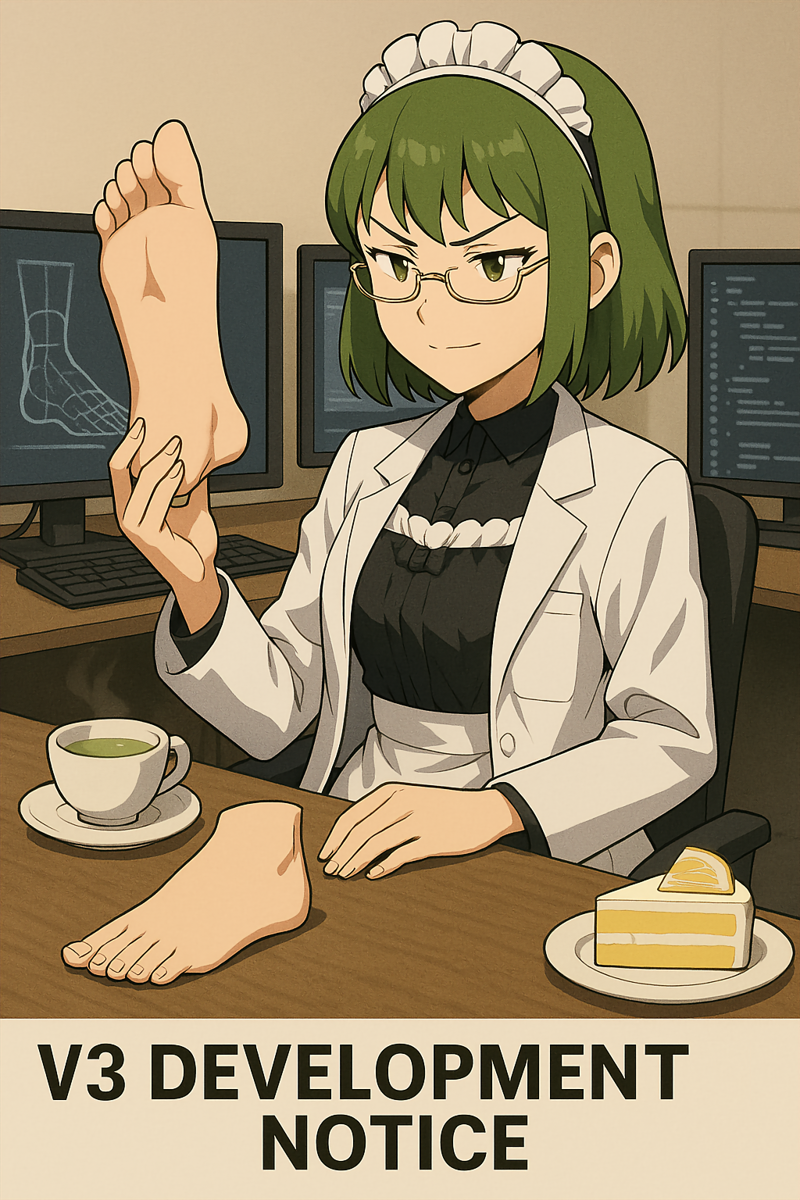
V3 Development Notice
Circa:5/11/2025
Hey everyone,
Following up on some recent discussions, I wanted to share a quick update on the progress of the much-anticipated V3 foot model, as well as the new segmentation models for hands and faces/heads.
I know many of you are excited, and I'm just as eager to get these into your hands! Here's where things stand:
Dataset Robust & Open for Unique Additions: The comprehensive dataset of over 1000 images that will form the foundation for V3 (and the new hand/face models) has been assembled. I'm confident it covers a vast range of scenarios to ensure robust detection. That being said, if you happen to have or know of images showcasing unique poses, angles, or configurations that you think might be beneficial and possibly underrepresented, please feel free to share your suggestions! I can certainly take a look. If it’s a scenario I've overlooked and would add value, I'm open to including and annotating a few more carefully selected images. While the current foundation is very strong, an extra unique example or two won't break the process and could always help refine the models further.
Annotation Workflow Optimized for Precision: After initial exploration with automated tools like SAM, I've made the decision to proceed with a fully manual annotation process for every single image. While SAM provided a starting point, the level of precision required for high-quality segmentation masks (to avoid affecting backgrounds or leaving artifacts) means that meticulous, point-by-point manual tracing is the most effective path forward. This ensures the highest possible accuracy for the masks, which is crucial for the step-up in quality I'm aiming for with V3. It's definitely painstaking, but essential for getting it right!
Meticulous Annotation Underway: The detailed work of manually annotating every foot, hand, and face/head in the dataset is now my primary focus. It's a marathon, not a sprint, as each element requires careful outlining.
V3 Foot Model is the Priority: As I've mentioned, my commitment is that the V3 foot segmentation model will be the very next model I release. All my LoRA and checkpoint training is on hold until V3 is complete and uploaded – that's my motivation to power through this detailed annotation phase! Once the full dataset is annotated, the foot model will be the first to be trained and released, followed by the hand and face/head models.
Process Documentation in Progress: For those interested in the nitty-gritty, I'm also taking detailed notes on the entire process – from the challenging setup of the annotation tools (seriously, that was an adventure!) to the annotation strategies themselves, and eventually, the training process for these yolo-seg models. I hope to share this information down the line, as it might be helpful for others venturing into segmentation model training.
So, the journey to V3 is well underway! It's a complex and time-intensive project, especially with the shift to precision segmentation and the expanded scope, but the goal is to deliver models that are a significant improvement and worth the wait.
Thanks again for your incredible patience and support. I'll continue to focus on quality and will share further significant updates when I have them!

V1/V2
Thanks to sp00ns' guide:
Training a Custom Adetailer Model | Civitai
I created a custom foot model using yolov8x.
The foot model that sp00ns provided was helpful, but I wanted to see about making my own.
ComfyUI Workflow:
 I know a lot of you use ComfyUI, and have issues getting the model to work. So, just for you, I have reinstalled ComfyUI, and have come up with a rudimentary workflow for not only the ver.2.0 foot model, but also for hands and face. Feel free to deal with the settings as you please to get good results. Simply drag the pinned image below that resembles what you see above to your ComfyUI window to replicate the exact parameters that was used to generate said image. (I'll also post a pinned version of this image to the model page for v.2.0)
versions 1.0 and 2.0 are BBOX models, thus be sure to place them under the ~\ComfyUI\models\ultralytics\bbox folder. Working with the SAM model means that it effectively works as a SEG model--at least that's what I think is going on. Also, be sure to install the FaceDetailer pack as well as the UltralyticsDetectorProvider node to get this to work.
Good hunting~
Version 1.0:
I'd tried using AutoDistiller and Grounded SAM to automatically label each of the 1000 images, but it partially failed, in that it also registered hands as feet. (Also I hate Colab, as I can't get work done there without it ending the job prematurely)
Therefore, I painstakingly labeled each and every image using RectLabel on my Mac, then spent about 8 hours training the YOLO model on my PC.
Though I'd planned for 500 epochs, it ended early and determined that the best was at the 93rd epoch.
I included a lot of my own generated images, as well as some stock images; anime, 3D models, and realistic images; male and female, varying skin tones, and various footwear configurations as well as barefoot images. That being said, there are some things it still cannot handle well, such as unconventional poses (like images rotated by 90 degrees), and images where the foot is the subject of composition. My guess is because the vast majority of the training images were of that with the feet taking up a small percentage of the canvas, not enough training was dedicated for closeups of feet. On the other hand, my intent was to use this model to refine feet that would otherwise be neglected, such as in the case of full body shots where the feet take up a tiny fraction of the canvas space.
In short, this version is very good at dealing with feet for standing poses especially in full body shots. But it can struggle with feet outside of that range.
Version 2.0:
I noticed that I mislabeled my training/validation folders for version 1, so my training folder was actually my validation folder and vice-versa. I went ahead and renamed them, however simply doing so and assuming that it would take no more than 100 epochs like version 1 led to some other issues--it started detecting whole bodies as feet. So that was 3 hours down the drain. I set the epochs for 200, migrated a lot of the old validations images into the training folder, and added around 160 new images (using RectLabel to painstakingly label each and every image manually.) This time, after 12 hours, it determined that epoch 148 was the best version, so that is what this is.
From what I've tested, it can detect feet in various configurations far better than v1.0 with few issues; it can detect soles; it can detect feet rotated by 90 degrees; and it can mostly detect feet in unconventional poses--depending on the pose.
A few issues I've noticed, however, is that it sometimes detects hands/knees/other objects as feet, albeit at a lower confidence level than actual feet. If you see this occurring, I'd recommend increasing the Detection model confidence threshold in the Adetailer Detection settings to at least 0.5.
For images of feet that takes up a great majority of the canvas, sometimes it detects them, sometimes it partially detects them, and sometimes it detects one but not the other. Arguably, this model wasn't designed for such images, even though such images were included in the training dataset, because what this model does is crops the total canvas to focus on its target; feet, in order to dedicate a lot of image generation to refine/modify said feet. If feet are already the focus of the image, taking up 50% or more of the total canvas, then this model effectively serves little in the way of refining the target. One can still use it for that purpose if they so please, but it might lead to more problems than solutions, depending on how you use it.
Installation:
Simply move the file into the ~\stable-diffusion-webui\models\adetailer folder and restart the webui. Should It definitely also works on ComfyUI; but I haven't tested it there I have tested it, and there is a workflow, see above image. Of course, you'll need the ADetailer extension for Automatic 1111, or its equivalent FaceDetailer AND UltralyticsDetectorProvider on ComfyUI for any of this to work.
Tip: You can increase the ADetailer model count in Automatic 1111 by going to: Settings>ADetailer>Max models. It's generally advised that if you plan to do full body edits that you set the body model first before moving on other models such as the heads/hands/feet.
Note: Civitai doesn't seem to have a category for ADetailer stuff, so I'm setting it as a checkpoint--even though it's not. The settings on pruned or full and precision stuff I just set to whatever.
Also to note, these days stable diffusion seems to be good at doing feet at least in portrait aspect ratios, so I had a hard time coming up with a good use case for portrait. So I instead used the model to paint Tharja's toenails in the example. But, this model will be especially good for landscape aspect ratios similar to what I do normally, as the feet tend to be quite low quality there.
Description
Installation: Simply move the file into the ~\stable-diffusion-webui\models\adetailer folder and restart the webui.
This version was created since I noticed that my training images where mistakenly labelled as my validation images, and vice-versa. Initially, I simply switched the names around and tried for 100 epochs (since version 1 stopped at 93). However, that led to some problems, and not only did it detect feet, but it detected whole bodies as though it was feet as well, so I tried something different.
For this version, I transferred a lot of the old validation images into the training images, and tried for 200 epochs, but it determined that epoch #148 was the best. Though this version has its own problems here and there, such as occasionally detecting hands and knees as feet, it now seems to detect feet better than v1.0 and the interim version.
If you find that it's detecting hands/knees/other object falsely as feet, I'd recommend increasing the Detection model confidence threshold setting in ADetailer to at least 0.5 and/or using advanced prompt/controlnet methods.
This model isn't perfect, but it should be an improvement to v1.0 for those who desire a foot detection model outside of just simple standing/sitting poses.
Note:
This site's being very buggy today, so to differentiate the buggy v2.0 stuff, I'm temporarily calling this v2.2 so I can see what I'm working with here (there's way too many duplicates, and they won't go away when I delete them). If those other versions go away, or this one is successfully uploaded, then I'll rename this version back to v2.0
FAQ
Comments (93)
My suggestion would be to have it detect two feet/shoes at once, so that it can generate shoes that match. Very often (90% of the time) the shoes don't really match super closely, especially on larger upscaled images. I've had the same issue with eyes with detectors that detect individual eyes instead of both at the same time.
Yeah, sometimes it does do that when the feet are very close together, in that it would detect both feet as one. Only thing I found that could help combat the inconsistency, is to increase the padding size, such that the other foot is visible in the frame. That, and/or using controlnets in conjunction with that option to keep the seeds the same in the ADetailer settings (never tried it myself, so I can't say how that would work).
On the other hand, and the reason why I didn't train it to always train pairs of feet as one, is because there are instances when that won't necessarily have a desired effect, as is the case with multiple people where advanced prompts might be used. Then again, I only trained it with one variable.
Perhaps down the line, I'll try training it with 2 variables: individual feet, and pairs of feet, such that it recognizes two feet belonging to one person, and individual feet if the person's other foot is out of frame or something.
@Monet_Einsley I always forget about the padding function, I'll give that a shot. Of course, I think controlnet or ipadapter might be the only way to keep the feet consistent if they're wider apart. It's weird seeing two different shoes on the same person lol
@MysticDaedra I just realized something. We have the mask preprocessing setting for merging masks. While there's some limitations with that if multiple people are involved, since it'll do every detected feet in on go, if you activate the merge mode for it, it too might be a good solution for getting consistent footwear. I completely forgot about that setting lol
I can't seen to be able to download this.
Does anyone know why? and/or have suggestions on other models i can use
No clue why you're not able to download it; I was able to do so even when logged out. If it's still giving you problems, you can try the link on HuggingFace
is it possible to convert this to safetensor, are your training data available to share ? maybe i can add some more and train a new one
As far as I'm aware, Adetailer models only come in .pt format, so I'm not sure how one would go about changing it to safetensors--or if Adetailer would accept that format. As for the training data, I believe it's obsolete; the original model was created because the older stable diffusion models were completely horrible for generating feet that wasn't close-up, thus my training data included bad generations that those models generated, as a means for it to detect (good and bad) feet to improve them.
These days, the XL/Pony models I use tend to be okay with feet in general, so a new dataset might be in order. On top of that, I've been pondering on how to make a segmented model--one that makes a form-fitting mask instead of a box, in order to mitigate the issue of visible mask residue.
In short, my old dataset isn't ideal; need a new one. Also trying to figure out how to make a segmented model (like how there's the person_yolov8n-seg model). I'm open to collaboration in getting that done, but for all intents and purposes I think I'm going to have to start from scratch again, as far as training images go.
@Monet_Einsley had a really busy month, so basically i was thinking that i can probably help with the dataset, with the rest i can follow instructions but i dont have the technical skills. One question though. when you train the images you collect, are they mostly full body images and you let the sam detector find feet and train on them or can you do this with just close-up images of feet in different footwear and positions like most loras do. If i dont understand please correct me
@Sven111 No worries, Sven, been busy here too XD
Now, the reason why I say my old dataset is no good, is because I incorporated a lot of my old generations on SD1.5, some of which had eldritch abominations instead of feet--since at the time I made the first and second models, I was doing so to fix horrible feet in the first place. These days, and especially with the newer checkpoints I'm using, it's not so much bad feet as just refining them that I'm concerned about, so a new model to reflect that is definitely something I'm interested in doing. I believe shortly after I came out with the second model, that SD1.5 became much better in general when it came to feet (must have upgraded the diffusers or something, I don't know.)
As for the dataset images themselves, it was varied; full body, lower body, extreme closeups, and some images without feet at all were included, so as to get it to learn that not every image has feet in it. I'd included both anime and realistic images of men and women in different configurations and angles. Socks, high heels, sneakers, barefoot, boots, I included them all, even had some instances of people standing next to unworn shoes to get the model to try to only detect footwear when it was worn by a person. I even had images with no people at all, since it's a common occurrence with some of the hand models to detect things like trees as hands; didn't want that for the foot model.
Now, while I also included images of close-ups of feet, none of the two models seems to have picked up on that too well, though to be fair I believe it's a waste of time to train it on images where it's just a foot or two taking up the whole image, since if you tried to generate such an image with any checkpoint, the feet seems to be good on its own, and doesn't need ADetailer for further refinement. I believe it's the same issue with images with feet being the focus, as by default the feet generated in such images tends to be good by default, and doesn't necessarily warrant ADetailer, as it doesn't always fix things in the way you like; it'd be better to manually edit it if it was missing toes or something, and then manually inpaint it to make it seamlessly blend in. In other words, if the checkpoint generated a foot with 4 toes on an image where the foot is the focus, ADetailer on its own won't necessarily fix that, unless you try something with high denoising strength, but that could go south easily. I suppose the only real way that ADetailer could fix issues with missing toes is if it used a different checkpoint that happens to be very good with feet, though that could go south too if the styles between the two checkpoints are very different.
As for the actual detection stuff, I did it manually for all 1000+ images, since I couldn't figure out the automated detector (I believe it was detecting hands and calling them feet as well). So, I spent a good day just making boxes over feet lol
As stated before, I'm now interested to see if I can't make a segmented model, so that the mask is exactly around the feet and not a big box around it. But first I'm just going to need an updated dataset. I'm sure I can salvage most of my old dataset images, but they're all going to have to be redone in terms of mask labelling.
@Sven111 In short:
All images are useful, whether or not they have feet (or even people) in them. The feet ideally have to be in all different kinds of footwear--not just barefoot. High and low-quality images are welcome. Closeups are welcome, as well as full body images; upper and lower body images are welcome too.
I didn't use SAM because it made things difficult for me at the time, so I manually labelled each of the images myself. To be fair, quite a few images in the dataset had no feet at all, so those ones were left blank, to get the model to learn that sometimes there'll be images without feet.
For the dataset refinement i have plenty of websites in mind that contain images with feet but lack those with footwear like sneakers that hide the foot, but that shouldn't be a problem either. You can web scrap. SAM works pretty well and JoyCaption can help with the labeling. I checked SAM in meta's demo and i can share you the installation process of JoyCaption, but i havent used it myself yet.
And you said you havent used SAM, and you labeled everything yourself? Is it also labeling ? and in flux training usually the thing you want to train you do not name in the dataset. is it the same in SD?
I wrote a big reply and then I lost it by accidentally closing the tab lol.
Let me make a summary of what I can recall.
Regarding the labels, it works differently for ADetailer models, as the labels are simply the coordinates to the mask. In my case, since I used RectLabel to manually create a box over each foot in each image that contained feet, it automatically generated a .txt file with the coordinates of the vertices of each and every box for a given picture, so for instance a label could look something like this:
0 0.513021 0.953704 0.029948 0.092593
0 0.482422 0.962963 0.032552 0.074074
for one image. This would indicate the first target 0 (which is designated as "foot"), followed by their 4 corners. In the example above is a label for an image with 2 feet.
Getting images of feet is the easy part, and that's what I'm currently working on, to replace the old unusable images (see the image of Ishtar lying in bed in pink pajamas) which were normal to see in SD1.5 image generation back in the day. Since SD in general (and by extension Flux and whatever new model they got out there) do feet decently well, then those old images aren't necessary anymore; I can focus on a model for refining feet and not so much outright correcting abominations.
My main concern is whether or not making boxes over the new dataset with RectLabel or SAM would cut it for a segmented model which uses discreet masks conforming to the exact shape of the target. Since I'm not currently ready to train version 3, I'm not sure if it can still work. Never heard of JoyCaption before. If it's better than SAM at recognizing feet (or if SAM in general is better now than when I used it for feet detection) then I'm all aboard to use either tool to speed up the process--especially if they directly support discreet, form-fitting masks and not just box masks.
@Monet_Einsley oh now i understand !! you can check SAM here https://segment-anything.com/demo upload an image and play with the tool to see if it satisfies you. I only mentioned JoyCaption because it helps with the description of an image like LLMs, i dont think you need it
and this why i dont trust this format https://huggingface.co/Bingsu/adetailer/tree/main all yolos look suspicious
@Sven111 Yeah, I don't know anything about that; as far as I'm aware ADetailer currently only deals with .pt models, and I've never heard of a .safetensors ADetailer model before. If they end up changing formats to something else, I could use that I suppose. It's kind of the same way how upscaler models are only .pt/.pth models, it's just how it is currently.
@Sven111Also, for your information, the raw YOLO stuff is coming from here:
YOLO11 🚀 NEW - Ultralytics YOLO Docs
This is the stuff I download (I used version 8 at the time, since that was the latest version) to train on.
In my case, I used yolov8x to train both V1 and V2. I used the X version since it had the best detections (probably was overkill though lol)
@Monet_Einsley check this too https://github.com/ltdrdata/ComfyUI-Impact-Pack/issues/843 they also say that Pypi versions were infected
@Sven111 I see. That would explain some things I've seen over the past couple of days, in that all the old default versions of yolo models have been redownloaded automatically. Still, I'm not sure what this all means as far as my models go; if I need to remake them or have to discontinue them or something I'm in the dark about that.
@Monet_Einsley i believe the fresh downloads and a possibly new release of ultralytics should cover it
I wonder why it doesn't work on my ComfyUI.
I haven't dealt with ComfyUI in a long time, so I can't be certain why it's not working for you; there are many variables at play there. I have a feeling that what you're experiencing might be related to this post: Why is adetailer in comfyui so much worse than automatic1111? : r/comfyui
My English is not good, but the problem is that the threshold is too high
@Monet_Einsley Thank you very much, I will check it out.
@jojoooookerrr I see, thanks for commenting!
@IzayoiTsuki Letting you know, there's now a workflow in the form of the pinned image/image in the model details concerning ComfyUI. It's rudimentary, but it works. Be advised, that since I used my own checkpoint, LimestoneYen_v5, a Hyper model, I have the CFG lowered to 1.5, and the steps lowered to 8. Feel free to adjust the settings and see what works for you. Good hunting~
@jojoooookerrr I know it is weird to answer 8 months later, but still thank you very much
@Monet_Einsley sorry for answering late, you are sooo nice, thank you and best wishes!
Is it possible to avoid this picking up penises in the detection? I raise the threshold but its a very fine line between detecting feet and accidentally thinking penises are feet. Any suggestions? From 0.75 and below it usually messes up. 0.8 and up it rarely detects anything.
Honestly, it's not a situation I've encountered with the model at all. If it's a common occurrence, then there's a couple of suggestions I have:
1. Set the Mask Merge Mode to merge (it's set to None by default). By doing this, even if it picks up an unwanted target, it might yield to better consistency with feet in general, though you'll have to play around with other settings such as denoising and resolution to improve results (both the target and the extra stuff that sometimes gets detected) further.
2. Press the skip button when it's about to start on unwanted targets (assuming you haven't used option 1 and merged the masks). It's tedious for sure, but it'll stop it from doing unnecessary things. Also, best way to keep consistent is to go to the Adetailer settings, and under "Set bounding boxes by" check the "Position (left to right)". This ensures that when you see all the bounding boxes, you'll know the order it will take, so for instance if it detects 3 objects and it's a foot, an unwanted target, and another foot from left to right, then you'll know to skip when it starts on the second target.
3. Use manual inpainting in img2img. I know it sucks, but this model is just a tool to detect feet to be automatically inpainted. It cannot beat the human eye in detecting correct targets. Even I, the creator of this model, use manual inpainting more often than not--even with feet, as certain circumstances can and will happen.
Hope that helps~
@Monet_Einsley Specifically cowgirl positions with the under side showing is particularly sensitive although others as well but less so. Thanks for the info.
@HaloSkull Ah, now I see how that could occur. If I ever get around to making v3, I'll be sure to incorporate such images so that it won't falsely detect it as feet. Thanks for the clarity!
@Monet_Einsley Yes a new version would be fantastic! Also having a hard time tbh, but its so cool that you made on in the first place!
@pornthulhu @HaloSkull Alright, I've figured out what I needed to work on a segment-based V3 model, and I've incorporated those positions into the new dataset. It will take some time to finish annotating the dataset, but once that's done, then I can start the training process.
Thank you for your patience~
And do let me know if you see any issue with V3 when it's done, and it'll just be a matter of adding to the existing dataset.
@Monet_Einsley you're amazing and all the best! Yeah datasets are a lot of work... I wonder if I ever get around doing a model anytime soon, just did some embeddings that aren't even worth uploading
any progress ? i saw the post was updated what changed?
Not sure what you saw, but I'm still working on it. Going to see about preparing the new dataset for training.
Just an update for you, I've recently figured out how to get the SAM-based annotator working, and I've been annotating the new dataset with segmented polygons (as opposed to simple bounding boxes). Even though SAM helps a lot, I still have to edit each polygon in order to make it precise. It will take some time to go through all 600+ images in the dataset, but once that's done, all that's left will be simply training the new V3 model.
Thank you for your patience~
Amazing, bruh 👊🏻👊🏻. To be honest, it's one of the best (if not the best) foot detector around here.
It motivated me to improve my workflow to include the results of 10 days of research and tests to inpaint feet and shoes.
As I can't associate this resource to a couple of images I generated using this detector (https://civitai.com/posts/13979783), I included there a link to this resource.
Thanks for the kind words! (^_^)v
I believe this is my most popular model, in terms of likes and downloads, but like you say, since you can't associate it with generated images (outside of directly posting to the model page), the images that people generate using this model won't normally show up here.
I'm actually in the process of annotating a new dataset for a segmented (finally figured it out) with the Segment Anything-based annotator. Once I get that finished, it's just a matter of training V3. This new model will use a mask that conforms to the target--as opposed to the bounding boxes from V1 and V2, so stay tuned! XD
@Monet_Einsley Looking forward to try your improved detector! 👊🏻
@Monet_Einsley Look forward to your work! But it may be because of the setting problem that I can't detect my feet normally. If you have a suitable workflow example, I hope you can provide it.
@Mostima If by workflow, you're referring to ComfyUI stuff, then I'm not quite sure what to do there, since I don't deal with ComfyUI these days--in fact even though I have it installed, I can't seem to run it anymore. I believe another user mentioned something about ComfyUI settings to get it to work in the discussion here. I believe they said something around the lines of the threshold being too high by default on ComfyUI.
As far as A1111/Forge goes, I leave the detection threshold at the default value of 0.3, and it generally works. Be aware that version 2.0 is better at detecting feet in general than 1.0 due to a mixup in the training/validation folders.
I'm gonna see about reinstalling CUI from scratch and see what steps I can do to get this model to work there, if that is the issue, and I'll be sure to post such a workflow.
@Mostima Ok, I have created a rudimentary workflow, in the form of the pinned image you see in the gallery below. I hope that helps.
@Mostima check my post, my images always include the workflow. You may need to install some custom nodes, but if you have a grasp of ComfyUI, you easily can change and adapt it to your needs.
@Monet_Einsley thanks!
@Karlmeister_AR thanks!
Great model. Hope there can be updated version. Detecting feet is harder than hands in my experience, and sometimes it can mix hand and foot....especially for barefoot.....
Also for hand detector usually threshold around 0.5 is enough to recognize most hands, but for feet it need to be lower in certain cases...
Glad you like it! (^_^)v
I'm actually working on annotating a new dataset now. It's taking longer than I'd like because I'm trying to make a segmented model, so instead of a simple box, it's a unique polygon that matches the target's shape. Additionally, the automatic Segment Anything Model does a bad job generating the polygons, so I have to edit them manually each time. I'm trying to not only create a version 3.0 foot model, but also a hand/face model as well.
Hopefully this new third model will improve on the deficiencies with regard to detection, as it has a completely different dataset. That being said, if you have example images of anything that the current/future model fails to detect, please be sure to submit them to this page's gallery below, and I'll try to include them and similar images into the dataset for future training.
@Monet_Einsley Thank you for the reply. I have a feeling what you are doing could make a big impact. Hand/foot detection model has been outdate for awhile. If the detection can be more precise, combining them with controlnet can further increase the successful rate of hand/foot fixing!
My personal feeling is that foot is harder to be detected compared to hand, at least for the current available detectors. I guess it is becuase hand has more dataset, and also more consistent dataset. Even with glove the shape of hand is still similar. But for foot, barefoot and foot with shoe looks very different. Also, when getting close the shape of foot tend to change more, e.g. looks longer/bigger, and such change is more sensitive to the detectors. Also, action like spreading toes and curling toes seems to reduce success rate of detection.
Yeah I will see if I can contribute some pics for training data. Again, thank you for your works!
hm, dragging the image onto workflow doesn't seem to work for me.
My apologies, it looks like Civitai converted the image into a jpg. Use the Pinned image(s) in the gallery below; That still works.
This model is overall very good but v2 version has difficulty detecting feet in non regular poses even at the lower detection confidence, soles are the ones it has the hardest time when they are at a slight angle and the toes are not perfectely align
You're absolutely correct. I'm currently working on a dataset for v3.0 to account for those non-regular poses. It's a bit more complicated in that, unlike the bounding box models of v1.0 and 2.0, v3.0 will be a segmented model, meaning that the mask will conform to the shape of the target. Once I've finished annotating them, then the training process can begin, and before you know it, you'll have an updated model.
That being said, if you have example images with feet that haven't been detected by either v1.0 or 2.0, please post those images to the model page here, so I may see it and add it to the dataset, for there may still be certain angles and poses that I might be overlooking. The more diverse the dataset images are, the better it will be for detecting those unconventional poses.
@Monet_Einsley may I help you with v3 somehow, datasets prepared, variations .... anything. You do great work, appreciate it so much. Ping me.
@eoa42 Thanks for the offer. Right now I'm in the annotation phase; I believe the dataset as it stands is sufficient--based on some very good recommendations from other users. It's taking longer than I'd like, because I'm refining each of the bounding masks manually, since the SAM model does a crude job. It's no longer simple boxes, so it's not something I can do in a single day like V1/2. On top of that, I'm annotating multiple targets--not just feet here, but hands and faces too, so the process is gonna be that much longer.
Once I'm done with the annotations, then the training can begin, which shouldn't be more than a day or two if V2 is a good baseline.
Nevertheless, I'm not a foot person, so there might be some poses/positions/angles I'm overlooking. If you have recommendations of certain poses, feel free to point them out to me. If you have a pose that's unrecognized by V1/V2, then please share that image to the gallery below, and I'll be sure to add it to the dataset (if there isn't already an example similar to it). Doesn't have to be barefoot stuff either; shoes, socks, and boots are very welcome here XD
Once I get the model trained successfully, I'll share how I got it done (got some notes already), so that a potential V4 can be outsourced via a bounty or something.
@Monet_Einsley Sounds excellent! You're the only game in town, so to speak, for this kind of model, and I am excited to hear that you are working on it. :D
@reaper557 Thank you for the kind words! I'm quite committed to this particular model that I've halted all work on any new LoRA. I got a checkpoint I'm trying (and failing) to upload (I got really slow upload speeds), but after that, the next thing I intend to upload--as far as models go-- will be V3. Hopefully once I'm done annotating everything (got 1021 images) in this dataset, then the training will be a simple process as before. It's a time-consuming process, to say the very least, but I'm confident that all that work will pay off in the end.
@Monet_Einsley Bruh, how are you doing? I've been creating some images in the last time - almost always using your detector if feet need to be re-drawn. It works - more or less - consistently, but I detected a perspective which it almost always fails miserably: from above behind or above side, even if the toes are clearly distinguishable in the initial render.
@Karlmeister_AR I see, top view from behind, and side view from above... I don't think I had images like that in the original dataset for V1/V2. I am (slowly but surely) working on a 3rd version of this model; The next model I release will neither be a LoRA or a checkpoint, it will be version 3 of the foot detailer. As such, it needs to be better than V2 and V1. Would you be willing to provide example images to the model page here? I will then add it to the current dataset, and depending on how it is, add additional similar images that I can either find or generate. I am thrilled that V2/V1 has provided such utility to everyone, and wish to build upon it, though it will take some time. Thank you for your patience! (^_^)v
I hope it's still being worked and get updates, the model have some problems like detecting hands or even some other part of the body or objects in background and not fixing the feet properly when it detect, but in general the model is really good!!!
In some of my tests it did some good fixes but it took so many gens to achieve it, just need a little more work on it and can be good I think.
Could this be the model that the ADetailer can't do much? since face and hands you see in technically every art.. it would be easier than feet.
I'm really surprised how this ADetailer do not have much attention compared to Face and Hands Adetailer...
Hey Luxaria, thanks for your feedback! 😊
Yup, I’m still working on it—the next model I release won’t be a LoRA or a checkpoint, but V3.
Hopefully, V3 will improve foot detection from all conceivable angles and configurations. If you’ve got example images where V1/V2 fail—whether it's misidentifying hands, chair legs, tree branches, or anything else that isn't a foot;OR if it's not detecting actual feet at all—please post them on the model’s page. I believe the dataset for V3 is solid, but there might be overlooked cases, so additional images could help fine-tune the model. Thanks in advance for that! (^_^)v
Fixing Feet in ADetailer
Now, for improving foot results in V2, here’s what I do.
Settings Overview:
You'll find ADetailer under Uncategorized in the Settings tab. My current setup:
Max tabs: 4 (lets me handle multiple elements per image—person, hands, feet, face, etc.)
Sort bounding boxes by: Position (left to right) (helps with organizing specific targets, from left to right, within the context of the ADetailer prompt field, separated with the words "[SEP]")
Match inpainting size to bounding box size (if ‘Use separate width/height’ is not set): Strict (SDXL Only)
The Strict setting ensures inpainting matches the general aspect ratio of the detected bounding box, avoiding arbitrary resolutions (like locking everything to 1024x1024).
Advanced Prompting for Feet
If you have an image where one foot wears sneakers (left side) and the other is barefoot (right side), you can structure the foot ADetailer tab like this:
foot focus, closeup, depth of field, sneakers [SEP]
foot focus, closeup, depth of field, barefoot
Assuming both are detected correctly, this will apply sneaker-specific refinements to one, and barefoot-focused adjustments to the other.
Optimizing the Prompt for Foot Fixes
For general foot fixes, I use: foot focus, depth of field, closeup
(For hands, swap "foot" for "hand" in the hand tab.)
This minimizes unwanted artifacts—like faces appearing where they shouldn't—since the foot prompt stays separate from the main prompt.
If you're targeting specific footwear, expand the prompt accordingly: foot focus, depth of field, closeup, red high heels
Denoising & Checkpoints
Your checkpoint choice matters when refining feet.
My go-to is my very own SilenteMoney_Ill_V2—a hyper-based Illustrious model that requires only 8 steps for generation.
Denoising strength: 0.4 (default). I rarely go above 0.6.
Mask blur: 4 or 8 (higher values tend to soften rough edges).
Samplers
For Hyper/LCM-based models:
Best to stick to the LCM sampler.
For non-Hyper/LCM-based models:
Euler A: Best for fixing bad feet, though results depend on checkpoint quality, denoising strength, etc.
DDIM: Ideal for refining feet since it's an inpainting-focused sampler.
Last Resort: Manual Editing
If ADetailer isn’t cutting it, manual edits can save the image.
Using Clip Studio, Procreate, or any manual-edit tool to fix problem areas first can be effective.
You can use controlnet input images for inpainting refinements later.
Or directly touch up the image in img2img before applying ADetailer again—or even going straight to ADetailer to edit the manual edit directly, by skipping img2img.
I do this myself often—not just for feet but for hands, faces, and, sometimes, entire people. XD
Hope this helps! Let me know if anything’s unclear. I think I went overboard making this into a tutorial, but there it is lol
Please include bbox versions not just segmentation, thanks!
Hey, I really could use some help - I have tried everything (I think) and adetailer-footyolov v2 won't detect the feet.
Can I get some tips or am I doing something wrong? Thanks!
Hello there, and thanks for reaching out!
Would you be willing to share on this model page the image in question? V2 and V1 have difficulty detecting feet in certain positions, due to how it was trained, therefore I'm (still) working on annotating a new dataset for V3. It's a lot of images to go through, but all that work hopefully will pay off in the end. If you share any image you see that V1 and V2 cannot detect, I might add it to the dataset (assuming I don't already have sufficient images that are similar to it), and if it's something I've completely overlooked, I'd be sure to add more similar images in, so that the model recognizes such configurations better.
I have had images where even if the detection threshold was set all the way down to its lowest settings, that it would still fail to recognize certain configurations of feet. If this is happening to you, then other than sending me that image so I might add it to the new dataset, the best thing I could recommend is just doing a manual inpainting, using the similar default settings you would have otherwise used for ADetailer. It's tedious for sure, but that's a surefire way to get refined feet. Hopefully V3 will rectify that.
Take care~ (^_^)v
Monet_Einsley It really does seem to be of every image regardless of pose. I haven't seen it work yet, when I look in the console it says "nothing detected on (your adetailer) settings"
I can DM you things when I get everything back up and running. Because it would be really nice to get this to work well. I might try another checkpoint to see if that fixes it. But right now I am using WAIANINSFW - Illustrious v14
THIS IS LEGIT <3 <3
Glad you like it! (^_^)v
my god!
V3 Almost done? I don't mean to be pushy, but its been a year.
Hey Halo, rest assured I'm still very much working on it. (^_^)v
does this detect the sole of the foot or only the top part ?
V1 and V2 is probably not good at sole detection, as it wasn't trained with that in mind. Though I think I've been surprised. It might detect it, but I wouldn't count on it.
@Monet_Einsley oh okay. well its pretty good concept still thanks !
@Bonticarius I'm (still) currently working on V3, which has far more images in the dataset than V1/2, and incorporates soles as well, since it was requested. Hopefully I'll get all this work over with promptly, but your patience will not go unrewarded (^_^)v
@Monet_Einsley thank you thank you ! much appreciate it
Works good for me thx
Can't wait for v3 hope it will come out before Half-life 3 :D
Haha
I'll double my efforts, but no promises that HL3 won't come first XD
@Monet_Einsley I'm looking forward to it
can you do a lora for z image turbo?
I'm not sure what you mean. What kind of LoRA? I've also been out of the loop for some time, since I'm focused on V3, so I'm not even sure what this Z Image Turbo is, haha.
If you mean a foot detection model for Z Turbo Image, then as long as you're using ADetailer or its ComfyUI equivalent, then these models here should work, as these aren't LoRAs, but yolo8x BBOX-style detection models (at least V1 and V2 are, anyway); its function should be independent of the checkpoint you're using.
When is the release of v3 planned?
Hello there degurshaft, I do apologize for the late response. No exact date for V3, but rest assured I am actively working on it.
Please add in the description that this must be after Body ADetailer. Body detailer will try to undo details added by this one.
It's logical to start with ones doing biggest changes and then proceed to ones that focus on smallest things. More specialized something is, later should it be used.
actually i use it before the adetailer to fix multiple digits,
this makes ruined hands blurry, and the actual overall detailer makes it normal
@ArtificialVore It never fixed extra digits for me, only makes then better defined. How do I make it remove extra toes.
@henrules122 low cfg, high denoise makes it blurry
It seems difficult to recognize the feet that are covered by stockings.
Hello, I'm having trouble getting it to detect feet on ComfyUI, even when I set the bbox_threshold to 0.3, and I can't find the workflow example you're speaking of in your description. What settings are used for the Detailer node ?
My apologies, my pinned examples are a bit...too spicy XD, also a bit outdated. I'll post some updated examples and pin them to the gallery, and I'll unpin the outdated stuff. You should then be able to see exactly what I did there, though it can be adjusted and adapted or improved as needed.
Also, I'm not sure if you're a .com or a .red user (I hate how the site is split like this), but out of the many models of mine that has been exiled to .red, they deemed this one at least to stay on .com, but since I posted the PG-13 images via .red, you won't see it unless you enable the PG-13 filter on .com. (It sounds ridiculous to me how PG-13 is ostracized over there, but there you have it). I'd tried to post the same images through .com, but since it won't allow me to link them to my models--which now only exist on .red, and since it is filtered out by default for being PG-13 on .com anyway, I'll just keep the .red post and remove the .com one...so tedious and ridiculous. I have a feeling that if I somehow came up with a PG image that then the .red side wouldn't see anything either.
Anyway, I hope the workflow helps, regardless of which side you're on (^_^)v
I've been trying to use this detailer to refine a foot in my images, but it just doesn't seem to be locating them. It returns a black image, and I've tried copying the settings from the pinned images, but no luck. One question I have, there seems to be a lot of segm nodes, but my workflow is just connecting the ultralyticsdetectorprovider to a facedetailer node as a bbox_detector. Is there more set up I need?
Details
Files
adetailerFootYolov8x_v20.pt
Mirrors
adetailerFootYolov8x_v20.pt
adetailerFootYolov8x_v20.pt
adetailerFootYolov8x_v20.pt
foot_yolov8x_v2.pt
adetailerFootYolov8x_v20.pt
foot_yolov8x_v2.pt
adetailerFootYolov8x_v20.pt
adetailerFootYolov8x_v20.pt
nogi_Yolov8x_v20.pt
FootYolov8x_v20.pt
adetailerFootYolov8x_v20.pt
adetailerFootYolov8x_v20.pt
foot_yolov8x_v2.pt
adetailerFootYolov8x_v20.pt
adetailerFootYolov8x_v20.pt
adetailerFootYolov8x_v20.pt
FootYolov8x_v20.pt
foot_yolov8x_v2.pt
adetailerFootYolov8x_v20.pt
adetailerFootYolov8x_v20.pt
adetailerFootYolov8x_v20.pt
adetailerFootYolov8x_v20.pt
FootYolov8x_v20.pt
adetailerFootYolov8x_v20.pt
FootYolov8x_v20.pt
adetailerFootYolov8x_v20.pt
Foot_Yolov8x_v20.pt
Available On (1 platform)
Same model published on other platforms. May have additional downloads or version variants.