


Photanima is an experimental finetune of Anima Base v1.0 to see whether it is a viable architecture for photography. Spoiler alert: it totally is.
Turbo LoRA baked in. If you're on a 30-series GPU, I recommend converting this on the fly with Quantization Toolkit + Lazy Torch Compile node for wicked fast gen times. All demo images generated with that combo. These are raw outputs; no upscaling or post-processing.
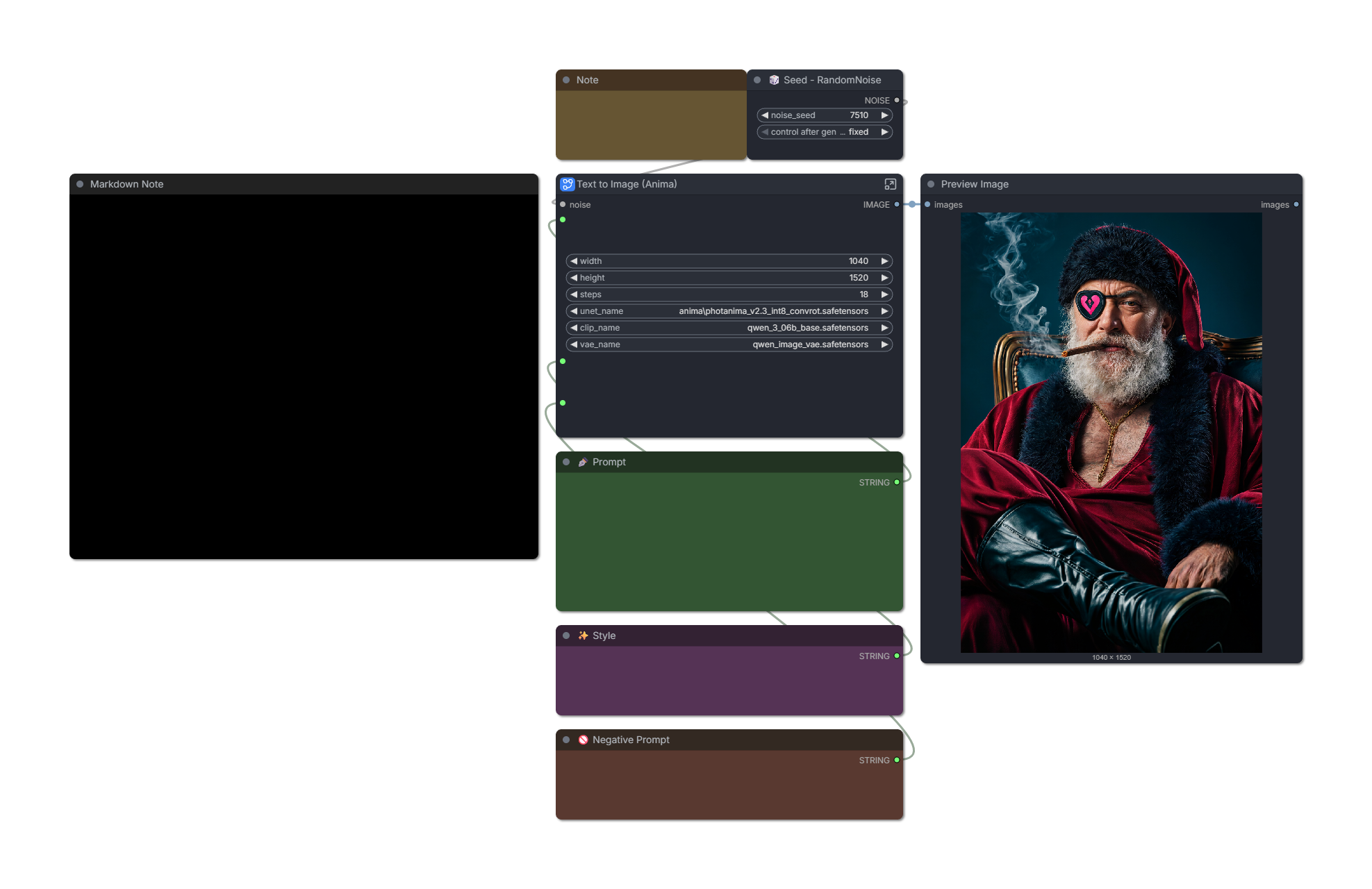
Most demo images contain workflows with custom sigma curve and ODE sampler. These both help significantly with realism. Standalone workflows provided further down this post.
❤️ If you enjoy Photanima, you can help offset the cost of training:
🤓 Technical details
v2 is trained on ~2000 images for 45,000 steps. This is an expansion of my Snakebite 2.3 dataset with around 700 new images and captions reworked for Anima. Training took approximately 48 hours on a Geforce 3090.
Pros:
Extremely fast.
Extremely good prompt adherence.
Anatomy is pretty stable. If it screws something up, changing your steps by +1/-1 usually fixes it.
Supports up to nearly 2MP with little-to-no distortions.
At first, I noticed that Photanima's style was inconsistent - it had a tendency to regress toward a cartoony/CGI look as my prompts became more complex. I was able to mostly overcome this by splitting Photanima into constituent content, style-early, and style-late blocks, then boosted the style blocks well past a strength of 1.
"Style-late" maps to blocks 7, 8, and 9 - these do alter composition to a degree, so we can't boost them as hard as "style-early."
Images are pretty consistent now, but there are some notable drawbacks.
Cons in v2:
It loses a little knowledge of certain artistic terms like
silhouette.Microdetail quality is somewhere between SDXL and ZIT. Honestly, it's really good for a 2B model. Two-step upscaling with Anima doesn't help much, but I'm sure the results would be amazing if you sent a Photanima image to a different model for refinement. Or if that's too much work: just add a little film grain. It does wonders and requires no extra VRAM.
Text capabilities are not as good as those of base Anima. Anything beyond 3 or 4 words is likely going to require numerous re-rolls. This is at least partly due to the Turbo LoRA.
Excessive fluff tags like
masterpiece, absurdres, hyperrealtend to fry the image. The model is photographic and highly aesthetic by default, so there's no need to drive it harder in that direction.
🛠️ Recommended Settings
v2.3 Turbo:
8-9 steps.
er_sde sampler on "ODE" mode.
CFG exactly 1.
Preferred resolution: 1040x1520 or 832x1216.
For maximum realism, begin your prompt with
real life photo. If that's not enough, addphoto \(medium\)and increase its strength until satisfied. You can usually go up to a crazy strength value like 5 or 6 without breaking the image.You can remove NegPip fluff to improve anatomy (e.g. fingers) at the cost of some photographic texture.
Workflow optimized for realism (recommended): Download
Workflow with zero custom nodes (sacrifices realism and speed): Download
v2.3 Base/Non-Turbo:
15-20 steps.
er_sde sampler on "ODE" mode.
CFG between 1-2. Raising CFG brightens the image.
beta or bong_tangent scheduler.
Workflow optimized for realism: Download
v2.2 Turbo:
6-8 steps. Images often look best at 6, but anatomy is more stable at 8-10, especially with complex prompts.
Custom sigma curve or simple scheduler: "1, 0.94, 0.9, 0.825, 0.6, 0.5, 0.3, 0.29, 0.2, 0.0"
You can reduce the first number on the sigma curve to 0.95-0.99 to improve realism. This reduces saturation and adds a little noise, but makes the model less stable.
Workflow optimized for realism (recommended): Download
Simple workflow with fewer custom nodes: Download
v2.2 Base/Non-Turbo:
You can get a good image in 25 steps, but 40 is often better.
er_sde sampler on "ODE" mode.
Custom sigma curve or simple scheduler: "1, 0.94, 0.9, 0.825, 0.6, 0.5, 0.3, 0.29, 0.2, 0.0"
CFG between 3.5 to 4.
Recommended fluff: "(photo \(medium\):1), real life, score_9, aesthetic"
Recommended negative prompt: "toon \(style\), anime coloring, painting \(medium\), airbrushed, mutation, distortion, ai-assisted, glossy, shiny, shiny skin, worst quality, score_3, score_4"
I have found it's helpful to decay conditioning strength from 2 to 1 over the first ~40% of steps. The stock workflow does this.
Workflow optimized for realism: Download
🗺️ Roadmap
I'm pretty excited about the potential of Anima, but let's be clear: I'm not claiming that this checkpoint is a "ZIT killer." The correct model to compare this against is SDXL/IL - and I'm confident that Anima can dethrone it with enough community effort.
Directions I'd like to explore next:
(✅ Done in v2) There are a handful of Anima "detailer" LoRAs on Civitai. These are not intended for photography, but with enough block pruning, you never know. The right mix could go a long way.
I suspect further increasing the dataset to ~3k images would help resolve remaining issues related to certain textures or model biases.
(✅ Done in v2) I'm eagerly awaiting the release of Anima Turbo 1.0. The current Turbo solution is based on Preview3 and I think it's holding back this model's potential a little.
I'm also looking forward to Anima support in OneTrainer. It will make trying experimental configs a lot less of a hassle compared to kohya-ss. For this v1 run, I stuck with safe values (prodigy, 1.0 LR, no fancy flags.)
Thank you. As always, I look forward to your feedback. Please share the model and upload some images to help it gain traction.
Description
Improves photographic texture and is more likely to remain stable at 9-12 steps (although I still prefer 6 steps in many cases!)
This is an experimental update. I collected a new dataset of ~200 images with the goal of addressing weaknesses in the previous version. It was mainly comprised of food, animals, and various texture close-ups. I wanted to improve Photanima's material rendering across a range of lighting conditions.
I trained these for 14k steps on top of v2.1 as a "stimulus pack," instead of retraining the model from scratch. I then pruned the resulting LoRA, keeping only the style blocks.
The approach shows promise, but it remains to be seen whether it will work for more challenging problems, such as anatomy or text.
FAQ
Comments (8)
Nice job - looks good
I Like this model.
I've been having a lot of fun with this model, using the stock Anima workflow. You can get some really interesting blended effects when you use booru artist tags. Prompt adherence in 2.2 is improved compared to previous version and I notice better adherence to certain booru tags. If I have a request, I'd like to see a workflow that doesn't rely on custom nodes at all to achieve the photorealism.
int8 increasing generation speed or just reducing vram usage?
Both. Int8 is 30-50% faster on 30-series Nvidia GPUs.
You can try converting it to nvfp4 or mxfp8 with this model converter her https://github.com/bedovyy/comfy-dit-quantizer but converting to nvfp4 suffers from low quality or something.
it's a little bit faster than fp8 while being almost bf16 quality.
@deitychaser I have tested it out with int8-fast diffusion loader node hooked it up with int8-lazy-torch-compile, it's pretty fast with 8 steps, beta scheduler, res_multistep sampler and I thought the speed up wasn't gonna work with my blackwell gpu.