
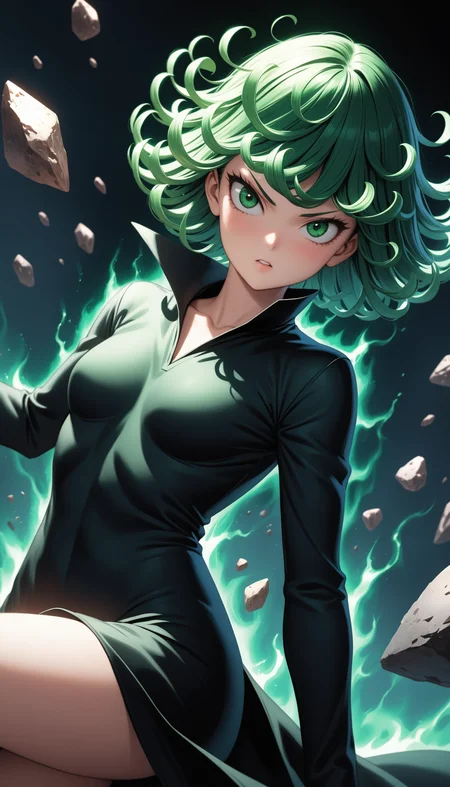
Raemu XL
Raemu XL is a SDXL-based anime model designed for 2.5D anime-style generation. It excels in producing high-quality, semi-realistic anime visuals with rich textures and refined shading.
V5
Raemu XL V5 is a finetuned iteration based on Animagine 4.0, further enhancing its ability to generate aesthetically refined 2.5D textures. This version improves lighting, depth, and overall visual quality while maintaining the signature anime look.
Ideal for high-quality illustrations, character art, and stylized anime rendering, Raemu XL delivers a balance between artistic expressiveness and fine detail.
Why Early Access?
Early access helps cover the cost of training and development. By purchasing early access, you're directly supporting the development of my models. If you'd like to support me further, you can also buy me a coffee on Ko-fi! Your support keeps the project going and ensures even better models in the future.
How to prompt.?
read Anim4gine GuideLines here
Recommended Prompts
To guide the model towards generating high-aesthetic images, use negative prompts like:
lowres, low score, bad score, worst quality, bad anatomy, bad hands, sketch, jpeg artifacts, text, error, signature, watermarkFor higher-quality results, add quality at the end of your prompts like:
masterpiece, high score, great scoreRecommended Settings
Sampler : Euler a
Sampling steps : 28
CFG : 6
Upscaler : 4x-NMKD_YandereNeoXL
Hires step : 10-15
Denoising Hires : 0.1-0.3
License
V5 model adopts the original CreativeML Open RAIL++-M License from Stability AI without any modifications or additional restrictions. The license terms remain exactly as specified in the original SDXL license, which includes:
✅ Permitted: Commercial use, modifications, distributions, private use
❌ Prohibited: Illegal activities, harmful content generation, discrimination, exploitation
⚠️ Requirements: Include license copy, state changes, preserve notices
📝 Warranty: Provided "AS IS" without warranties
Please refer to the original SDXL license for the complete and authoritative terms and conditions.
Below are for legacy V1-V4
SDXL anime base model that focused in 2.5D Anime. RaemuXL can generate high-quality anime images. This model merged from Animagine XL 3.0/3.1 as a base. Compatible with any Lora that trained from Animagine XL 3.0/3.1.
How to prompt.?
read Animagine GuideLines here
Recommended Settings
Sampler : Euler a
Sampling steps : 25-35
CFG : 7
Upscaler : 4x-NMKD_YandereNeoXL
Hires step : 10-15
Denoising : 0.1-0.3
Recommended Settings for Lightning version
The Lightning version has faster generation with a slightly decreased quality
Sampler : Euler a
Sampling steps : 8-10
CFG: 2-2.5
Upscaler : 4x-NMKD_YandereNeoXL
Hires step : 4-6
Denoising : 0.1-0.3
Recommended Prompts
To guide the model towards generating high-aesthetic images, use negative prompts like:
(low quality, worst quality:1.2), very displeasing, ugly, poorly drawn, signature, watermark,For higher quality outcomes, prepend prompts with:
masterpiece, best quality, very aesthetic, absurdres,Multi Aspect Resolution
This model supports generating images at the following dimensions:
| Dimensions | Aspect Ratio |
|--------------|---------------|
| 1024 x 1024 | 1:1 Square |
| 1152 x 896 | 9:7 |
| 896 x 1152 | 7:9 |
| 1216 x 832 | 19:13 |
| 832 x 1216 | 13:19 |
| 1344 x 768 | 7:4 Horizontal |
| 768 x 1344 | 4:7 Vertical |
| 1536 x 640 | 12:5 Horizontal |
| 640 x 1536 | 5:12 Vertical |
License
Raemu XL now uses the Fair AI Public License 1.0-SD inherited from Animagine XL 3.0, compatible with Stable Diffusion models. Key points:
1. Modification Sharing: If you modify Raemu XL, you must share both your changes and the original license.
2. Source Code Accessibility: If your modified version is network-accessible, provide a way (like a download link) for others to get the source code. This applies to derived models too.
3. Distribution Terms: Any distribution must be under this license or another with similar rules.
4. Compliance: Non-compliance must be fixed within 30 days to avoid license termination, emphasizing transparency and adherence to open-source values.
For merge recipe go to my Huggingface Repo
Description
switch base to Animagine XL v3.1
FAQ
Comments (16)
This is such a great model. 🫠
Definitely the best anime model at the moment. Is there any possibility to train a LoL/Mortal Combat characters to this model?
If it's only 1 character/series, I think it's better to make a lora of it. But thank you, I will take note of this series
Any shot there's a list of all Characters that are inherently built into this model?
since this is based on animagine XL, so you can use all in built character from Animagine. here is the full list of it https://huggingface.co/spaces/cagliostrolab/animagine-xl-3.1/blob/main/wildcard/characterfull.txt
note : you need to be more specific after character tags above to get more accurate, such as hair color, hair type, eye color, accessory, costume etc.
@Raelina Thank you so much for the list. Gotta tell you this is my favorite model yet for SDXL. It's really impressive.
Does it need refiner or not?
@Sar96 There is no need for a refiner
Is there any chance you will merge this(masterpiece of a 2.5d style model) and ponyXL? Or directly train your dataset on pony?
I will try, but I can't promise. The prompting way on Pony is just too different, making it hard to merge. An experiment to merge with this is needed.
@Raelina Any progress with this merge?
@iNcUb Sorry for the late reply. I've been busy recently. Do you mean a 2.5D style with a pony base? I'm still trying, and it might take some time.
Really nice and clean. No glowing eyes (found them in other models) and good details. The thing is, sometimes it creates a film, photo or similar elements that I didn't ask for. Like 'holding a picture of...' or 'laptop background'.
Any help on that how to avoid it without negative prompt? Ty in advance.
This model is a merge between a 2D anime model and a 3D realistic model to create a 2.5D anime concept. If the prompt, like "laptop background," is not trained on the 2D anime model that I merged, or if the 2D anime model has too little influence, then it will use the 3D realistic model instead. To fix this, you need to add one of these in the negative prompt: realistic, CGI, or 3D.
@Raelina Ah thanks, I will try it. Also thanks for the explanation, I'm kinda new in the ai, so information is most welcome. I used 'realistic' in other resources to create more realistic colors/people/backgrounds, so maybe this did it. Thanks again!
Edit: Ok I tried it, no luck. It even showed me a nice detailed frame at some results (like the ones in expensive galleries), but it was not what I wanted. Anyway, I will keep trying! Thanks again for the help Raelina!
@GhostR7 you probably have "masterpiece" somewhere in the prompt.