



If you do like this work, consider buying me a coffee :)
Updated - Mid Year: Updated with a lora created from a frest dataset merged with ICBINP Final. Should give decent results, but does have the standard AI issues (cleft chin bias etc..)
Recommended settings: DPM++ 3M SDE Karras or DPM++ 2M Karras, 20-30 steps, 2.5-5 CFG (or use Dynamic Thresholding), happiest at 640x960 with a hires fix on top, but if you are happy to hunt through seeds to avoid head duplicates, 768x1152 works quite well also.
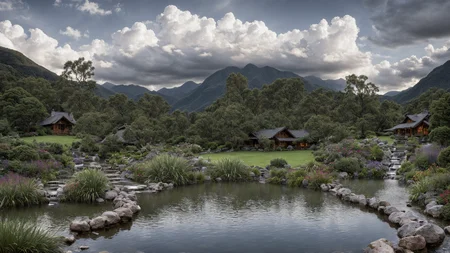
Following on from Gorilla With A Brick, I've merged in 10 more photorealistic models at various weights, and some more noise offset to create something that when prompted for photorealism will make you go "I Can't Believe It's Not Photography". It will happily create CGI characters and awesome landscapes as well.
As always, pruned to fp16, the VAE is baked in (SD-v2 840000 - ignore the VAE requirement above as the system is borked!), and the man in the suit can be used as the calibration prompt on any UI!
Description
Merged in AmIReal v3, Juggernaut 1.9, Reliberate, and AbsoluteReality in varying amounts
FAQ
Comments (28)
I feel a sense of sadness, but I also understand and respect your decision. I genuinely hope that your new adventure brings you an abundance of joy and happiness. Additionally, I would like to express my thanks for bringing those wonderful models to us.
Thanking you kindly and most welcome. Im pretty sure that by next week someone will have released something even better and itll be old tech within 6 months as thats just how it is with the AI art stuff. Happy generating!
@residentchiefnz for good?
Truly appreciate your hard work on this, my friend. If this is the final version, then you've created a masterpiece. Amazing job.
Thanks for the final version. Any chance for an inpainting version?
I have a little bit of runpod credit left, so I'll get that up shortly - for any model, if you want to make an inpainting version of any model you can use this guide
Done :)
My go-to for photorealism, especially in-painting. Thanks for all your hard work, it's appreciated.
Idk why but I'm getting better results inpainting with the regular model. Everything I try with the inpainting version comes out terrible.
Congratulations on making such a great model, and thank you for offering it for free to the community.
You helped AI progress!
I don't know how much work that would be, but if it's not much could you share fp32/unpruned versions of your model?
Sorry, as there was no training done to make this one, there isnt an unpruned version
@residentchiefnz I see, thanks anyways!
Everything must come to an end, we thank and appreciated your work. respect.
Thank you so much for your hard work. This model has allowed me to generate some breathtaking imagery, and I will be always grateful. Best wishes and fortunes to your future endeavors.
Thanks for a fantastic model!
Thank you! and best of luck with your future projects :)
What does "noVAE" mean on v1?
It means that the VAE that is baked in is the stock SD1 VAE as opposed to another VAE (eg 840k or NAI or kl-f8)
thank you
Curious thing: V8 is massively skewed towards flower tattoos on women, something that didn't happen in V5. I had to beat it with a negative prompt to get the old style results.
This model is pure perfection and it can render various stuff but excell in rendering of photo realistic humans.
Model is really fine tuned and it really knows what you asking from him to do.Perfect hands,legs,nude bodies and human anatomy,it can do it all.
You can do probably infinity variety of faces and bodies but you need to learn how to use it and prompt it with patience.This model really likes to listen very long prompts and if you really have time and patience to learn how to work with it,it would never fail you.
Many models are good with rendering adult humans but when you try to render teenagers,kids or older people it would mix everything like in blender but not this model.
You can render any age,with bodies that perfectly fit to it and im really impressed with it.
I prompt the hell out of it and i cant get it enough!
So thank you for creating and sharing this powerhouse with us!
Any suggestions on how to "zoom out" a bit? The closeups look awesome but I frequently wish to just step back a little bit to see more of the environment and haven't found a reliable way with this model.
https://youtu.be/Z2d4tFan7cE Should show you how to outpaint an amazing image :)
It's very easy to deal with it.Try "wide angle lens","full body shot"or it's even better way.
For example if you rendering woman try this:
"a beautiful 25 years old women wearing leggings and t-shirt",now models knows that you wanna see t-shirt and leggings and it would do wide angle shot.
But with this model would go further away from camera and you need to compensate for that with various other prompts or you faces would be blurred and glitchy mess.
This model can render faces very,very far away probably 10 meters from the camera but you need to use right prompts and learn what fits in your style.
Hope this helps.
1) have your image size be portrait sized, ex 512x768
2) prompts like "full body shot" "full view" "full body portrait" - they don't guarantee but help
3) add something to 'ground' the prompt into happening, like adding "boots" "shoes" "standing on"
4) negative prompts like "up close" "close up" "selfie" "selfshot" help too.. but again, don't guarantee it.
Between those you can usually get results. However, tho I don't find this model to have the issue, it can be that the model wasn't trained enough on full body shots and so it makes it really hard. That's when img2img and in/outpainting come into play.
Does this have an accompanying negative embed?
Nope, results that good without em ;)
The realistic vision negative worked well last time I tried it, but I havent gone so far as to make one for this model
Details
Files
icbinpICantBelieveIts_final.safetensors
Mirrors
icbinpICantBelieveIts_final.safetensors
icbinpICantBelieveIts_final.safetensors
icbinpICantBelieveIts_final.safetensors
icbinpICantBelieveIts_final.safetensors
Photography.safetensors
icbinpICantBelieveIts_final.safetensors
icbinpICantBelieveIts_final.safetensors
icbinpICantBelieveIts_final.safetensors
icbinpICantBelieveIts_final.safetensors
icbinpICantBelieveIts_final.safetensors
Available On (1 platform)
Same model published on other platforms. May have additional downloads or version variants.