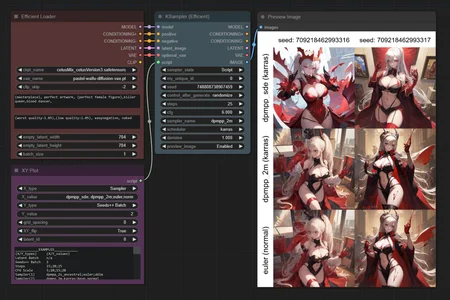
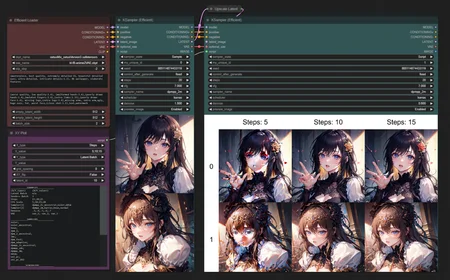
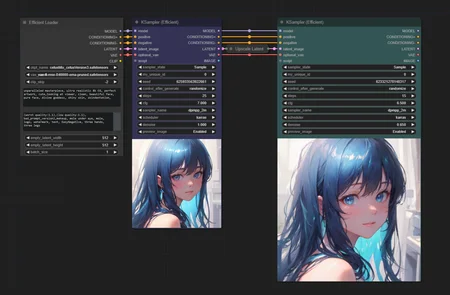
A collection of ComfyUI custom nodes to help streamline workflows and reduce total node count.
Github Repo: https://github.com/LucianoCirino/efficiency-nodes-comfyui
Currently Available Nodes:
Ksampler (Efficient)
A modded KSampler with the ability to preview/output images and run scripts.
Efficient Loader
A combination of common initialization nodes.
XY Plotter Nodes
A collection of nodes that allows users to specify parameters for the KSampler (Efficient) to plot on a grid.
Image Overlay
Node that allows for flexible image overlaying.
SimpleEval Nodes
A collection of nodes that allows users to write simple Python expressions for a variety of data types using the "simpleeval" library.
Description
Node Changes:
XY Plot:
New node that connects to the KSampler Efficient through a "script" type connection.
Allows user to define a 2D grid of variable parameters.
The currently supported XY parameters to plot are:
Incremental Seeds Batch (Seeds++ Batch)
Latent Batch
Steps
CFG Scale
Sampler, Scheduler
Denoise
VAE
Ksampler (Efficient):
Upgraded the custom KSampler to handle XY Plot script inputs.
Added a "Script" state to apply XY Plot scripts.
Fixed bugs regarding the "Hold" state.
Efficient Loader:
Restructured the guts of the loader for future flexibility.
...Rest of the nodes are unchanged.
FAQ
Comments (6)
All I am getting as an image result is 1 pixel.
[later edit] setting preview image to enabled fixes it
Great node. Think it would be possible to allow using scheduler and sampler on different axis so we can create comparison grid samplerXscheduler, while still allowing them to be set as a pair if needed (to keep it to one axis in case where that's preferable)? Tried to post a review and a picture post, but it doesn't seem to wanna show up
I can make this happen. Will add on next update.
You can now do this as of v1.35
How can I add a LoRA to the Efficient Loader? I tried to set between the loader and the sampler, but it feels strange to leave CLIP disconnected...
The Efficient Loader can now load LoRAs as of v1.35!