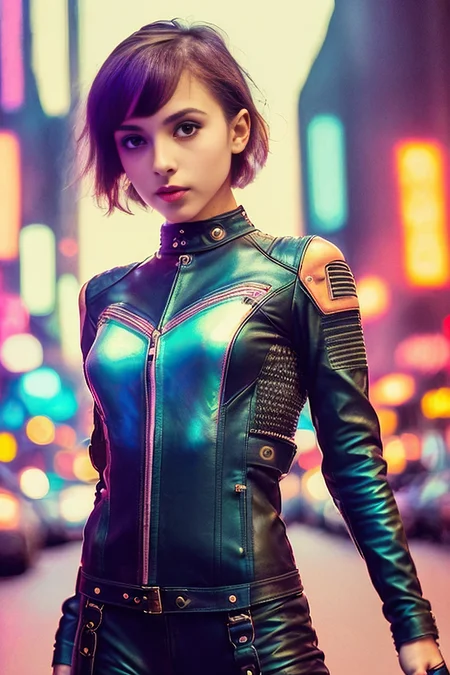
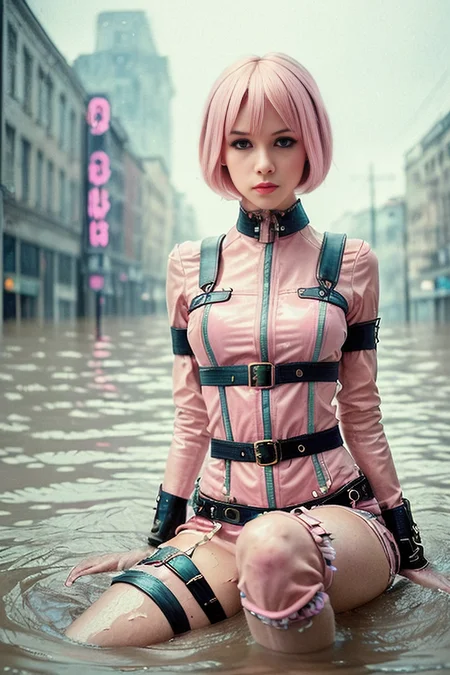
PLEASE READ DESCRIPTION
Deprecated model, consider updating to: https://civarchive.com/models/5935/liberty it is also licenseless
Very NSFW biased model!!
FINAL UPDATE - Two files added:
-aErosNoVAE: It is the exact same file as aEros prunned but without the VAE requirement, which also means that you can now train embeddings succesfully with aEros. (VAE would still be recommended for normal use).
-aErosNoVAE-inpainting: An inpainting focused version fo the model mixing it with SD 1.5 inpainting model.
UPDATE: This model has experimented a restrictive change of license ONLY because it inherited it from some of it's building models.
Until further notice, I am not developing it anymore.
https://huggingface.co/dreamlike-art/dreamlike-photoreal-2.0/blob/main/LICENSE.md
https://huggingface.co/dreamlike-art/dreamlike-photoreal-2.0
Check any info or questions at our private Discord here: https://discord.gg/z88HpDwbGq
it needs vae-ft-mse-840000-ema-pruned (or another one if you want to get experimental) or it will output broken images.
Art&Eros is out!!! This is my second model. It is similar to REA (my previous model) in it's concept, and many of it's building materials are the same, so most that worked for REA works for aEros, but it is not an evolution of it. It has been rebuild from the ground to be 'better, faster, stronger'.
My thanks to everybody who made it possible, because I if there's anything good on it is because the source material was great too. In no particular order to Hassan, AloeVera, the CivitAI Team, Izuek, Someone88, wavymulder, UnstableDiffusion Team, justmaier, moist, sviasem, kavellion and any other creator I might not have been able to cite.
The main download is the PRUNED safetensors NoVAE version. You have the unpruned ckpt as an optional download.
ABOUT:
First it may not be the best begginer checkpoint out there. I consider myself experienced at prompting so I haven't tried much basic prompts, however I doubt that a plain "pretty naked woman, big boobs" is going to take you very far with it. However, although I prompt a bit different than that I have tested that it understands the words from the language of PhotoReal v0.5 (it is contained within the merge), so if you are having troubles getting good outputs from it you can begin from there, but in general, try to use a more natural language than an array of commas: https://docs.google.com/document/d/1-DDIHVbsYfynTp_rsKLu4b2tSQgxtO5F6pNsNla12k0/edit
There's also one screenshot with a very basic example prompt for you to get the idea.
According to my testing it is a very powerful model for it's purpose, but it is a project I made for myself which means that depending on what you want it may or may not lack certain areas. It has been intensively tested to generate photorealistic(ish) images of different types of girls in different poses in different places wearing different things with different artistic moods. Nothing more, nothing less. From hardcore, to to group, to drawing, are out of the scope uses that may or may not work (But have improved since REA). It's community report that it is very good at fantasy and landscapes/interiors too.
List of keywords known: 'elden ring style', 'postapocalypse', 'knollingcase', 'cyborgdiffusion', 'analog style', 'swpunk', 'synthwave', 'dreamlikeart', 'modelshoot style'
'bf' is no longer a trigger word, nor part of the model.
HOW TO USE IT:
You MUST USE vae-ft-mse-840000-ema-pruned (or experimentally other VAEs). Otherwise it breaks.
Some users report having problems using something different than Automatic1111webui. Cannot troubleshoot that myself.
This model DOES NOT REQUIRE TO USE TRIGGER WORDS.
Trigger words are general style or composition modifiers. They can be used alone or in combination and will give an special mood (or mix) to the image.
Trigger words have only been tested using them at the beggining of the prompt.
There is no longer a proper order to mix trigger words between them, needs experimenting for your desired outputs.
Works for a wide variety of steps from 20 to 130 tested. I use 66 Euler A + hires fix.
It works on it's own without triggers at making general or NSFW images of ladies of high quality.
Resolutions tested are 512x512, 384x704, 512x768 and 768x768.
MERGED:
I haven't kept track of all the steps done in the merge (I used a weird methodology), but this is what's inside in different proportions:
PhotoReal v0.5: https://docs.google.com/document/d/1-DDIHVbsYfynTp_rsKLu4b2tSQgxtO5F6pNsNla12k0/edit
Elden Ring Style: https://civarchive.com/models/5/elden-ring-style
Postapocalypse: https://civarchive.com/models/1136/postapocalypse
Analog Diffusion: https://civarchive.com/models/1265/analog-diffusion
Knollingcase: https://civarchive.com/models/1092/knollingcase
Hassan's 1.4 and CandyBerry: https://civarchive.com/models/1173/hassanblend-all-versions
PurePornPlus: https://civarchive.com/models/1235/purepornplus-merge
SimpMaker 3K1: https://civarchive.com/models/1258/aloeveras-simpmaker-3k-series
Modelshoot style: https://civarchive.com/models/2147/modelshoot-style
SynthPunk Search: https://civarchive.com/models/2856/synthpunk-search
Dreamlike Diffusion: https://civarchive.com/models/1274/dreamlike-diffusion-10
Cyborg Diffusion: https://civarchive.com/models/1365/cyborg-diffusion
It also works GREAT as an extra style modifier with this hypernetwork for extra artistic outputs: https://civarchive.com/models/1141/mjv4-hypernetwork
Honorable mention tu Uber, whose model is not part of the merge, but helped me imrprove general hardcore capacity of aEros: https://civarchive.com/models/2661/uber-realistic-porn-merge-urpm
TROUBLESHOOT:
Images are a chaotic trip of LSD colors: You are not using the VAE.
I promiss that I have the VAE!!!: If you swear over the grave of Chanquete, then another user of Discord found the solution, but please, BE SURE THAT YOU HAVE THE VAE WORKING FOR OTHER MODELS:
xtrebel - "In case anyone else is still having trouble with LSD colors, despite having the correct VAE loaded like me... I discovered this checkbox in settings has to be off/unchecked for it to properly load the VAE:
[ ] ignore selected VAE for stable diffusion checkpoints that have their own .vae.pt next to them"Images seem like real images but are a mess of body horror and whatnot: You need to keep working in your prompt. This is NOT an easy to use model (not rocket science either).
FUTURE:
This project is considered finished. From now on it is going to become my base model. I may start to train it as the big kids do. But I am more likely gonna try to update it with the updates some of the building materials have experimented. Be it aEros v2 or a totally new thing... Who knows? The sky is the limit!!! Stay tuned on:
Description
No VAE requirement! (Still recommended)
FAQ
Comments (45)
Hello! I have downloaded the model and used it on one of the examples here but what I got was a bunch of green noise. The same example can be rendered with other models, despite same seed different image. Can you please tell me what I have done wrongly? I am using InvokeAI. Thank you!!!
You need to either use the No VAE version or if you are using another version use the official SD 1.5 VAE.
Note alse that there is an inpainting version of the model, don't use that if you are not inpainting.
I do also not know anything about InvokeAI, I just use Automatic1111 so I don't know if there might be any extra incompatibility I am not aware of, but haven't heard about it.
Anyway if weird colors are happening the easiest thing is to use any VAE file.
I tried to load again but now I have this error : PermissionError: [Errno 13] Permission denied:
What is that do you know? LOL.
Permission Error is something I have never heard about. Seems like something related to InvokeAI?
I really don't know, sorry. (The person that answered you is me too, I just logged in the wrong account)
I get the same thing with InvokeAI. The image looks like it's resolving, then the final shows up and it's like it was run through a Find Edges filter in Photoshop and then colored green. Hoping Stability fixes this, as the models here are really amazing. Unfortunate that Invoke users can't use them. :(
Tried both VAE and NoVAE version, still always get results completely ruined by the color noise. Dunno what am I doing wrong.
If you are sure that you have propertly instaled and renamed the VAE and everything in the troubleshoot section you have this:
I promiss that I have the VAE!!!: If you swear over the grave of Chanquete, then another user of Discord found the solution, but please, BE SURE THAT YOU HAVE THE VAE WORKING FOR OTHER MODELS:
xtrebel - "In case anyone else is still having trouble with LSD colors, despite having the correct VAE loaded like me... I discovered this checkbox in settings has to be off/unchecked for it to properly load the VAE:
[ ] ignore selected VAE for stable diffusion checkpoints that have their own .vae.pt next to them"
If anybody (like me) hadn't used a VAE file before here are the instillation steps for automatic1111-
Download: "vae-ft-mse-840000-ema-pruned" from huggingface and place in the folder: "stable-diffusion-webui\models\VAE"
In the UI, go to settings, show all pages, and CTLR f search "vae", a couple items down should be the option "SD VAE" there is a dropdown that you can refresh and select the new file.
Then click "Apply Settings" (don't just leave the tab)
I'm confused. Does it have Unstable PhotoReal 0.5 AND Dreamlike Photoreal 2.0, or one or the other? Dreamlike Photoreal 2.0 is not on the list of merges, but it is linked for the license. Maybe there was confusion on the "Photoreal" in the model names?
It has Unstable PhotoReal and has Dreamlike license because it is part of the enforced requirenments since it uses a model that uses a model that uses dreamlike
Not sure how to correctly use the inpainting model. Has anyone used it here? I tried with an image and it produces the exact same result as the SD-v1.5-inpainting model.
It uses SD 1.5 inpainting model as a base but carrying over knolwdge from aEros... Have you tried big changes to double check they are different?
Great model but the dreamlike license ruined it
That's why there's a new one on the works ;)
I can post the photos generated by me, on my social midia,instagram, facebook? non-profit, I don't need to mention anything?
Sadly you are required to credit the model because of the license it inherited. But that license allows you to sell images. So in theory you must say that it was done with this model.
However me as the author I am not going to enforce that license more than informing that they exist because it is just inherited, not my willingful decision. But the owners of that license could enforce you to obey it.
@aine_captain so if i use this model to create a photograph, when i post it on my instagram do i have to mention created with ai (aEros)?
but you are developing one that you don't need right? no restrictive license ?
@derikbr Exactly that. My new model will only be 'Share-Alike' which would only avoid you to create a derivate model (nothing about photos) and put a more restrictive license. And it will be extremely modular on my end, so if a model it uses is discovered to be liecensed it should be much easier for me to rebuild a version without it. That's not possible with aEros.
@aine_captain so the model you are creating can be used to make images and share on instagram facebook, without crediting the model or author, and can it also be like this to create realistic photos? and when will it be ready
@derikbr I will try to have it released on Patreon tomorrow, and will prepare all the different versions of the model (pruned, inpainting, etc...) for public release here on CivitAI this weekend.
But I'm tight on time and some unexpected problem could delay things a bit. Stay tuned ;)
And yes, I'm confident that the new model will be realistic and artistic, at least as aEros already is. In fact I expect it to be much better.
@aine_captain thank you I will wait and stay tuned here
once I close and restart the webui user all images either come out as grey or I get a message "a tensor with all NaNs was produced in VAE. This could be because there's not enough precision to represent the picture- Try adding --no-half-vae commandline argument to fix this." (adding the commandline does not work) any help on this? restarting the PC only sometimes helps
Sorry, it is the first time I hear about this :S
I have had this also, but seems to only happen when I use this ckpt first.
If I run another ckpt first and then swap to this one it seems to fix the issue
I have this too, I think the related bug report is here: https://github.com/AUTOMATIC1111/stable-diffusion-webui/issues/6923
Could we get a ckpt version of the inpainting one?
Did it for you ;)
But the model is now deprecated, consider updating to https://civitai.com/models/5935/liberty
:)
İt didn't work on colab
I couldn't get automatic1111 to see the vae-ft-mse-840000-ema-pruned file. Put it in the VAE directory, refreshed it in the settings, all it could ever see was "automatic", which didn't work. The checkbox for "ignore selected VAE" doesn't matter, checked or not checked it just can't see the VAE. Gonna have to give up and try the "no vae requirement" model.
vae should put in models\Stable-diffusion folder (bug?), and you can edit the user.bat to set COMMANDLINE_ARGS= --vae-path "H:\(your folder URL)\models\Stable-diffusion\vae-ft-mse-840000-ema-pruned.vae.ckpt", this will load the vae in every time launch
The No VAE file doesn't work with Automatic1111, it just makes a grey box.
Late but....! I noticed that too and found out that you have to switch the model back and forth. That helps at least here!
First time trying this model and I must say, the girls are beautiful.
I do seem to have issues when adding more than one character in scenes. Prompts that work fine with other models, seem to make this one go crazy. Girls seem to wildly vary in age for some reason between versions of different shots. Also, altering camera angle completely changes the focus and subject of scene. Guess i'll keep trying.
Im confused how do I generate this images. Is the download required?
Follow this guide. https://www.youtube.com/watch?v=onmqbI5XPH8
do you put the vae in the vae folder or under the checkpoint in your SDmodels folder
VAE folder, and select it a automatic
What was updated March 13th? I don't see anything I don't have
Go check out "Liberty" model. It's this creators new and improved model, with even better prompting and variety!
yeah something changed and I'm not sure what but people who are posting their end results recently are different than mine but I'm not sure 100%
Am I the only one who still finds this one to work better than Liberty?
Please elaborate more. I am new to this model, which one should I use?
I agree, Liberty does a lot worse on almost everything I've tried
I'd recommend trying to adapt prompting to Liberty, because aEros has a broken CLIP which means that it pays unpredicted amounts of attention to certain parts of the prompt etc... that means that aEros prompts would be less universal than Liberty's prompt too.
aEros is a powerful model, but after getting more used to Liberty you'd find it is capable of much more than this model is. Anyway, it is always a matter of what works best for you. I used aEros intensively until I made Liberty, so I know well this boy is good ;)
Despite the fact that this model is already somewhat outdated, it still looks very decent. The pictures that it generates are interesting, expressive and original, very different from the current models in their originality. Nevertheless, it also has a number of serious drawbacks, some instability, unpredictable behavior with prompt, which probably makes no sense to use it now as a permanent tool. Anyway, thanks to the author for the hard work!
Details
Files
artErosAerosATribute_aerosNovae.safetensors
Mirrors
3950_artErosAerosATribute_aerosNovae.safetensors
artErosAerosATribute_aerosNovae.safetensors
artErosAerosATribute_aerosNovae.safetensors
artErosAerosATribute_aerosNovae.safetensors
artErosAerosATribute_aerosNovae.safetensors
artErosAerosATribute_aerosNovae.safetensors
artErosAerosATribute_aerosNovae.safetensors
aEros.safetensors
aeros.safetensors
test1.safetensors
artErosAerosATribute_aerosNovae.safetensors
artErosAerosATribute_aerosNovae.safetensors
ArtEros A Tribute To Art Novae ckpt.safetensors
artErosAerosATribute_aerosNovae.safetensors
artErosAerosATribute_aerosNovae.safetensors
artErosAerosATribute_aerosNovae.safetensors
Available On (1 platform)
Same model published on other platforms. May have additional downloads or version variants.