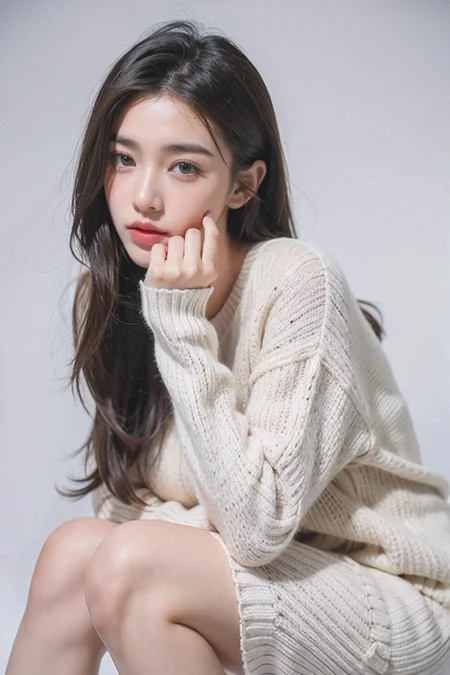
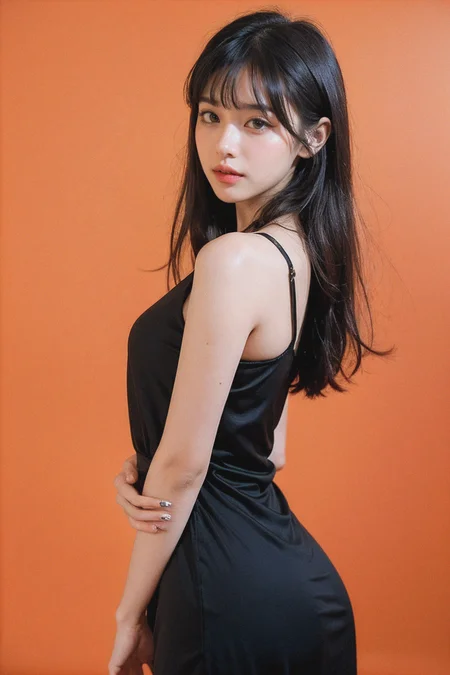
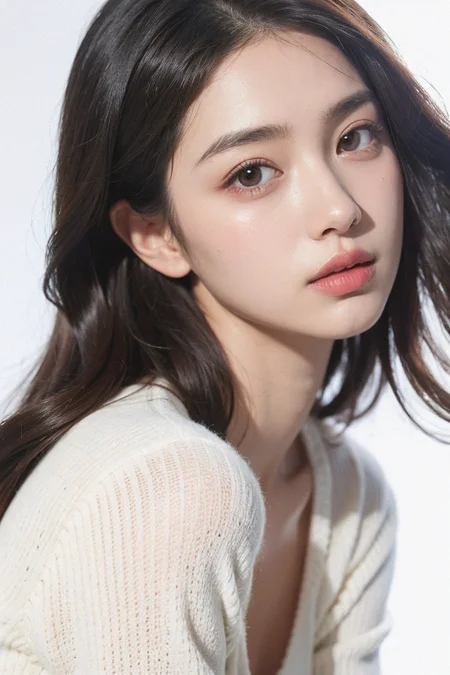
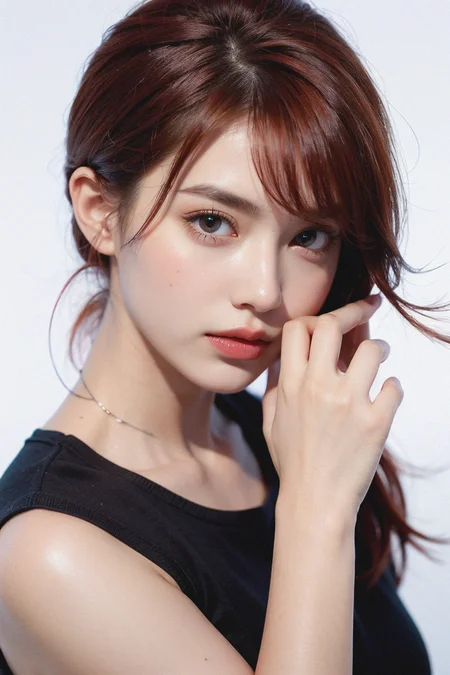
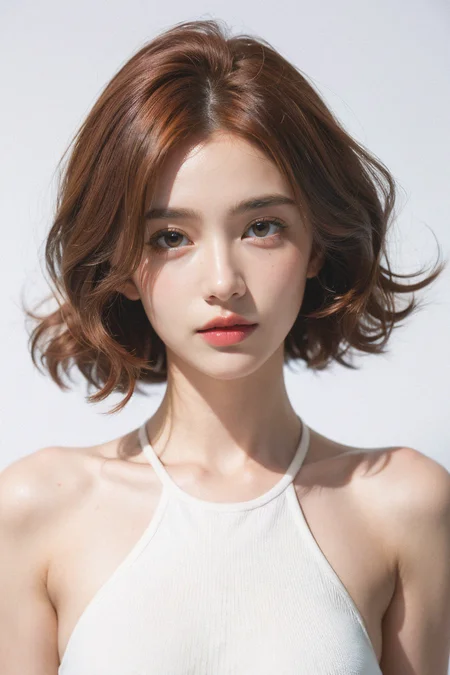

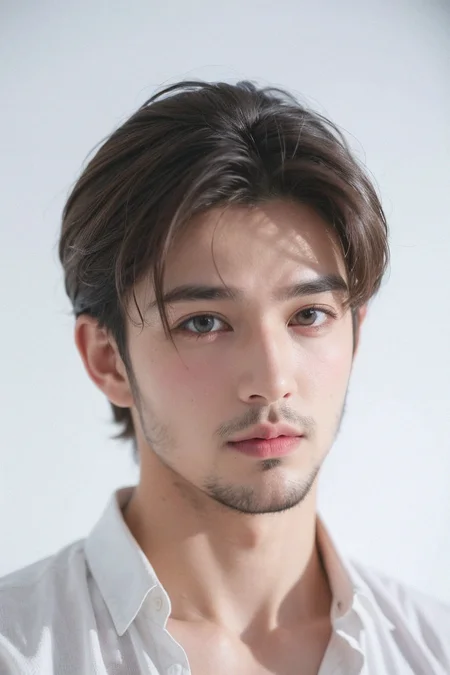
V7 is here. So far so good for me.
ASIAN ALERT!
推荐参数 Recommended Parameters for V7:
Sampler: Euler a, Euler, restart
Steps: 20~40
Hires upscaler: ESRGAN 4x or 4x-UltraSharp or 8x_NMKD-Superscale_150000_G
Hires upscale: 2+
Hires steps: 15+
Hires denoising strength: 0.05~0.5
clip skip 2
如果要修复脸部,请使用after detailer.
If your face comes out badly, use after detailer instead of face restoration.
https://github.com/Bing-su/adetailer
我习惯开启Dynamic Thresholding来更好控制cfg值,1~20都可以尝试一下。
Use Dynmaic Thresholding to control CFG. You can try from 1~20.
https://github.com/mcmonkeyprojects/sd-dynamic-thresholding
如果要添加滤镜效果、噪点,请使用BMAB.
If you want to add noise like me, use BMAB.
v2.5 is here. Note that this is not v7, but an upgrade for v2. V7 may need to address more issues, which I am still trying to do. In the process, I have created a model worth sharing.
This model can restore the light and shadow of the original majicmix v2, but with increased realism while still keeping the basic aesthetic of the face. I have tested other face loras and they work fine. Please use adetailer and put the face lora in it.
请注意,这不是v7,而是对v2的修缮。v7可能需要突破更多问题,这个目前我还在尝试。在这个过程中我融合出一个模型,我认为也值得分享。
本模型可以还原初代majicmix的光影,但是增加写实度,脸部还是保持基本调性的审美,我测试了其他脸部lora都没问题。请使用adetailer然后把脸部lora放在里面使用。
v5对我来说不够好,对你们来说也是的,而且不够写实。所以v6很迫切需要。用Euler画特写,用euler a 画其他的。不要!不要!不要开脸部修复!用adetailer来修脸。我的例图都用了。
v6 is here. v5 is not good as I played for a while and see the results from yours. Therefore a v6 is urgent.
Use Euler for close up, and Euler a for others. Again, don't use facial restoration, use After detailer instead! All my samples used adetailer without lora.
第五版先行版来了,先把赛博永生小姐姐娜乌斯嘉融进来做个例子,也算是公测吧。
5th edtion is coming soon. I've posted a preview version with the face of nwsj.
推荐使用Euler作为采样器。
Use Euler as sampler.
听我一句劝,不要开脸部修复!
Please don't use Face Restoration!
如果要修复脸部,请使用after detailer.
If your face comes out badly, use after detailer instead.
https://github.com/Bing-su/adetailer
我习惯开启Dynamic Thresholding来更好控制cfg值,1~20都可以尝试一下。
Use Dynmaic Thresholding to control CFG. You can try from 1~20.
https://github.com/mcmonkeyprojects/sd-dynamic-thresholding
很抱歉在之前的例图中我使用了分层的lora让大家困惑,也让大家复刻我的例图变得困难。所以新一版的例图我没有使用任何lora。想了解lora分层的可以参考:GitHub - hako-mikan/sd-webui-lora-block-weight
I apologize for using lora block weight in the example images of the previous edition, which confused most of you and made it difficult for you to replicate my examples. Therefore, in the newer editions, I did not use any lora in my showcase. If you would like to learn about lora block weight, please refer to: https://github.com/hako-mikan/sd-webui-lora-block-weight
融合了多种模型,可以生成好看的脸部,也能有效应对暗部处理。远距离脸部需要inpaint以达成最好效果。也可以使用after detailer.
A good looking model, suitable for NSFW and dark scene (because I added noiseoffset). long-range facial detail require inpainting to achieve the best results. You can also use after detailer.
推荐关键词 recommended positive prompts: Best quality, masterpiece, ultra high res, (photorealistic:1.4), 1girl
如果想要更暗的图像 if you want darker picture, add: in the dark, deep shadow, low key, etc.
负面关键词 use ng_deepnegative_v1_75t and badhandv4 in negative prompt
I've used a bug-fixed version of DPM++ 2M Karras, you can check this out: https://civarchive.com/models/35966/dpm-2m-alt-karras-sampler
推荐参数Recommended Parameters:
Sampler: Euler a, Euler, DPM++ 2M Karras (bug-fixed) or DPM++ SDE Karras
Steps: 20~40
Hires upscaler: R-ESRGAN 4x+ or 4x-UltraSharp
Hires upscale: 2
Hires steps: 15
Denoising strength: 0.2~0.5
CFG scale: 6-8
clip skip 2
basic formula:
KanPiroMix + XSMix + ChikMix
关注我的TG频道看更多例图:https://t.me/majic_NSFW
Description
FAQ
Comments (91)
男的感觉就是奶油小生的样子,不够阳刚啊
is the vae baked in the v7?
yes,please try
Please,Please,Please, !Alpha V7 ૮(˶ᵔ ᵕ ᵔ˶)ა
Thank you ! Your model is excellent. Please keep up the good work !
v7感觉出半身像非常好
很不错,但是个人觉得脸没有v6好看了
没那么固定了,如大家所愿,不过都可以用好看lora的
我也这么认为,脸部还原较之v6差了点,但是整体更好了
V7是用过的最好的模型,特别喜欢这种亮堂、清晰、真实的人像
唉,国内模型都是微博美图秀秀厚滤镜的图
眼睛还不完美~
v7跟v2=v2.5的区别在哪?同样的参数,固定种子,跑了几十张图,就是模型不一样,两个版本出的图完全一样。。。。。
这个是 不太可能的
@Merjic 先用v7随机生成一张图片,正向提示词 1girl,获取这张图片的种子,再切换v2=v25模型,使用上一张图片的种子,再生成图片,生成的图片一模一样。。。。
你这不开玩笑嘛,不一样啊
@zl1417896412 你可以试试,固定种子后其他设置都一样,就换个模型,出来的图完全一样
我是同样的参数,生成的图片和例图不一样,复制参数的时候看到作者用的VAE模型是vae-ft-mse-840000-ema-pruned.safetensors。hash是: 2453b80bc1。但是我的vae-ft-mse-840000-ema-pruned.safetensors出图的Hash是735e4c3a44。在秋叶一键启动的模型管理里看到hash: 2453b80bc1是另外一个VAE的,叫autoencoder_fix_kl-f8-trinart_characters.ckpt。这影响出图的吗?
@chenfeng20220805956 vae不太影响,你就把这当成滤镜好了
@marvinyorng808 你是不是遇到显存污染了。退出SD重启一下。
@cjs_young 确实是被污染了,开了两个web页面,页面上显示用的模型是v2=v25,但做出来图的详细信息里引用的是v7模型
光影效果完全不同了
麦橘女孩實在很美,我很感謝作者
Liking the brightness on v7 a lot. Very pretty.
为什么我生成出来的图在进度条80%多的时候看起来非常非常不错,然后最后的百分之几就感觉突然长残了??我嵌入了好多negative,但无法阻止
negative对图像影响很多,建议不要用任何negative embedding,参考我的例图
@Merjic 谢谢你的建议(〜^∇^)〜,我尝试更换模型,在不变动众多标签(可能也许大概过多了吧(~‾▿‾)~)的情况下,仍然如此,最后尝试将迭代步数从30左右增加到40-60多就好了(更多没有尝试),也许是标签过多了?或者显卡问题?谁知道呢?不想去探究了,最后感谢您的模型,太棒了
ヽ(*≧ω≦)ノ
@cobking 还有可能是高清修复的重绘幅度过高,建议用4x ultrasharp重绘0.1
@Merjic 好的,感谢
negative 也不是越多越好!还是建议要筛选适当的使用
CFG太高,调低。
hello! great model! can you share your lora block weight settings again? thank you!
BODY:1,1,1,1,1,1,1,1,0,0,0,1,1,1,1,1,1
BODY0.5:1,1,1,1,1,1,0.2,1,0.2,0,0,0.8,1,1,1,1,1
FACE:1,0,0,0,0,0,0,0,1,1,1,0,0,0,0,0,0
FACE0.5:1,0,0,0,0,0,0,0,0.8,1,1,0.2,0,0,0,0,0
FACE0.2:1,0,0,0,0,0,0,0,0.2,0.6,0.8,0.2,0,0,0,0,0
HAND:1,0,1,1,0.2,0,0,0,0,0,0,0,0,0,0,0,0
CLOTHING:1,1,1,1,1,0,0.2,0,0.8,1,1,0.2,0,0,0,0,0
POSE:1,0,0,0,0,0,0.2,1,1,1,0,0,0,0,0,0,0
PALETTE:1,0,0,0,0,0,0,0,0,0,0,0.8,1,1,1,1,1
KEEPCHAR:1,1,1,1,1,0,0,0,1,1,1,1,1,1,1,0,0
KEEPBG:1,1,1,1,1,1,0.2,1,0.2,0,0,0.8,1,1,1,0,0
REDUCEFIT:1,0,0,0,0,0,0,0,1,1,1,1,1,1,1,1,1
@Merjic thank you very much!!
可以训练一个专门的亚洲男性的模型吗?都是女性的
请问麦橘的模型是用dreambooth训练出来的吗
感觉V7在很多时间出图准确性不如V6,颜色也很容易过曝,整体比V6要亮,图生图出图效果不太如意
沒理由的呀?爲什麽下面的"買家秀"人物都是同一張臉?這個又不是Lora?
实际上是一个大型人物lora😏
自带脸足够让大家喜欢,所以不用加其他脸部lora,但你要加也没问题就是了。
@VideoGame有没有不是“大型人物lora”的模型我瞧瞧? 别跟我说老外的模型哈,对我来说也是一张脸,只不过更“普通”而已
并没有完全一样吧
尊敬的作者,你好,请问V7的自带了动图制作功能吗,我看好多人都做动图
没有,那使用插件实现的
@543485276463
請問是甚麼插件? 我看都不會閃爍,好厲害,也想來做看看
How do I upscale image after using ADetailer?
multi diffusion
@Merjic hey..sorry I didnt get can u explain whats that?
新人想问一下这个模型怎么下载啊 有些模型右上角就可以下载有些不能...谢谢orz
最右上角左边算起第2个按键,有箭头指下的那个。
Great as ever, but it still hates doing sitting poses
can't get it to create such a pretty face
You can try different LORAs
Hello, I have tried to reproduce the sample images but it just doesn't look right. I copied the PNGinfo exactly, what am I missing? I have ADetailer and BMAB but the faces just come out wrong. CFG scale is 7 just like in the PNGinfo
Attached is an example. Left is the original, right is my result.
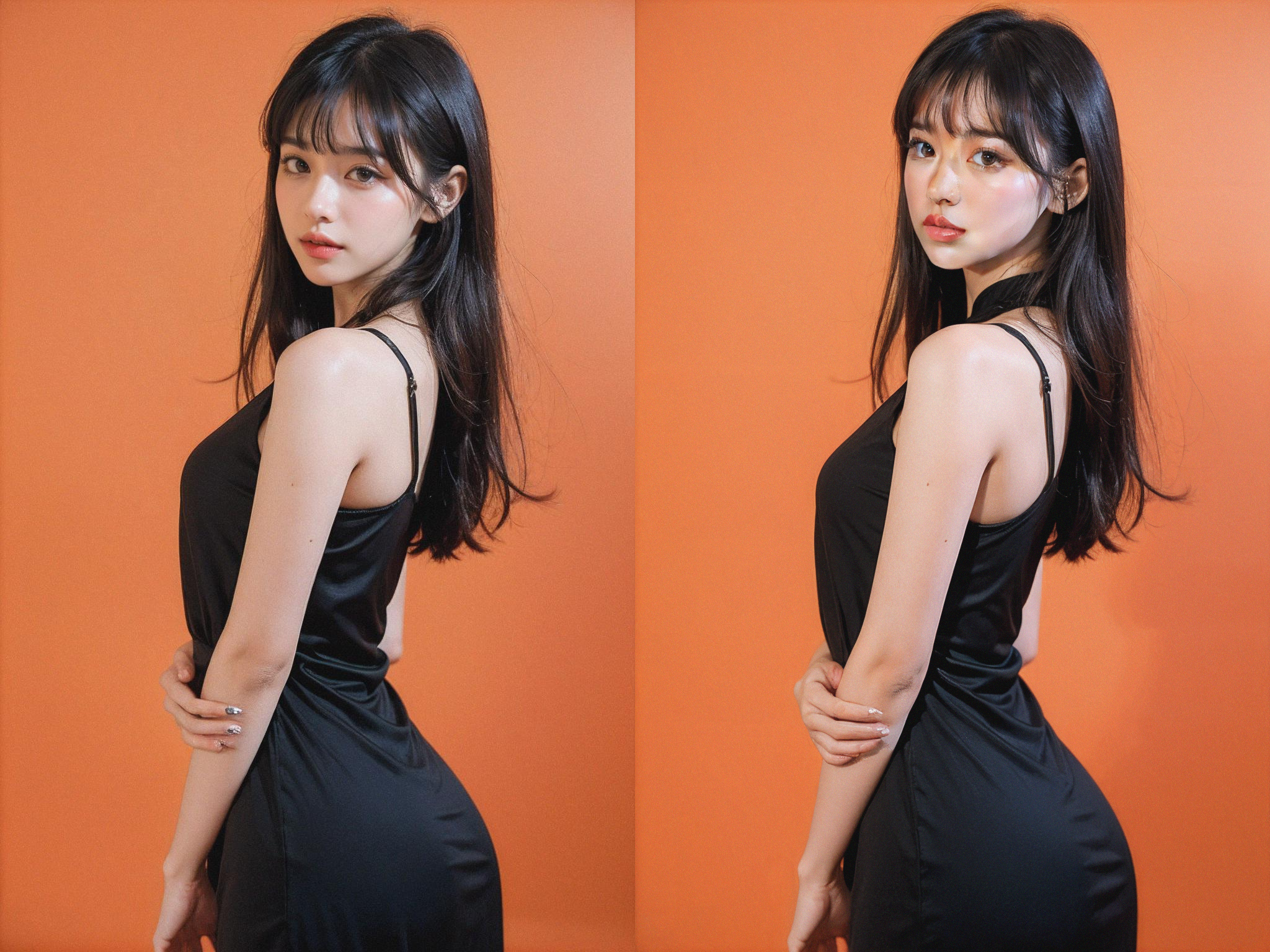
It seems like your Adetailer is broken, try to reinstall it or upgrade it
Very Good! 好厉害,我向您学习
Hi, this is my first time using stable diffusion. Is there a tutorial on how to create prompts and negative prompts? I'm a bit confused about this.
you can just try my recommended
I'll talk to you as a beginner, a month ago I started using SD(stable diffusion acronym), so started from here : https://stable-diffusion-art.com/prompt-guide/
But, each model has its own prompting methods, like anime (hentai) based models (a.k.a checkpoints in civitai), they use danbooru tags, there are two types of prompting, long phrases with everything in them, each component separated by "," (e.g : woman, glasses, blue eyes, blonde hair, long hair...), then comes the WEIGHTS, this is extremely important to know in Stable diffusion because it's the atomic way to get the best results using a model, since every model contains its own weights, read this to understand more (https://dev.dezgo.com/guides/prompt-weighting/), from that point, you play with the numbers, yes, there's no magic way to know, you have to do a lot of trial and error, that's why you start with a low resolution, take the seed number, and play with it, it's the fun part actually, need anything, hit me up
Hey, to put it simply, your prompts is basically what you want and you make them kinda how you would make hashtags for example a female portrait would be like "1girl, solo, portrait, looking at viewer, flower garden" etc and sometimes adding "masterpiece, 4k, 8k" can help along with other finer details such as "god rays, soft shadows" but its not that necessary, also add specifics if you want her blonde, put blonde in the tags, short hair? put short blonde hair.
if you also want to make the AI focus more on a certain tag, lets say you really want it to focus on her being blonde you can add the tag in brackets instead and add a number like 1.3 like this "(short blonde hair:1.3)"
for negative tags, its really things you dont want to see like "bad fingers, disfigured face, bad quality, low quality, disfigured arms" etc
hope that helps, im no expert though but i get good results
The blogger is awesome, I look forward to your XL version, I will always follow you
橘色背景黑色吊带那张,真的不是田曦薇吗?(笑哭)
Very nice!
为什么最近频繁遇到 违反TOS ?有什么解决办法吗?各位!
我也曾經遇過 要不就是PROMPT 有敏感字眼, 有時候因為使用的 LORA...換個LORA,試一下,
@suihou827 我用同样的prompt,同样的Lora生出的图,部分能上传,部分不能,也有全部不能上传的时候,就是换了个大模型而已,好奇怪
@CHINGEL@CHINGEL 要看生成的图是否像未成年。。这裡好像不能上傳未成年人像照片 當然 系統有時候会誤判
@suihou827 没有指定年龄段,默认都是成年人图像
@CHINGEL 看 terms and service, 是有的
Content depicting or intended to depict photorealistic minors, regardless of context. For a more detailed explanation, please refer to our guidelines on depicting photorealistic minors.
@CHINGEL 系統誤判是小孩臉也有这可能
@suihou827 不太可能,但如果是系统出问题那也没办法,我最近出的一组图,同一个prompt的结果,上传上来2张,其他传不上来的脸跟传上来的也相差不大,肉眼可见的成熟脸,原因不明,另外看到有一个上传模型的哥们也遇到这个问题,他自己的模型出的例图也不能全上传上来,尴尬
@CHINGEL 檢測了有沒有放行? 我發圖這麼久也檢測了好多次 極大部份是誤判 只有兩次給刪了 其實刪了的圖也沒什麼....不明白他的邏輯
@suihou827 我有2批被删过,改掉MD5值重新上传还是被删,都来就放弃了,不懂他们的判定逻辑
@CHINGEL 我近兩個月經常TOS. 你upload時當有TOS系統會有提醒pop up, 當你click ok, 系統會刪除你upload的圖, 但你一路重覆再upload, 系統最後會給你過的, 還有,我有點"Mature?"同delete prompt, 好似都有幫助
@jasonccc 重复上传我试过没用,点 “mature”这个我去试试看,delete prompt会影响出图效果吧?
@CHINGEL delete prompt 指上傳時顯示的資訊
@jasonccc 刚刚试了下,点“mature”没用
@jasonccc 把图片另存为JPG,丢掉生图信息,能上传了,,,不错不错,管用,谢谢
出图了太多很好的照片但是手很差,添加了banhand的负面提示词还是不行。有没有什么好的方法
inpaint and use adetailer to repaint the hands
为什么我用作者的参数生成出来黑色涂抹非常严重,不论是在c站还是本地的SD
Makes all the men look effeminate and all the women look Asian. 🤨
Of course, the model was trained on asians since the owner is Chinese. It is his "normal" ethnicity.
ya like what you downloaded a checkpoint thats been trained on asian girls XD
Details
Files
majicmixRealistic_v7.safetensors
Mirrors
majicmixRealistic_v7.safetensors
majicMIXrealisticV7.safetensors
majicmixRealistic_v7.safetensors
majicmixRealistic_v7.safetensors
realisticAsians_v10.safetensors
majicmixRealistic_v7.safetensors
majicmixRealistic_v7.safetensors
majicmixRealistic_v7.safetensors
majicmixRealistic_v7.safetensors
majicmixRealistic_v7.safetensors
majicmixRealistic_v7.safetensors
majicmixRealistic_v7.safetensors
majicmixRealistic_v7.safetensors
majicmixRealistic_v7.safetensors
majicmixRealistic_v7.safetensors
majicmixRealistic_v7.safetensors
majicmixRealistic_v7.safetensors
majicmixRealistic_v7.safetensors
majicmixRealistic_v7.safetensors
majicmixRealistic_v7.safetensors
majicmixRealistic_v7.safetensors
majicMIX realistic 麦橘写实_v7.safetensors
majicMIX realistic 麦橘写实_v7.safetensors
majicmixRealistic_v7.safetensors
majicmixRealistic_v7.safetensors
majicmixRealistic_v7.safetensors
majicmixRealistic_v7.safetensors
majicmixRealistic_v7.safetensors
majicmixRealistic_v7.safetensors
majicmixRealistic_v7.safetensors
majicMIXRealistic_v7.safetensors
majicmix.safetensors
majicmixRealistic_v7.safetensors
02.majicmixRealistic_v7.safetensors
majicmixRealistic_v7.safetensors
majicmixRealistic_v7.safetensors
majicmixRealistic_v7.safetensors
majicmixRealistic_v7.safetensors
base_v011.safetensors
majicmixRealistic_v7.safetensors
majicmixRealistic_v7.safetensors
Normal_majicMIX realisticmaiju_v7.safetensors
majicMIXrealisticV7.safetensors
majicmixRealistic_v7.safetensors
majicmixRealistic_v7.safetensors
majicmixRealistic_v7 (1).safetensors
majicmixRealistic_v7.safetensors
majicmixRealistic_v7.safetensors
REAL_15_majicmixRealistic_v7.safetensors
majicmixRealistic_v7.safetensors
majicmixRealistic_v7.safetensors
majicmixRealistic_v7.safetensors
majicmixRealistic_v7.safetensors
majicMIX realistic 麦橘写实_v7.safetensors
majicmixRealistic_v7.safetensors
majicmixRealistic_v7.safetensors
c21.safetensors
majicmixRealistic_v7.safetensors
majicmixRealistic_v7.safetensors
majicmixRealistic_v7.safetensors
majicMIX+realistic+麦橘写实_v7.safetensors
majicmixRealistic_v7.safetensors
majicmixRealistic_v7.safetensors
majicmixRealistic_v7.safetensors
majicmixRealistic_v7.safetensors
majicmixRealistic_v7.safetensors
majicmix7.safetensors
majicmix7.safetensors
majicmixRealistic-v7.safetensors
majicMIX realistic 麦橘写实v7.safetensors
majicmixRealistic_v7.safetensors
majicmixRealistic_v7.safetensors
majicmix7.safetensors
majicmixRealistic_v7.safetensors
majicmixRealistic_v7.safetensors
majicmixRealistic_v7.safetensors
majicmixRealistic_v7.safetensors
majicmixRealistic_v7.safetensors
majicmixRealistic_v7.safetensors
SD1.5_Majic_MixRealistic_v7.safetensors
majicMIX realistic 麦橘写实_v7.safetensors
majicmixRealistic_v7.safetensors
majicmixRealistic_v7.safetensors
【人像写实】【SD15】majicMIX realistic 麦橘写实_v7.safetensors
majicmixRealistic_v7.safetensors
majicmixRealistic_v7.safetensors
majicmixRealistic_v7.safetensors
majicMIX_realistic.safetensors
majicmixRealistic_v7.safetensors
majicmixRealistic_v7.safetensors
majicmixRealistic_v7.safetensors
majicMIX realistic v7.0 FP16 - SD1.5.safetensors
SD15 .safetensors
SD15 majicmixRealistic_v7.safetensors
majicmixRealistic_v7.safetensors
Realistic_v7.safetensors
majicmixRealistic_v7.safetensors
majicMIXrealisticV7.safetensors
majicmixRealistic_v7.safetensors
checkpoints_majicmixRealistic_v7.safetensors
Available On (2 platforms)
Same model published on other platforms. May have additional downloads or version variants.