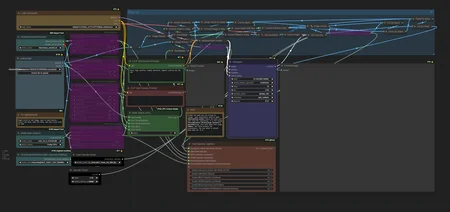
This is an inpaint workflow designed for turbo models. It has automatic detection and fixing abilities. Fully capable of textual inpainting (with a mask) or using ultralytics (ADetailer) models for auto detection and promptless inpainting in 8-10 steps. I got the best results with turbo as it was designed around that model.
Feel free to leave me a tip if you enjoy my work > Tip Jar
-Prompt for what you are trying to change. Some adjustments may be made with quality words.
-Mask Switch: select where the mask will pull from for inpainting. 1 is for using the mask editor in the image loader manually.
-Fast Bypasser: Only turn on the models you are using, this will keep vram usage lower.
Models tested:
I got much better results with Sleipnir, but others got good anime hands with Dreamshaper.
Note that this is an inpainting tool. You still need to know how to use inpainting.
Discord: https://discord.gg/btCfTh4jgt
Make sure Comfyui is updated! Negatvie Comments due to end user neglect of their system will be removed and ignored.
Description
-removed noise presets
FAQ
Looks like we don't have an active mirror for this file right now.
CivArchive is a community-maintained index — we catalog mirrors that volunteers upload to HuggingFace, torrents, and other public hosts. Looks like no one has uploaded a copy of this file yet.
Some files do get recovered over time through contributions. If you're looking for this one, feel free to ask in Discord, or help preserve it if you have a copy.