


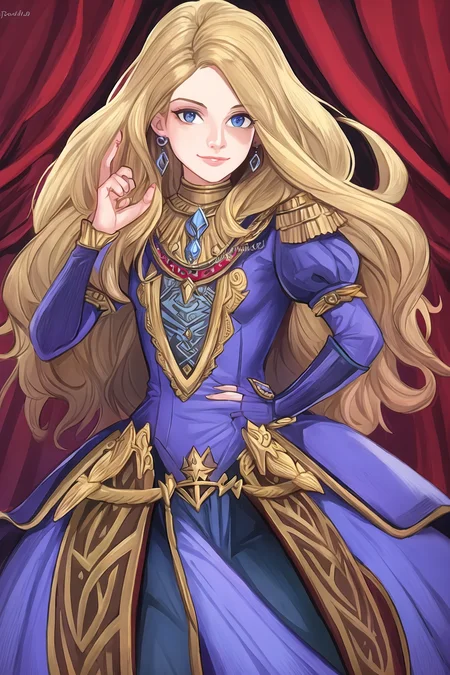


This tool doesn't specifically race-swap asian to white-caucasian, it just removes asian so your prompts can be more effective with whatever other race or culture you're trying to portray. This is due mostly to heavy training that doesn't tag race or culture.
Follow me to make sure you see new tools like this, or new styles, poses and Nobodys when I post them. More Clutter series coming too. Things move fast on this site, it's easy to miss.
Most of the recent, good, training has been using anime and models trained on asian people and it's culture. Nothing wrong with that, it's great that the community and fine-tunning continues to grow. But those models are mixed in with almost everything now (and because race or culture wasn't specifically tagged) sometimes it might be difficult to get results that don't have asian or anime influence. This embedding aims to assist with that. It can even change anime characters (though that wasn't the intended purpose).
I first created this when trying to make preview images for my South of the Border Style embedding. I was trying to get south american people and culture, but there was a lot of asian culture leaking into the generated images. This embedding fixed that. So it doesn't specifically race-swap asian to white-caucasian, it just removes asian so your prompts can be more effective with whatever other race or culture you're trying to portray.
How to use:
Use the negative prompt primarily, then use the positive prompts only if you need the additional help. There are 3 files to download.
Asian-Less2-Neg: Use this one, place in your negative prompt at strength of 1.0 (more updated embedding to account for more modern models)
Asian-Less-Neg: Use this one, place in your negative prompt at strength of 1.0
Asian-Less: Only use this in the positive prompt if you need the extra strength. On an asian-specific model for example.
Asian-Less-Toon: Only use this in the positive prompt if you need to remove anime-like features in illustrations.
Again, this isn't meant to race-swap, but to help get other race and/or cultures in your image generation without the influence of the asian image training. But like all models, the intended use and what you do with it are separate matters.
Do you have requests? I've been putting in many more hours lately with this. That's my problem, not yours. But if you'd like to tip me, buy me a beer. Beer encourages me to ignore work and make AI models instead. Tip and make a request. I'll give it a shot if I can. Here at Ko-Fi
Description
FAQ
Comments (20)
Where have you been with this Lora all this time?
Just 1 word: Magic ! Great work.
Interesting! Question, the non-toon version has a neg embed included. So, intended use is regular asian-less in positive, neg in neg? or do you only use one or the other?
it's just the way you have to upload them here. it makes it confusing.
use the neg for everything, add the asian-less to positive for extra strength, and add asian-less-toon to positive instead if it's anime related.
Incredible as always! you make the best stuff, I have noticed that Most models is very Asian leaning. Going to test it right away.
thanks, awesome
These are the tools that no one knew they actually need it.
probably will need it more later on
This is pretty awesome conceptually. I can see how some people could take its existence the wrong way, but I can hope they simply read the words you wrote and understand the intentions are only positive.
I absolutely love some of the models and all their artistic capabilities, but I can for sure tell [sometimes] when the dataset and training isn't diverse enough and sometimes shorter or less specific prompts can get either a certain look or "samey" image generations where they often look too much alike to other generations you made with the model. I like the examples you use, Chillout Mix is a big one, I think that shows the exact purpose of this model well.
Thank you for creating this, and of course your other work is solid too, keep up all the awesome stuff!
thank you yes. I tried to be very clear in the description :-)
About 80% of my negative prompts begin with "asian" as the first term just because of the heavy bias and it works very effectively.
Could there be a 3-way comparison of a regular image, vs the "asian" negative prompt, vs this embedding?
not sure it is needed. Put asian or (asian:1.2) in in the neg prompt. Did asian, asian look and so on.
All embeddings are just a collection of tokens with varying amplification. But it's far more complex than just one token. If asian in negative prompt is good enough, then use that. But if you need more, you can try this.
In order to use asian effectively in the negative prompt, it had to have been a tag during another model's creation. People don't usually go that deep into describing people they're capturing.
Model File not found. What am I doing wrong?
Before using it, you have to see which model this "text inversion" works with This one, I think, works with SD 1.5. If you have "text inversions" for models 1.4, 1.5 and 2.1 in your "Embendings" folder, when you load SD, the program sees the last loaded model and only loads "text inversions" for that model. There is no need to disable anything. So when you have already opened the SD, install model 1.5 (or a variant of the SD-1.5 models), then go to the "settings" tab and reload the SD, and the program will load inversions for model 1.5. Inversions for other SD models will be loaded in the same way.
@schmidtmichail935119 You misunderstand me. When I try to download "Negative (15.86 KB)", I get the message "Model file not found".
@schmidtmichail935119 thanks for that great response. but I think the site is having troubles today. I can't download anything either
Found out it was a bug, so I reported it. In the meantime, I made a separate version for the negative embedding. See the versions at the top.
@Zovya Thank you! Love your work.
Details
Available On (1 platform)
Same model published on other platforms. May have additional downloads or version variants.