See at the bottom for the Face Detailer + Upscale update
This workflow generates characters with random traits by referring to multiple txt lists of wildcards. These wildcard lists cover the hair (color, style, length), facial expressions, breast size, body type, the class, the age, race and poses.
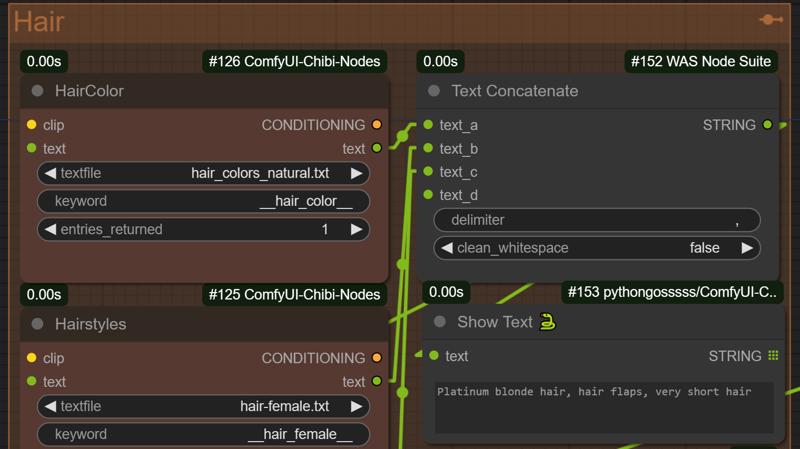 Important: You need to download the custom node ComfyUI-Chibi-Nodes from the manager or github and add the provided txt files in this path:
ComfyUI\custom_nodes\ComfyUI-Chibi-Nodes\extras\chibi-wildcards
Feel free to modify the list of wildcards as you wish and customize your experience. Most of these wildcards were taken from here: https://civarchive.com/models/20868/200-wildcards-nsfw-and-sfw
Currently, I've set up the wildcards for females, but they can be adjusted by swapping the txt files for male versions.
I've also added a section on the left to add 3 Lora's of your choice. You can disable the one you don't use (Ctrl + B). You can also duplicate the Lora Group (select all, copy & paste) and keep chaining them into the 🔤 CR Text Concatenate node.
The Loras will automatically add the trigger word in the final prompt to activate them. Sometimes the trigger words are too much, so you can disable the TagSelector node for no trigger words.
A couple of notes are scattered around the workflow for further explanations.
Face Detailer + Upscale Update
I've added a Face Detailer as the subject's face would be less detailed from far away. This has 2 Pass and adds a lot more details to the face.
I've also added a Highresfix Upscaler. It is currently set to upscale 4x at 4096px height. You need to use one of these 2 models for it to work:
(Anime) 4xUltraSharp: https://civarchive.com/models/116225/4x-ultrasharp
(Realistic) 4xNMKDSuperscale: https://civarchive.com/models/141491/4x-nmkd-superscale
Finally, I've added an Image Comparer node to compare the previous quality to the next. Before/After Face Detailer and Before/After Upscale.
If you have issues with the Image Comparer node, disable the custom node SaltAI-Open-Resources as it is interfering with it.
You can Bypass the Upscale if you don't want to Upscale it every time. I've added a Fast Bypasser that disables the entire Upscale group: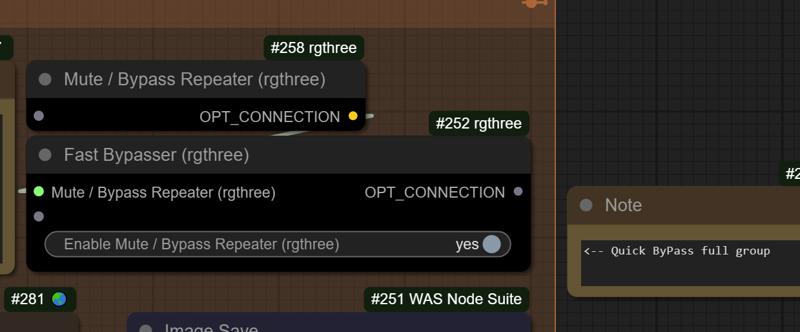
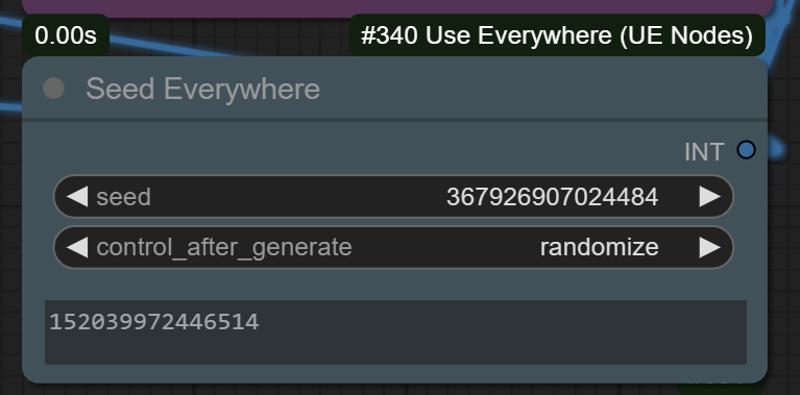
Added Seed Everywhere node to connect to the seed of every Chibi Wildcard node. Simply replace the seed from the box with the field seed to re-generate the same prompt from that seed.