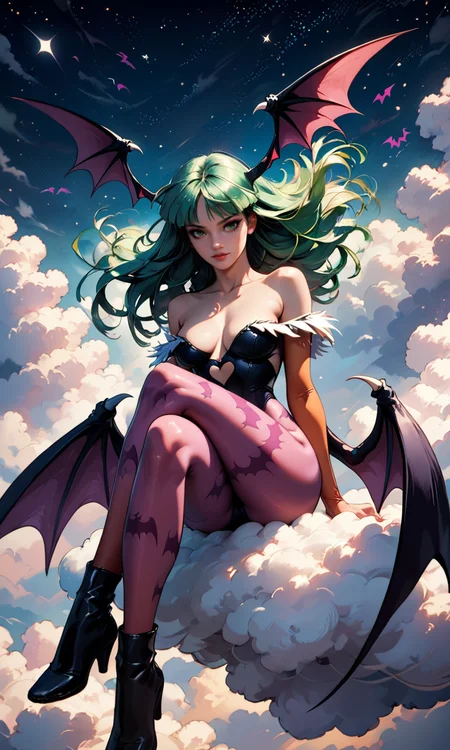
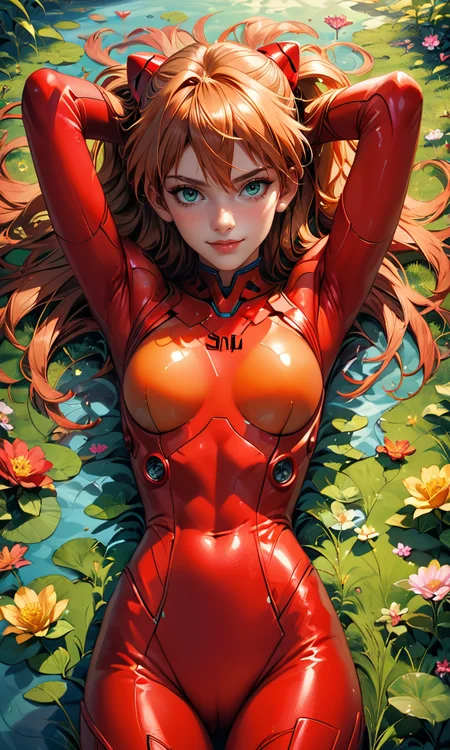


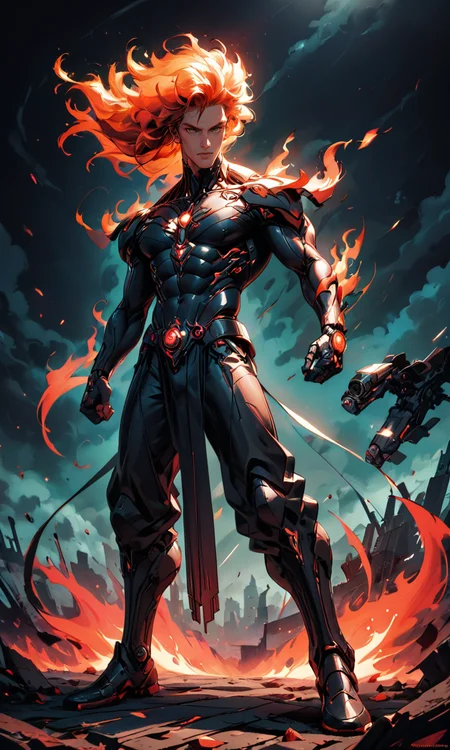


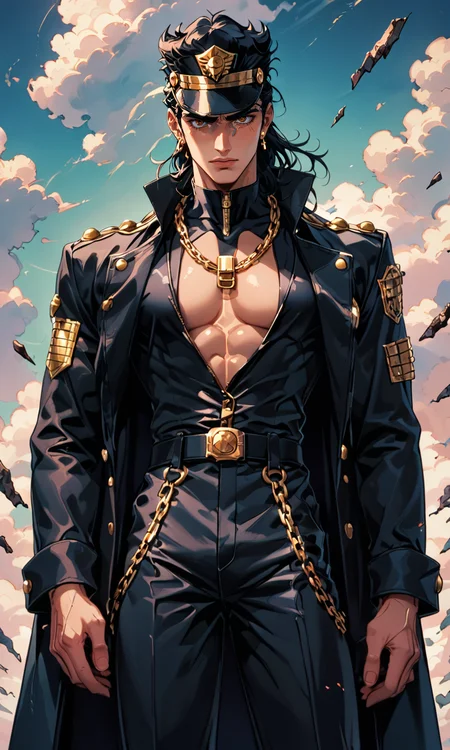


!!! UPLOADING/SHARING MY MODELS OUTSIDE CIVITAI IS STRICLY PROHIBITED* !!!
Check my EXCLUSIVE models on Mage.Space: AniMage PXL • AniReal PXL • Lucid Dream • AniMage SD1.5 • Realistic Portrait
SDXL - Pony: AniVerse PXL • AniMerge PXL • AniToon PXL • AniMics PXL • AniVerse XL
SD1.5: AniVerse • AniThing • AniMerge • AniMesh • AniToon • AniMics
Also in Collaboration with Shakker.ai
This model is free for personal use and free for personal merging(*).
For commercial use, please be sure to contact me (Ko-fi) or by email: samuele[dot]bonzio[at]gmail[dot]com
⬇Read the info below to get the high quality images (click on show more)⬇
Aniverse - Pony XL - make the impossible possible!
This is a long shot project, I’d like to implement something new at every update!
The name is a merge of the two words: Animation and Universe (and a word pun: Any+Universe -> Anyverse -> Aniverse)
-> If you are satisfied using my model, press on ❤️ to follow the progress and consider leaving me ⭐⭐⭐⭐⭐ on model review, it's really important to me!
Thank you in advance 🙇
And remember to publish your creations using this model! I’d really love to see what your imagination can do!
Recommended Settings:
Excessive negative prompt can makes your creations worse, so follow my suggestions below!
Before applying a LoRA to produce your favorite character, try it without first. You might be surprised what this model can do!
Best CONFIGURATION that I found
VAE: a special VAE is already included, you don't need it - (Thanx to nuaion)
Upscaler: 4x-Ultrasharp or 4X NMKD Superscale
Clip skip: 2
Width: 768
Height: 1344
CFG: 5.5
Steps: 30
Sampling favorite method: DPM++ 2M or Euler Max
Scheduler: Karras
EXAMPLE OF GENERAL PROMPT:
POSITIVE PROMPT: score_9, score_8_up, score_7_up, (Type of Shoot), (Subject), the description, (background), 4n1v3rs3, more details
EXAMPLE: score_9, score_8_up, score_7_up, Portrait, yorha no. 2 type b, short white hair, black dress, hairband, clothing cutout, cleavage cutout, puffy sleeves, black hairband, feather-trimmed sleeves, juliet sleeves, mole under mouth, sunset, rubble in the background, 4n1v3rs3, depth of field, dynamic angle, fashion photography, sharp, hyperdetailed:1.15
NEGATIVE PROMPT: score_6, score_5, score_4, worst quality:1.4, low quality:1.4, front light, grayscale, doll, plastic, fake, ugly, hair on face, muscolar woman, low res, blurry, fat, topless, child
Stable Diffusion XL with only 3GB of VRam (nVidia GPU):
If you have a GPU nVidia, but do you have problem to run XL cause low VRam, try to use this version made by me and nuaion.
It is a Portable version, so it does not affect if you have an A1111 already installed on your PC and can easily work in parallel.Besides the fact that it is "movable" from PC to PC without problems.
This version does not have any pre-installed template nor ADetailer which we preferred to leave optional
Let me know if it works for you and what you thinkA1111 my settings:
I run my Home PC A1111 with this setting:
set COMMANDLINE_ARGS= --xformers --skip-torch-cuda-test --no-half-vae
(if you have low VRam, try to add --medvram-sdxl or --lowvram that can help you, but it slow down the image creations)
if you can't install xFormers (read below) use my Google Colab Setting:
set COMMANDLINE_ARGS= --disable-model-loading-ram-optimization --opt-sdp-no-mem-attention --no-half-vae
(if you have low VRam, try to add --medvram-sdxl or --lowvram that can help you, but it slow down the image creations)
My A1111 Version: version: v1.9.3 • python: 3.10.11 • torch: 2.1.2+cu121 • xformers: 0.0.23.post1 • gradio: 3.41.2 •
If you want activate xformers optimization like my Home PC (How to install xFormers):
In A1111 click in "Setting Tab"
In the left coloumn, click in "Optimization"
in: "Cross attention optimization" select: "xformers"
Press in "Apply Settings"
Reboot your Stable Diffusion
If you can't install xFormers use SDP-ATTENTION, like my Google Colab:
In A1111 click in "Setting Tab"
In the left coloumn, click in "Optimization"
in: "Cross attention optimization" select: "sdp-no-mem - scaled dot product without memory efficient attention"
Press in "Apply Settings"
Reboot your Stable Diffusion
How to emulate the nvidia GPU follow this steps:
In A1111 click in "Setting Tab"
In the left coloumn, click in "Show all pages"
Search "Random number generator source"
Select the voice: "NV"
Press in "Apply Settings"
Reboot your Stable Diffusion
If you use my models, install the ADetailer extension for your A1111.
Navigate to the "Extensions" tab within Stable Diffusion.
Go to the "Install from URL" subsection.
Under "URL for extension's git repository" put this link: : https://github.com/Bing-su/adetailer
Click on the "Install" button to install the extension
Reboot your Stable Diffusion
How to install Euler Max Sampler:In A1111 click in "Extensions Tab"
click in "Install from URL"
Under "URL for extension's git repository" put this link: https://github.com/licyk/advanced_euler_sampler_extension
Once installed click in: "Installed" Tab
Click in "Apply and quit"
Reboot your Stable Diffusion
Now at the end of the list of the sampler, you have the new sampler.
HiRes.Fix Setting:
I don't use Hi.Res fix because:
1) in my computer don't work
2) my models don't need it. Use txt2image, aderailer and the suggested upscaler in the resources tab.
If you still want use it, this is the setting sent me by MarkWar (follow him to see his creations ❤️).
Hires upscale: 1.5
Hires steps: 20~30
Hires upscaler: R-ESRGAN 4x + Anime6B,
Denoising strength: 0.4
Adetailer: face_yolov8n
How to install and use adetailer: Click Here
Here you have a review (in spanish) of AniVerse Pony XL Model (thanx to Salió Aniverse XL | Stable Diffusion en español)
Do you like my work?
If you want you can help me to buy a new PC for Stable Diffusion!
❤️ You can buy me a (Espresso... I'm italian) coffee or a beer ❤️This is the list of hardware if you are courius: Amazon Wishlist
I must thank you nuaion and GattaPlayer for their support
You are solely responsible for any legal liability resulting from unethical use of this model
(**) Why did I set such stringent rules? Because I'm tired of seeing sites like Pixai (and many others) that get rich on the backs of the model creators without giving anything in return.
(***) Low Rank Adaptation models (LoRAs) and Checkpoints created by me.
As per Creative ML OpenRAIL-M license section III, derivative content(i.e. LoRA, Checkpoints, mixes and other derivative content) is free to modify license for further distribution. In that case such is provided by licensing on each single model on Civitai.com. All models produced by me are prohibiting hosting, reposting, reuploading or otherwise utilisation of my models on other sites that provide generation service without a my explicit authorization.
(****)According to Italian law (I'm Italian):
The law on copyright (law 22 April 1941, n. 633, and subsequent amendments, most recently that provided for by the legislative decree of 16 October 2017 n.148) provides for the protection of "intellectual works of a creative nature", which belong to literature, music, figurative arts, architecture, theater and cinema, whatever their mode or form of expression.
Subsequent changes, linked to the evolution of new information technologies, have extended the scope of protection to photographic works, computer programs, databases and industrial design creations.
Copyright is acquired automatically when a work is defined as an intellectual creation.
Also valid for the US: https:// ufficiobrevetti.it/copyright/copyright-usa/
All my Stable Diffusion models in Civitai (as per my approval) are covered by copyright.
Description
You can find my model in MAGE:
https://www.mage.space/play/a68f7f5213f3c83daf1727467a47e4e3
->
Here, as I announced, the Pony XL version is ready.
For all those who have problems running XL on their PC, I leave the article link I created, where you will find a portable version of A1111 made by me and nuaion. (which therefore does not affect your current installation) which works with LowVram , MedVram (only 3GB of VRAM needed) e HighVram (6GB of VRAM) (only for nVidia GPUs).
This is the link: A1111 - Indrema
Having said that, I leave you the best configuration I found, with an explanation of how to make the prompts.
Just one last note.
I'm still looking for the right setup regarding ADetailer with Pony XL. Because sometimes it might create some problems. I've read around that you just need to lower the Denoising Strength, but I have yet to verify it.
VAE: a special VAE is already included, you don't need it - (Thanx to nuaion)
Clip skip: 2 (still testing)
Upscaler: 4x-Ultrasharp or 4X NMKD Superscale
Width: 768 - (probably more, but I've not tested)
Height: 1280 - (probably more, but I've not tested)
CFG Scale: 5~7 (problably also from 3, but I've not tested yet)
Steps: 20~30
Best that I found
CFG: 5.5
Steps: 30
Sampling favorite method: DPM++ 2M
Scheduler: Polyexponential (or also Karras is working good)
EXAMPLE OF GENERAL PROMPT
POSITIVE PROMPT: 4n1v3rs3, score_9, score_8_up, score_7_up, (Subject), type of shot, the description, (background), more details
EXAMPLE: 4n1v3rs3, score_9, score_8_up, score_7_up, (Morrigan Aensland), green hair, floating hair, sitting over a cloud, crossed legs, (starry sky background), detailed
NEGATIVE PROMPT: score_6, score_5, score_4, ugly, low res, blurry, fat, braless
That said, I had a lot of fun exploring this version of AniVerse Pony XL, but I'm no expert, maybe you can find better configurations than mine.
If so, write to me and you'll be doing me a big favor!
Enjoy the model and let me know if you like it!
FAQ
Comments (30)
Awww, Come On! I just finished noodling about with FLUX, and you just had to drop Aniverse PONY?
No sleep for the wicked, I guess :)
lol ❤️ Flux is amazing and incredible ;)
Awesome! You know I love this style! Thank you so much!
thanks to you Hayato 🤗
Looks great! Excited to try this when I'm back from holiday!
Thank you 🤗I hope you find this model as fun as I did
Damn, good!!!!
Thank You very much!!!!
Thank you <3
impressive af 😍😍😍
Thank you <3
Hi Olivia, just an easy question... are you italian?
@Samael1976 it is my nom de plume /nɒm də ˈpluːm/, so - not exactly, I'm mixed nationality, several European ones melted into one
@OliviaRossi I undersstand. I've asked you because we have a little group on telegram of civitai (but it's for italian people) ;)
@Samael1976 ok, I'm pass (I do not use Telegram anyway), TY
Oh My God!!!! Downloading, testing and making a video!! Long-awaited model!
Thank you! Oh, please, write to me when the video is online and I'll run over to watch it and link it ;)
@Samael1976 Sure!!! I'll post the video on a new comment ;)
@stable_diffusion_espanol thank you
Hice un server de Discord que estaba pidiendo tu comunidad para compartir tips de nopor y eso. Pero creo que vendría bien en general para tu canal. O de última, avisá si tenés alguno propio.
Turning down the strength on ADetailer is almost always necessary to use it with Pony models, but lowering the strength also means it's doing less work. The majority of the Pony models I've used haven't benefited at all from ADetailer.
And I personally found that Aniverse was one of the few SD1.5 checkpoints where ADetailer actually lowered the quality of the image. I haven't used this new version yet, but I'd be very surprised if it was any different!
(If you do want to amplify face quality, load the image into inpainting, set "Inpaint area" to "Only masked" and set the height/width to an area much larger than the dimensions of the actual face. Using ADetailer here with most SD1.5 models gives amazing results, but not so much with SDXL/Pony, where a denoising strength of 0.33 mostly does the same thing.)
(I should probably actually upload images to Civitai, shouldn't I?)
Surprisingly I've discovered exactly the opposite just lately.
Try setting 0.5 as strength and 768x768 as height and width for inpainting ;)
Spanish review: https://youtu.be/vGLeaZOS32E
Great model!!!
¡HOLA! Primero que nada gracias por tus hermosas palabras y por tomarte el tiempo de hacer el video. Lamentablemente en estos momentos tengo un fuerte ataque de migraña, por lo que seré muy breve. Mañana modificaré la descripción del modelo insertando tu video review y lo insertaré en mis redes sociales. Aparte de eso, ¿podrías enviarme un correo electrónico mañana a samuele[punto]bonzio[arroba]gmail[punto]com? Te lo explicaré todo por correo electrónico. En resumen, si quieres, te enviaré mis modelos de vista previa antes del lanzamiento. De esta forma tendrás la oportunidad y el tiempo de probarlos cómodamente. Hazme saber si estas interesado. Hola y gracias de nuevo! PD: Espero que el traductor de Google haya traducido todo correctamente.
@Samael1976 Done! And the translator works really well!!
Great Model!! Thanks for sharing.
Thank you 🤗