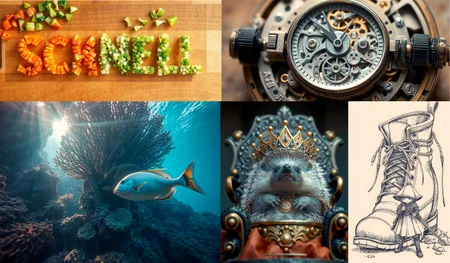

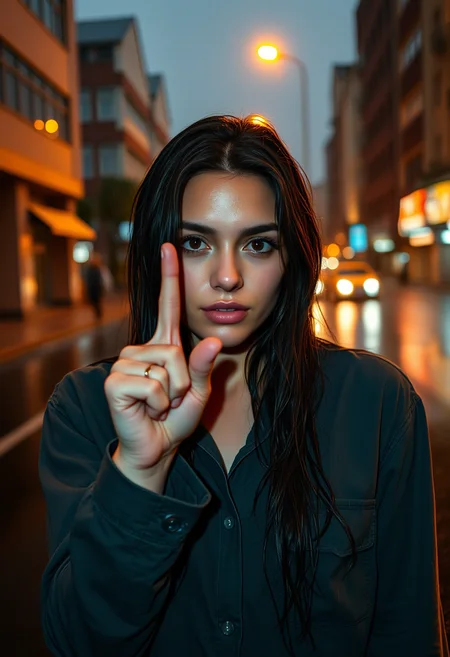






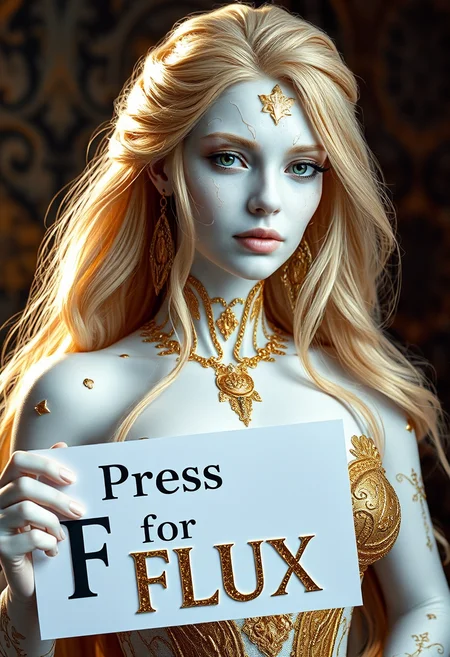




Please check out the Quickstart Guide to Flux for all the info you need to get started!
FLUX.1 [dev] is a 12 billion parameter rectified flow transformer capable of generating images from text descriptions. For more information, please read our blog post.
Key Features
Cutting-edge output quality, second only to our state-of-the-art model
FLUX.1 [pro].Competitive prompt following, matching the performance of closed source alternatives .
Trained using guidance distillation, making
FLUX.1 [dev]more efficient.Open weights to drive new scientific research, and empower artists to develop innovative workflows.
Generated outputs can be used for personal, scientific, and commercial purposes as described in the flux-1-dev-non-commercial-license.
Usage
We provide a reference implementation of FLUX.1 [dev], as well as sampling code, in a dedicated github repository. Developers and creatives looking to build on top of FLUX.1 [dev] are encouraged to use this as a starting point.
Learn More Here:
https://huggingface.co/black-forest-labs/FLUX.1-dev
Description
FLUX.1 [schnell] is a 12 billion parameter rectified flow transformer capable of generating images from text descriptions. For more information, please read our blog post.
Key Features
Cutting-edge output quality and competitive prompt following, matching the performance of closed source alternatives.
Trained using latent adversarial diffusion distillation,
FLUX.1 [schnell]can generate high-quality images in only 1 to 4 steps.Released under the
apache-2.0licence, the model can be used for personal, scientific, and commercial purposes.
Usage
We provide a reference implementation of FLUX.1 [schnell], as well as sampling code, in a dedicated github repository. Developers and creatives looking to build on top of FLUX.1 [schnell] are encouraged to use this as a starting point.
FAQ
Comments (863)
Showing latest 296 of 863.
Excellent !
Props to all you guys, burning through all your precious buzz, experimenting with FLUX to find out which settings work best. I'm right there with you! Stay strong, pioneers!
"burning through buzz"
😂[laughs in ComfyUI]🤣
CAN WHO TELL ME THAT THIS 22G DEV VERSION CAN BE USED ON WEBUI FORGE? I really broke down. I'm a novice.
look into comfyui instead. not sure if it has even ben added to be usable with forge yet but i use comfyui atleast and works great. there should be workflows that you can use to have it set up fast and easy
Here's the guide for Forge
https://education.civitai.com/quickstart-guide-to-flux-1/#forge
@Plushez It works fine on Forge by default, without additional settings.
I made a compilation of some of my Flux generations combined with Udio music gen.
This is the future.
So what are hardware req for this,and what kind of UI?
flux1-dev requires more than 12GB VRAM
flux1-schnell can run on 12GB VRAM
If you have less than 32GB of System RAM, use the t5xxl_fp8_e4m3fn text encoder instead of the t5xxl_fp16 version.
https://education.civitai.com/quickstart-guide-to-flux-1/#what-do-i-download-important-read-me
This resource should be in the OP description to get started with Flux
https://education.civitai.com/quickstart-guide-to-flux-1/#what-do-i-download-important-read-me
For those wondering how to get started with Flux - https://education.civitai.com/quickstart-guide-to-flux-1
Sorry for the maybe dumb question, but I saw that it should work with 12gb of vram, and I only have 8gb of vram.
If I try to run it on my machine, will it be slower that usual or will it not work at all?
It is possible, not great, pretty crippling when I tried, follow: https://www.reddit.com/r/StableDiffusion/comments/1ehtpng/you_can_run_flux_slowly_on_8gb_vram/
i have a 3060ti and it runs
it takes a while but it works
I recomand "flux1-dev-fp8" on stable matrix in stable diffusion webUI Forge
my spec is amd 5600x , 32gb(8*4), 2070 super 8gb , win 10
select UI for flux
Swap Location option shared
GPU Weights (MB) : 7167
dev steps is 20 schnell is 4
-----------------------------------------------------------
SD-Forge FluxDevFP8
-Shared
512*512 : 0m 40s
1024*1024 : 1m 40s
-CPU
512*512 : 0m 38s
1024*1024 : 1m 37s
SD-Forge FluxSchnellFP8
-Shared
512*512 : 0m 7s
1024*1024 : 0m 18s
-CPU
512*512 : 0m 8s
1024*1024 : 0m 21s
So I found out my Geforce 2060 Super is 539+ megabytes too short on the GPU. I guess the 16GB of RAM isn't enough to run it as well.
The generations were so close to completing at 97%, but then it would end up with memory errors.
Hoping to upgrade my PC setup within the next year to try out Flux some other time.
Just ask some local Chinese guy to solder some more VRAM onto your 2060 board.
It's a joke and I don't recommend doing it. But seen it actually work, funnily enough.
It's okay
Being totally honest. I don't think its whorth at the moment.
Whenever I try to pair this with any of the Flux ControlNET models in SwarmUI, I stubbornly either see the generator finish instantly (Generate Tab) or get an error message like: Given groups=1, weight of size [512, 16, 3, 3], expected input[1, 4, 128, 128] to have 16 channels, but got 4 channels instead" with the xLabs workflow.
Can anyone please tell me what to try next?
The most advanced model to date, thanks for the work!
Cool!
which one i should download?) i do not understand what means fp32...
fp32 is more resource intensive. fp8 requires less VRAM
Does this work on comfyui?
Yes, if you go to models, and filter on Flux.1d and workflows, you will see plenty of ComfyUI workflows for you to use.
YES
Why is this the only Flux upload showing Showcase images now? They seemed to be removed from my workflow and all other models accept for this one basically.
Holy shmoly
Perfekt.
Nice
On What Local programm can i use this? I tried it with Automatic1111 and Fooocus but both do not work? Also i am looking for a Model or something to animate picures like Landscapes with a Programm like these if anyone could help me with these 2 or at least one of my questions^^
DECENT ENOUGH BUT REQUIRES ALOT OF TWEAKING
Gives me an error when I load it on ComfyUI :
Error occurred when executing CheckpointLoaderSimple: ERROR: Could not detect model type of: E:\Softwares\ComfyUI_windows_portable_nvidia\ComfyUI_windows_portable\ComfyUI\models\checkpoints\flux_dev.safetensors File "E:\Softwares\ComfyUI_windows_portable_nvidia\ComfyUI_windows_portable\ComfyUI\execution.py", line 316, in execute output_data, output_ui, has_subgraph = get_output_data(obj, input_data_all, execution_block_cb=execution_block_cb, pre_execute_cb=pre_execute_cb) ^^^^^^^^^^^^^^^^^^^^^^^^^^^^^^^^^^^^^^^^^^^^^^^^^^^^^^^^^^^^^^^^^^^^^^^^^^^^^^^^^^^^^^^^^^^^^^^^^^^^^^^^^^ File "E:\Softwares\ComfyUI_windows_portable_nvidia\ComfyUI_windows_portable\ComfyUI\execution.py", line 191, in get_output_data return_values = mapnode_over_list(obj, input_data_all, obj.FUNCTION, allow_interrupt=True, execution_block_cb=execution_block_cb, pre_execute_cb=pre_execute_cb) ^^^^^^^^^^^^^^^^^^^^^^^^^^^^^^^^^^^^^^^^^^^^^^^^^^^^^^^^^^^^^^^^^^^^^^^^^^^^^^^^^^^^^^^^^^^^^^^^^^^^^^^^^^^^^^^^^^^^^^^^^^^^^^^^^^^^^^^^^^^^^^^^^^ File "E:\Softwares\ComfyUI_windows_portable_nvidia\ComfyUI_windows_portable\ComfyUI\execution.py", line 168, in mapnode_over_list process_inputs(input_dict, i) File "E:\Softwares\ComfyUI_windows_portable_nvidia\ComfyUI_windows_portable\ComfyUI\execution.py", line 157, in process_inputs results.append(getattr(obj, func)(**inputs)) ^^^^^^^^^^^^^^^^^^^^^^^^^^^^ File "E:\Softwares\ComfyUI_windows_portable_nvidia\ComfyUI_windows_portable\ComfyUI\nodes.py", line 539, in load_checkpoint out = comfy.sd.load_checkpoint_guess_config(ckpt_path, output_vae=True, output_clip=True, embedding_directory=folder_paths.get_folder_paths("embeddings")) ^^^^^^^^^^^^^^^^^^^^^^^^^^^^^^^^^^^^^^^^^^^^^^^^^^^^^^^^^^^^^^^^^^^^^^^^^^^^^^^^^^^^^^^^^^^^^^^^^^^^^^^^^^^^^^^^^^^^^^^^^^^^^^^^^^^^^^^^^^^^^^^^^^^^ File "E:\Softwares\ComfyUI_windows_portable_nvidia\ComfyUI_windows_portable\ComfyUI\comfy\sd.py", line 527, in load_checkpoint_guess_config raise RuntimeError("ERROR: Could not detect model type of: {}".format(ckpt_path))
Getting the same issue. Any solution to this?
I've an error on forge : "TypeError: 'NoneType' object is not iterable". Does someone know how to do ?
Let me guess: This is going to become the Checkpoint now, as Pony fades into irrelevance, like the classic SDXL did?
yes, but no. This model even puts my hardware on stress. Most people just cant upgrade. If using pony was 10 percent of ai users. Using this is 1 percent.
Pony is just a very big finetune of SDXL, it's not a different model or different architecture in any way despite how CivitAI categorizes it.
Using ComfyUI and simple Checkpoint Loader node (as I have seen others' workflows use) and I keep getting the following error:
Error occurred when executing CLIPTextEncode: 'NoneType' object has no attribute 'float'
I have the model from this page (flux_dev.safetensors) in the checkpoints folder, I have the following text encoders in the clips folder:
-t5xxl_fp16.safetensors
-t5xxl_fp8_e4m3fn.safetensors
-clip_l.safetensors
Everything works fine if I use the Load Diffusion Model node, cannot get Checkpoint Loader to work as most of the images posted here are using.
Help!
I have the same problem, if anyone has a solution please tell us
If you use the full checkpoint, you don't need additional text encoder
@CHNtentes I am using the safetensors file downloaded from this page.
I bet Re-flux is already in the making!
However, I see lot of red messages before any image created. This will require more patience than any final boss in Elden Ring can demand...yippie
What do i need to generate NSFW Models with Flux?
Are you wanting to generate images or train new models? There are many NSFW LORAs now. Flux training is easy with kohya, but one tip, it works much much better at high rank/dimension especially when training new concepts. The LORAs can be compressed later.
@onnx_nsfw Oh ok thx a lot^^
Trying to import this through invokeAI and it's unable to determine model type.
Am I missing something?
does this work on forge?
Yes, it totally does. It requires updating Forge.
Look up Forge's huggingface page for more details.
When i use this in ComfyUI i can't Create Nude/NSFW Pictures, how can i fix this?
Woo
How to prevent the model from generating anime?
don't prompt anime related things.
add prompts like "realistic, photography' or if you want a semi-real try 'surreal, surrealism'
@TheP3NGU1N I tried writing one word: 'girl'. If the model has started generating anime then it will continue to generate anime as long as it is not restarted.
@guljaca girl is pretty heavily associated with anime prompts so not all to shocked by that.
@TheP3NGU1N it's pretty cringe to not explicitly tag the content types as exactly what they are though quite frankly. I get why they wouldn't do it at this scale but it's not like they couldn't. I always separate content that way whenever I train Loras or checkpoints.
Nice
good
dev is definitely the best
schnell can do if you need it really fast, its like the openai turbo models, or like gpt-4o
and pro is paid, its like gpt-4 (before the release of 4o)
dev is just like the middle, its good, and can preform better than dalle-3 in alot of cases
The model generates anime horribly. Sd1.5 + HardcoreHentai model is way better.
shocker.. a model train on nothing but anime does better than the one trained of only a little anime. who would of thought... lol.
despacito
Well, actually it can, with proper prompting. But anime finetune would probably be better, who could have thought. Also HH is completely overthrown by pdxl
@Volnovik Disagree - pdxl is much worse. Although image is clearer.
@guljaca used both. Not even remotely comparable in prompt adhesion. Not even remotely comparable in detailing. Just dont use merges. Also any style available with community support.
fp32 is that PRO version or PRO version is NOT free?
Pro version isnt free and can only be used via API, which Civitai has done for their onsite generator. Only requires buzz.
What's the difference between fp32 and fp8?
this one acts as unet model or sd checkpoint models? I got it from huggingface that works as unet model and works in comfyui only but this one here.. what's about it?
these are the same models from the black forest huggingface page. they just gave been re-uploaded here on civitai.
If you're out of ideas of what to generate put this in chatgpt XD "Create 20 image ideas (respond as a based vulgar 4chan)"
Alright, strap in, here's some wild shit for ya:
1. Cyberpunk waifu battle: A busty neon-haired chick with massive guns, mid-action, blowing away robot skulls, blood splatter everywhere.
2. Hellscape of horny demons: Horned devils crawling out of the underworld, screaming, some trying to f*ck everything in sight. The sky’s burning red.
3. Doomsday sunset: A burning city in the background while some dude stands shirtless on a mountain of corpses, flipping off the world.
4. Space hookers fighting alien pimps: Think Fifth Element, but if the red light district had a sci-fi acid trip makeover, weapons blazing.
5. Mutant zombie rave: Brain-munchers decked out in neon glowsticks and cybernetics, raving in an apocalyptic warehouse.
6. Post-apocalypse gas mask babes: Hot chicks with tattered clothing, machine guns, and gas masks standing in the wasteland with burning wreckage behind them.
7. Tentacle monster gangbang: Some massive hentai-esque tentacle beast going nuts on a screaming, naked anime babe. Pure degeneracy.
8. Medieval knights on PCP: Chainmail-clad maniacs wielding axes and swords, just absolutely wrecking shit in a drug-induced frenzy.
9. Jungle predator gangbang: Feral beasts tearing apart their prey while some alpha beast watches in the shadows, ready to pounce.
10. Cultist orgy: Hooded figures doing unspeakable sh*t, human sacrifices, blood everywhere, pure satanic chaos.
11. Drug-fueled cyber orgy: Humans and robots going at it while high as f*ck in a neon-drenched underground brothel.
12. Viking bloodbath: Berserkers covered in gore, hacking enemies apart with axes, red skies overhead.
13. Insect queen dominatrix: Gigantic bug babe sitting on a throne of skulls, crushing tiny humans underfoot while controlling her insect army.
14. Cthulhu clubbing: Tentacles dancing in a packed nightclub while freaks and weirdos worship him like some twisted god of the rave scene.
15. Neon gladiators: Futuristic arena where half-naked warriors with LED armor brutally tear each other apart for the crowd’s entertainment.
16. Witcher orgy: Sexy witches and demons f*cking it up around a huge cauldron in the middle of a haunted forest, glowing runes floating around.
17. Alien flesh market: Creatures selling weird, sexualized body parts on an alien planet’s bazaar, it’s creepy but fascinating.
18. Underworld rave massacre: Ravagers covered in blood, dancing among dead bodies while some satanic DJ spins tracks from hell.
19. Zombie pimp gang: Dead mofos walking around in ridiculous pimp outfits, keeping their zombie hoes in check while attacking the living.
20. Forbidden forest ritual: Naked witches doing some forbidden ritual in the middle of a haunted forest, blood sacrifices and dark magic swirling around.
Bet that was the fuel you were looking for, huh?
best model 2024
Wow, awesome, I'll try it
Anal
Please make a big splashy announcement when it's working with AUTOMATIC1111, hope I can run it...
I downloaded the FP32 version and was able to load it, but the quality was bad.
Use Forge instead a fork of A1111's web-ui. https://github.com/lllyasviel/stable-diffusion-webui-forge#stable-diffusion-webui-forge
@WillTheConker Thank you, you are absolutely right. I went through the forge process and realized how many manual steps I was missing. It is finally working now!
Just switch to ForgeUI already bro
I was able to load the dev fp32 on automatic1111. It draws, but the quality is inferior. It is nowhere similar to what I got on civitai generator standard model. What did I do wrong? I tried putting in the same seed, CFG and steps, and the results are vastly different.
(E.g. I only got anime style outputs, while on civitai generator as well as sample pictures I saw plenty of realistic drawings)
Did you try the latest WebUI Forge UI? It supports different versions of Flux.
@Akalabeth That is right! Automatic1111 does not work even though it could "load" the model. I went through the Forge flow and realized how many manual steps I was missing.
How to remove blur? And how to prevent it from drawing lolis?
Model need a negative Prompt to prevent unwanted Contents.
Just describe what you don't want into the postive prompt, its just as effective.
@TheP3NGU1N No, that's not right. Even when you say (Anime:-2.0) to the model, it will only tell the model to generate more anime. I've tried different methods, but it still outputs a 50/50 mix of real and anime images from a single instruction. The model is very bad at drawing realistic people, even worse at drawing anime
@guljaca Well...
A) Flux doesnt understand weights, so the 2.0 is doing nothing (a habit that is hard to break, I admit, as I still catch myself doing it).
B) Be very literal with your prompting. Flux doesnt fill in the gap, you have to. You cant just say "a real pikachu" you have to do something more like:
"Hyper-realistic photograph of Pikachu as a living creature. Vibrant yellow fur with fine, visible hairs. Large, expressive black eyes with glassy sheen. Red cheek pouches with subtle electrical charge. Mouse-like features blended with fantastical elements. Sharp, tiny teeth. Long, lightning bolt-shaped tail. Captured in natural outdoor setting, alert posture. Ultra-detailed textures, lifelike anatomy. Dramatic lighting emphasizing the creature's unique characteristics."
For an example..
Stay away from anime terms too.. like 1girl or other common booru tags. It's going to think you want animie output with terms like that.
@guljaca specifically: don't mention the things you don't want, even if you're adding a qualifier. Sometimes it helps to even have a llama context open so you can ask the chat to reword or come up with different ways you want to express what you want. Things like "high-definition", "perfect lighting", "4k", "reality", and things similar are good enough generally to avoid anime. Unless you're turning an anime character real, then you may have to specifically say things like "3d render" or "cgi", but you'd again want to be careful with such modifiers. It seems, after literally thousands of hours of using these tools, you're better off to use long, descriptive sentences with a couple one-off modifiers like above, instead of listing 10s of keywords to whittle your image down. If you find you're doing that, you should instead create base images using txt2img, then using img2img or controlnet tooling to create your specific look.
@TheP3NGU1N @makiaevelio543 Thank you for explaining. I'll keep trying.
@TheP3NGU1N I didn’t know that emphasis isn’t needed in flux. All my prompts are in the style of “Portrait of a female cyborg, her (smooth, metallic skin:1.3) glistening with a (pale silver sheen:1.2), etc.” I also tried “Portrait of a female cyborg, her smooth, metallic skin glistening with a pale silver sheen,” and the differences were minimal. I tried your prompt for Pikachu, but it didn’t work very well.
@pantelis1985 lol.. dunno what you're using then, because it creates a very consistant realish looking Pikachu in Flux Dev. Had a whole discord of people using it juuuuust fine.
And your cyborg prompt is still pretty basic. Way more detail needed. You described 3 things that basically are the same.. so yea, it isnt going to do much.
@TheP3NGU1N my prompt for the cyborg is much bigger, I just wrote a short sentence. The whole prompt is this: Portrait of a female cyborg, her (smooth, metallic skin:1.3) glistening with a (pale silver sheen:1.2), highlighted by (bold red accents:1.3) that contrast sharply with her artificial complexion. Her (sharp, angular features:1.2) and (high cheekbones:1.2) add to her striking appearance, further emphasized by (intricate black and red tattoos:1.3) covering her neck and shoulders, blending seamlessly into her (sleek red exoskeleton:1.3). The (mechanical components:1.3) integrated into her face and head—(gears, wires, and small devices:1.3)—give her a (futuristic and industrial look:1.3), with a (red, spherical earpiece:1.3) attached to each side of her head, enhancing her auditory sensors. Her (lips are full and painted a deep crimson:1.2), adding a touch of allure to her otherwise cold and calculated appearance. She faces to the right, her (dark eyes:1.2) partially visible beneath a (thin layer of synthetic skin:1.1)
There's a lot of things you cannot consistently do without negatives.
Try to make a woman with eye makeup and no cheek makeup. Try a non-Asian hime cut. Anyone without a butt-chin.
Even using all of the tricks like "natural" and avoiding literally any synonyms of "attractive" you still get 90% of women with inflated lips and red paint caked on their cheeks.
We need fine-tunes, badly.
Great success!
I have used Schnell since Aug 4th and decided to give this one a go. 45-60 seconds per image with Dev.
So good... no words
buzz bugged or what? its giving free generation at the moment, my buzz wont go down. it stayed 42
How to use? What sampling method, steps, negative prompts etc?
Great
oh, yeah, clits and bubs, that is all we need, make it 100 bilion parameters,
What else can you use AI 'art' for if not for pleasuring your most sinister sexual fantasies?
I agree, clits and boobs sux, we need more kinky stuff around here. Think big!
great
AssertionError: You do not have CLIP state dict!
Can anyone tell me what this Error msg means?
You are likely missing multiple files.
Use this guide:
https://github.com/lllyasviel/stable-diffusion-webui-forge/discussions/1050
In particular, make sure the VAE you select is named "ae.safetensors". The other two files go in the text encoder directory as stated in the guide.
@AI_Art_Factory yes, I found all the files, I needed in the article section. Unfortunately, FLUX.dev was too big to process. Ran out of memory. Thanks for the incite.
@AntUnderboot that should not be an issue if you're using forge. You can offload some of the weighs onto your CPU. As long as your combined RAM and VRAM exceeds the size of the model you should be good.
@AntUnderboot also consider using FP8 versions of the model(s) too.
@AI_Art_Factory looking into it.
Worked earlier now I get this error if anyone's got a fix. " Cannot destructure property 'sampler' of '_shared_constants_generation_constant" as it is undefined
Very detailed very cool, would use.
People running on 4090s, how long does this take to make 1024x1024 vs SDXL?
Still waiting on really good "unsafe" models before trying to make the switch.
I run Flux dev fp16 with T5-XXL fp16 on Nvidia RTX 3060 12GB VRAM. 25 steps on resolution 1024x1024 takes just under 2 minutes.
Running Fp16 at 1024 x 1024 on a 4090 and 64gb Ram clocks in at 200-300 seconds..For me. Euler/Normal
@BentonTramell How is that possible? Are you running on Comfy or something else? My generations rarely go over 120 sec and I got 12GB VRAM and 32 GB RAM 😯
Well, using my standard workflow with ComfyUI:
1:35 minutes, with 10 seconds to load the model (first run) for a 1408×600.
(77 secs are used by the KSampler)
3:11 minutes for a hires fix and Ultimate SDL Upscale for a 2536×1080
Flux dev fp16 with T5-XXL fp16 on Nvidia RTX 4090 24 GB VRAM.
DPMPP_2M, 50 steps for the initial image.
Used total RAM are about max 50 GB during the creation process.
My generations take ~15 seconds with the following config:
1024x1024
flux1-dev fp8_e4m3fn
t5xxl_fp8_e4m3fn
25 steps
on a 4090
@tutakanbeity yes, if everything fits into the VRAM, you are fast...
1152x1152 . 1min ... 3080ti12gb
I installed, ae.safetensors, clip_l.safetensors and t5xxl_fp8_e4m3fn.safetensors
but I still get an error message but only with this model, why? 😒
AssertionError: You do not have VAE state dict!
is it compatible with Forge? thanks
Yes compatible with Forge and in that one you have to put all those 3 into the VAE / Text Encoder field, from that drop down menu. ( I just tested it with the ones you use, worked).
Why, when I post images here and then review them later, do a few of them have the workflow directly copied, while most of them don't have the workflow copied or even a prompt
thats what happens when you post publicly xD
If it could produce this quality without the need to buy a 1000$ gpu then it would be great. lol
You can get a RTX 4060ti 16GB card for about $350-450. That's what I use and I can generate with any Flux model.
@Grumblebutt How long does it take to make an image with your 4060Ti using a simple setup (no high-res fix, no upscale) and some LoRAs?
@zidius For a single 1024x1024 image using euler/simple I generate at about 3-4 s/it. So for Schnell with 4 steps it takes about 15 seconds to generate and for Dev with the 8-step Hyper Lora it takes about 30 seconds. I don't ever need to worry about using fp16 or fp8 of gguf or nf4. They all just work.
That said, it does come extremely close to maxing out the 16GB of VRAM but the only time I've gone over is if I try to batch too many generations at a time. Not sure what the limit is but I can do a batch of 8 Schnell generations in less than 90 seconds.
I would love a RTX 4090 but that's not in the budget for me. The 4060ti is a great option though.
@Grumblebutt Thanks for the info! I'm thinking about getting a 4060Ti 16GB, but they're too expensive for me at the moment (all >400€).
I'm using the full Dev model with a 3060 12g I got for $285. Takes less than 2 minutes to generate while the fp8 will do it in about 45.
im on a 3060.. a roughly 275$-350$ gpu..
takes roughly about 2 mins per image.
I would probably go with something better at this point BUT you get the point.
good thing come to thos who wait.
@Dark_infinity I have the same gpu, sometimes It just crashes my automatic1111 even from a 1024x1024. It seems cool but idk maybe I'm doing something wrong.
the more you buy, the more you save!!!!!
@heebiejeebies message me. Mine took a lot of tweaking when I started out, but it works flawlessly and fast now. I'll share my specific settings and software and see if we can get yours running just as good.
@heebiejeebies Use Forge. It's the same UI as Auto1111 but actually works with Flux
@Dark_infinity Please share your secret, it takes 80 seconds for me ^^ (Comfy, recommended pipeline for fp8)
@Conczin I use the 8 step Hyper Lora to generate in ~23 seconds using FP8 on my 4060ti. One of the keys to the speed is to make sure you're using the FP8 clip and weight_dtype.
@Conczin I usually use Auto1111, but for Flux, I loaded up Forge. I have it set up the same way as Auto1111, with my VRAM threshold set to 90%, so it'll max out until I'm using 11G of the 12G on the 3060 before offloading it into system memory. I don't know the rest of your setup, but it may help that I'm using my 3060 as a secondary GPU (assigned as GPU 1) and have all my monitors and everything else running off the primary. I use a venv for each install and I loaded Forge with PyTorch 2.4.1 + Cuda 12.4 with the latest creative NVidia drivers. That may be making the most difference as I hear it gives SDXL generations a boost as well. It wouldn't hurt to try to upgrade your drivers and Pytorch cuda versions.
@Dark_infinity and you are setting your vram limit to 90% on forge, how? last I checked that wasnt a thing forge is able to do. Or are you limiting it via your OS/Bios?
@TheP3NGU1N sorry, I'm using generalized terms that don't quite capture what's happening. I mean setting the limit for the model weights in VRAM.
@Grumblebutt are you referring to the LoRA from ByteDance? (https://huggingface.co/ByteDance/Hyper-SD/tree/main), or are you using the checkpoint merge from jice? (https://civitai.com/models/699688?modelVersionId=782911).
(btw: I just ordered a 4060 Ti 16 GB today 🤗 can't wait to see how it will perform!)
@zidius I am referring to the ByteDance Lora but I've used a few different Hyper-enabled UNET/Checkpoints as well. I'm just not patient enough for the full 20 steps. ;)
Good job on getting the 4060. It's the cheapest way to get a cuda card with 16GB. I'd love a 4090 but they're 4x the price of a 4060 and I just can't justify spending that.
What advantages does this have over Standard Diffusion ? I look at the examples below and they look the same as SD generated stuff. And the times people say it takes to generate a single 1024 image on a 4090 are 20x/30x longer than Standard Diffusion.
22gig of space just for a checkpoint, it seems that any benefits are negligible, if any ? Is this all Emperor's New Clothes stuff ?
SDXL I was generating 1024x1024, DPM++2M SDE Karras, 24 steps in about 7 seconds on my 4070 Ti Super 16GB VRAM in Automatic1111, in ComfyUI with Flux-Dev FP8 I generate 1024x1024, Deis Simple, roughly 30-40% steps with full CFG and the rest without, 24 steps in ~34 seconds so about 5x longer. If you run the whole thing with full CFG it might take twice that but... don't? It's better and faster with thresholding. The rest of my system is competent but older, i7 6900k @ 4.2Ghz, 32GB DDR3200 CL14, etc so... Flux isn't THAT heavy. Plus the option of n-bit quantization is already being explored: https://huggingface.co/city96/FLUX.1-dev-gguf which is something we couldn't really do with SD style models; which opens the option of selecting whatever size is more appropriate for your hardware. And neither set of numbers I gave above is even truly taking advantage of the most advanced optimizations I could play with if I wanted to dive in the python myself... but I figure most users don't XD Lastly I will note a Flux 1024x1024 image is noticeably more detailed than an SDXL one, 1024x1024 in Flux compares well to my 1638x1638 hires fix images in SDXL!
What's better? Pretty much everything, detail is significantly improved even at the same resolutions, prompt adherence is far superior, compositioning is far superior(e.g. "the woman on the left has blonde hair and blue eyes, the woman on the right has red hair and green eyes" type directives), hands and feet are correct more than they aren't, text generation works pretty well but isn't 100% perfect, etc etc. But right now, it's still just a base model so there's a lot it can't do. NSFW is not really there, it's not heavily censored like SD3 but it's also not /not/ censored but people are hard at work. And ofc there isn't nearly the selection of LORA and other adapters available yet. SDXL tunes have gotten pretty good at this point I've got my own tune that I definitely am still using too so if you are happy where you are there I wouldn't go for Flux YET unless you are curious.... but IMHO you should be excited. Because in 3-6 months it's going to be everything we've been waiting for. I really love it!
do we need VAE with this model? anyone?
there is a offical vae found here: https://huggingface.co/StableDiffusionVN/Flux/blob/main/Vae/flux_vae.safetensors
You don't strictly have to use it but it is helpful.
I have not used a VAE with this YET....
hello people of civitai ,can we use sdxl lora with flux model???
no but yes, kinda.... you can load them on comfy, you'll see a error about weights. it will apply some effect of the lora tbut for the most part, that effect is random noise at best. once in a while you might get it to apply a style, very slightly. its very much not worth the trial and error results it will give you. you'll spend more time doing random rolls in hope of good image than it will be worth than to just describe what the lora does.
nope
in short version: no you cant+ it also has zero effect on image , yet you can try using it on latent with SDXL model as an output of FLUX,
This is fantastic!
Hello to you guys , newb at AI but loving it so far . My question is about Flux.dev (22gig) i downloaded . How does it work ? With what does it work ? Where to get what's needed to make it work ? Thanks a million times and more for your help and time . P.s i already have TY Diffusion with 3dsmax , would it work with TY Diffusion ?
You need ComfyUI and use a flux workflow.
@Pat_175 ... I understand your bewilderment ... because I felt the same the beginning ... :)
I think that the best way for newb is to download and install Stabilty Matrix:
https://github.com/LykosAI/StabilityMatrix
It manages the istallation of all the packages you need without writing a line of code.
The interface is quite intutitive. You can dowload and install ComfyUI package using that framework without writing a line of code. And you can use each model you want (SDXL, FLUX, ...)!
About FLUX Consider that the dev fp32 (22 gig) is most complicated.
If you start with the fp8 (16 gig) you can put it directly in the folder "\StabilityMatrix\Data\Models\StableDiffusion" and it works magically! ... and you can even use the "Inference interface" of Stability Matrix.
Then if you want to use the dev version fp32 ... There are many tutorials to install FLUX, but the synthesis, more or less is the following:
1. You have to put the dev model file (22 gig) in the folder ".\models\unet".
2. Then you have to download the following two CLIP models, and put them in ".\models\clip":
clip_l.safetensors (https://huggingface.co/comfyanonymous/flux_text_encoders/blob/main/clip_l.safetensors)
t5xxl_fp16.safetensors (https://huggingface.co/comfyanonymous/flux_text_encoders/blob/main/t5xxl_fp16.safetensors)
3. Then you have to download the Flux VAE model file (https://huggingface.co/black-forest-labs/FLUX.1-dev/blob/main/ae.safetensors)
and put in in the folder ".\models\vae".
4. Finally you are forced to use ComfyUI (and you cannot use the UI Inference) to start generating.
what's been pruned from the dev fp32 model in the dev fp8 model? i'm looking for best image quality...
FP8 is good enough if you are low on system resources with virtually no loss in quality. If you have a lot of compute you could go for FP16 but outside of a corporate setting it's not really worth it.
@Lacian i've got an rtx 3060 with 12 GB vram. the fp32 takes about 1:15 min for 896x1152 20/it images which is in line with most of these flux dev derivatives. i was more wondering in general when models are 'pruned', what is being removed?
@tedbiv Pruning is a different thing than the models datatype. Pruning refers to a way of reducing a models size by removing (hopefully) unused/unneeded parameters and connections. Often times models can be overdense with them right after training and a lot of them can be gotten rid of without affecting the inference quality much if at all. At least that's the use of that term I understand, I'm not sure why it appears it's applied here to datatypes.
FP32 vs FP16 vs FP8 refers to the models datatype... which is the precision with which the model's parameters are actually stored. FWIW we rarely do diffusion at above 16 bits because there is no benefit to storing the numbers with that kinda precision and the sizes get huge quite quickly. For instance the Flux UNET is 11GB in FP8, 22GB in FP16... if it were in FP32 it would be 44GB! Even on my 4070 TI Super with 16GB VRAM I rarely run anything but the FP8 version. I've compared it against FP16 and I can't notice any significant difference and while the inference itself doesn't take much longer on my card in pure iterations per second, moving models in and out of memory, reloading, adding LORA etc is MUCH more cumbersome because of the pure size of the model in 16bit precision. I hope this helps!
Edit: For a more visual example think of it like this. It's the same concept as the difference between using 3.14, 3.14159, and 3.1415926535 for pi. It's all the same number, it's just how accurately you wanna be... but there are diminishing returns... 3.14159 is definitely slightly better than 3.14 for maximum precision... but then how much more does using 3.1415926535 help? Basically none!
Edit2: I do see how it lists the models has being "pruned fp8" and "full fp32" and I think that might be incorrect on multiple levels as I'm pretty sure the full model is fp16 and nothing about the fp8 one is any more pruned than the fp16 one it's just fp8 instead of fp16... but I'm no expert so I won't say that for certain.
@blyss thanks for taking the time to explain that. it all makes sense. as i always try to go for higher quality images, i've been using the fp32 models. and yes, it does spend a lot of time loading/unloading as forge won't keep the model in vram between images. if there's no image degradation, i'll give the fp8 version a go. as you state, it should help with loading/unloading times. thanks again.
I have been trying all models that were a product of Schnell and Dev fp8/fp16 - and almost with certainty can say there not much out there that can be same as Schnell, with only maybe exception for few particular styles that dev knows to work with much better. simply Superb model
Can you please tell me, do I need to use sdxl vae or will the automatic one suffice ? Or maybe you have a more suitable type of VAE ?
@Silmas
It is a restricted file, any way to make it public so we could download it?
Thank you in advance.
@Volkorin I think you have to agree, to some disclaimer first, but I am not sure any more.
You can take also the VAE from the schnell distribution:
https://huggingface.co/black-forest-labs/FLUX.1-schnell/tree/main/vae
Test
Is Flux actually not able to generate 2 distinct and detailed characters in 1 pic? I wanted to have 2 well-known persons, both with their own Loras on Civitai, in 1 pic, but it doesn't work. Their properties get swapped around randomly: faces, clothes, hairstyles, haircolors, everything. No matter how detailed (or how simple, i tried both) I make my prompts. Is there a trick, or is Flux actually as bad as 2 year old checkpoints in this respect?
I have very good luck with doing two chars at a time. I won't say it's flawless every time but a good high rate of sucess. I however do not use people loras, just pure prompting. So things may be different using those.
I like to prompt in two ways for situations like this:
Method #1) "On the left a woman wears red hat, next to her on the right a man wears a blue shirt."
Method #2) "Person 1: A woman wearing a red hat Person 2: a man wears a blue shirt"
#2 you're letting the random noise pick where everyone is at. You can add location prompts to #2 but at the point might as well of just prompted like #1
I'd say between these two I have a 85% sucess rate of getting what I wanted.
There are other ways to go about this too, like image mapping.. but for myself thats just way to much work for a image people will look at for 10 seconds or less.
Shrek and elsa
there's a plugin called regional prompter but im not sure if its compatible with flux
From what I have tried, yes it doesn't like the two lora thing either. It works a little better because its easier to get what you want prompt wise. I use the same trick I used with 1.5 and xl... In Forge UI or A1111 put both lora weights at 0.6 or lower, this seems to cut down on the mixing of the two. Then use adetailer to fix faces. In adetailer, put the two loras in at full strength with a separator between<lora1> [SEP] <lora2>. You still have to play with it and watch where its mixing. Also, you may have to switch the order of the loras in adetailer to apply to correct face. Reactor also works in Forge Flux so you can also hit it with that as well.
Any one else having issues where everything looks like it's made out of clay or rubber
Does not work with ComfyUI. "ERROR: Unknown model type flux_dev.safetensors"
don't put it in your checkpoint folder, put it in your unet folder.
Browsing Kanto's 3000s images without ads here https://civitai.com/user/kanto/images?sort=Newest
It's a pity that Kanto's images have prompts but do not link loras used. Very ungrateful to civitai's sosciety and generally a bad move, especially with such self promotion.
@Volnovik lol, just tell me you want to know the loras I use. I do not think that those are important as long as any one can use any loras with my prompt. Or they do? If many people request, I might include them ;). Just say Kanto, I want the loras, too !
@kanto this just means that you do not appreciate other's work and have not enough experience to add single node to workflow. Since you did not get sarcasm of previous message it is quite understandable
@Volnovik That is from your perspective/attitude. It also reflects your personality/maturity. When you want something, just ask nicely. It is ok.
@kanto Oh, who is talking about attitude. Let's check:
Statement in the og post: browse images ads free. Lie, it leads to your profile page and ads are regulated by filter you use on civitai.
On the top there is is another lie, that you can replicate images. No, you can't since loras are not linked.
This is your attitude. You use works of others without acknowledging them and do not even clean prompt to hide it. You directly lie. This is called ignorance. And after that you expect someone from internet to be nice to you? Oh, there is also maturity issue. Up to you, lad.
@Volnovik That is quite long typing hah? Asking nicely just saves you much trouble. Why don't you do that?
Here we are
This is the bees knees they were talking about
funny comedy why is there no picture?
Sorry guys, but this model has severe flaws. See the generated picture. Hands literally coming out of the chest, wrong hand holding, you name it. This is an expensive buzz wise model, yet the outcome is most of the time a total failure.
Reduce your guidence... 7 is way to much for most situation. Try something around 2.5-3.5.
@TheP3NGU1N
Hello Penguin, thanks for the suggestion. However, I increased the guidance just because the model kept generating malformations. Most likely the model gets confused. Of course, I should probably rephrase the prompts but at +50buzz per try I don't fill like wasting buzz on testing this particular model.
@SandmanTheOne use draft mode it's cheaper & faster for testing, as for the guidence, it isnt like a typical CFG, higher isnt better for most situations.
@TheP3NGU1N I believe the draft would use FLUX schnell mode that's even crappier than this implementation for FLUX dev model. By the way, I tried FLUX Pro on "fluxpro . art". Flowless. The very same prompt, guidance 5. They have other issues there with their FLUX Pro model, like strange female nipples, but at least they get the hands right 100% of the time.
P.S. I followed your suggestion and gave Civitai's FLUX dev model tried another shot: the same prompt with guidance 3.5...still, the right hand has 6 fingers, and the left hand is a malformed 3 fingers hand. I give up on using Flux on Civitai, at least for now. I mean, it probably works for the "classic" chicks flushing their big boobs, but for more complex compositions it fails in unexpected ways.
@TheP3NGU1N For the record, I also tested Civitai's FLUX Pro model. It's not the best trained FLUX Pro model I have tried so far but at least it does the hands correctly (at least for the prompts I was testing against). Well, I have spent quite a bit of buzz with these tests so hopefully others would not have to. Sandman out.
@SandmanTheOne There is only one Flux Pro, it runs solely on Black Forest Lab's servers, everyone else hosting it on any site is just paying money to make API calls to it.
@diffusionfanatic1173 :)))) Tell that to the guys at Haiper. Oh man...I see you guys can't go beyond what Wikipedia tells you on the subject. Oh well, be happy in your bubble.
@SandmanTheOne Haiper is a no-name company that advertises their own image model as far as I can see, whatever you're trying to say makes no sense.
@diffusionfanatic1173 Haiper is running its own flavor of FLUX Pro on Fal AI infrastructure. It's just one of the many examples, specialy for smart people like yourself that claim that "there is only one Flux Pro, it runs solely on Black Forest Lab's servers". Speaking of sense, I issued a verifiable claim regarding the limitation of FLUX.1 dev as run by Civitai. So how your smart comment comes into sense regarding the raised issue?
@SandmanTheOne good luck with that kiddo.
@TheP3NGU1N Just get lost. I tried to be nice and considered with you, but it looks like you are just another smarty.
@SandmanTheOne ... bold claim from the person who threw the first insult. and it was the other way around, we were trying to help you.
@TheP3NGU1N What are you talking about? Are you the guy behind the Flux dev running here? If so, speaking the truth about your product limitation is an insult in your book? Wow...I'm calling this off as it's getting way too wired for me.
I've had issues, also. Floating heads (unfortunately it can't do Zardoz), messed up DoF, so where I want a moose in the middle of the road, it'll stick the super-sharp animal in the middle of blurry road. So the focal plane for the moose is on the moose, the focal plane for the road is 15 feet closer to the viewer. The geometry of the car door is sometimes messed up, so the drivers side door will be closed, but there's a second door that's opened. My car constantly would be perpendicular to the road, but the mirrors would show that it's driving normally. The people in the car come out all different scales, and are always poking through the windows.
Note: Should your car appear perpendicular to the road, use the word "Colinear", e.g. "The car has stopped coliner to the road." That might not work, but "colinear" is the magic word.
It's ability to imitate classic artists is piss-poor (there are more artists than H.R.Giger, I've heard). It's general ability to compose pictures (i.e. "composition") is terrible -- something one won't notice if you all you do is portraits of a Kardashian flaunting her big fake boobies.
That's not to say I haven't got any good pictures, but if I didn't know better, I'd think this was some ~6.5 GB SDXL checkpoint variation rather than some "revolutionary" Next Big Thing model.
The place where it really excels is in parsing your prompt. It's very good at deciphering it, but that doesn't always translate into the picture in your head. DALL-E still runs screaming rings around it wrt the issues I've highlighted. But then, there's no reason to be bound to one model, but it's in no way the One Model to Rule Them All.
@Moxxle I hear you.
Think you all forget how new Flux is It's only been about a month since people have been able to effectively make finetunes resouces for it. SDXL was hot shit for months till the finetunes made it better lol. Same thing will happen with Flux.
@TheP3NGU1N I don't recall it being marketed as an alpha test product. It was developed by Black Forest Labs, founded by Robin Rombach, Andreas Blattmann, and Dominik Lorenz, who were previously involved with Stability AI, and given $31 million in seed money plus further investors.
Perhaps this is a pre-alpha dry-run as the foundation of larger ambitions, complete with simultaneous AstroTurfed instant reviews praising FLUX's glories -- which helped (strategically?) chop off SD3 at the knees -- when virtually nobody in the mortal realm could even run FLUX?
Anyway, all problems aside -- and there's a lot -- I'm deeply disappointed that a fundamentally new model is hostile to photography in a way Stable Diffusion never was. Rejecting the science of photography means whole categories of images will never look like they came from a Camera, but will appear inherently Photoshopped.
p.s. and those nipples... Don't they know that breasts are the "hello, world" of text-to-image? It's the very first thing that many, many, many people are going try. They should have fixed the inexplicable nipples issue, but then, FLUX's release date may have been delayed and not coincided so closely with SD3. Whatever, given the resources, it just doesn't feel ready for prime time.
@Moxxle :face palm: nevermind.
@TheP3NGU1N Not to put too fine of a point on it, but defending it because "it's new" is a tacit admission that it has issues NOW -- as per @SandmanTheOne -- otherwise there would be nothing to defend. Be as dismissive as you like, you still can't have it both ways.
Every photorealistic non-asian woman I generate with this model has either a cleft chin or a huge chin dimple. Can't get a smooth chin regardless of prompt.
its called model bias. flux is well known for it but thats why we have loras now to fix it ;)
It's true, the chins are very predictable. Some of the sexy LORAs work as a face-fix and instagram filter at lower strengths
cna I use this for my NSFW games / comics?
Could. NSFW isnt its strong point tho unless you toss in some loras to make things like nipples or crotch nudity look better/happen at all.
how much video and RAM is needed for such a model?
i did it on 8 GB about a month ago, see; https://civitai.com/articles/6653/fast-tutorial-to-run-flux-on-8gb-vram
The model can be run on 8 VRAM + SSD. But if you only run full q16 version on a graphics card - 64 VRAM is required.
Sorry friends, I am a beginner. When I use this model to generate any image, the final result is only a gray patch. I often use Pony, so I know nothing about Flux. I have adjusted the parameters many times and changed many corresponding Loras, but it still looks like this. Does anyone know how to solve it? I put the model in the Stable diffusion folder, should it be okay?
Doesnt work with Automatic1111. Just comfyui
@Twister45 And Forge
You need to be using Forge for Flux to work. The "normal" A1111, last I looked, doesn't have support for it. The switch is simple if you switch over to it.
I would suggest finding yourself a install tutorial for both Forge and Flux as things are different than your typical checkpoint.
@TheP3NGU1N I still can't get it to run in Forge either. I read some stuff saying there was something else I needed to do but I tried another couple models and I AM AMAZED. Forge looks so much like regular Automatic1111 but it is SO MUCH FASTER. Thank you for getting me to install this, random stranger on the interwebs!
@dragonxero666876 Besides Forge, you need a few more files. This guide will help: https://github.com/lllyasviel/stable-diffusion-webui-forge/discussions/1050
@TheP3NGU1N Just stumbled across your recommendation to use Forge. Game changer, thank you.
Forge is great for those, like me, that get lost in nodes (I tried comfyui but... wow this thing is for pros ^^). For installation, I use Stability Matrix https://github.com/LykosAI/StabilityMatrix
up
Oohhhh :)
I’ve got a weird problem. Sometimes when I use multiple LoRAs, I end up with results that have vertical lines.
For example: https://civitai.com/images/29611623
Doesn’t seem to matter what sampler, scheduler, or image size I use.
Does anybody know this behavior?
Short and long answer: No. It's a model issue.
And now that you've seen it, images with two loras or more, OR/AND hires fix, have it too.
@Fatbuns Thanks for the reply!
It's a bit confusing because this issue happens with many LoRA combinations (but not with every combination), but I haven’t been able to reproduce it with the on-site generator.
I personally have only had it happen on odd resolution sizes.
I have this problem too, using multiples Loras... And I am trying to find a solution.
I have noticed that the effect seems a bit diminished when using the Beta scheduler.
Some combinations of Loras seems to have no lines.
If you find some more information I would like to know please
@emmanuelmarielim6738 How often do you experience these issues? For me, it only happened with one series of images (Warhammer like images), and right now I’m not having any problems. It seems to affect fewer LoRA combinations for me, but I haven’t noticed any clear pattern so far.
I have found some sort of solution, but not quite what everyone is seeking.
You need to HiRes at a lower resolution, eg. 704x704 at 1.7 upscale with 0.5~ denoising. And then upscale it without it being latent after that, if that's what you seek.
The speed is roughly the same as doing it without hires, on my 4070ti
Alright, I’ve found an image that was created with the on-site generator and shows the same issue. You can reliably trigger the stripes using the remix feature:
https://civitai.com/images/30641998
Anti-blur lora is the solution :) value 3 ;)
@salvoanna21 Blur is not the issue, that's a prompt issue. This issue is a model issue, which BFL needs to fix.
@salvoanna21 Thx for your reply! I tried the Anti-blur LoRa and it does affect the lines... but unfortunately, it's not a complete solution. Setting the strength to 3 removes the lines, but it messes up the rest of the image. At strength 1, it's just not strong enough.
But it is an interesting workaround for some cases.
what a nice model!!
big W
NansException: A tensor with NaNs was produced in Unet. This could be either because there's not enough precision to represent the picture, or because your video card does not support half type. Try setting the "Upcast cross attention layer to float32" option in Settings > Stable Diffusion or using the --no-half commandline argument to fix this. Use --disable-nan-check commandline argument to disable this check.
Help me solve the problem. I have already checked the box in the settings as stated in the error. What else could be wrong???
When I use Lora, the generate time becomes incredibly long(more than 3000s).when i close it,generate time just 35s! how can i fix this(use lora)?
depends on your webui but if you have a low vram mode, use it, for it sends things like that to your normal ram and is process by your cpu not gpu.
maybe without lora your vram usage is close to maximum and with lora it exceeds the limit
Has anyone tested it on AMD?
Yes it works fine, however I need more ram so I don't have to use paging >.>
Yes. Got it to work on a 6600 at 8gb VRAM paired with 32gb RAM. But you need patience when cooking: with ZLUDA ~6mins per gen.
Works on 6700XT, 12Gb VRAM, 64Gb RAM. ROCm in Linux. 7 min per image, not worth the hassle
Works fine on windows with zluda. Minimum rx6800 tho.
7950x3D 64GB@6400, 4090 - Dev works fine
please, how i can add a preview pickture to this checkpoint in SwarmUI ? (this checkpoin dont download from swarmui downloader and i download it manualy, and preview pickture dont add this...)
sounds like a question for their discord.
i mean if you have a 4090 and your prompts are not for exact representations of characters or degenerates, the stock fp32 models far exceed the quality of all the models and that is unlikely to change.
fp16
Hi.. hope all the good people are doing well,
its.... sad to that some people or maybe just a certain individual with bot accounts using Flux-Dev to post picture after picture endlessly without delay...I suspect the offender/s intent is for us to see every single picture they post. These post seem impressive at first, with only 8 steps and prompt details included... but if you take a look closer... its mostly ChatGTP stuff and most of these post have no comments or explanation. Similar results or better can be achieved with SDXL.
Maybe a short delay should be implemented before every post?
Has anyone else noticed this recent trend?
I just went back to 4 hours ago of posting and I don't see what you are seeing. I do see some of the same character in different pose, but nothing that looks like they are spamming. Instead of uploading them as one post they are uploading them as individual post.
Just make the accounts you don't want to see transparent. Just deleting accounts that post a lot of single-shot images will make you feel much better.
@KeywordBattle it was from the previous time. I learned that i can just block the offender/s . So guess this not even a issue ;-) Thanx
There is a short delay before every post fyi
@TheP3NGU1N Which makes me refresh constantly and DDOS them by accident 😂
Scheduling posts ahead of time is a good way to work around the bugs in Civitai and make sure the posts show up.
When you schedule posts ahead of time, it is nice to spread them out over some hours, to avoid making the front page into a wall of one person.
One of the best tools for Flux captions, Joy, uses a Llama model. Those captions and prompts look very much like ChatGPT, and they work very well.
But there is no excuse for using 8 steps. Have some decency.
@onnx_nsfw Oh is that why yours always show up during the upload delays. I gotta start doing that :D
@KeywordBattle He was talking about Kanto. they dump a bunch of generic crap about once a day, I assume to farm buzz
Take ... a look at OPs profile if you want to have a laugh. Learn even rudimentary processes before coming with all the critiques please ... you are embarrassing yourself.
There is a big downside to scheduled posts fyi, the image will show up in the "new image" page at the time that you uploaded the image not when you scheduled it to be posted. So you're viewership will take a big hit since most people find images that way.
@boonnyb689 indeed. It is not fool proof, like TheP3NGU1N says, but it does help make sure that your images have their tags. I'm not always at a computer to post images, so it helps me post more and spam less.
getting this error, can some one help to fix this error
"[Memory Management] Target: KModel, Free GPU: 3232.70 MB, Model Require: 11350.07 MB, Previously Loaded: 0.00 MB, Inference Require: 189.00 MB, Remaining: -8306.37 MB, CUDA error: out of memory
CUDA kernel errors might be asynchronously reported at some other API call, so the stacktrace below might be incorrect.
For debugging consider passing CUDA_LAUNCH_BLOCKING=1.
Compile with TORCH_USE_CUDA_DSA to enable device-side assertions."
You need more memory in your graphics card?
Basically it says that there isn't enough VRAM available on your GPU to load the model you requested. To fix it you can either load a smaller or quantized model, or get a GPU with more VRAM. 12GB is the minimum you'd want for Flux you can technically get by with less but... honestly even on 16GB I OOM sometimes when using multiple LORA. Realistically you want the most VRAM you can get your hands on. Your other option is using system memory as fallback but unless that's done very conservatively it will absolutely destroy your performance.
I have been able to successfully run FLUX Dev nf4 model on 4GB VRAM and generate a 768x1024 image in approx 2 min on an RTX3050ti Laptop and the same image using FLUX Hyper nf4 in less then a minute- see: https://civitai.com/images/31053458
So Those that say that you need 12+Gb VRAM... or simply say you need more VRAM.... well .. Hmmm.... Really???... Ha!.. I laugh at their faces comrade...
While I don't know much about python, i know just enough... also I dont know what you are using i.e A1111, ComfyUI FORGE etc...) and I dont know your Computer spec,.... Ill assume you are running SD Forge
So. Try the following::
The error you're encountering is a CUDA out of memory error, which means that your GPU doesn't have enough available memory to load the model and perform inference.
Free GPU Memory: 3232.70 MB: Your GPU has about 3.2 GB of free memory available.
Model Require: 11350.07 MB: The model you're trying to load requires about 11.3 GB of memory.
Inference Require: 189.00 MB: Inference, or running the model, needs another 189 MB.
Remaining: -8306.37 MB: You're short by about 8.3 GB of memory.
Possible Solutions:
Reduce Model Size or Precision:
Use a smaller model: If you're loading a large model, try using a smaller or optimized version of the model.
So As suggested use the nf4 model or Use half-precision (FP16): Some models can be loaded using half-precision, which reduces memory usage significantly.
I think You can try enabling FP16 precision in the Stable Diffusion config.
Reduce Batch Size:
Lower the batch size for inference or training. Batch size is one of the largest factors in memory usage.For example, if you're using a batch size of 4, try reducing it to 1 or 2.
Clear GPU Memory:
If you have other processes running on your GPU, they might be taking up valuable memory. Use the following command in a command window to check GPU memory usage: nvidia-smi
Dont run multiple programs that are using the GPU.. Kill unnecessary processes or restart the session to free up memory. - A lot of the time restarting/rebooting the PC helps.
Use Swap method as Queue and Swap Location as CPU -This forces CUDA operations to be synchronous, which might help in debugging but could slow down performance.
Finally, if all that does not work, Enamel Never OOM Integrated within SD Forge - try the various combinations.
Is it just me or is it hard to get people who are fat and ugly? I feel like everyone is great looking. Just trying to make people who look like me 😂
ten push-ups every 2 hours will solve that issue♥
yknow what, I love you for saying that and yeah I want to see fat people too cmon
@Gainburger love man. as heart sick person i can bring love only ♥ fat people are still same people we love just overweighted- they used too much lora ♥ and yes it is possible what you ask for - just find a good dataset , build a lora of it and you are the wizard: will get fat people only
@BzzzDarklord im no longer fat, but what do I do about my face? 😂
there's loras for that
@NobodyToFind so true...lol
Its kinda interesting that unlike stable diffusion's base model which fairly quickly lost its relevance when finetunes appeared, the original base flux model+LORAs is still probably the best option. Other flux models seems to easily lose flexibility in generating different faces and have strong default visual styles, and LORAs trained on flux base dev doesn't translate as smoothly to other models as SD loras.
this base model is way more capable than sd series, and I think the finetuning of flux is not stable and still developing
giving me black image on forge webui
I find that Euler and Beta work best for me, when using the Forge UI. Which Sampler Method and Schedule type are you using?
@darkmanone euler and automatic, are you using this model which is only, like the flux model of civitai or some other flux model
@yupted0370 use euler and beta or simple
@yupted0370, I used Pinokio, it setup Forge UI and the low memory Flex model. I the time I had a 10GB RTX3080 that worked very well. It downloaded the flux1-dev-bnb-nf4-v2 model which was for GPUs less than 12GB. I have since upgraded to RTX4080 Super 16GB and switched to flux1-dev-fp8 model.
As Dominic stated, use Euler and Beta or Simple, I did try all the others ones, but got black or grey output. I like the Pinokio setup since it uses the Forge UI and I can use SD 1.5, SDXL and Flux from same UI, by just picking which mode I want.
@darkmanone @darkmanone I have a 3080TI and all Flux models run perfectly on forge
@dominic1336756, then, test it using Euler and Beta/Simple and you should be set.
@dev does it not work with fooocus i've tried both verison in fooocus tho pinokio and it would gen anything but all my other checkpoints and loras work
Fooocus is no more updated so it will never support Flux. If you don't want to move to Forge for Flux you can try SimpleSDXL that uses a base of Fooocus code and share a similar GUI.
@Aerth Could you please tell me how to download SimpleSDXL2 from there? I see only a link to SimpleSDXL1_win64_all.zip, and even it says that I am denied access.
@Aerth Thanks!
does this work with the stable diffusion generator? i use stability matrix (updated a1111)
It does not work with A1111 yet. Switch to Forge, It is basically the same thing but better and faster
@boonnyb689 kk i got forge, i dont see a folder for this checkpoint? do i put in the stablediffusion folder with the other checkpoints?
@Barbiegorls yup
Details
Files
flux_schnell.sft
Mirrors
flux1_schnell.safetensors
flux1-schnell.safetensors
flux1-schnell.safetensors
flux1-schnell-fp16.safetensors
flux1-schnell-fp16.safetensors
flux1-schnell.safetensors
flux1-schnell.safetensors
flux1-schnell.safetensors
flux1-schnell-fp16.safetensors
flux1-schnell.safetensors
flux1-schnell.safetensors
flux1-schnell.safetensors
Flux-Schnell1_fp32.safetensors
flux1-schnell.safetensors
flux1-schnell.safetensors
flux1-schnell.safetensors
flux1-schnell.safetensors
flux1-schnell.safetensors
flux1-schnell.safetensors
flux1-schnell.safetensors
flux1-schnell.safetensors
flux1-schnell-fp16.safetensors
flux1-schnell.safetensors
flux1-schnell.safetensors
flux1-schnell.safetensors
flux1-schnell.safetensors
flux1-schnell.safetensors
flux1-schnell.safetensors
flux1-schnell.safetensors
flux1-schnell.safetensors
flux1-schnell.safetensors
flux1-schnell.safetensors
flux1-schnell.safetensors
flux1-schnell-fp16.safetensors
flux1-schnell.safetensors
flux1-schnell.safetensors
flux1-schnell.safetensors
flux1-schnell.safetensors
flux1-schnell.safetensors
flux1-schnell.safetensors
flux1-schnell.safetensors
Available On (2 platforms)
Same model published on other platforms. May have additional downloads or version variants.